
FLAMMA FX100
FLAMMA FX100 Multi Effects Pedal User Manual
Модели: FX100
Introduction
This manual provides comprehensive instructions for the operation and maintenance of your FLAMMA FX100 Multi Effects Pedal and the accompanying Footswitch Toppers. The FX100 is a versatile guitar multi-effects processor designed for home practice, performance, and live streaming, featuring a wide array of effects, amp models, a looper, and a drum machine. The footswitch toppers enhance the usability and comfort of your pedal's footswitches.
Коопсуздук маалыматы
Please read and understand all safety instructions before operating the device. Retain this manual for future reference.
- Электр камсыздоо: Белгиленген кубат адаптерин гана колдонуңуз. Voltage аппараттын талаптарына дал келет.
- Суу жана ным: Do not expose the device to water, rain, or excessive moisture. Do not operate with wet hands.
- Жылуулук булактары: Түзмөктү радиаторлор, жылыткычтар, плиталар же башка жылуулук булактарынан (анын ичинде ampкөтөргүчтөр) жылуулукту пайда кылуучу.
- Вентиляция: Желдетүү тешиктерин жаппаңыз. Түзмөктүн айланасында абанын жакшы айланышын камсыз кылыңыз.
- Тазалоо: Кургак чүпүрөк менен гана тазалаңыз. суюк тазалагычтар же аэрозолдук тазалагычтар колдонгон жок.
- Тейлөө: Бул продуктту өзүңүз тейлөөгө аракет кылбаңыз. Бардык тейлөөнү квалификациялуу тейлөө кызматкерлерине тапшырыңыз.
- Жайгашкан жери: Кокусунан кулап кетпеши үчүн, түзмөктү туруктуу, тегиз жерге коюңуз.
Пакеттин мазмуну
Пакетиңизде бардык буюмдар бар экенин текшериңиз:
- FLAMMA FX100 Guitar Multi-Effects Pedal
- 5 x FLAMMA Footswitch Toppers (Mixed Colors)
- Power Adapter (if included with the specific bundle)
- USB кабели (компьютерге туташуу үчүн)
- Колдонуучунун Колдонмосу (бул документ)
Продукт бүттүview
The FLAMMA FX100 is a compact yet powerful multi-effects processor. The included footswitch toppers provide enhanced comfort and visibility for the pedal's controls.
FLAMMA FX100 Multi Effects Pedal

Сүрөт 1: Алдыңкы view of the FLAMMA FX100 Multi Effects Pedal with footswitch toppers installed.
The FX100 features a clear display, three main control knobs (MODE, VALUE, MASTER), and multiple footswitches for various functions. LED indicators show active effects blocks. An expression pedal is integrated for real-time control over parameters.

Figure 2: The FX100 offers 151 effects, 55 amp models, 200 presets, an 80-second looper, 40 drum machine patterns, 10 metronomes, and OTG functionality.
Key features include 151 built-in effects, 55 amp models, 200 user presets, an 80-second looper, 40 drum machine patterns, 10 metronomes, and support for 10 third-party IR slots. It also supports USB connectivity for PC editing and direct audio recording.

Figure 3: Visual representation of the 9 effects blocks available on the FX100, providing 151 different effects.
The FX100 organizes its effects into 9 distinct blocks: FX/COMP, DS/OD, AMP, CAB, NS, EQ, MOD, DLY, and REV, allowing for comprehensive tone shaping.
Footswitch Toppers

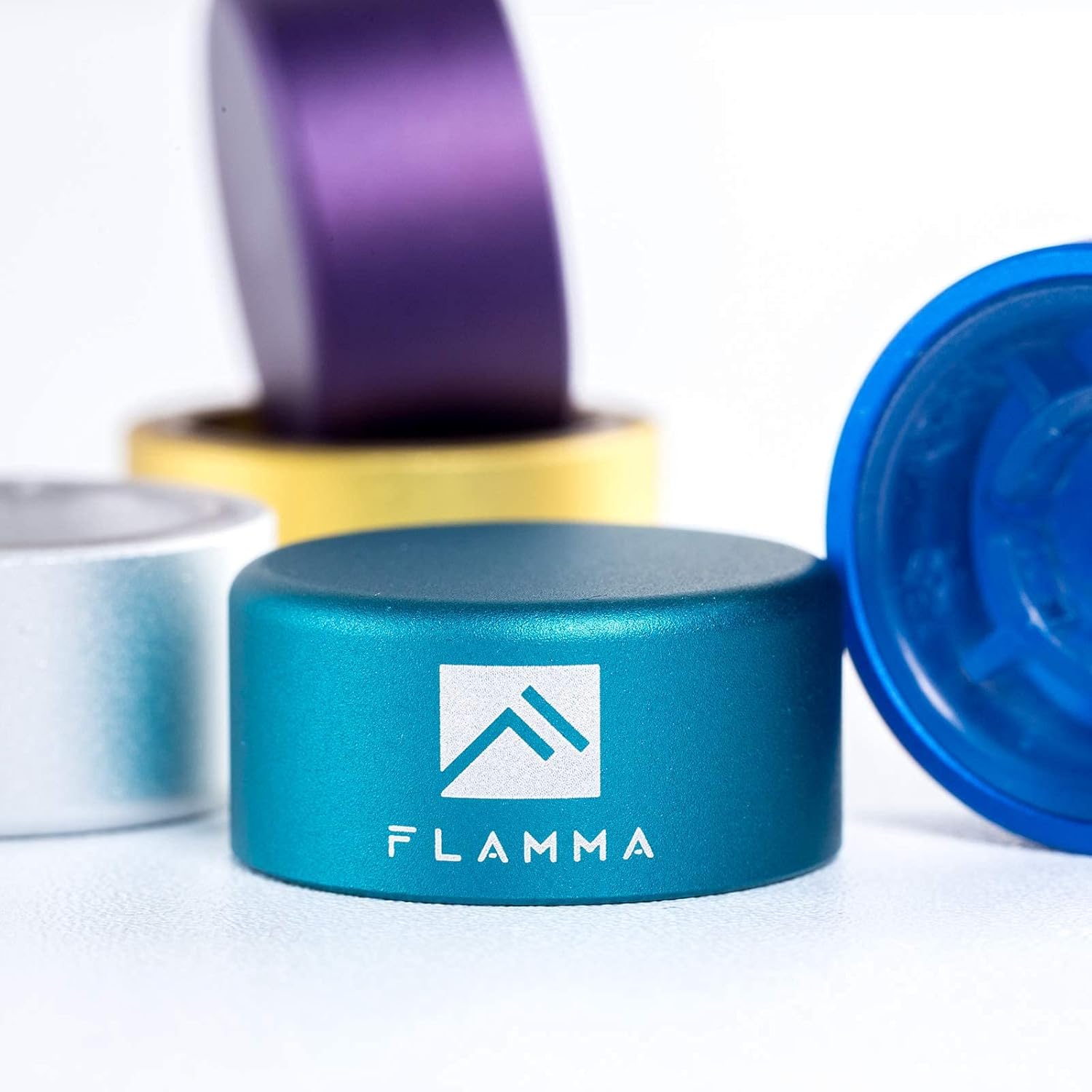
Figure 4: A single FLAMMA footswitch topper, showing its durable aluminum alloy construction and logo.
These 10mm footswitch toppers are made of quality aluminum alloy with plastic inlays. They are designed to fit standard pedal footswitches, increasing accuracy and comfort during use.

Figure 5: The set includes five footswitch toppers in mixed colors: Green, Silver, Blue, Yellow, and Purple.
6-сүрөт: Мисample of footswitch toppers installed on different guitar effects pedals, demonstrating their fit and appearance.
Жайгашуу
Connecting the FX100 Pedal
- Кубат туташуу: Connect the provided power adapter to the DC IN jack on the FX100 and then to a suitable power outlet.
- Аспап киргизүү: Connect your guitar or other instrument to the INPUT jack using a standard 1/4-inch instrument cable.
- Чыгуу туташуу: Connect the OUTPUT L/MONO jack to your amplifier, mixer, or audio interface using a standard 1/4-inch cable. If using stereo, connect the OUTPUT R jack as well.
- Наушник: For silent practice, connect headphones to the HEADPHONE jack.
- USB туташуу (кошумча): To connect to a computer for editing or recording, use a USB cable to connect the USB port on the FX100 to your computer.
Installing Footswitch Toppers
The footswitch toppers are designed for easy, tool-free installation.
- Align the footswitch topper over the existing footswitch button on your pedal.
- Press down firmly until the topper securely snaps onto the footswitch. No tools are required.
- To remove, gently pull the topper upwards.
Operating the FLAMMA FX100
Негизги башкаруу элементтери жана навигация
- MODE баскычы: Rotates to select different modes or menus. Press to confirm selection.
- БААЛУУЛУК ТҮЙМӨГҮ: Rotates to adjust parameter values within a selected mode. Press to confirm or enter sub-menus.
- МАСТЕР баскычы: Түзмөктүн жалпы чыгаруу көлөмүн көзөмөлдөйт.
- Бут өчүргүчтөр: The two main footswitches (left and right) are used for preset changes, looper control, and other functions depending on the selected mode.
- Экспресс Педалы: Controls parameters like volume, wah, or other assignable effects in real-time.
Effects Blocks and Presets
The FX100 features 9 independent effects blocks, each with multiple effect types. You can activate or deactivate blocks and adjust their parameters.
- Алдын ала коюлган тандоо: Use the footswitches to cycle through presets. The display will show the current preset number (e.g., P001).
- Effect Block Activation: Press the corresponding button (FX, DS, AMP, CAB, NS, EQ, MOD, DLY, REV) to toggle the effect block on or off. The LED above the button indicates its status.
- Параметрлерди түзөтүү: With an effect block active, use the MODE and VALUE knobs to navigate and adjust its parameters.
- Алдын ала орнотууларды сактоо: Түзөтүүдөн кийин, баскычын басыңыз САКТОО button to store your changes to a user preset slot.
Looper Function
The built-in looper allows for recording and overdubbing up to 80 seconds of audio.
- Activate Looper mode via the system menu or dedicated footswitch function.
- Press the footswitch once to start recording.
- Press again to stop recording and start playback.
- Press a third time to begin overdubbing.
- Hold the footswitch to undo/redo or clear the loop, depending on the specific setting.
Drum Machine and Metronome
The FX100 includes a drum machine with 40 patterns and 10 metronome types for practice.
- Access the Rhythm section via the РИТМ баскычы.
- Use the knobs to select drum patterns or metronome types and adjust tempo and volume.
Тюнер функциясы
The integrated tuner allows for accurate instrument tuning.
- басыңыз тюнер footswitch to activate the tuner. The output will be muted.
- Tune your instrument using the display.
- басыңыз тюнер footswitch again to exit tuner mode.
FX100 Studio Software

Figure 7: The FX100 can be connected via USB to a computer for editing presets and direct audio recording using the dedicated studio software.
The FX100 can be connected to a computer via USB for advanced preset editing and management using the FLAMMA FX100 Studio Software. This software also allows for direct audio recording to your computer.
- Download the latest software from the official FLAMMA webсайт.
- Install the software and any necessary drivers on your computer.
- Connect the FX100 to your computer using a USB cable.
- Launch the software to begin editing presets, managing IRs, and recording audio.
Техникалык тейлөө
- Тазалоо: Түзмөктүн сыртын тазалоо үчүн жумшак, кургак чүпүрөктү колдонуңуз. Абразивдүү тазалоочу каражаттарды, момдорду же эриткичтерди колдонбоңуз.
- Сактагыч: Педальды көпкө чейин колдонбогондо, аны салкын, кургак жерде, күндүн түз нурунан жана өтө жогорку температурадан алыс сактаңыз.
- Кабельге кам көрүү: Avoid bending or kinking cables excessively. Disconnect cables by pulling the plug, not the cable itself.
Проблемаларды чечүү
| Көйгөй | Мүмкүн себеп | Чечим |
|---|---|---|
| Күч жок | Incorrect power adapter; loose connection; power outlet issue. | Ensure correct power adapter is used and securely connected. Test the power outlet. |
| Үн чыгышы жок | Cables not connected properly; Master volume too low; Tuner mode active; effect block bypassed. | Check all audio cable connections. Increase Master volume. Exit Tuner mode. Ensure desired effect blocks are active. |
| Бурмаланган үн | Input level too high; gain settings on effects too high; faulty cable. | Adjust input level on the FX100 or your instrument. Reduce gain/drive settings on distortion/overdrive effects. Try a different cable. |
| Footswitch topper loose | Not pressed down firmly enough. | Press the topper down firmly until it clicks into place. |
Техникалык шарттар
| Өзгөчөлүк | Деталь |
|---|---|
| Эффекттер | 151 (across 9 effects blocks) |
| Amp Моделдер | 55 |
| Алдын ала орнотуулар | 200 (Колдонуучу) |
| Looper Time | 80 секунд |
| Барабан машинасы | 40 үлгү |
| Метроном | 10 түрү |
| IR Slots | 10 (3rd party) |
| Аппараттык интерфейс | 1/4-inch Audio, USB |
| Сигнал форматы | Аналог |
| Power Source | Электр зымдары |
| Controls Type | Knob, Footswitch, Expression Pedal |
| Footswitch Topper Size | 10 мм диаметри |
| Footswitch Topper Material | Aluminum alloy with plastic inlays |
Кепилдик жана колдоо
FLAMMA products are designed and manufactured to high quality standards. For warranty information, technical support, or service inquiries, please contact FLAMMA customer support through their official webпродукт сатылып алынган сайт же сатуучу. Колдоо кызматына кайрылганыңызда продуктуңуздун үлгүсүн жана сатып алуу күнүн көрсөтүңүз.
Көбүрөөк маалымат алуу үчүн расмий иш сапары менен FLAMMA Store on Amazon.
Ask a question about this manual
Ask about setup, troubleshooting, compatibility, parts, safety, or missing instructions. Manuals+ will review the question and use this page’s manual context to help answer it.