
1. Киришүү
The LiebeWH VC837 is a 6000-count auto-ranging digital multimeter designed for accurate and reliable electrical measurements. It features a non-contact AC voltage (NCV) sensor, True RMS measurement, and functions for measuring voltage, current, resistance, capacitance, frequency, duty cycle, diode, continuity, and temperature. Its compact and portable design makes it a convenient tool for various electrical tasks.

Сүрөт 1.1: Алдыңкы view of the LiebeWH VC837 Digital Multimeter, displaying its clear LCD and rotary switch.
2. Коопсуздук маалыматы
Always read and understand all safety instructions before using this multimeter.
- Do not touch the metal parts of the test leads with your hands during measurement to ensure personal safety.
- Ensure the multimeter is set to the correct function and range before connecting to the circuit.
- Эч качан колдонбоңузtage or current that exceeds the maximum rated limits of the multimeter.
- Токтогуч чынжырлар менен иштөөдө өтө этият болуңуз. Жогорку вольтtagкоркунучтуу болушу мүмкүн.
- Батареяны так көрсөткүчтөрдү камсыз кылуу үчүн батарейка аз индикатор пайда болгондо алмаштырыңыз.
- Мультиметр бузулгандай көрүнсө же корпусу ачык болсо, аны иштетпеңиз.
3. Продукциянын компоненттери
Пакет, адатта, төмөнкү нерселерди камтыйт:
- 1 x LiebeWH VC837 Digital Multimeter
- 2 x Сыноочу (Кызыл жана Кара)
- 1 x Thermal Contact (Thermocouple for temperature measurement)
- 1 x User Manual

Figure 3.1: The VC837 Multimeter shown with its standard accessories: test leads and a thermocouple.
4. Орнотуу
4.1. Батареяны орнотуу
The multimeter requires 2 x AAA 3V batteries (not included). To install or replace batteries:
- Мультиметр өчүрүлгөнүн текшериңиз.
- Аппараттын артындагы батарея бөлүкчөсүн табыңыз.
- Батарея бөлүкчөсүнүн капкагын ачуу үчүн бурагычты колдонуңуз.
- Туура полярдуулукту (+/-) сактоо менен эки AAA батарейкасын салыңыз.
- Батарея уясынын капкагын ордуна коюңуз жана аны бурама менен бекитиңиз.

4.1-сүрөт: Арткы view of the VC837 Multimeter, indicating the battery compartment location.
4.2. Сыноо линияларын туташтыруу
Connect the test leads to the appropriate input jacks for your desired measurement:
- туташтыруу кара сыноо үчүн жетек COM (Жалпы) джек.
- Том үчүнtage, resistance, capacitance, frequency, diode, and continuity measurements, connect the кызыл сыноо үчүн жетек VΩmA джек.
- For current measurements up to 600mA, connect the кызыл сыноо үчүн жетек VΩmA джек.
- For current measurements up to 10A, connect the кызыл сыноо үчүн жетек 10A джек.
5. Иштөө нускамалары
The VC837 features a rotary switch for function selection and several buttons for additional features.
5.1. Rotary Switch Functions
Turn the rotary switch to select the desired measurement function:
- ӨЧҮК: Мультиметрди өчүрөт.
- V~: AC Voltage өлчөө.
- V=: DC Voltage өлчөө.
- Ω / ->| / Buzzer: Resistance, Diode Test, and Continuity Test. Use the SELECT/ID button to cycle through these functions.
- Hz °C °F / NCV: Frequency, Temperature (Celsius/Fahrenheit), and Non-Contact Voltage detection. Use the SELECT/ID button to cycle through these functions.
- uA / mA / A: Микроampere, Milliampere, and Ampere current measurements (AC/DC). Use the SELECT/ID button to cycle through AC/DC modes.
5.2. Баскыч функциялары
- SELECT/ID: Cycles through sub-functions within a rotary switch position (e.g., Resistance, Diode, Continuity; or AC/DC for current).
- RANGE/REL: Manually selects measurement range (disables auto-ranging) or activates Relative mode.
- КАРМАП ТУРУУ/*: Freezes the current display reading (Data Hold). Long press to activate backlight.
5.3. Өлчөөлөрдү жүргүзүү
Жалпы өлчөө кадамдары:
- Connect the test leads correctly to the multimeter and the circuit.
- Turn the rotary switch to the desired function.
- LCD дисплейдеги өлчөө маанисин окуңуз.
Example: Measuring DC Voltage
- Кара сымды туташтырыңыз COM жана кызыл жетек VΩmA.
- Роторлуу которуштургучту күйгүзүңүз V=.
- Connect the test leads across the component or circuit where you want to measure DC voltage.
- Томду окуңузtage мааниси дисплейде.
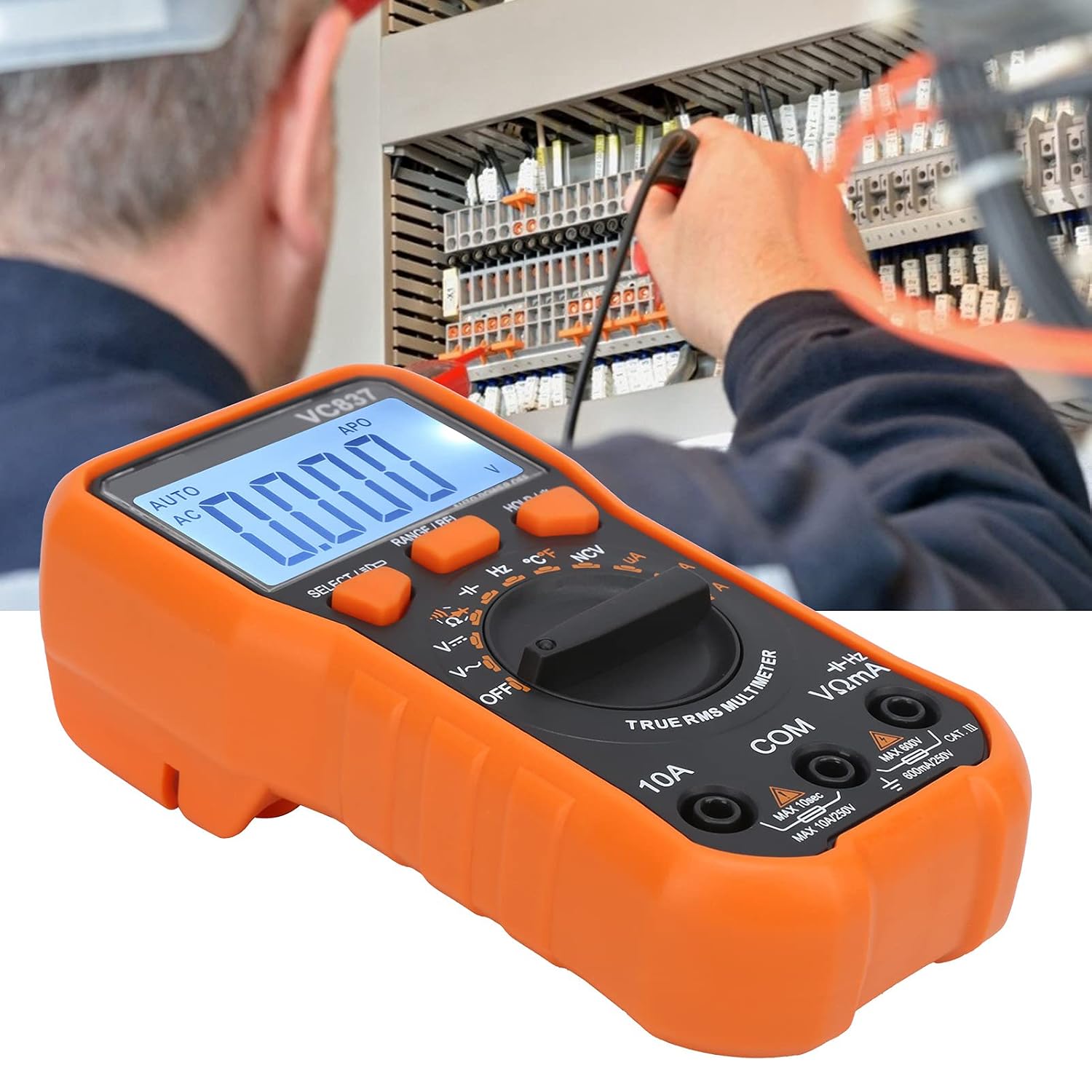
Figure 5.1: The VC837 Multimeter being used to measure electrical parameters in a circuit.
5.4. Контактсыз томtage (NCV) аныктоо
AC том аныктоо үчүнtagд түз байланышсыз:
- Ротари которгучту күйгүзүңүз Hz °C °F / NCV позиция.
- басыңыз SELECT/ID button until NCV is active (indicated on the display).
- Move the top edge of the multimeter near the conductor. The NCV sensor will detect AC voltage, indicated by an audible beep and LED light.
6. Техникалык тейлөө
6.1. Тазалоо
Ишти жарнама менен сүртүңүзamp кездеме жана жумшак жуугуч. Абразивдерди же эриткичтерди колдонбоңуз.
6.2. Батареяны алмаштыруу
Батареяны алмаштыруу боюнча нускамаларды 4.1-бөлүмдөн караңыз. Өлчөөнүн тактыгын сактоо үчүн батареянын заряды аз болгон индикатор пайда болгондо батареяларды тез арада алмаштырыңыз.
6.3. Сактагычты алмаштыруу
This multimeter may contain internal fuses for protection. Fuse replacement should only be performed by qualified personnel. Refer to the full manual for specific fuse ratings and replacement procedures.
7. Кыйынчылыктарды
- Дисплей жок / Алсыз дисплей:
Check battery installation and polarity. Replace batteries if they are low or depleted. - Туура эмес окуулар:
Ensure the correct function and range are selected. Check test lead connections. Verify the circuit is properly connected. - "OL" (Ашыкча жүктөө) көрсөткүчү:
The measured value exceeds the selected range. Switch to a higher range or ensure the input is within the multimeter's maximum specifications. - Мультиметр күйбөйт:
Check batteries. Ensure the rotary switch is not stuck between positions.
8. Техникалык шарттар
| Өзгөчөлүк | Спецификация |
|---|---|
| Модел | VC837 |
| Дисплей | 6000 Counts LCD (approx. 61 x 28 mm) |
| Электр камсыздоо | 2 x AAA 3V батарейкалар (киргизилген эмес) |
| Sampling Rate | 3 жолу / экинчи |
| AC жыштыгына жооп | 40Гц-2кГц |
| Киргизүү импедансы | 10МΩ |
| Авто өчүрүү | Болжол менен 15 мүнөт |
| Low Voltage Ойготкуч | 2.4 В төмөн |
| Иштөө режими | Auto or Manual Ranging |
| Материал | ABS |
9. Кепилдик жана колдоо
For detailed warranty information and customer support, please refer to the specific warranty card included with your product or visit the official LiebeWH webсайт. Сатып алганыңыздын далили катары сатып алуу дүмүрчөгүңүздү сактаңыз.