
1. Киришүү
This manual provides essential information for the proper setup, operation, and maintenance of your Syinix 32E1A 32-inch LED Screen. Please read this manual thoroughly before using the product to ensure safe and efficient operation. Keep this manual for future reference.
2. Коопсуздук маалыматы
Электр шокунан, өрткө же аппараттын бузулушуна жол бербөө үчүн ар дайым төмөнкү коопсуздук чараларын сактаңыз:
- Агрегатты жамгырга же нымдуулукка дуушар кылбаңыз.
- Кабинетти ачпаңыз. квалификациялуу персоналды гана тейлөө билдирет.
- Туура желдетүүнү камсыз кылыңыз. Вентиляция тешиктерин жаап албаңыз.
- Агрегаттын кулап калбашы үчүн аны туруктуу, түз жерге коюңуз.
- Чагылган түшкөн учурда же көпкө чейин колдонулбаган учурда электр шнурун сууруп коюңуз.
- Keep the unit away from direct sunlight, heat sources, and extreme temperatures.
3. Пакеттин мазмуну
Пакетте бардык буюмдар бар экенин текшериңиз:
- Syinix 32E1A 32-inch LED Screen
- Алыстан башкаруу
- Электр кабели
- Колдонуучунун Колдонмосу (бул документ)
- Сыналгы стендинин компоненттери (негизи жана бурамалары)

Сүрөт 3.1: The product packaging for the Syinix 32E1A LED Screen, showing the brand logo, model number, and key features like HD resolution and various input ports.
4. Продукт бүтүп калдыview
4.1 Фронт View
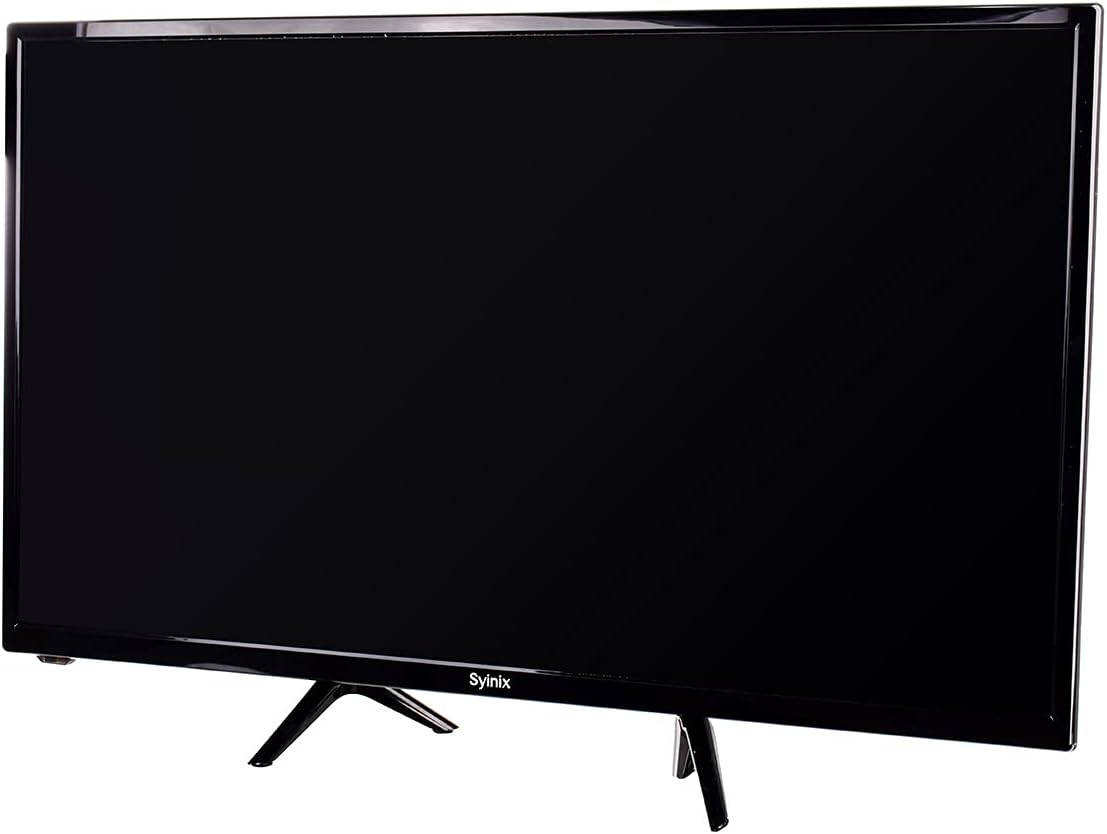
Сүрөт 4.1: Фронт view of the Syinix 32E1A 32-inch LED Screen, displaying its sleek black design and the Syinix logo at the bottom center of the bezel.
4.2 Алыстан башкаруу
The remote control allows you to operate the TV from a distance. Familiarize yourself with its buttons and functions.

Сүрөт 4.2: The remote control for the Syinix 32E1A LED Screen, featuring power, number buttons, navigation keys, volume, channel controls, and dedicated function buttons for various TV operations.
5. Орнотуу
5.1 Пакеттен чыгаруу
Carefully remove the TV and all accessories from the packaging. Retain the packaging materials for future transport or servicing.
5.2 Стендди орнотуу
- Экранга зыян келтирбөө үчүн телевизорду ылдый каратып жумшак, таза бетке коюңуз.
- Стенддин тетиктерин телевизордун астындагы монтаждоо тешиктери менен тууралаңыз.
- Берилген бурамалар менен стендди бекитиңиз. Стенд бекем бекитилгенин текшериңиз.
5.3 Кубатты туташтыруу
Plug the power cord into the TV's power input, then plug the other end into a suitable AC outlet. Ensure the voltage matches the TV's requirements.
5.4 Тышкы түзмөктөрдү туташтыруу
The Syinix 32E1A supports various connectivity options:
- HDMI: Connect high-definition devices like Blu-ray players, game consoles, or set-top boxes.
- VGA: Монитор катары колдонуу үчүн компьютерди туташтырыңыз.
- USB: Insert a USB drive to play multimedia content.
Сыналгыны күйгүзүүдөн мурун бардык туташуулар коопсуз экенин текшериңиз.
6. Иштөө нускамалары
6.1 Күйгүзүү/өчүрүү
басыңыз КҮЧ түзмөктү күйгүзүү же өчүрүү үчүн алыстан башкаруу пультундагы же телевизордогу баскычты басыңыз.
6.2 Киргизүү булагын тандоо
басыңыз БУЛАК button on the remote control to cycle through available input sources (HDMI1, HDMI2, VGA, USB, TV).
6.3 Меню Навигациясы
колдонуу МЕНЮ button to access the main menu. Use the arrow keys (ЖОГОРУ / ТӨМӨНӨ / СОЛГО / ОҢ) to navigate and OK to confirm selections. Common menu options include:
- Сүрөт: Adjust brightness, contrast, color, and picture mode.
- Үн: Adjust volume, bass, treble, and sound mode.
- Канал: Scan for channels (if using an antenna) and manage channel lists.
- Система: Set language, time, and other general settings.
6.4 USB медиа ойнотуу
Insert a USB storage device into the USB port. Select the USB input source. The TV will display a media browser, allowing you to select and play supported video, audio, or image files.
7. Техникалык тейлөө
7.1 Экранды тазалоо
Экранды жумшак, түксүз чүпүрөк менен акырын сүртүңүз. өжөр белгилери үчүн, бир аз гampчүпүрөккө суу же атайын экран тазалоочу каражат. Суюктукту экранга түз чачпаңыз.
7.2 Жалпы кам көрүү
- Сыналгыга оор нерселерди коюудан алыс болуңуз.
- Do not expose the TV to extreme temperatures or humidity.
- Keep the TV away from strong magnetic fields.
8. Кыйынчылыктарды
If you encounter issues with your Syinix 32E1A LED Screen, refer to the following common problems and solutions:
- Кубат жок: Кубат шнуру телевизорго да, дубалдагы розеткага да бекем сайылганын текшериңиз. Розетканын иштеп турганын текшериңиз.
- Сүрөт/үн жок: Verify that the correct input source is selected. Check all cable connections (HDMI, VGA). Try another device on the same input.
- Алыстан башкаруу иштебейт: Check the batteries and replace them if necessary. Ensure there are no obstructions between the remote and the TV's IR sensor.
- Сүрөттүн сапаты начар: Adjust picture settings in the menu (brightness, contrast, sharpness). Ensure the input source is providing a high-quality signal.
Эгерде бул чечимдерди колдонуп көргөндөн кийин көйгөй чечилбесе, кардарларды колдоо кызматына кайрылыңыз.
9. Техникалык шарттар
| Өзгөчөлүк | Спецификация |
|---|---|
| Бренд аты | Syinix |
| Модель аты | 32E1A |
| Screen Size | 32 дюйм |
| Резолюция | 1080p (Full HD) |
| Дисплей технологиясы | LED |
| Дисплей түрү | LCD |
| Жаңыртуу ылдамдыгы | 240 Гц |
| Байланыш технологиясы | HDMI, USB, VGA |
| Түс | Кара |
| Screen Surface Description | Жылтырак |
| Өндүрүүчү | Syinix |
| Пакеттин өлчөмдөрү | 80 x 50 x 14 см |
| Элемент Салмагы | 10 кг |
10. Кепилдик жана колдоо
Your Syinix 32E1A LED Screen is covered by a manufacturer's warranty. Please refer to the warranty card included in your package for specific terms and conditions. For technical support, service, or warranty claims, please contact your local Syinix authorized service center or retailer.