
1. Киришүү
The QUIKCELL QAIR MAX True Wireless Earbuds offer a seamless audio experience with advanced features designed for convenience and durability. This manual provides comprehensive instructions to help you get the most out of your earbuds, from initial setup to advanced operation and maintenance.
Video Description: Бул видео визуалдык көрүнүштү камсыз кылатview of the QUIKCELL QAIR MAX True Wireless Earbuds, highlighting key features such as wireless charging, touch controls, and sweat resistance.
2. Орнотуу
2.1. Кутудан чыгаруу жана баштапкы төлөм
Upon unboxing, ensure all components are present: the QUIKCELL QAIR MAX earbuds, the charging case, and various ear tip sizes. Before first use, fully charge the earbuds and charging case.
- Кулакчындарды заряддоо кутусуна салыңыз.
- Connect the charging case to a power source using the provided cable, or place it on a compatible wireless charging pad.
- The LED indicators on the charging case will illuminate to show the charging status and current power level.
- A full charge provides approximately 5 hours of playtime for the earbuds, with an additional 20 hours available from the charging case.

Сүрөттүн сүрөттөлүшү: The QUIKCELL QAIR MAX earbuds are shown inside their open charging case, which is positioned on a wireless charging pad. This illustrates the magnetic charging feature and the LED power indicators on the case.
2.2. Түзмөгүңүз менен жупташтыруу
The QAIR MAX earbuds feature hassle-free technology for automatic connection.
- Open the charging case. The earbuds will automatically turn on and connect to each other.
- Түзмөгүңүздө (смартфон, планшет ж.б.) Bluetooth иштетиңиз.
- Издөө "QUIKCELL QAIR MAX" in the list of available Bluetooth devices and select it to pair.
- Once paired, the earbuds will automatically connect to your device whenever they are removed from the case and Bluetooth is enabled on your device.
2.3. Кулакчындарды орнотуу
For optimal sound quality and comfort, select the correct ear tip size.
- The earbuds come with three different ear tip sizes (Small, Medium, Large).
- Try each size to find the one that provides a secure, comfortable fit and good seal in your ear canal.
- The ergonomic design ensures maximum comfort and reliability for extended periods of use.
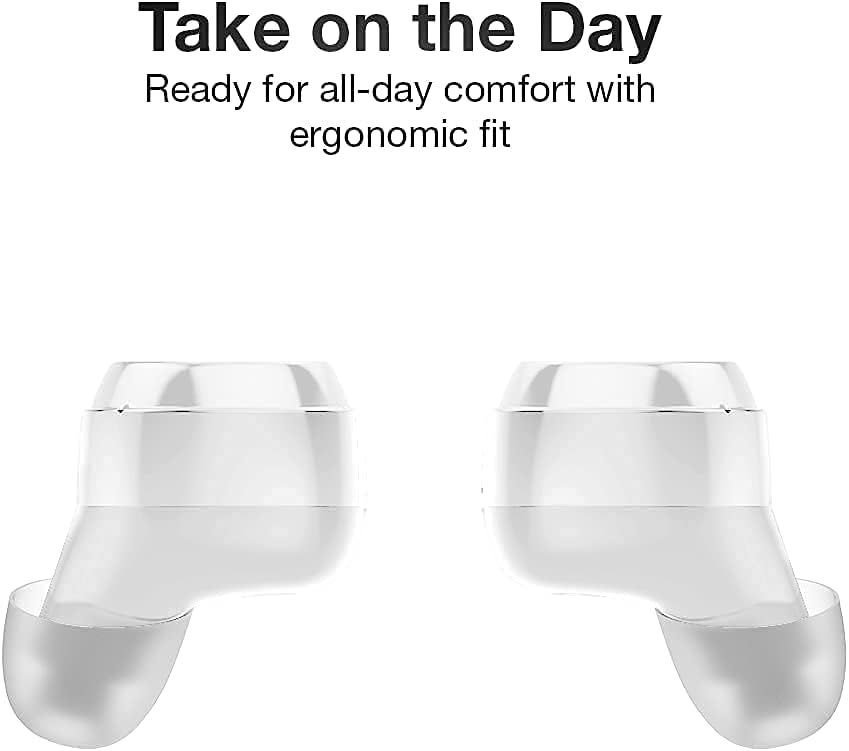
Сүрөттүн сүрөттөлүшү: Жакын план view of two QUIKCELL QAIR MAX earbuds, highlighting their ergonomic shape designed for comfortable and secure placement in the ear.
3. Кулакчындарды иштетүү
3.1. Күйгүзүү/өчүрүү
- Күйгүзүү: Кулакчындар заряддоо кутусунан чыгарылганда автоматтык түрдө күйөт.
- Өчүрүү: Кулакчындарды автоматтык түрдө өчүрүп, кубаттап баштоо үчүн аларды кайра кубаттоочу кутуга салыңыз.
3.2. Башкаруу элементтерине тийүү
The QAIR MAX earbuds feature intuitive touch controls on the outside of each earbud.
- Ойнотуу/тындыруу: Кулакчындын бирин басыңыз.
- Кийинки трек: Оң кулакчынды эки жолу таптаңыз.
- Мурунку трек: Сол кулакчынга эки жолу басыңыз.
- Көлөмү: Оң кулакчынды үч жолу таптаңыз.
- Үнүн азайтуу: Сол кулакчынды үч жолу таптаңыз.
- Чалууга жооп берүү/аяктоо: Кирүүчү чалуу учурунда гарнитураны бир жолу басыңыз.
- Чакырууну четке кагуу: Кирүүчү чалуу учурунда кулакчындын бирин 2 секунд басып туруңуз.
3.3. Үн жардамчысын жандыруу
Utilize the built-in microphone to activate your device's voice assistant.
- Үн Жардамчысын жандыруу: Press and hold either earbud for 2 seconds (when not on a call). This will activate Siri, Google Assistant, or other compatible voice assistants.
3.4. Байланыш
The earbuds maintain a stable Bluetooth connection for clear audio.
- The latest wireless technology provides crystal clear sound in both ears.
- Bluetooth connectivity is effective up to a range of 10 meters (approximately 33 feet).
4. Техникалык тейлөө
4.1. Кулакчындарды тазалоо
Үзгүлтүксүз тазалоо үн сапатын жана гигиенаны сактоого жардам берет.
- Кулакчындарды жана кубаттоочу кутуну жумшак, кургак, түксүз чүпүрөк менен акырын сүртүңүз.
- Кулагынын учтарын алып салып, жумшак самын жана суу менен тазалаңыз, анан кайра кийер алдында жакшылап кургатып алыңыз.
- Абразивдүү материалдарды же катуу химиялык заттарды колдонуудан алыс болуңуз.
4.2. Сууга туруктуулук
The QAIR MAX earbuds are designed for active lifestyles.
- The earbuds feature an IPX5 sweat resistance rating, protecting them against moisture and dirt.
- This rating means they can withstand splashes of water and sweat, making them suitable for workouts.
- Эскертүү: The earbuds are not waterproof and should not be submerged in water. The charging case is not water-resistant.

Сүрөттүн сүрөттөлүшү: Two QUIKCELL QAIR MAX earbuds are shown with visible water droplets, demonstrating their IPX5 sweat-resistant capabilities, suitable for active use.
5. Кыйынчылыктарды
5.1. Кулакчындар жупташкан жок
- Эки кулакчындын тең кубатталганын текшериңиз.
- Эки гарнитураны тең заряддоо кутусуна салып, капкагын жаап, бир нече секунд күтө туруңуз, анан кайра ачыңыз.
- Түзмөгүңүздүн Bluetooth'ун өчүрүп, күйгүзүп, кайра жупташтырып көрүңүз.
- Көйгөйлөр чечилбесе, Bluetooth жөндөөлөрүңүздө түзмөктү унутуп, кайра жупташтырып көрүңүз.
5.2. Үн жок же үнү төмөн
- Check the volume level on both your earbuds (via touch controls) and your connected device.
- Кулакчындардын кулагыңызга туура орнотулганын жана кулактын учтары жакшы жабылып турганын текшериңиз.
- Кулакчындардын динамиктеринен жана кулакчындардын учунан ар кандай таштандыларды тазалаңыз.
- Кулакчындар түзмөгүңүздөгү туура аудио чыгышка туташкандыгын текшериңиз.
5.3. Заряддоо маселелери
- Заряддоо кабели корпуска да, кубат булагына да бекем туташтырылганын текшериңиз.
- If using wireless charging, ensure the case is correctly positioned on a compatible wireless charging pad.
- Check for any debris in the charging ports of the case or on the charging contacts of the earbuds.
- Башка заряддоо кабелин же кубат адаптерин колдонуп көрүңүз.
6. Техникалык шарттар
| Модель номери | QAIRMAX-WHT |
| Байланыш технологиясы | Зымсыз (Bluetooth 5.0) |
| Bluetooth диапазону | 10 метрге чейин |
| Батареянын иштөө мөөнөтү (наушник) | Заряддоого 5 саатка чейин |
| Жалпы ойноо убактысы (Кеп менен) | 25 XNUMX+ саат |
| Сууга туруктуулук рейтинги | IPX5 (терге туруктуу) |
| Башкаруу түрү | Сенсордук башкаруу, Үн менен башкаруу |
| Шайкеш түзмөктөр | iPhone, Android, PC, Mac (with Bluetooth) |
| Өлчөмдөрү (наушник) | 2.6 x 1.18 x 1.18 дюйм (болжол менен) |
| Элемент Салмагы | 3.52 унция |
| Өндүрүүчү | Alphacomm |
7. Кепилдик жана колдоо
For warranty information and customer support, please refer to the documentation included with your purchase or visit the official QUIKCELL webсайт. Ар кандай кепилдик дооматтары үчүн сатып алганыңыздын далилин сактаңыз.