
Redragon K601-RGB
Redragon DITI K601-RGB One-Handed Gaming Keyboard Instruction Manual
Introduction
Welcome to the instruction manual for your new Redragon DITI K601-RGB One-Handed Gaming Keyboard. This compact mechanical keyboard is designed for competitive gaming, offering programmable macro keys, customizable RGB backlighting, and durable blue mechanical switches for a tactile and responsive experience. This manual will guide you through the setup, operation, maintenance, and troubleshooting of your device.

Сүрөт: The Redragon DITI K601-RGB One-Handed Gaming Keyboard showcasinанын компакттуу дизайны жана жандуу RGB арткы жарыгы.
Коопсуздук маалыматы
- Баскычтопту суюктуктардан жана ашыкча нымдуулуктан алыс кармаңыз.
- Ашыкча температурадан сактаныңыз.
- Баскычтопту бөлүктөргө бөлүүгө же өзгөртүүгө аракет кылбаңыз. Бул сиздин кепилдикти жокко чыгарып, зыян келтириши мүмкүн.
- Clean the keyboard with a soft, dry cloth. Avoid harsh chemicals.
- Бул продукт сууга туруктуу эмес.
Пакеттин мазмуну
Сураныч, кутудан чыгарганда пакеттин мазмунун текшерип, бардык буюмдар бар экенин текшериңиз:
- Redragon DITI K601-RGB One-Handed Gaming Keyboard
- USB кабели
- Колдонуучунун Колдонмосу (бул документ)
Орнотуу колдонмосу
1. Баскычтопту туташтыруу
- Компьютериңизде же ноутбугуңузда жеткиликтүү USB портун табыңыз.
- Plug the USB connector of the Redragon DITI K601-RGB keyboard into the USB port.
- Иштетүү системасы автоматтык түрдө керектүү драйверлерди таап, орнотот.
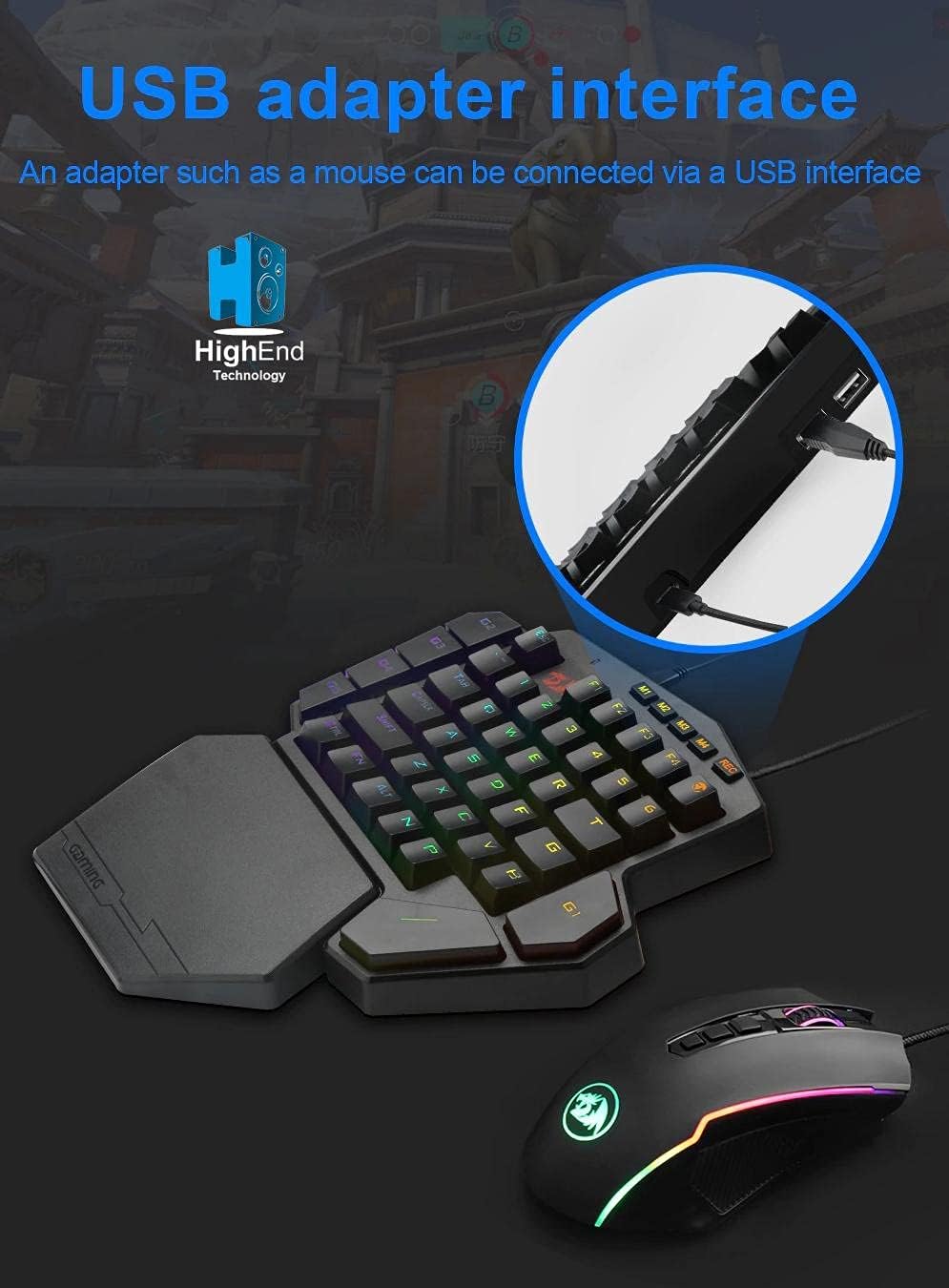
Сүрөт: Illustrates connecting the Redragon DITI K601-RGB keyboard via its USB interface to a computer.
2. Driver and Software Installation (Optional for Advanced Features)
For full customization, including macro programming and advanced RGB lighting effects, it is recommended to install the Redragon software.
- Расмий Redragonго барыңыз webсайт (www.redragonzone.com) жана колдоо же жүктөө бөлүмүнө өтүңүз.
- Издөө the DITI K601-RGB model and download the latest driver and software package.
- Орнотууну аяктоо үчүн экрандагы нускамаларды аткарыңыз.
Иштөө нускамалары
Негизги ачкыч функциялары
The DITI K601-RGB features a compact layout optimized for gaming. Standard keys function as labeled.

Сүрөт: Жакын план view of the Redragon DITI K601-RGB keyboard, highlighting the dustproof blue mechanical switches and keycap design.
Макро программалоо
The keyboard supports custom macro programming for enhanced in-game control. This feature is managed through the Redragon software.
- Open the Redragon DITI K601-RGB software.
- Navigate to the "Macro" tab or section.
- Create a new macro by recording key presses and delays.
- Assign the created macro to one of the programmable keys (e.g., G1-G5 or M1-M4, if available on your model).
- Профессоруңузду сактаңызfile.

Сүрөт: Screenshot of the Redragon DITI K601-RGB software's main page, illustrating the custom macro programming interface and profile башкаруу.
RGB жарыктандырууну ыңгайлаштыруу
Customize the RGB backlighting to match your setup or mood using the dedicated software.
- In the Redragon software, locate the "Light" or "RGB" settings.
- Choose from various preset lighting effects or create your own custom patterns.
- Жарыктыгын, ылдамдыгын жана түс схемаларын тууралаңыз.
- Save your preferred lighting profile.
Техникалык тейлөө
Тазалоо
- Тазалоодон мурун клавиатураны компьютерден ажыратыңыз.
- Use a soft, lint-free cloth to wipe down the surface of the keyboard.
- Ачкычтардын ортосундагы чаң жана таштанды үчүн кысылган абаны колдонуңуз.
- Суюк тазалоочу каражаттарды, эриткичтерди же абразивдүү материалдарды колдонбоңуз.
Сактагыч
Клавиатураны узак убакыт бою колдонбогондо, күндүн тике тийген нурунан жана экстремалдык температурадан алыс, салкын, кургак жерде сактаңыз.
Проблемаларды чечүү
Баскычтоп жооп бербейт
- USB кабели клавиатурага жана компьютерге бекем сайылганын текшериңиз.
- Баскычтопту башка USB портуна сайып көрүңүз.
- Компьютериңизди өчүрүп күйгүзүңүз.
- Check your computer's Device Manager to see if the keyboard is recognized. Reinstall drivers if necessary.
Keys Not Working Correctly
- Clean around the affected keys with compressed air to remove any debris.
- If using custom macros, ensure they are correctly programmed and assigned in the software.
- Системага тиешелүү маселелерди жокко чыгаруу үчүн баскычтопту башка компьютерде сынап көрүңүз.
RGB жарыктандыруу маселелери
- Ensure the Redragon software is running and the lighting settings are correctly configured.
- Check for any firmware updates for the keyboard on the Redragon webсайт.
- Reset lighting settings to default within the software.
Продукт спецификациялары
| Бренд | Redragon |
| Модель номери | K601-RGB |
| Байланыш | Зымдуу USB |
| Шайкеш түзмөктөр | Компьютер, ноутбук |
| Баскычтоптун түрү | Механикалык оюн баскычтобу |
| Которуу түрү | Көк механикалык өчүргүчтөр |
| Өзгөчөлүктөр | Programmable Macro Keys, Customizable RGB Lighting, Gaming Design |
| Түс | Кара |
| Сунушталган колдонуу | Gaming (FPS, LoL, PUBG) |
| Баскычтоптун жайгашуусу | Compact QWERTY (One-Handed) |
| Суу каршылык | Сууга чыдамдуу эмес |
| Камтылган компоненттер | USB кабели |
Кепилдик маалымат
Redragon products typically come with a limited manufacturer's warranty. Please refer to the warranty card included with your product or visit the official Redragon webСиздин аймакка тиешелүү деталдуу кепилдик шарттары жана шарттары үчүн сайт. Кепилдик дооматтар үчүн сатып алганыңыздын далилин сактаңыз.
Кардарларды колдоо
If you encounter any issues or have questions not covered in this manual, please contact Redragon customer support.
- Webсайт: www.redragonzone.com (Аймактык колдоо байланыштарын текшериңиз)
- Электрондук почта: караңыз webбелгилүү бир байланыш электрондук почталары үчүн сайт.
- Телефон: караңыз webатайын байланыш номерлери үчүн сайт.
Ask a question about this manual
Ask about setup, troubleshooting, compatibility, parts, safety, or missing instructions. Manuals+ will review the question and use this page’s manual context to help answer it.