
Easytry123 714543-1320, 714543-1020, 736257-0010
Алыстан башкаруу Колдонуучунун колдонмосун алмаштыруу
Easytry123 Model: 714543-1320, 714543-1020, 736257-0010
1. Продукт бүтүп калдыview
This document provides instructions for the Easytry123 Replacement Remote Control, designed as an infrared (IR) replacement for specific Bose Solo TV Sound Systems. This remote is intended to function similarly to your original remote, offering essential controls for your sound system.

2. Шайкештик
This replacement remote control is compatible with Bose Solo TV Sound System models 714543-1320, 714543-1020, and 736257-0010. It is crucial to ensure that your current remote control is visually identical to the remote shown in this manual for guaranteed compatibility. If your model number is not explicitly listed or your original remote differs, please contact the seller for assistance before use.
3. Орнотуу
3.1 Батареяны орнотуу
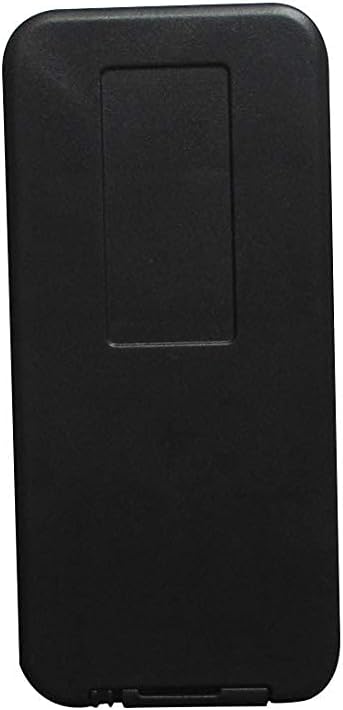
- Пульттун артындагы батарея отсегин табыңыз.
- Батареянын капкагын ачуу үчүн ылдый же жебе менен көрсөтүлгөн багытта жылдырыңыз.
- Оң (+) жана терс (-) терминалдары бөлүмдүн ичиндеги белгилер менен туура дал келишин камсыз кылып, эки (2) AAA батарейканы салыңыз.
- Батареянын капкагын бекем чыккыча ордуна жылдырыңыз.
3.2 Алгачкы колдонуу
This is an infrared (IR) replacement remote control and typically does not require any programming or pairing. Once batteries are installed, it should be ready for immediate use with compatible Bose Solo TV Sound Systems. Ensure a clear line of sight between the remote's IR emitter and the sound system's IR receiver.
4. Иштөө нускамалары
The remote control provides direct access to common functions of your Bose Solo TV Sound System. Below is a description of the primary buttons:
- Кубат баскычы (⏻): Turns the sound system on or off.
- Сыналгы баскычы: Switches the sound system's input to the TV audio.
- Үнүн жогорулатуу (+): Аудионун үнүн жогорулатат.
- Үнүн төмөндөтүү (-): Аудионун үнүн азайтат.
- Bluetooth баскычы (Ⓑ): Switches the sound system's input to Bluetooth for wireless audio streaming.
- Басс баскычы: Аудио чыгышынын басс деңгээлин тууралайт.
- Үнсүз баскычы (🔇): Аудионун үнүн өчүрөт же ачат.
- Булак баскычы (⎚): Cycles through available audio input sources (e.g., TV, Optical, Aux).

5. Техникалык тейлөө
5.1 Батареяны алмаштыруу
Пульттун реакциясы жайлап калса же иштебей калса, батареяларды алмаштырыңыз. Эки батареяны тең ар дайым бир убакта жаңы AAA батареялары менен алмаштырыңыз. Эски жана жаңы батареяларды же ар кандай типтеги батареяларды аралаштырбаңыз.
5.2 Тазалоо
Пультту тазалоо үчүн, анын бетин жумшак, кургак чүпүрөк менен акырын сүртүңүз. Өжөр кир үчүн, бир азampen the cloth with water. Avoid using harsh chemicals, abrasive cleaners, or excessive moisture, as these can damage the remote's finish or internal components.
5.3 Сактоо
Пультту салкын, кургак, күн нуру түз тийбеген, өтө жогорку температурадан жана жогорку нымдуулуктан алыс жерде сактаңыз. Эгерде пульт көпкө колдонулбаса, агып кетүүнүн жана мүмкүн болгон зыяндын алдын алуу үчүн батарейкаларды алып салуу сунушталат.
6. Кыйынчылыктарды
| Көйгөй | Мүмкүн себеп | Чечим |
|---|---|---|
| Пульт жооп бербей жатат. | Өлүк же туура эмес салынган батарейкалар. | Check battery orientation. Replace batteries with new AAA batteries. |
| Үзгүлтүктүү функция. | Weak batteries; obstruction between remote and sound system. | Replace batteries. Ensure clear line of sight to the sound system's IR receiver. |
| Remote works only at close range. | Алсыз батарейкалар. | Батареяларды жаңы AAA батарейкалары менен алмаштырыңыз. |
| Айрым баскычтар иштебейт. | Remote not fully compatible; internal defect. | Verify compatibility with your specific Bose Solo model. Contact seller if issues persist. |
7. Техникалык шарттар
| Бренд | Easytry123 |
| Модель номерлери | 714543-1320, 714543-1020, 736257-0010 |
| Байланыш технологиясы | Инфракызыл (IR) |
| Шайкеш түзмөктөр | Bose Solo TV Sound System |
| Батареялар талап кылынат | 2 x AAA (киргизилген эмес) |
| Өзгөчө өзгөчөлүк | Direct replacement, ergonomic design |
8. Кепилдик жана колдоо
This product is an aftermarket replacement remote control. For any questions, concerns, or issues regarding compatibility or functionality, please contact the seller directly through your purchase platform. It is recommended to check the seller's return and support policies at the time of purchase.
Ask a question about this manual
Ask about setup, troubleshooting, compatibility, parts, safety, or missing instructions. Manuals+ will review the question and use this page’s manual context to help answer it.