
1. Киришүү
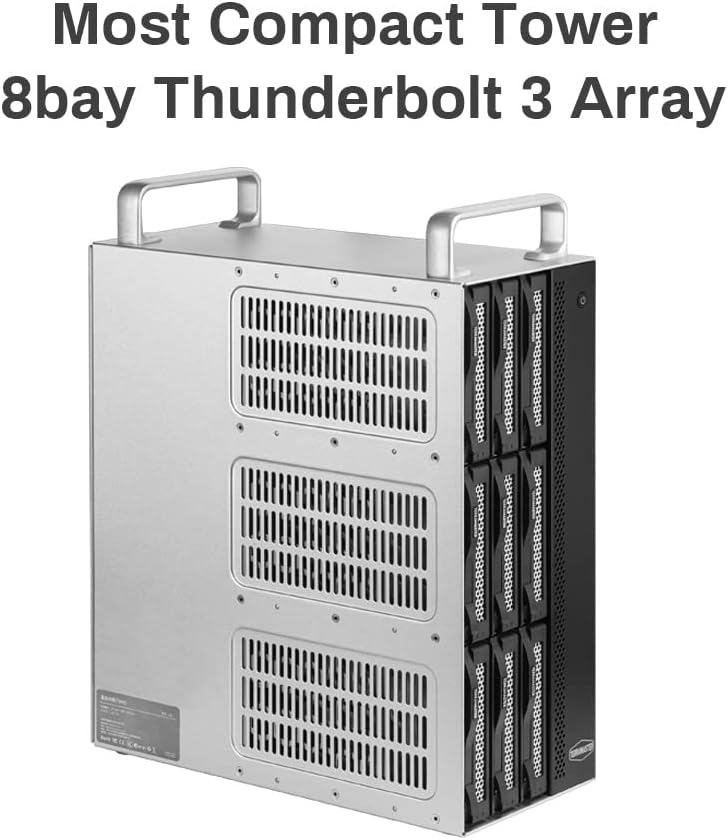
The TERRAMASTER D8-332 is a professional-grade 8-bay Thunderbolt 3 hardware RAID enclosure designed for high-performance external storage. It offers robust data protection and rapid data transfer speeds, making it suitable for demanding applications such as real-time multi-channel HD and 4K video editing. This manual provides essential information for setting up, operating, and maintaining your D8-332 device.
2. Негизги өзгөчөлүктөрү
- Veritable Hardware RAID Controller: Equipped with a dedicated RAID chip and high-speed cache memory for stable, high-performance data transmission and protection.
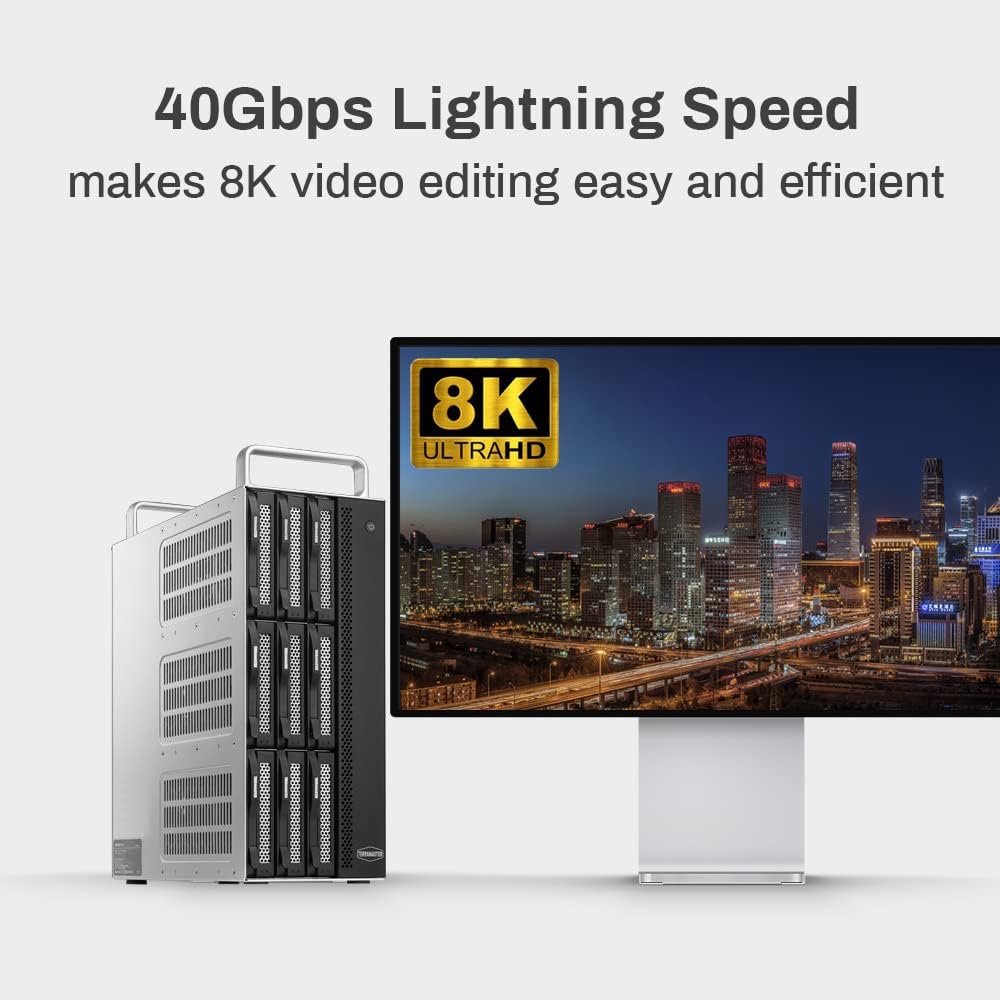
- Lightning Fast Storage: Features dual Thunderbolt 3 interfaces (40Gbps) for transfer speeds up to 1600 MB/s read and 1400 MB/s write (with 8 SSDs in RAID 0 on Windows OS). Compatible with Thunderbolt 3 or 4 ports.
- Large-Capacity Storage: Supports multiple hardware RAID modes including RAID 0, 1, 5, 10, JBOD, and Single. Expandable up to 160TB (20TB x 8 in RAID 0) and daisy-chainable for up to 960TB capacity.
- Көп функциялуулугу: Utilizes Thunderbolt 3 and DisplayPort interfaces for multi-screen displays (up to 3 monitors) and daisy-chaining up to 6 devices, creating an efficient workspace.
- Professional and Safe Design: Features three 80-mm inbuilt temperature-controlled smart fans for excellent heat dispersion. Constructed with a sturdy, durable metal body and humanized design with double handles for easy and safe transport.
3. Пакеттин мазмуну
- TERRAMASTER D8-332 Thunderbolt 3 Storage Enclosure
- User Manual
4. Продукт бүтүп калдыview
4.1 алдыңкы панели
The front panel features eight drive bays, a power button, and LED indicators for power and individual drive activity.

4.2 Арткы панель
The rear panel provides various connectivity options and controls:
- USB 3.1 Host Ports: USB түзмөктөрүн туташтыруу үчүн эки порт.
- LAN (1000M) Port: Gigabit Ethernet port for network connectivity.
- DisplayPort 1.4: Тышкы дисплейди туташтыруу үчүн.
- Thunderbolt 3 порттору: Two ports for host connection and daisy-chaining.
- DC In 12V Port: Кубат киргизүү.
- RAID Mode Switch: For selecting the desired RAID configuration.
- Калыбына келтирүү баскычы: Аппаратты баштапкы абалга келтирүү үчүн.

5. Орнотуу
5.1 Дискти орнотуу
- Бошотуу кулпусун басып, диск бөлүмүн ачыңыз.
- Mount your 3.5-inch hard drive or 2.5-inch SSD onto the drive caddy using the provided screws.
- Slide the caddy with the mounted drive back into the bay until it clicks securely into place.
- Repeat for all desired drives.
5.2 Компьютериңизге туташуу
- Connect the power adapter to the DC In 12V port on the rear panel and plug it into a power outlet.
- Use the included Thunderbolt 3 cable to connect one of the Thunderbolt 3 ports on the D8-332 to a Thunderbolt 3 or Thunderbolt 4 port on your computer.
- Түзмөктү күйгүзүү үчүн алдыңкы панелдеги кубат баскычын басыңыз.
5.3 RAID конфигурациясы
The D8-332 supports various hardware RAID modes. Select the desired mode using the RAID Mode Switch on the rear panel. After changing the RAID mode, you must press the Reset button for the changes to take effect. Warning: Changing RAID modes will erase all data on the drives. Back up your data before reconfiguring RAID.
- RAID 0 (Striping): Combines drives into a single volume for maximum speed. No data redundancy.
- RAID 1 (көзгө түшүрүү): Duplicates data across two drives for redundancy. Capacity is limited to the smallest drive.
- RAID 5: Distributes data and parity across multiple drives for good performance and data redundancy. Requires at least 3 drives.
- RAID 10: Combines striping and mirroring for high performance and redundancy. Requires at least 4 drives.
- JBOD (Just a Bunch Of Disks): Presents each drive as a separate volume.
- Бойдок: Each drive operates independently without RAID functionality.

6. Иштөө нускамалары
Once connected and configured, your D8-332 will appear as an external drive or drives on your computer. You can then drag and drop files, perform backups, or use it as primary storage for your applications. The LED indicators on the front panel will show the power status and activity of each installed drive.
7. Performance
The D8-332 leverages Thunderbolt 3 technology to deliver high-speed data transfer. With optimal configuration (e.g., RAID 0 with SSDs), it can achieve sequential read speeds of up to 1600 MB/s and write speeds of up to 1400 MB/s. The 40Gbps bandwidth of Thunderbolt 3 ensures that multiple devices, including high-resolution displays and other storage units, can be daisy-chained without significant performance degradation.
8. Техникалык тейлөө
To ensure optimal performance and longevity of your D8-332, follow these maintenance guidelines:
- Keep the device in a well-ventilated area to allow for proper heat dissipation by the smart fans.
- Regularly check for firmware updates on the TERRAMASTER official webсайт.
- Бардык кабелдер коопсуз туташтырылганын текшериңиз.
- Аппаратты экстремалдык температуранын же нымдуулуктун таасиринен сактаңыз.
- Periodically clean the exterior with a soft, dry cloth. Do not use liquid cleaners.
9. Кыйынчылыктарды
If you encounter issues with your D8-332, consider the following:
- Түзмөк таанылган жок: Ensure the Thunderbolt 3 cable is securely connected to both the D8-332 and your computer. Verify the device is powered on. Check your computer's system information to see if the Thunderbolt device is detected.
- Drives not appearing: Confirm that drives are properly installed in their caddies and bays. If you recently changed the RAID mode, ensure you pressed the Reset button and re-initialized/formatted the drives as needed (note: this will erase data).
- Жай аткаруу: Ensure you are using a Thunderbolt 3 or 4 port on your computer. Performance can vary based on the type of drives used (SSD vs. HDD) and the selected RAID mode. Shared bandwidth with multiple daisy-chained devices can also affect individual device performance.
- Ашыкча ысып кетүү: Ensure the fan vents are not obstructed. Operate the device in a cool, well-ventilated environment.
10. Техникалык шарттар
| Өзгөчөлүк | Спецификация |
|---|---|
| Бренд | TERRAMASTER |
| Модель номери | D8-332 |
| Материал | Металл |
| Элемент Салмагы | 20.3 фунт |
| Продукциянын өлчөмдөрү | 5.31"L x 11.61"W x 13.15"H |
| Шайкеш түзмөктөр | Mac, Windows |
| Катуу диск форма фактору | 3.5 дюйм |
| Колдоого алынган түзмөктөрдүн максималдуу саны | 8 |
| Маалыматтарды өткөрүү ылдамдыгы | секундасына 1600 мегабайт |
| Байланыш технологиясы | Thunderbolt 3, USB 3.1 |
| Катуу диск интерфейси | SATA 6.0 Гб/с |
| Катуу дисктин айлануу ылдамдыгы | 7200 RPM (typical for HDDs) |
11. Кепилдик жана колдоо
For detailed warranty information and technical support, please refer to the official TERRAMASTER website or the warranty card included with your product. You may also find additional resources and FAQs on their support pages.