
1. Киришүү
This document provides instructions for the Easytry123 Replacement Remote Control, designed to operate various Sanyo Air Conditioner models. Please note that as a replacement unit, some advanced or specific functions present on your original remote may not be supported or may operate differently. This remote is intended to provide essential control over your air conditioning unit.
2. Пакеттин мазмуну
- 1 x Easytry123 Replacement Remote Control
Батареялар камтылган эмес жана өзүнчө сатып алынышы керек.
3. Продукт бүтүп калдыview
Familiarize yourself with the layout and functions of your new remote control.

Сүрөт 1: Алдыңкы View of Remote Control. This image displays the front of the white remote control, showing its various buttons and the LCD screen. Key buttons visible include ON-I/OFF-O, TEMP ▲/▼, MODE, FAN SPEED, 1HR, ON TIMER OFF, ECONOMY, QUIET, LED CLEAN, and FLAP.
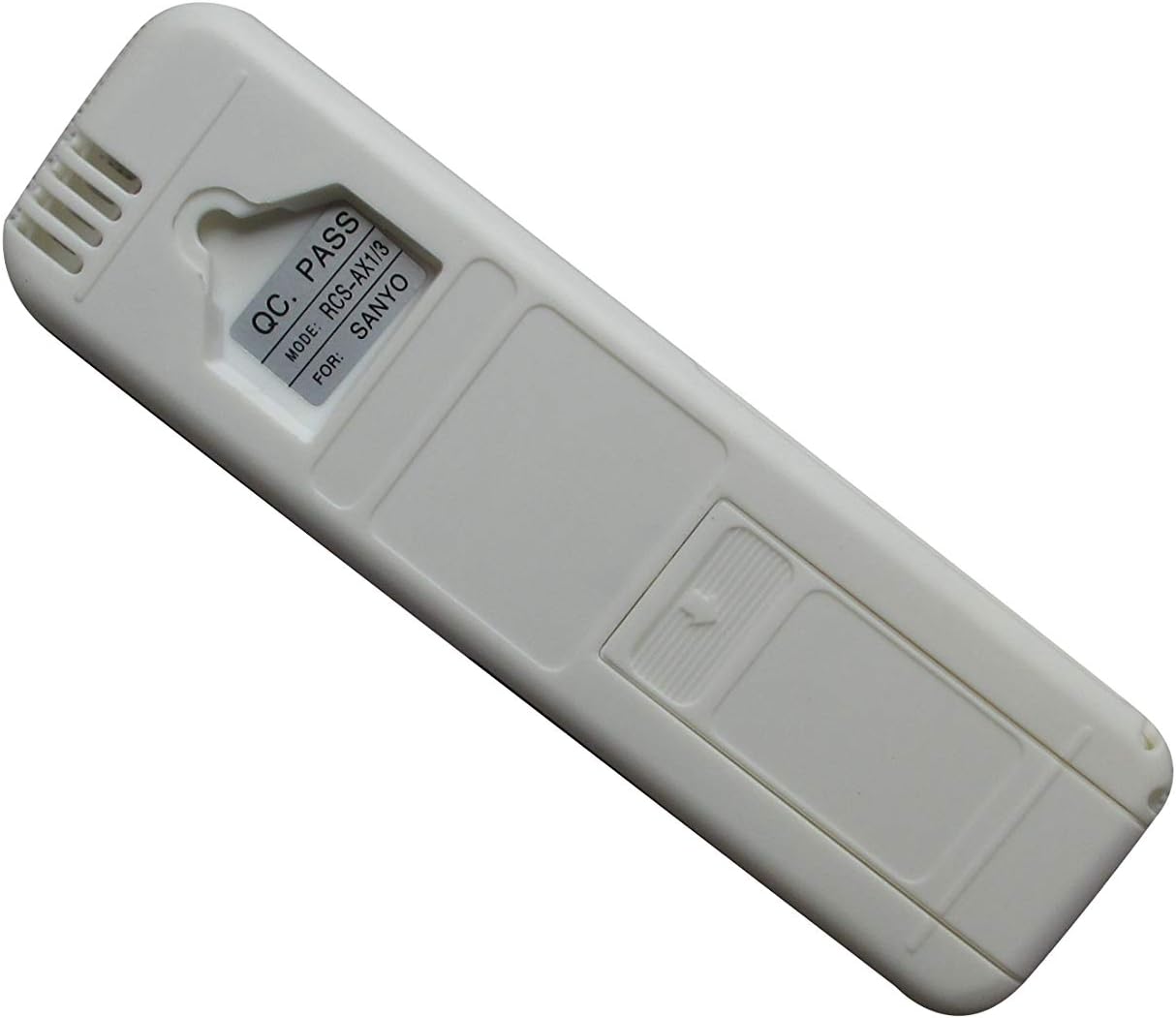
Сүрөт 2: Артка View of Remote Control. This image shows the rear side of the remote control. A label is visible near the top, indicating "QC PASS" and "MODE: RCS-AX1/3 FOR: SANYO", confirming the remote's model and intended brand compatibility.
4. Орнотуу
4.1 Батареяны орнотуу
- Пульттун артындагы батарея отсегин табыңыз.
- Батарея уясынын капкагын ылдый жылдырыңыз жана аны алып салыңыз.
- Оң (+) жана терс (-) терминалдары бөлүмдүн ичиндеги белгилер менен туура дал келишин камсыз кылып, эки (2) AAA батарейканы салыңыз.
- Батарея бөлүкчөсүнүн капкагын бекем чыккыча ордуна жылдырыңыз.

Image 3: Battery Compartment Open. This image shows the back of the remote control with the battery cover removed, revealing the empty battery slots where two AAA batteries are to be inserted.
4.2 Алгачкы колдонуу
This remote control uses infrared (IR) technology and typically does not require pairing. Once batteries are installed, point the remote directly at your Sanyo Air Conditioner unit and press a button to test its functionality.
5. Иштөө нускамалары
Below are the functions of the primary buttons on your remote control:
- ON-I/OFF-O Button: Press to turn the air conditioner unit ON or OFF.
- ТЕМПЕРАТУРА ▲ / ▼ Баскычтар: Басыңыз ▲ to increase the temperature setting, and ▼ аны азайтуу үчүн.
- MODE баскычы: Cycles through the available operating modes (e.g., Cool, Heat, Fan, Dry, Auto). The active mode will typically be displayed on the remote's LCD screen.
- FAN SPEED баскычы: Желдеткичтин ылдамдыгын тууралайт (мисалы, Төмөн, Орто, Жогорку, Авто).
- 1HR Button: Activates a 1-hour timer function. Consult your air conditioner's original manual for specific timer behaviors.
- ON TIMER OFF Button: Used to set or cancel the ON/OFF timer for the air conditioner.
- ECONOMY Button: Activates the energy-saving or economy mode, which may adjust temperature settings for reduced power consumption.
- QUIET баскычы: Engages a quiet operation mode, typically reducing fan speed and noise output.
- LED CLEAN Button: May activate a self-cleaning function for the indoor unit or control the display LED. Refer to your AC unit's manual for exact functionality.
- FLAP Button: Controls the direction or swing of the air flaps/louvers.
6. Техникалык тейлөө
6.1 Тазалоо
Пультту жумшак, кургак чүпүрөк менен сүртүңүз. Суюк тазалагычтарды же абразивдик материалдарды колдонбоңуз, анткени алар бетке же ички тетиктерге зыян келтириши мүмкүн.
6.2 Батареяны алмаштыруу
Replace batteries when the remote's response becomes sluggish or the display fades. Always replace both batteries at the same time with new AAA batteries. Remove batteries if the remote will not be used for an extended period to prevent leakage.
6.3 Сактоо
Пультту күн нурунан жана өтө температурадан алыс салкын, кургак жерде сактаңыз.
7. Кыйынчылыктарды
- Пульт жооп бербей жатат:
- Батареялар туура салынганын жана түгөнбөгөнүн текшериңиз. Керек болсо алмаштырыңыз.
- Ensure there is a clear line of sight between the remote's infrared emitter and the air conditioner's receiver. Obstructions can block the signal.
- Make sure you are within the effective operating range of the air conditioner's IR receiver.
- Not all functions work as expected:
- As a replacement remote, it may not support all specific or advanced functions of your original air conditioner remote. This is common for universal or replacement remotes.
- Кондиционериңиздин модели шайкеш келген деп көрсөтүлгөнүн текшериңиз.
8. Техникалык шарттар
| Өзгөчөлүк | Деталь |
|---|---|
| Модел | RCS-AX1/3 |
| Power Source | 2 x AAA Батареялар (киргизилген эмес) |
| Байланыш технологиясы | Инфракызыл (IR) |
| Шайкеш түзмөктөр | Sanyo Air Conditioners (e.g., SAP-K182AH, SAP-K242AH, SAP-K92AH, KHS2672R, RCS-7S1E, SAP-K127SG6A, SAP-K122AH, 18KS72-KS1872) |
| Өзгөчө өзгөчөлүк | Эргономикалык дизайн |
| Колдоого алынган түзмөктөрдүн максималдуу саны | 1 |
9. Кепилдик жана колдоо
As a replacement product, specific warranty details may vary. Please refer to the seller or your purchase documentation for any warranty information or support inquiries. For technical assistance or questions regarding compatibility, it is recommended to contact the seller directly.