
1. Киришүү
Thank you for choosing the Ninestars DZT-10-35 Motion Sensor Trash Can. This innovative product is designed to provide a hygienic and convenient waste disposal solution for your home or office. Featuring hands-free operation, a removable leak-proof inner bucket, and a built-in manual mode, this trash can simplifies daily cleanups.
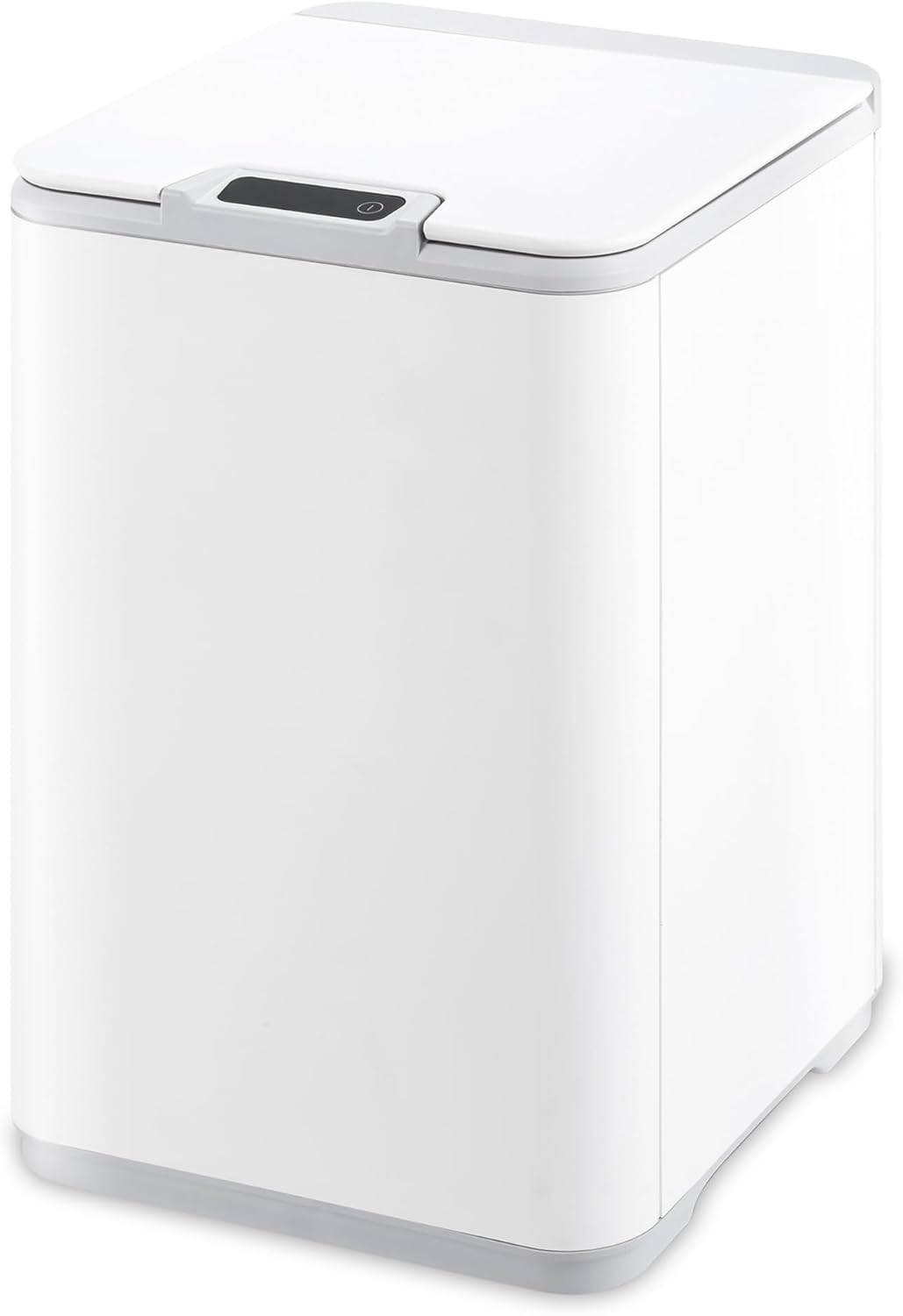
Image 1.1: The Ninestars DZT-10-35 Motion Sensor Trash Can.
2. Орнотуу жана орнотуу
2.1 Батареяны орнотуу
- Капкактын астыңкы жагындагы батарея бөлүкчөсүн табыңыз.
- Батарея уясынын капкагын ачыңыз.
- Insert two (2) AA batteries (not included) according to the polarity indicators (+/-).
- Батарея уясынын капкагын бекем жабыңыз.
2.2 Installing the Trash Bag
- Таштанды челегинин корпусунан капкакты алып салыңыз.
- Lift out the removable inner bucket.
- Place a 2.6 Gallon (10L) trash bag into the inner bucket. Ensure the bag edges are folded over the top rim of the inner bucket.
- Carefully place the inner bucket back into the trash can body.
- Replace the lid, ensuring it is properly aligned.

Image 2.1: The removable leak-proof inner bucket for easy bag changes and cleaning.
3. Операция
3.1 Кыймыл сенсорунун режими
- Ensure the power switch (usually located on the back or side of the lid) is in the 'ON' position.
- Wave your hand approximately 6-10 inches above the sensor located on the lid. The lid will open automatically.
- The lid will remain open for approximately 5 seconds, indicated by a countdown display, before closing automatically.
- To keep the lid open longer, simply keep your hand within the sensor's range.

Image 3.1: Hands-free operation using the motion sensor to open the lid.
3.2 Кол режими
- For extended use or larger cleanups, you can activate manual mode.
- Press the 'OPEN' button (if available, or a designated manual open button) on the lid. The lid will open and remain open.
- To close the lid, press the 'CLOSE' button (if available, or the same button used to open it).
4. Техникалык тейлөө
4.1 Тазалоо
- Сырткы: Таштанды челектин сыртын жумшак, d менен сүртүңүзamp кездеме. Абразивдүү тазалагычтардан же катуу химиялык заттардан алыс болуңуз.
- Ички чака: The removable inner bucket can be washed with soap and water. Ensure it is completely dry before placing it back into the trash can.
- Сенсор аянты: Gently wipe the sensor window with a soft, dry cloth to ensure optimal performance.
4.2 Батареяны алмаштыруу
When the sensor's response becomes slow or the lid fails to open/close, it is likely time to replace the batteries. Follow the battery installation steps in Section 2.1.
5. Кыйынчылыктарды
- Lid does not open or close:
- Кубат баскычы "ON" абалында экенин текшериңиз.
- Батареяларды жаңы AA батарейкалары менен алмаштырыңыз.
- Ensure there are no obstructions blocking the lid's movement or the sensor's path.
- If the issue persists after changing batteries, try removing the batteries for a few minutes and then reinserting them to reset the sensor.
- Sensor is not responding:
- Wipe the sensor window clean with a soft, dry cloth.
- Ensure there is adequate lighting in the area; extreme darkness or direct sunlight can sometimes affect sensor performance.
- Verify that the batteries are correctly installed and have sufficient power.
- Lid closes too quickly:
- Ensure your hand or object is within the sensor's range for the desired duration.
- Check battery level; low batteries can affect sensor timing.
6. Техникалык шарттар
| Өзгөчөлүк | Деталь |
|---|---|
| Бренд | Ninestars |
| Модель номери | ДЗТ-10-35 |
| Кубаттуулугу | 2.6 Галлон / 10 литр |
| Түс | Ак |
| Механизм ачуу | Motion-sensor |
| Материал | Пластик |
| Форма | Square |
| Power Source | 2 x AA батарейкалар (киргизилген эмес) |
| Элемент Салмагы | 4.51 фунт (2.05 килограмм) |
| UPC | 818855020551 |

Image 6.1: Product dimensions and battery requirements.
7. Кепилдик жана колдоо
The Ninestars DZT-10-35 Motion Sensor Trash Can comes with a Two Year Guarantee from the date of purchase, covering manufacturing defects under normal use. For warranty claims or technical support, please refer to the contact information provided with your product packaging or visit the official Ninestars webсайт.
Сиз дагы көбүрөөк маалымат жана колдоо булактарын таба аласыз Ninestars Store on Amazon.