
1. Киришүү
The Tronsmart Studio Metal Speaker is a portable Bluetooth speaker designed to deliver high-definition surround sound. Featuring 30W output, SoundPulse technology, and TuneConn for multi-speaker synchronization, it offers a versatile audio experience. Its durable metal construction and IPX4 water resistance make it suitable for various indoor and outdoor environments.

Image 1.1: The Tronsmart Studio Metal Speaker, showcasing its sleek design on a music sheet.
2. Пакеттин мазмуну
Upon opening the Tronsmart Studio Metal Speaker package, you should find the following items:
- Tronsmart Studio Metal Speaker
- USB-C заряддоо кабели
- 3.5 мм AUX аудио кабели
- User Manual
- Кепилдик картасы

Image 2.1: All items included in the Tronsmart Studio Metal Speaker retail package.
3. Продукт бүтүп калдыview
Оптималдуу колдонуу үчүн динамиктин башкаруу элементтери жана порттору менен таанышып алыңыз.
3.1 Жогорку панелдин башкаруу элементтери

Image 3.1: Top panel of the speaker with control buttons.
- Кубат баскычы: Күйгүзүү/өчүрүү үчүн басып туруңуз.
- Үнүн төмөндөтүү (-): Үнүн азайтуу.
- Ойнотуу/тындыруу баскычы: Аудио ойнотууну ойнотуу же тындыруу.
- Мурунку трек баскычы: Мурунку трекке өтүү.
- Кийинки трек баскычы: Кийинки трекке өтүү.
- Bluetooth баскычы: Bluetooth жупташтыруу режимине кирүү үчүн басыңыз.
- Режим баскычы: Switch between input modes (Bluetooth, AUX, Micro SD).
- SoundPulse Button: Activate/deactivate SoundPulse audio enhancement.
- Broadcast Mode Button: Initiate or join multi-speaker synchronization.
3.2 Каптал порттор

Image 3.2: Side panel of the speaker with various input ports.
- USB-C заряддоо порту: Динамикти заряддоо үчүн.
- AUX-кирүү порту: For wired audio connection using a 3.5mm cable.
- Микро SD карта слоту: Micro SD картадан түз аудио ойнотуу үчүн.
4. Орнотуу
4.1 Динамикти заряддоо
- Берилген USB-C кубаттоочу кабелин динамиктин USB-C портуна туташтырыңыз.
- Кабелдин экинчи учун туура келген USB кубат адаптерине туташтырыңыз (кошумча эмес).
- Заряддоо абалын көрсөтүү үчүн заряддоо индикатору күйөт.
- Once fully charged, the indicator lights will change or turn off.
4.2 Күйгүзүү/өчүрүү
- To power on, press and hold the Power Button for approximately 2 seconds until you hear an audible prompt.
- To power off, press and hold the Power Button for approximately 2 seconds until you hear an audible prompt.
4.3 Bluetooth жупташтыруу
- Ensure the speaker is powered on and in Bluetooth mode (the Bluetooth indicator light will be blinking). If not, press the Mode Button to switch to Bluetooth mode.
- Түзмөгүңүздө (смартфон, планшет, ноутбук) Bluetooth иштетиңиз жана жеткиликтүү түзмөктөрдү издеңиз.
- Select "Tronsmart Studio" from the list of devices.
- Туташкандан кийин, Bluetooth индикатору туруктуу күйөт жана сиз ырастоо үнүн угасыз.
4.4 AUX туташуусу
- Connect one end of the 3.5mm AUX audio cable to the speaker's AUX-in port.
- Экинчи учун түзмөгүңүздүн аудио чыгаруу уячасына туташтырыңыз.
- The speaker will automatically switch to AUX mode, or you may need to press the Mode Button to select AUX.
4.5 Micro SD карта ойнотуу
- Micro SD картаны салыңыз (аудио менен fileс) динамиктеги Micro SD карта уячасына.
- The speaker will automatically switch to Micro SD mode and begin playing audio, or you may need to press the Mode Button to select Micro SD.
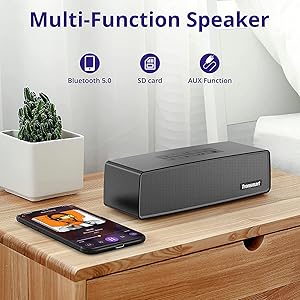
Image 4.1: The Tronsmart Studio speaker supports multiple input methods including Bluetooth, Micro SD, and AUX.
5. Иштөө нускамалары
5.1 Негизги аудио башкаруу
- Үндү тууралоо: Үндү жогорулатуу (+) же үндү азайтуу (-) баскычтарын басыңыз.
- Ойнотуу/тындыруу: Press the Play/Pause Button.
- Кийинки трек: Press the Next Track Button.
- Мурунку трек: Press the Previous Track Button.
5.2 SoundPulse Technology
Press the SoundPulse Button to activate or deactivate the SoundPulse audio enhancement. This technology is designed to provide a more dynamic and detailed sound experience with enhanced bass.

Image 5.1: SoundPulse technology enhances the audio output of the Tronsmart Studio speaker.
5.3 TuneConn (Multi-Speaker Synchronization)
The Tronsmart Studio speaker features patented TuneConn technology, allowing you to synchronize audio across 100+ compatible speakers for an immersive sound experience.
- Ensure all Tronsmart Studio speakers are powered on and in Bluetooth mode.
- Connect your device to one speaker via Bluetooth (this will be the primary speaker).
- On the primary speaker, press the Broadcast Mode Button. The indicator light will flash.
- On other Tronsmart Studio speakers (secondary speakers), press their Broadcast Mode Buttons. They will automatically search for and connect to the primary speaker.
- Once connected, all speakers will play synchronized audio.

Image 5.2: Multiple Tronsmart Studio speakers synchronized using TuneConn technology for a home theater setup.
5.4 Үн жардамчысы
To activate your device's voice assistant (e.g., Siri, Google Assistant, Cortana), press and hold the Voice Assistant button (often indicated by a microphone icon) for 2 seconds. This feature works when the speaker is connected via Bluetooth to a compatible smartphone.
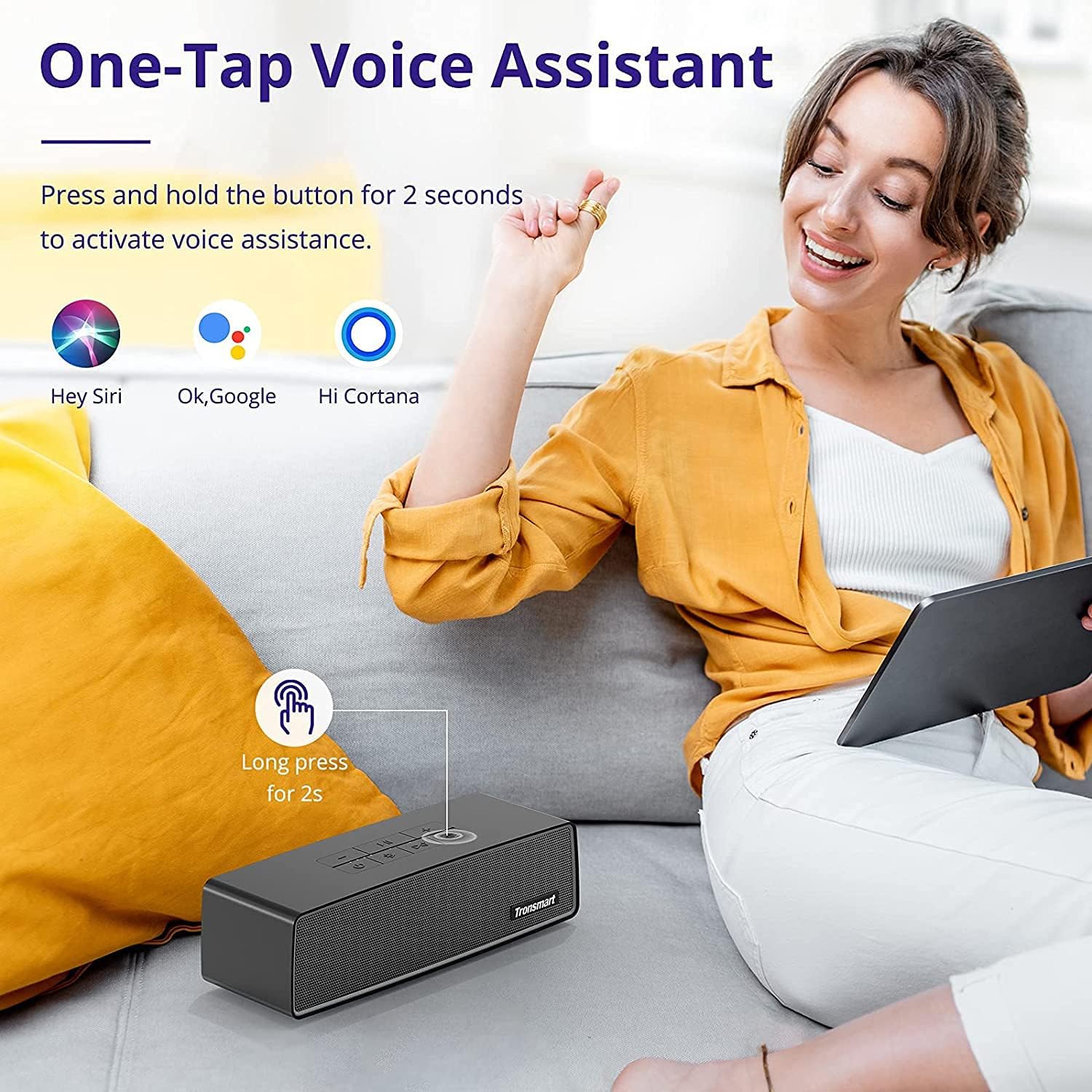
Image 5.3: Activating the voice assistant feature on the Tronsmart Studio speaker.
6. Заряддоо жана Батарея
The Tronsmart Studio speaker is equipped with a built-in 5000mAh battery, providing up to 15 hours of playtime on a single charge. Actual battery life may vary based on volume level, audio content, and usage of features like SoundPulse or TuneConn.

Image 6.1: The Tronsmart Studio speaker offers up to 15 hours of playtime.
7. Сууга туруктуулук
The Tronsmart Studio speaker has an IPX4 water resistance rating. This means it is protected against splashing water from any direction. It is suitable for use in environments where it might encounter light splashes or rain, but it should not be submerged in water.

Image 7.1: The speaker's IPX4 rating provides protection against splashes.
8. Техникалык тейлөө
- Динамикти жумшак, кургак чүпүрөк менен тазалаңыз. Абразивдүү тазалагычтарды же эриткичтерди колдонбоңуз.
- Динамикти өтө жогорку температурага, түз күн нуруна же жогорку нымдуулукка дуушар кылбаңыз.
- Динамикти узак убакытка колдонбогондо салкын, кургак жерде сактаңыз.
- Динамикти өз алдынча бөлүктөргө бөлүүгө же оңдоого аракет кылбаңыз, анткени бул кепилдикти жокко чыгарат.
9. Кыйынчылыктарды
| Маселе | Мүмкүн себеп | Чечим |
|---|---|---|
| Динамик күйбөйт. | Батарея аз. | Динамикти толук заряддаңыз. |
| Bluetooth аркылуу жупташтыруу мүмкүн эмес. | Динамик жупташтыруу режиминде эмес; түзмөк Bluetooth өчүк; спикерден өтө алыс. | Ensure speaker is in Bluetooth pairing mode. Turn device Bluetooth off/on. Move device closer to speaker. |
| Audio cuts out in AUX mode. | Кабелдин байланышы бошоп калган; кабелдин бузук болушу. | Ensure 3.5mm cable is securely connected. Try a different AUX cable. |
| Buttons are hard to see. | Low light conditions. | Operate the speaker in well-lit environments. |
| Батареянын иштөө мөөнөтү күтүлгөндөн кыска. | High volume usage; continuous use of SoundPulse/TuneConn. | Reduce volume. Limit continuous use of power-intensive features. |
10. Техникалык шарттар
| Өзгөчөлүк | Деталь |
|---|---|
| Бренд | Tronsmart |
| Модель номери | Tronsmart Studio US |
| Динамиктин максималдуу чыгаруу күчү | 30 Ватт |
| Байланыш технологиясы | Bluetooth |
| Аудио чыгаруу режими | Стерео, айлана |
| Монтаж түрү | бурун |
| Динамик түрү | Surround Sound |
| Кошумча функциялар | Portable |
| Controller Type | баскыч |
| Суу өткөрбөйт | Чын (IPX4) |
| Башкаруу ыкмасы | Колдонмо |
| Динамик өлчөмү | 7 сантиметр |
| Зымсыз технология | Bluetooth |
| Connectivity Protocol | Bluetooth |
| Аудио драйвер түрү | Динамикалык драйвер |
| Аудио каналдардын саны | 2.1 |
| Шайкеш түзмөктөр | Ноутбук, смартфон, планшет |
| Power Source | Батарея менен иштейт |
11. Расмий продукт Video
Видео 11.1: Аткаминер бүттүview of the Tronsmart Studio Portable Speaker, highlighting its features and design.
12. Кепилдик жана колдоо
The Tronsmart Studio Metal Speaker comes with a limited warranty. Please refer to the included Warranty Card in your package for specific terms and conditions, including warranty duration and coverage details. For further support, product registration, or to access updated drivers and firmware, please visit the official Tronsmart webсайтка же кардарларды тейлөөгө кайрылыңыз.
Көбүрөөк маалымат алуу үчүн, киргиле Amazonдагы Tronsmart дүкөнү.