
Introduction
Welcome to the user manual for your KXD 6A 3G Smartphone. This guide provides essential information on setting up, operating, maintaining, and troubleshooting your device. Please read this manual thoroughly to ensure optimal performance and longevity of your smartphone.
Кутуда эмне бар
Upon opening your KXD 6A package, you should find the following items:
- KXD 6A Smartphone
- Телефон корпусу
- Кубаттоочу кабель (Micro USB)
- Кубаттуу адаптер
- SIM чыгаруучу курал
- Quick колдонмо
Video: Unboxing the KXD 6A Smartphone. This video demonstrates the contents of the KXD 6A package and the initial unboxing process.
Продукт бүттүview
The KXD 6A is a 3G smartphone featuring a 5.5-inch full-screen display, dual SIM capability, and an Android 8.1 Go Edition operating system. It is designed for essential communication and entertainment needs.
Негизги өзгөчөлүктөрү:
- Дисплей: 5.5-inch Full-Screen Display (480 x 800 resolution)
- Процессор: Quad-Core 1.3GHz (SC9832E)
- Эстутум: 1GB RAM, 8GB ROM (expandable up to 64GB via SD card)
- Камералар: 8MP Main Camera, 2MP Sub-Camera (rear), 5MP Front Camera
- Батарея: 2500 мАч литий-ион
- Операция системасы: Android 8.1 Oreo (Go Edition)
- Байланыш: 3G Network, Wi-Fi, Bluetooth, FM Radio, GPS
- Коопсуздук: Жүздү таануу
- SIM: Кош SIM колдоо

Сүрөт: Арткы view of the KXD 6A smartphone in blue, highlighting its textured back cover and dual camera module.

Сүрөт: бүттүview of the KXD 6A smartphone, showcasing its 5.5-inch full screen, 8MP+2MP back camera, Quad-Core 1.3GHz processor, Android 8.1 Go edition, 8GB+1GB memory, 2500mAh battery, 3G network, Face Unlock, 5MP front camera, Dual SIM, Video Player, and GPS capabilities.
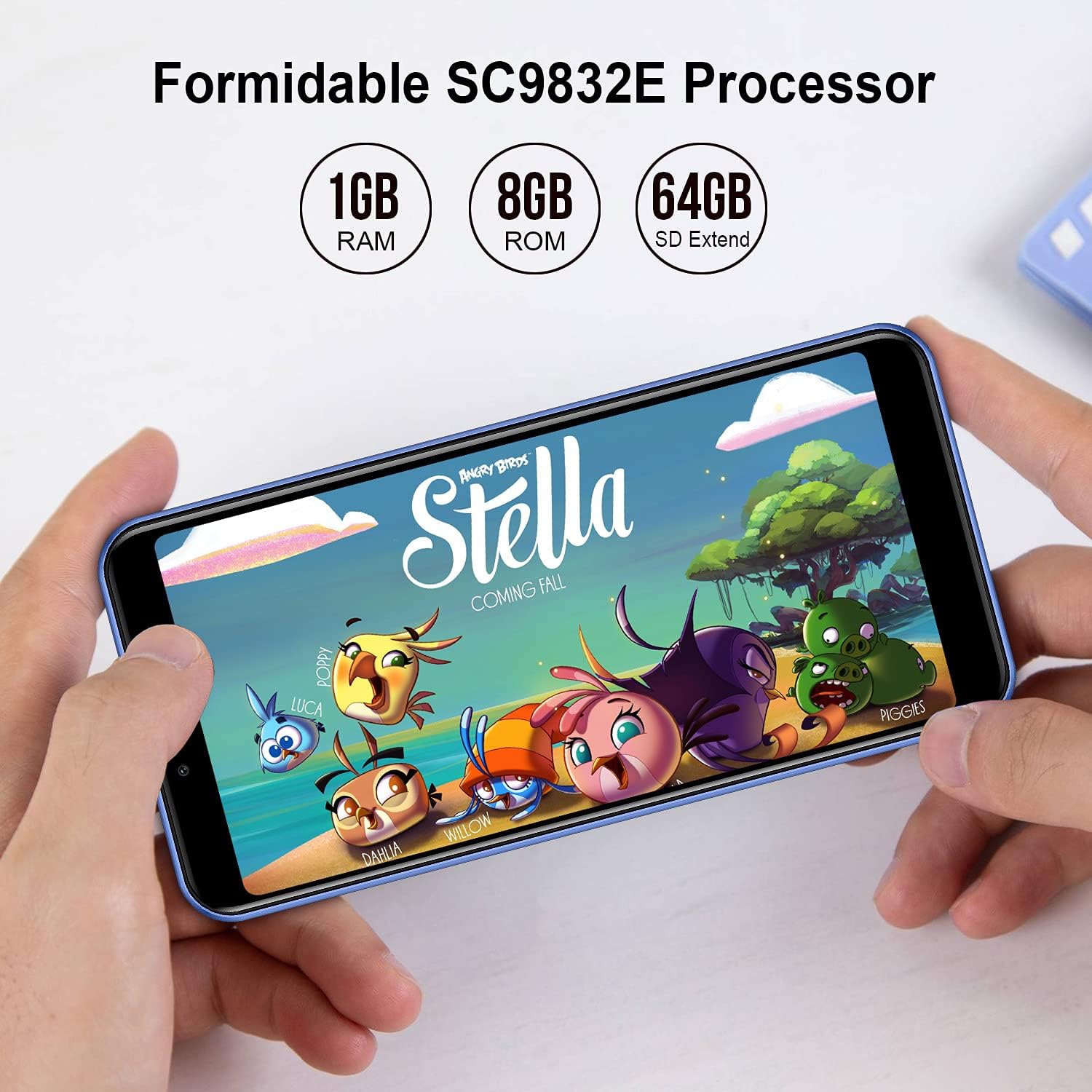
Image: The KXD 6A smartphone screen displaying "Formidable SC9832E Processor" along with "1GB RAM", "8GB ROM", and "64GB SD Extend" specifications.

Image: The KXD 6A smartphone screen displaying various application icons, with text indicating "1GB RAM + 8GB ROM 64GB Expandable" and "8GB Basic Storage Is Large Enough To Meet Your Daily Requirement For Phone Call, Message, Photos, Facebook, Music, Etc."
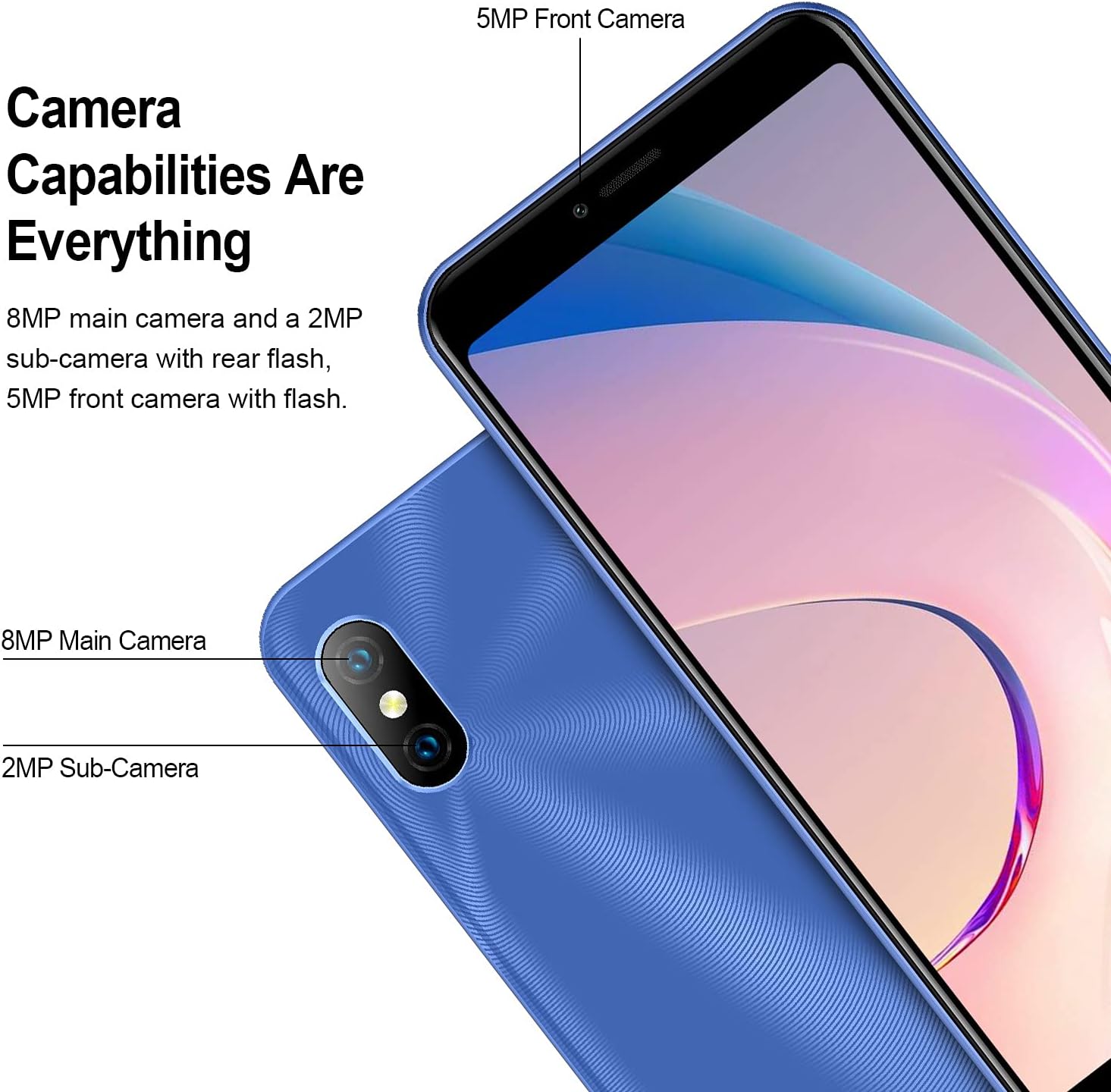
Image: Close-up of the KXD 6A smartphone's camera area, detailing "Camera Capabilities Are Everything" with "8MP main camera and a 2MP sub-camera with rear flash, 5MP front camera with flash."

Image: The KXD 6A smartphone screen displaying "2500mAh Battery" with text stating "The KXD 6A is equipped with a large capacity battery of 2500mAh to support all day using."
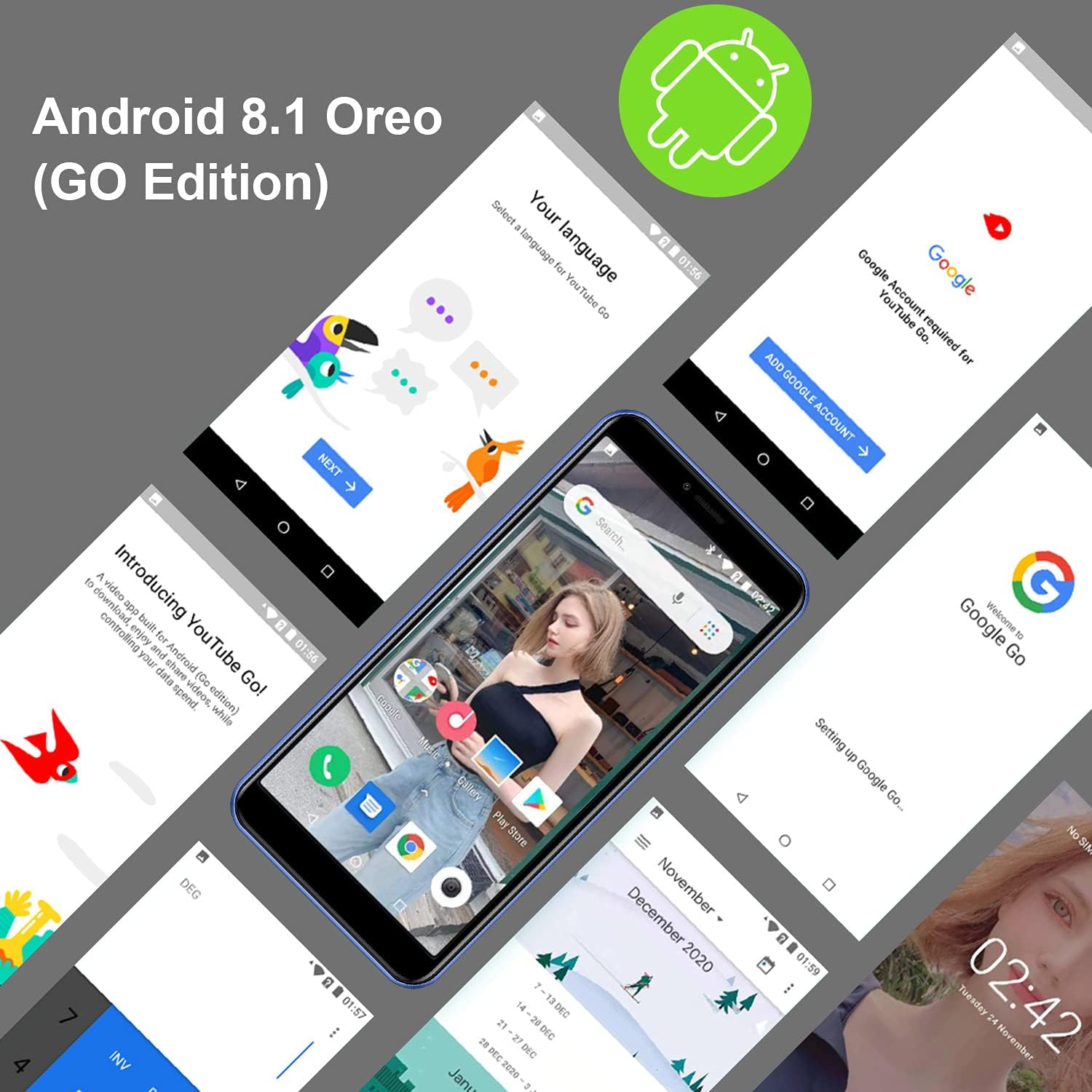
Сүрөт: Бир нече views of the KXD 6A smartphone screens showing the Android 8.1 Oreo (Go Edition) interface, including language selection, Google account setup, and the home screen with various apps.
Жайгашуу
1. SIM жана SD картаны орнотуу
- Телефонуңуздун капталындагы SIM карта салгычын табыңыз.
- Берилген SIM картаны чыгаруучу куралды лотоктун жанындагы кичинекей тешикке салып, лоток чыгып кеткенче акырын басыңыз.
- Place your Nano-SIM card(s) and/or microSD card into the designated slots on the tray. Ensure the gold contacts are facing down and the cards are correctly oriented.
- Табаны телефондун ичине кылдаттык менен түртүңүз, ал чыкылдагыча.
2. Батареяны заряддоо
- Connect the Micro USB end of the charging cable to the phone's charging port.
- Connect the USB-A end of the cable to the power adapter.
- Кубат адаптерин розеткага сайыңыз.
- Телефонду биринчи жолу колдонуудан мурун толугу менен заряддаңыз. Экрандагы батареянын индикатору заряддоо абалын көрсөтөт.
3. Күйгүзүү жана баштапкы орнотуу
- Press and hold the Power button (usually on the right side) until the KXD logo appears on the screen.
- Follow the on-screen prompts to select your language, connect to Wi-Fi, set up your Google account, and configure other basic settings.
- You can set up Face Recognition during this process or later in the settings menu.
Телефонуңузду иштетүү
Негизги навигация
- Башкы экран: Swipe left or right to access different home screens with app shortcuts and widgets.
- Колдонмо тартмасы: Экранды ылдый жагынан өйдө сүрүңүз view бардык орнотулган колдонмолор.
- Эскертмелер жана Ыкчам жөндөөлөр: Экрандын өйдө жагынан төмөн карай сүрүңүз view notifications and quick access toggles like Wi-Fi, Bluetooth, and flashlight.
- Акыркы колдонмолор: Tap the square icon (or swipe up and hold from the bottom if using gesture navigation) to see recently used applications.
Чалууларды жасоо жана билдирүүлөрдү жөнөтүү
- Чалуулар: Телефон сөлөкөтүн таптап, номерди киргизип, чалуу баскычын таптаңыз.
- Кабарлар: Кабарлар сөлөкөтүн таптап, жаңы сүйлөшүүнү баштаңыз, алуучунун номерин киргизиңиз же байланыштардан тандап, кабарыңызды териңиз.
Камераны колдонуу
The KXD 6A features an 8MP main rear camera, a 2MP sub-camera, and a 5MP front camera for photos and videos.
- Үй экраныңыздан же колдонмо суурмасынан Камера колдонмосун ачыңыз.
- Сүрөткө тартуу үчүн жапкычты басыңыз.
- Видео жаздыруу режимине өтүү үчүн видео сүрөтчөсүн таптаңыз.
- Алдыңкы жана арткы камералардын ортосунда которулуу үчүн камераны которуштуруу сүрөтчөсүн таптаңыз.
Video: Demonstration of KXD 6A smartphone features, including camera usage and general interface navigation.
Жүздү таануу
- To set up Face Recognition, go to Settings > Security & location > Face Unlock.
- Жүзүңүздү каттоо үчүн экрандагы нускамаларды аткарыңыз.
- Орнотулгандан кийин, телефонуңуздун кулпусун алдыңкы камерага карап ача аласыз.
Техникалык тейлөө
- Тазалоо: Телефондун экранын жана корпусун тазалоо үчүн жумшак, түксүз чүпүрөктү колдонуңуз. Катуу химиялык заттардан алыс болуңуз.
- Батареяга кам көрүү: To prolong battery life, avoid extreme temperatures and do not leave the phone charging for extended periods after it's full.
- Программалык камсыздоо жаңыртуулары: Оптималдуу аткарууну жана коопсуздукту камсыз кылуу үчүн программалык камсыздоо жаңыртууларын дайыма текшерип, орнотуп алыңыз. барыңыз Settings > System > About phone > System update.
- Сактагычты башкаруу: Мезгил-мезгили менен ачык-айкын керексиз files and apps to free up storage space. You can use the Files Go app (part of Android Go Edition) for this.
- Коргоо: Түзмөгүңүздү кулап түшүүдөн жана чийилип калуудан коргоо үчүн берилген телефон капчыгын колдонуңуз.
Проблемаларды чечүү
| Көйгөй | Мүмкүн чечим |
|---|---|
| Телефон күйбөйт | Батарея заряддалганын текшериңиз. Телефонду заряддагычка туташтырыңыз жана кайра күйгүзүү аракетинен мурун бир нече мүнөт күтүңүз. |
| Начар тармак сигналы | Check if your SIM card is correctly inserted. Move to an area with better network coverage. Restart the phone. |
| Колдонмолор бузулуп же катып калууда | Close background apps. Clear the cache of the problematic app (Settings > Apps & notifications > App info > [App Name] > Storage & cache > Clear cache). Restart the phone. |
| Батарея бат эле түгөнөт | Экран жарыктыгын азайтыңыз. Колдонулбаган колдонмолорду жабуу. Колдонулбаган учурда Wi-Fi, Bluetooth жана GPSти өчүрүңүз. Жөндөөлөрдөн кубатка муктаж колдонмолорду аныктоо үчүн батареянын колдонулушун текшериңиз. |
| Wi-Fi'га туташпай жатат | Wi-Fi иштетилгенин текшериңиз. Роутериңизди жана телефонуңузду өчүрүп-күйгүзүңүз. Тармакты унутуп, кайра туташыңыз. |
| Сенсордук экран жооп бербейт | Restart the phone by holding the power button. If unresponsive, force restart by holding power button for 10-15 seconds. |
Техникалык шарттар
| Өзгөчөлүк | Деталь |
|---|---|
| Бренд | KXD |
| Модел | 6A |
| Screen Size | 5.5 дюйм |
| Резолюция | 480 x 800 |
| Эстутум сактоо сыйымдуулугу | 8 GB ROM (expandable up to 64GB) |
| RAM | 1 ГБ |
| Зымсыз оператор | AT&T (US Version) |
| Зымсыз тармак технологиясы | Wi-Fi, 3G |
| SIM карта уячаларынын саны | Кош SIM |
| Туташтыргыч түрү | 3.5mm Jack, Micro USB |
| Форма фактору | Смартфон |
| Батарея сыйымдуулугу | 2500 миллионamp Сааттар (Литий-ион) |
| Biometric Security Feature | Жүздү таануу |
| Сууга туруктуулук деңгээли | Сууга чыдамдуу эмес |
| Арткы камера | 8MP Main, 2MP Sub-Camera |
| Алдыңкы камера | 5MP |
| Элементтин өлчөмдөрү | 5.83 x 2.8 x 0.35 дюйм |
Кепилдик жана колдоо
For warranty information and technical support, please refer to the official KXD website or contact their customer service directly. The Quick Guide included in your package may also contain specific warranty details.
Өндүрүүчү: KXD
Батареянын орточо иштөө мөөнөтү: 2 жыл