
Introduction
This manual provides essential instructions for the safe and effective operation, setup, and maintenance of your iFlight Nazgul Evoque F5D 6S HD FPV Drone. Please read this manual thoroughly before operating the drone to ensure proper usage and to prevent damage or injury.
Коопсуздук эрежелери
- Дронду ар дайым ачык жерлерде, адамдардан, жаныбарлардан жана тоскоолдуктардан алыс иштетиңиз.
- Иш учурунда дрондон коопсуз аралыкты сактаңыз.
- Ensure all propellers are securely attached and undamaged before each flight.
- Аэропорттордун же чектелген аба мейкиндигинин жанына учпаңыз.
- Колдонгондон кийин жана ташуу учурунда ар дайым батареяны сууруп алыңыз.
- Never attempt to catch a flying drone.
- Дрондорду иштетүүгө байланыштуу бардык жергиликтүү эрежелерди жана мыйзамдарды сактаңыз.
- Сунушталган батарейкаларды жана заряддагычтарды гана колдонуңуз.
Пакеттин мазмуну
Пакетиңизде бардык буюмдар бар экенин текшериңиз:
- iFlight Nazgul Evoque F5D 6S HD FPV Drone
- Пропеллерлер (комплект)
- Антенналар
- Battery Strap(s)
- USB кабели
- Remote Control (check specific package contents for inclusion)

Сүрөт: жогорудан төмөнгө view of the iFlight Nazgul Evoque F5D 6S HD FPV Drone, showcasing its carbon fiber frame, propellers, and central electronics stack.
Жайгашуу
1. Пропеллерди орнотуу
Attach the propellers to the motors. Ensure correct rotation direction for each motor as indicated in the flight controller software or on the motor bells. Secure them firmly with the provided nuts or screws.

Сүрөт: Жакын план view of a drone motor with a propeller attached, highlighting the secure mounting.
2. Батареяны туташтыруу
Connect your 6S LiPo battery to the integrated XT60 connector on the drone. Ensure the battery is fully charged before flight. Use the provided battery strap to secure the battery to the drone's top plate.
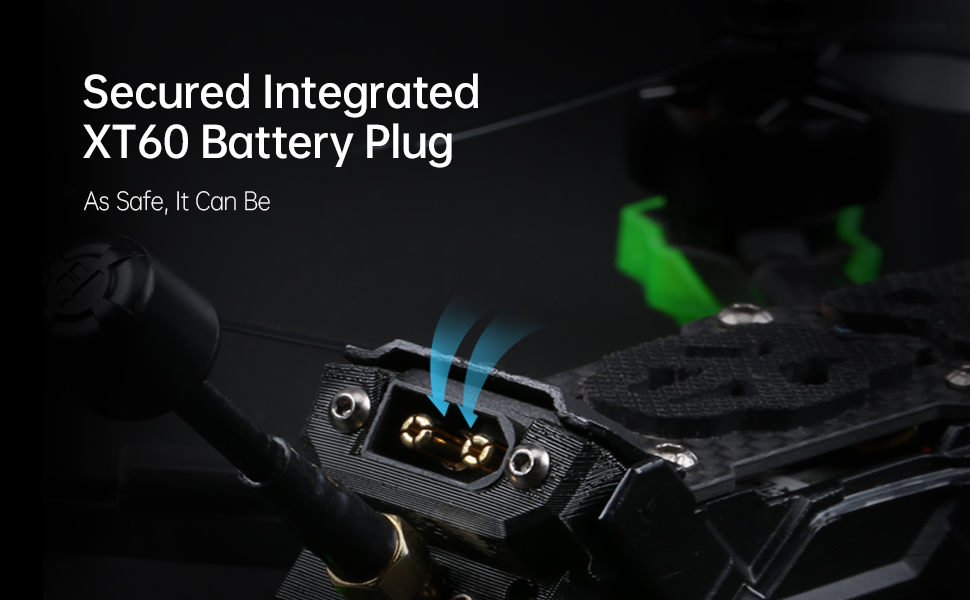
Image: Detail of the secured integrated XT60 battery plug, designed for safe and reliable power connection.
3. Binding to Remote Controller
Refer to your specific remote controller's manual for binding instructions. Typically, this involves putting both the drone's receiver and the remote controller into binding mode. Ensure successful binding before proceeding.
4. Flight Controller Configuration (Betaflight)
The Nazgul Evoque F5D comes pre-configured with Betaflight. For advanced settings or calibration, connect the drone to your computer via the USB port and use the Betaflight Configurator software. Ensure all sensor calibrations (accelerometer, gyroscope) are performed and check motor directions.

Сүрөт: View of the high-performance F7 55A Power Stack, which includes the flight controller and electronic speed controller, located within the drone's frame.
Иштөө нускамалары
1. Учуу алдындагы текшерүүлөр
- Inspect propellers for damage and ensure they are secure.
- Check battery charge level on both drone and remote controller.
- Verify FPV video feed in your DJI FPV Goggles.
- Ensure no loose wires or components on the drone.
- Confirm clear flight area.

Image: Components of the Caddx Polar digital HD FPV system, which provides high-definition video transmission to compatible FPV goggles.
2. Куралдануу жана куралсыздандыруу
To arm the drone, move the throttle stick to its lowest position and activate the designated arming switch on your remote controller. The motors will spin slowly. To disarm, activate the arming switch again. Always disarm immediately after landing or in an emergency.
3. Учууну башкаруу элементтери
Стандарттуу FPV дрон башкаруу элементтери менен таанышып алыңыз:
- Муунткуч: Controls altitude (left stick up/down).
- Ээ: Rotates the drone horizontally (left stick left/right).
- Үн: Tilts the drone forward/backward (right stick up/down).
- Ролл: Tilts the drone left/right (right stick left/right).
Practice in a simulator before your first real flight if you are new to FPV drones.
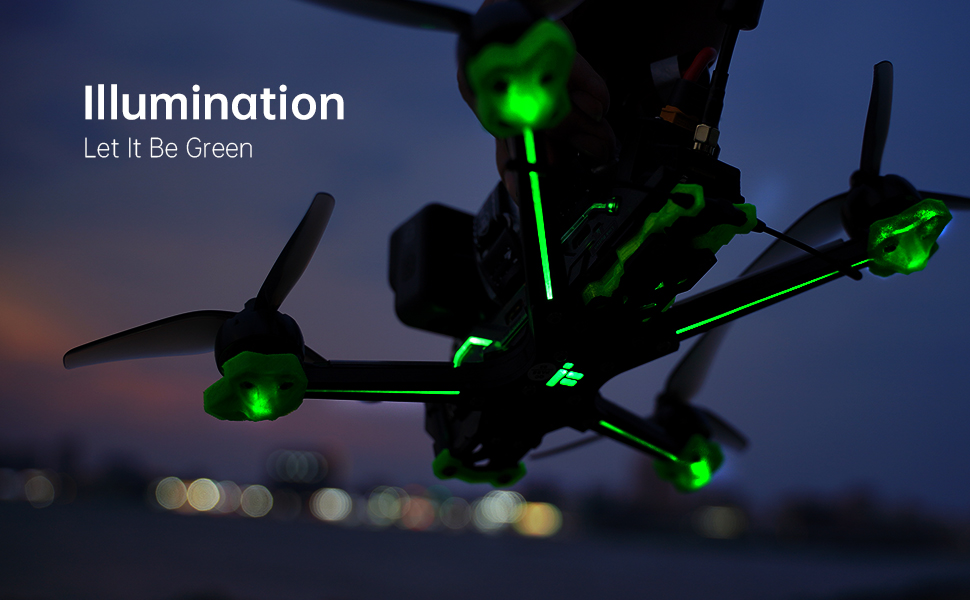
Image: The iFlight Nazgul Evoque F5D drone illuminated with green LEDs, visible during low-light conditions or for aesthetic purposes.
Техникалык тейлөө
- Пропеллер текшерүү: Regularly check propellers for cracks, bends, or nicks. Replace damaged propellers immediately.
- Тазалоо: Keep the drone free from dirt, dust, and debris. Use a soft brush or compressed air. Avoid moisture.
- Программалык камсыздоонун жаңыртуулары: Periodically check the iFlight website for firmware updates for the flight controller and ESCs. Follow update instructions carefully.
- Компонентти текшерүү: After any crash or hard landing, inspect the frame, motors, camera, and antennas for damage. Ensure all screws are tight.
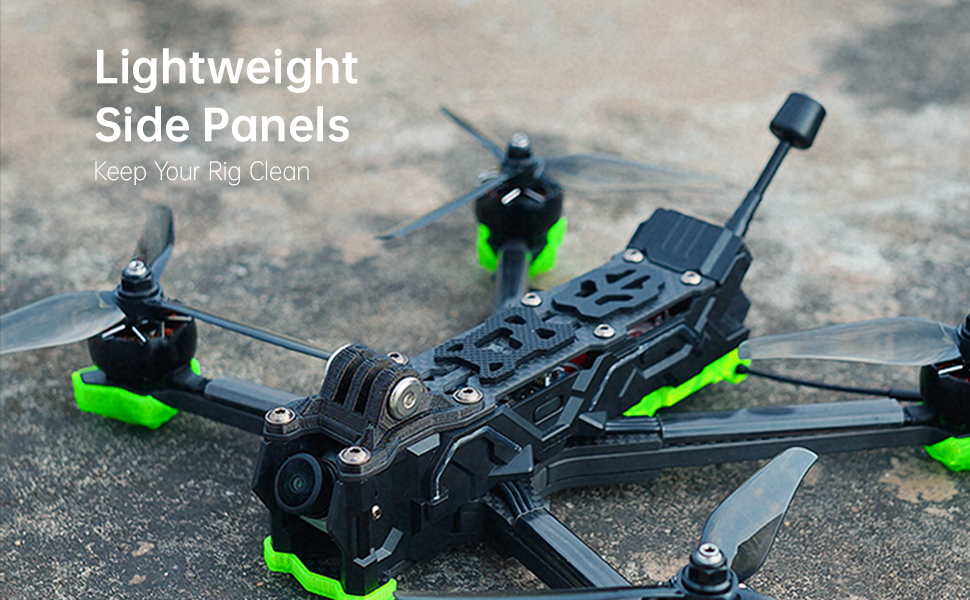
Image: The lightweight side panels of the drone, designed to protect internal components and keep the electronics clean.
Проблемаларды чечүү
| Көйгөй | Мүмкүн себеп | Чечим |
|---|---|---|
| Drone does not arm. | Throttle not at lowest position, arming switch not activated, safety pre-arm conditions not met (e.g., no receiver signal, low battery). | Ensure throttle is at zero. Check arming switch. Verify receiver is bound and connected. Check battery voltage. Connect to Betaflight Configurator to check pre-arm flags. |
| FPV видео түрмөгү жок. | Caddx Polar not powered, antenna disconnected, incorrect channel selected on DJI FPV Goggles, damaged VTX/camera. | Ensure drone battery is connected. Check antenna connections. Verify goggles are on the correct channel. Inspect VTX and camera for physical damage. |
| Учуу учурунда учкучсуз учат. | Uncalibrated accelerometer, unbalanced propellers, bent motor shaft. | Perform accelerometer calibration in Betaflight. Inspect and replace unbalanced or damaged propellers. Check motors for smooth rotation. |
| Кыска учуу убактысы. | Degraded battery, incorrect battery type, aggressive flying style. | Use a healthy, fully charged 6S LiPo battery. Adjust flying style. Consider a higher capacity battery if compatible. |
Техникалык шарттар
| Өзгөчөлүк | Деталь |
|---|---|
| Бренд | iFlight |
| Модель аты | Nazgul Evoque |
| Өзгөчө өзгөчөлүк | HD FPV Capability, Integrated Long-Range Transmission System |
| Жаш аралыгы (сүрөттөө) | бойго жеткен |
| Видео тартуунун резолюциясы | 4K |
| Байланыш технологиясы | USB |
| Камтылган компоненттер | Remote Control (check specific package) |
| Skill Level | Beginner (with learning curve for FPV) |
| Battery Capacity (Internal) | 450 миллионamp Hours (for internal components, main flight battery sold separately) |
| Видео тартуу форматы | MP4 |
| Алыстан башкаруу технологиясы | RF |
| Башкаруу түрү | Алыстан башкаруу |
| Максималдуу диапазон | 0.75 Miles (approx. 1.2 km, depends on environment and FPV system) |
| Зымсыз байланыш технологиясы | Радио жыштыгы |
| Батареялар камтылган | No (main flight battery) |
| Video Output токтому | 4K |
| Оптикалык сенсор технологиясы | CMOS |
| Элемент Салмагы | 1.54 фунт (болжол менен 698 г) |
| Пакеттин өлчөмдөрү | 10.63 x 8.9 x 2.76 дюйм |
| Дата биринчи жеткиликтүү | 21-август, 2021-жыл |

Image: The iFlight Nazgul Evoque F5D drone placed on a digital scale, displaying a weight of 414.1 grams (without battery).
Кепилдик жана колдоо
Кепилдик маалымат
iFlight products typically come with a limited warranty covering manufacturing defects. Please retain your proof of purchase. For detailed warranty terms and conditions, refer to the official iFlight website or contact their customer service directly. Damage due to crashes, improper use, or unauthorized modifications is generally not covered.
Кардарларды колдоо
For technical assistance, troubleshooting, or spare parts, please visit the official iFlight website for their support resources, FAQs, and contact information. You may also find community forums helpful for general FPV drone support.
Official iFlight Store: iFlight Amazon Store