
1. Киришүү
The HUION Kamvas Pro 16 (4K) is a professional pen display designed for digital art, graphic design, and creative work. This device features a 4K UHD display, full lamination, anti-glare glass, and a battery-free stylus with PenTech 3.0 technology. It is compatible with various operating systems and software, offering a natural and precise drawing experience.
Please note: The Kamvas Pro 16 (4K) Pen Display is not a standalone product. It requires connection to a computer, laptop, or Android device to function.
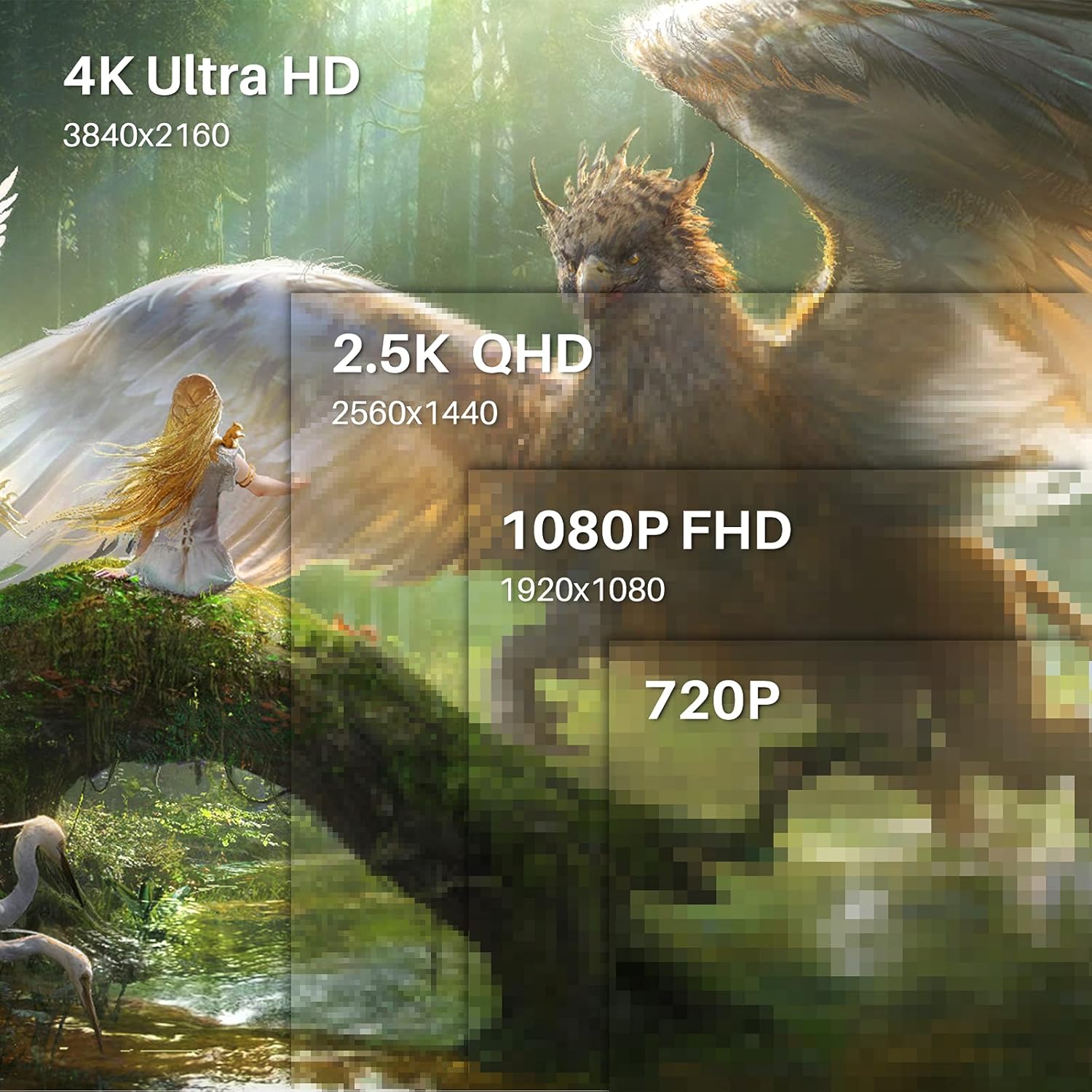
Image 1.1: The HUION Kamvas Pro 16 (4K) UHD Drawing Tablet.
2. Кутуда эмне бар
Пакетте бардык буюмдар бар экенин текшериңиз:
- Калем дисплей
- Санарип калем
- Калем кармагыч PH05A
- Калем учу x 10
- Калем салгыч
- Nib Clip
- 3-жылы 1-кабель
- USB кеңейтүү кабели
- USB-C - USB-C кабели
- USB Power кабели
- USB кубат адаптери
- Бүктөлүүчү стенд
- Колкап
- Тазалоочу кездеме
- Quick Start Guide

Image 2.1: All items included in the Kamvas Pro 16 (4K) package.
3. Орнотуу
3.1 Компьютерге туташуу
The Kamvas Pro 16 (4K) offers flexible connectivity options. You can connect it via a single 3-in-1 HDMI cable or a full-featured USB-C cable and a power cable. Ensure your device supports USB 3.1 Gen1 and DP1.2 for full-featured USB-C connection.
Video 3.1: Instructions on how to connect the Kamvas Pro 16 (4K) to a PC.
3.2 Setting Screen Resolution (macOS)
For macOS users, it is important to correctly set the screen resolution to ensure optimal display quality. The native resolution of the Kamvas Pro 16 (4K) is 3840x2160.
Video 3.2: Guide on setting the screen resolution for Kamvas Pro 16 (4K) on macOS.
3.3 Жөнгө салынуучу стенд
The included multi-angle adjustable stand allows you to set the tablet at an angle between 20° and 80° for comfortable drawing. This helps in reducing strain during extended use.
4. Иштөө
4.1 Using the Digital Pen
The digital pen PW517 features PenTech 3.0, offering 8192 levels of pressure sensitivity and ±60° tilt support for precise and natural strokes. The pen is battery-free, eliminating the need for charging.

Image 4.1: Features of the HUION PenTech 3.0 Stylus.
4.2 Adjusting OSD Menu
The On-Screen Display (OSD) menu allows you to adjust various display settings such as brightness and color temperature. The PW517 digital pen can be used to navigate and adjust these settings.
Video 4.2: Guide on how to adjust the OSD Menu on Kamvas Pro 16 (4K).
5. Негизги өзгөчөлүктөрү
5.1 4K UHD дисплей
Experience stunning visual clarity with a 4K UHD resolution of 3840x2160 (16:9). This provides four times more pixels than a Full HD screen, revealing intricate details in your artwork. The display boasts a 120% sRGB color gamut volume and 16.7 million display colors for vibrant and natural color presentation.

Image 5.1: Comparison illustrating the clarity of 4K UHD display.
5.2 Full-Laminated Anti-Glare Screen
The full-laminated anti-glare screen minimizes reflections and reduces eye strain. It also ensures minimal parallax between the pen tip and the cursor, providing a natural pen-on-paper drawing experience.

Image 5.2: Illustration of anti-glare etched glass reducing reflections.
5.3 Dual USB-C Ports
Dual USB-C ports offer versatile connectivity, allowing easy connection to PCs, Macs, and Android devices. This simplifies cable management and provides a tidy workspace.
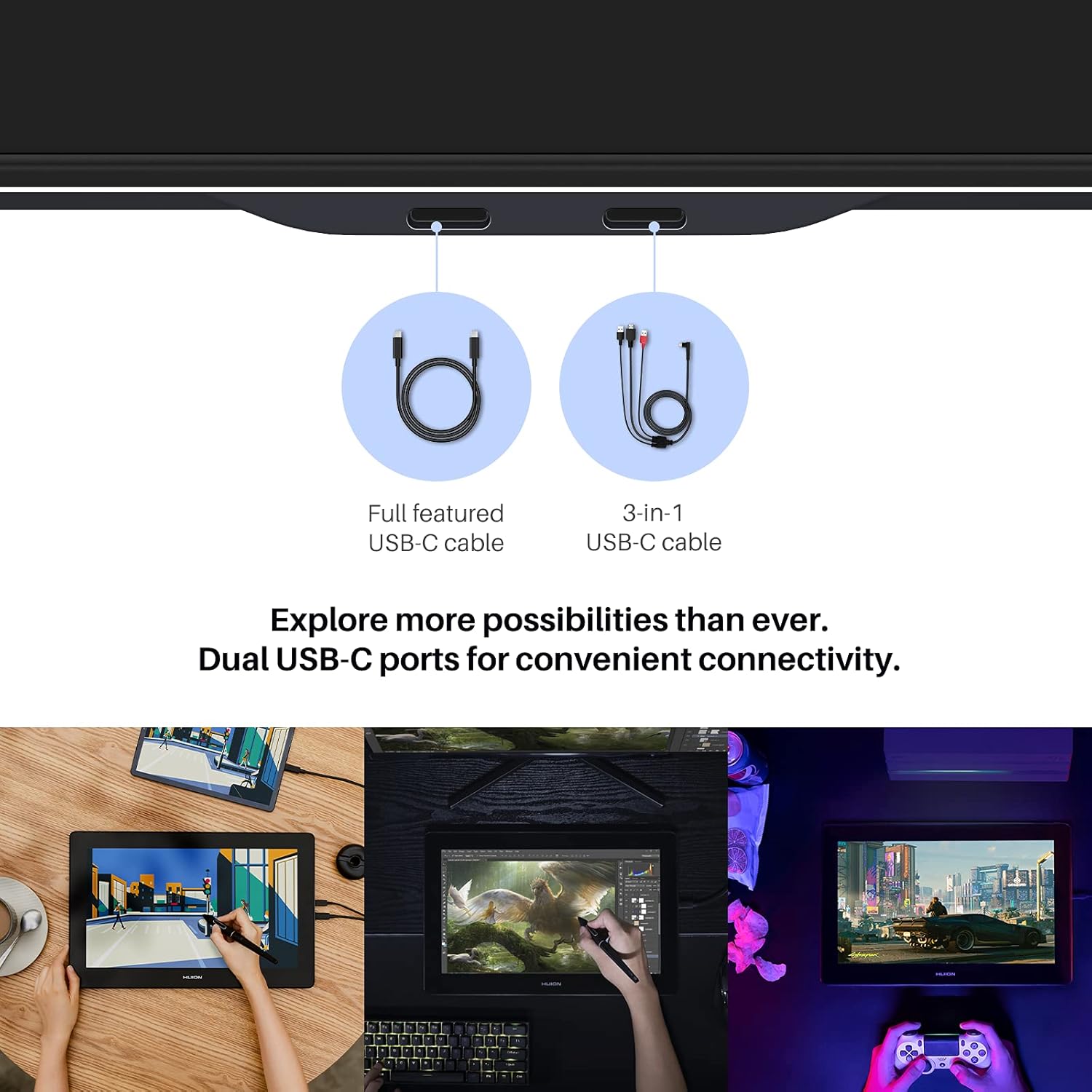
Image 5.3: Dual USB-C ports for convenient connectivity.
6. Шайкештик
The Kamvas Pro 16 (4K) is broadly compatible with various operating systems and mainstream design software.
6.1 Колдоого алынган операциялык системалар
- Windows 7 же андан жогору
- macOS 10.12 же андан жогору
- Linux (Ubuntu 20.04 LTS)
- Android phones and tablets (supporting USB3.1 GEN and DP1.2)
6.2 Шайкеш программалык камсыздоо
Works seamlessly with popular creative software including, but not limited to:
- Adobe Photoshop
- Corel Painter
- Комикс студиясы
- SAI
- Zbrush
- Medibang Paint

Сүрөт 6.1: Бүттүview of compatible operating systems and software.
7. Техникалык шарттар
| Өзгөчөлүк | Деталь |
|---|---|
| Продукциянын өлчөмдөрү | 13.6 x 7.65 x 0.1 дюйм |
| Элемент Салмагы | 7.65 фунт |
| Элемент моделинин номери | GT1561 |
| Байланыш технологиясы | USB-Cден USB-Cге |
| Басым сезгичтиги | 8192 деңгээл |
| Операциялык системанын шайкештиги | Android 6.0+, Linux (Ubuntu 20.04 LTS), Windows 7+, macOS 10.12+ |
| Өзгөчөлүктөр | 4K UHD resolution, 60° Tilt Support, Anti-Glare Glass, Full Lamination, USB-C Connection |
8. Техникалык тейлөө
To ensure the longevity and optimal performance of your Kamvas Pro 16 (4K), follow these maintenance guidelines:
- Тазалоо: Use the provided cleaning cloth to gently wipe the screen. Avoid harsh chemicals or abrasive materials.
- Сактагыч: When not in use, store the tablet in a clean, dry place away from direct sunlight and extreme temperatures.
- Стилус учтары: Replace the pen nibs when they show signs of wear to maintain drawing precision. Use the included nib clip for easy replacement.
- Кабельге кам көрүү: Handle connection cables carefully to prevent damage. Avoid bending or twisting them excessively.
9. Кыйынчылыктарды
If you encounter any issues with your Kamvas Pro 16 (4K), consider the following:
- Дисплей/кубат жок: Ensure all cables are securely connected and the power adapter is functioning. If using a USB-C to USB-C connection, confirm your device provides sufficient power or connect the additional power cable.
- Калем жооп бербейт: Check if the pen nib is properly inserted. Reinstall the tablet driver on your computer.
- Туура эмес чечилиш: Refer to Section 3.2 for instructions on setting the screen resolution, especially for macOS.
- Айдоочу маселелери: Download the latest drivers from the official HUION webсиздин конкреттүү операциялык системаңыз үчүн сайт.
10. Кепилдик жана колдоо
For warranty information and technical support, please refer to the warranty policy document included in your product package or visit the official HUION webсайт. Сатып алуу квитанциясын кепилдик дооматтары үчүн сатып алуунун далили катары сактаңыз.
Официалдуу Webсайт: www.huion.com