
1. Продукт бүтүп калдыview
The NETVUE Sentry 2 is a 1080P outdoor security camera designed to provide comprehensive surveillance for your home. It features advanced functionalities such as 360° pan and 110° tilt for wide area coverage, real-time motion and human detection, two-way audio communication, and enhanced night vision capabilities. Its IP66 weatherproof rating ensures reliable performance in various outdoor conditions.
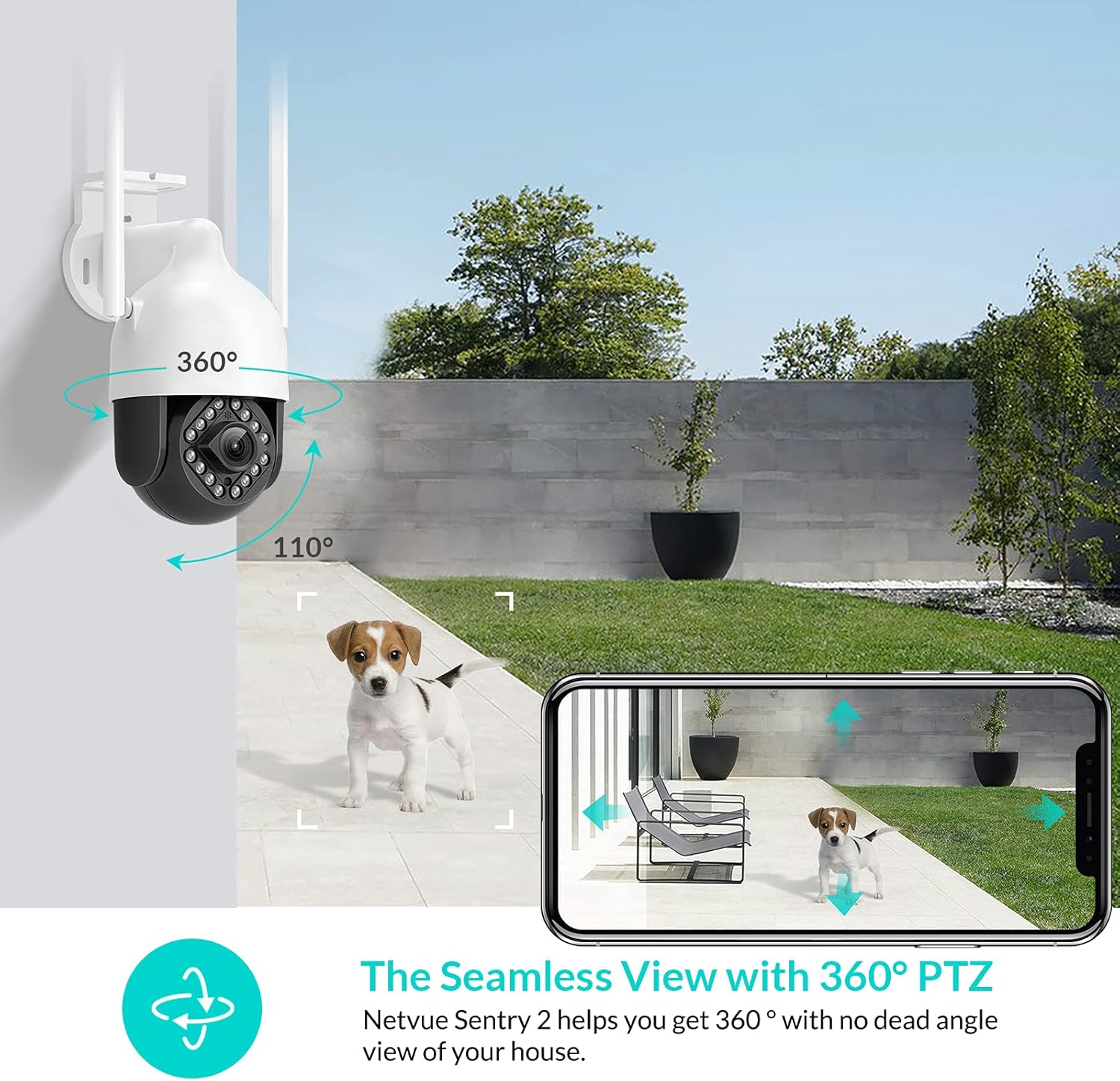
Image: NETVUE Sentry 2 Outdoor Security Camera showcasing its 360° pan and 110° tilt view.
2. Кутуда эмне бар
Upon unboxing your NETVUE Sentry 2 camera, please verify that all components are present:
- NETVUE Sentry 2 Outdoor Security Camera
- Кубаттуу адаптер
- Кронштейн орнотуу
- Монтаждоо бурамдары жана дубал анкерлери
- Waterproof Kit for Cable Connections
- Колдонуучунун Колдонмосу (бул документ)
For a visual guide on the product and its components, please refer to the official product video below:
Video: Official Netvue Outdoor Security Camera Sentry 2 overview, including unboxing and installation steps.
3. Орнотуу жана орнотуу
3.1 Күйгүзүү
- Connect the power adapter to the camera's power input.
- Кубат адаптерин стандарттуу электр розеткасына сайыңыз.
- Wait for the camera to power on and initiate its self-test.
3.2 Колдонмону жүктөп алуу жана каттоо эсебин түзүү
- Download the official NETVUE app from your device's app store (iOS or Android).
- Колдонмону ачып, жаңы аккаунт түзүңүз же сизде мурунтан эле бар болсо, кириңиз.
3.3 Wi-Fi туташуусу
The NETVUE Sentry 2 camera supports 2.4GHz Wi-Fi networks. Ensure your mobile device is connected to a 2.4GHz Wi-Fi network during the setup process.
- In the NETVUE app, tap 'Add Device' and select your camera model.
- Follow the on-screen instructions to connect the camera to your Wi-Fi network. This typically involves scanning a QR code generated by the app with the camera lens.

Image: NETVUE Sentry 2 camera demonstrating stable Wi-Fi connection in distance.
3.4 Физикалык орнотуу
Choose a suitable outdoor location for mounting the camera, ensuring it has a clear view and is within Wi-Fi range. The camera is IP66 weatherproof, suitable for various outdoor conditions.
- Use the mounting bracket as a template to mark drill holes on the desired surface.
- Тешиктерди бургула жана дубалдын анкерлерин салгыла.
- Берилген бурамалар аркылуу монтаждык кронштейнди бетке бекитиңиз.
- Камераны монтаждоо кронштейнине бекитиңиз.
- Ensure all cable connections are properly sealed using the waterproof kit to prevent water ingress.
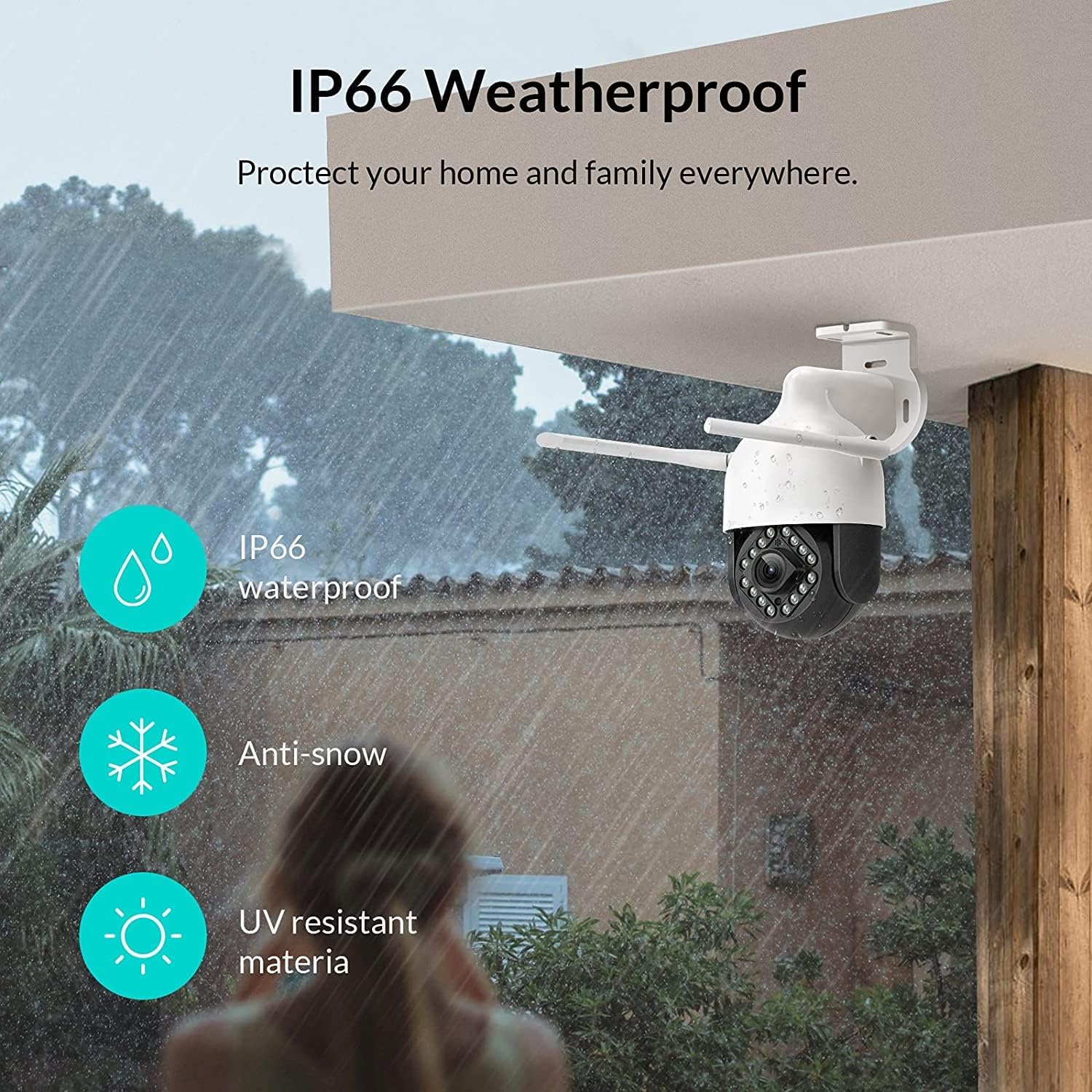
Image: NETVUE Sentry 2 camera highlighting its IP66 weatherproof features against rain and snow.
4. Камераны иштетүү
4.1 Live View жана панорамалоо/кыйшайтуу башкаруусу
Access the live video feed from your camera through the NETVUE app. You can remotely control the camera's pan (horizontal) and tilt (vertical) movements to adjust the viewзарыл болгон бурч.
4.2 Motion and Human Detection
The camera is equipped with motion and human detection capabilities. When motion or a human figure is detected, you will receive immediate notifications on your mobile device.

Image: Real-time motion detection alert displayed on a smartphone from the NETVUE Sentry 2 camera.

Image: Motion and human detection alert from the NETVUE Sentry 2 camera, showing a person at the front door.
4.3 Эки тараптуу аудио
Utilize the two-way audio feature to communicate with individuals near the camera. This is useful for interacting with visitors or deterring unwanted guests.

Image: Two-way audio feature of the NETVUE Sentry 2 camera, allowing communication with a delivery person.
4.4 Түнкү көрүнүш
The NETVUE Sentry 2 camera is equipped with 16 infrared lights for super night vision, providing clear video footagаз жарыкта же толук караңгыда да.

Image: Close-up of the NETVUE Sentry 2 camera's 16 infrared lights for super night vision.
5. Техникалык тейлөө
5.1 Камераны тазалоо
Periodically clean the camera lens and housing to ensure optimal performance. Use a soft, damp чаңды жана кирди сүртүү үчүн чүпүрөк колдонуңуз. Линзага же каптамага зыян келтириши мүмкүн болгон катуу химиялык заттарды же абразивдүү материалдарды колдонуудан алыс болуңуз.
5.2 Микропрограмма жаңыртуулары
Regularly check the NETVUE app for available firmware updates. Keeping your camera's firmware up-to-date ensures you have the latest features, security enhancements, and bug fixes.
5.3 Сактагычты башкаруу
The camera supports local storage via a microSD card (not included) and cloud storage options. If using a microSD card, ensure it is properly formatted and regularly check its status within the app to prevent recording issues.
6. Кыйынчылыктарды
6.1 Wi-Fi туташуу маселелери
- Ensure 2.4GHz Wi-Fi: The camera only supports 2.4GHz Wi-Fi. Confirm your router is broadcasting a 2.4GHz signal and your phone is connected to it during setup.
- Сигнал күчү: Verify the camera is installed within a strong Wi-Fi signal range. Relocate the camera or use a Wi-Fi extender if necessary.
- Маршрутизатор орнотуулары: Check your router settings for any restrictions that might prevent new devices from connecting.
6.2 SD Card Not Detected or Recording
- Reinsert SD Card: Power off the camera, remove the microSD card, and reinsert it firmly. Power the camera back on.
- SD картасын форматтоо: Format the SD card through the NETVUE app. If issues persist, try a different, high-quality microSD card.
- Колдонмонун жөндөөлөрүн текшерүү: Ensure recording settings are correctly configured in the NETVUE app.
6.3 No Motion Alerts
- Эскертүүнү иштетүү: Confirm motion detection and notification alerts are enabled in the NETVUE app settings.
- Сезгичтикти тууралоо: Adjust the motion detection sensitivity to an appropriate level.
- Текшерүү графиги: Ensure motion detection is not disabled during specific times via a schedule.
6.4 Жалпы маселелер
- Restart Camera: Disconnect the power adapter, wait 10 seconds, and reconnect it to restart the camera.
- Колдонмону жаңыртуу: Ensure your NETVUE app is updated to the latest version.
7. Техникалык шарттар
| Шайкеш түзмөктөр | Video Monitor |
| Power Source | AC/DC |
| Connectivity Protocol | Wi-Fi |
| Controller Type | Iris |
| Монтаж түрү | Дубалга орнотуу |
| Видео тартуунун резолюциясы | 1080p |
| Элементтердин саны | 1 |
| Каналдардын саны | 1 |
| Зымсыз байланыш технологиясы | Wi-Fi |
| Батареялар керекпи? | Жок |
| Төмөн жарык технологиясы | Түнкү түс |
| Эскертүү түрү | Кыймыл гана |
| Жарык булагы түрү | Инфракызыл |
| Видео тартуу форматы | MPEG-4 |
| Бирдик саны | 1.0 Сан |
| Эл аралык коргоо рейтинги | IP66 |
| Пакеттин өлчөмдөрү | 11.3 x 6.1 x 5.91 дюйм |
| Элемент Салмагы | 2.12 фунт |
| Продукт үчүн сунушталган колдонуу | Тышкы коопсуздук |
| Ички/тышкы колдонуу | Сыртта |
8. Кепилдик жана колдоо
For warranty information and technical support, please refer to the official NETVUE website or contact NETVUE customer service directly. Keep your purchase receipt for warranty claims.