
Introduction
Thank you for choosing the DIZO Watch 2 Smartwatch. This manual provides essential information and instructions to help you get started, operate, and maintain your device effectively. Please read this manual thoroughly before using your smartwatch to ensure proper function and safety.
Пакеттин мазмуну
- DIZO Watch 2 Smartwatch
- Заряддоо кабели
- User Manual
Жайгашуу
1. Акылдуу саатты заряддоо
Before initial use, fully charge your DIZO Watch 2. Connect the charging cable to the charging port on the back of the watch and plug the USB end into a power adapter (not included) or a computer's USB port. A full charge typically takes approximately 2 hours.
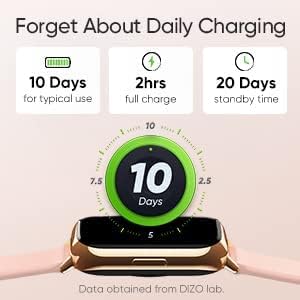
Image: The DIZO Watch 2 displaying its battery life, indicating 10 days for typical use, 2 hours for a full charge, and 20 days standby time.
2. Downloading the DIZO App
To unlock all features and synchronize data, download the official DIZO app on your Android smartphone. Издөө "DIZO App" in the Google Play Store.
3. Смартфонуңуз менен жупташуу
- Смартфонуңуздун Bluetooth иштетилгенин текшериңиз.
- Open the DIZO app and follow the on-screen instructions to create an account or log in.
- Колдонмонун ичиндеги "Түзмөк кошуу" же ушул сыяктуу жолду тандаңыз.
- The app will search for your DIZO Watch 2. Select your watch from the list of available devices.
- Жупташуу өтүнүчүн саатыңызда жана смартфонуңузда ырастаңыз.
Иштөө нускамалары
Негизги навигация
- Сенсордук экран: Swipe up, down, left, or right to navigate through menus and notifications. Tap to select an option.
- Каптал баскычы: Press the side button to return to the home screen or wake up the display.

Image: A close-up of the DIZO Watch 2's 1.69-inch bright full touch screen, highlighting its sharp display.
Ден соолук мониторинги
The DIZO Watch 2 offers comprehensive health tracking features:
- Кандагы кычкылтек (SpO2) Монитор: Measures your blood oxygen saturation levels throughout the day and during sleep.
- Real-time Heart Rate Monitor: Continuously tracks your heart rate, providing insights into your cardiovascular health and workout intensity.
- Уйкунун өркүндөтүлгөн мониторинги: Analyzes your sleep patterns, including light, deep, and REM sleep stages, along with heart rate, stress, and breathing data.
- Менструалдык циклге көз салуу: Provides tracking and predictions for the menstrual cycle.
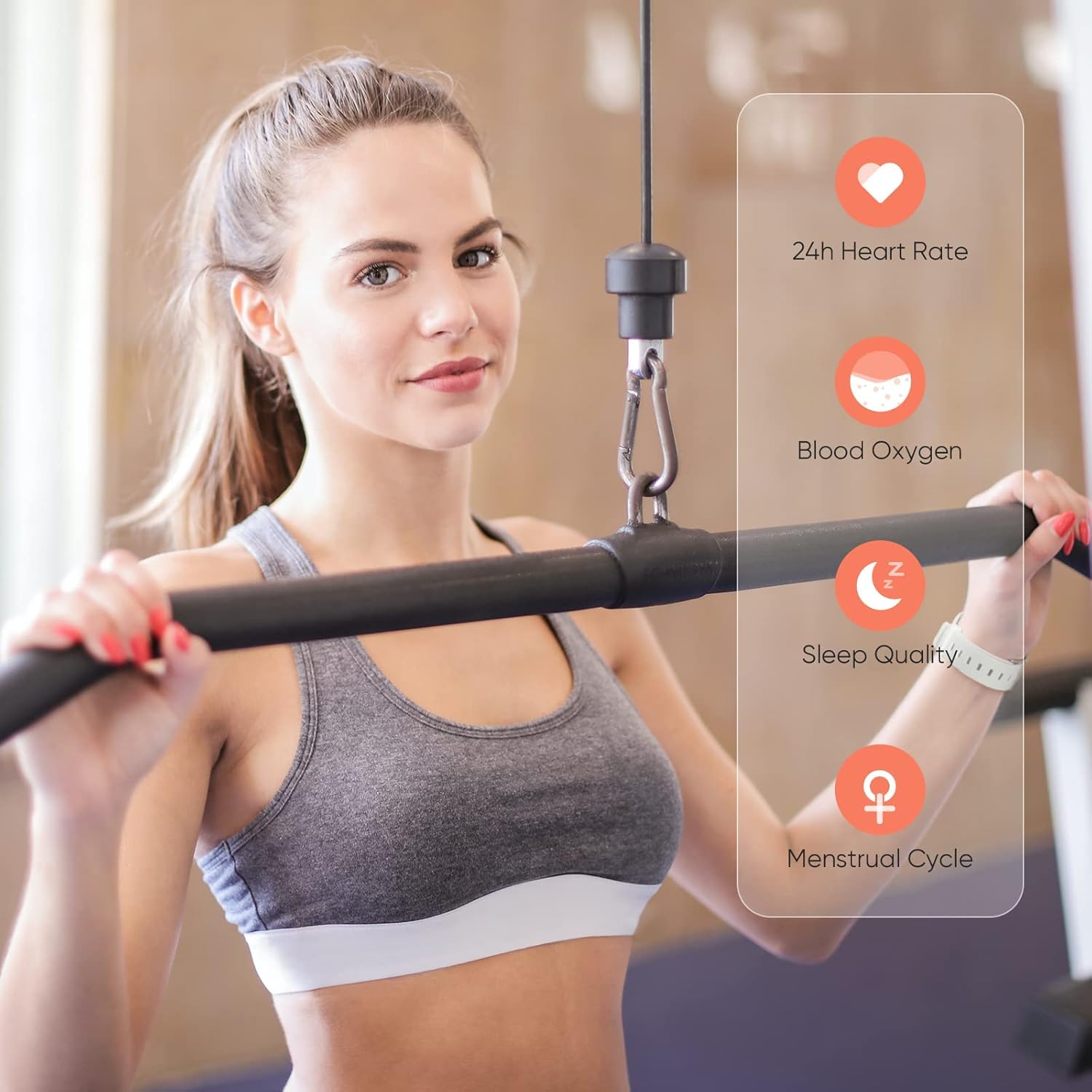
Image: A user wearing the DIZO Watch 2, with an overlay showing the watch's ability to monitor 24-hour heart rate, blood oxygen, sleep quality, and menstrual cycle.
Спорт режимдери
The watch supports 15 dedicated sports modes to accurately track your workouts. Select your activity from the watch's menu to record data such as duration, calories burned, and heart rate.

Image: The DIZO Watch 2 screen showing "15 Sports Modes" with icons representing different activities like running, cycling, and swimming, surrounded by images of people engaging in these sports.
Ыңгайлаштырылган саат жүздөрү
Choose from over 100 watch faces available through the DIZO app. You can also customize a watch face using your own pictures.

Image: The DIZO Watch 2 displaying a custom watch face with a personal photo, surrounded by other available watch face designs and a smartphone screen showing customization options.
Smart Controls and Notifications
Connect your smartwatch to the DIZO app to enable smart features:
- Музыкалык башкаруу: Смартфонуңуздагы музыканы ойнотууну түз саатыңыздан башкарыңыз.
- Камераны башкаруу: Саатыңызды смартфонуңуздун камерасы үчүн алыстан башкаруучу жапкыч катары колдонуңуз.
- Акылдуу эскертмелер: Чалуулар, билдирүүлөр жана колдонмо эскертмелери үчүн эскертүүлөрдү алыңыз.
- Calls Reject: Decline incoming calls from your watch.
- Steps Counter: Track your daily steps and activity.
- Ойготкуч: Ойготкучтарды түз эле саатыңызга коюңуз.

Image: The DIZO Watch 2 displaying icons for various smart controls, including Music Control, Camera Control, Smart Notifications, Calls Reject, Steps Counter, and Alarm.
Сууга туруктуулугу (5ATM)
The DIZO Watch 2 is 5ATM water resistant, meaning it can withstand pressures equivalent to a depth of 50 meters (164 feet). This allows for use during swimming, showering, or other shallow water activities. Avoid hot water, steam, or high-velocity water streams.

Image: A person swimming while wearing the DIZO Watch 2, with text indicating its 5ATM (164 ft./50 meters) waterproof rating.
Техникалык тейлөө
- Тазалоо: Саатыңызды жана боону жумшак, кургак чүпүрөк менен үзгүлтүксүз тазалап туруңуз. Зарыл болсо, бир азamp жумшак самын менен чүпүрөк, андан кийин жакшылап жууп, кургатуу.
- Заряддоо: Use only the provided charging cable. Avoid exposing the charging contacts to water or sweat.
- Сактагыч: Колдонулбаган убакта саатты салкын, кургак жерде сактаңыз.
- Суу каршылык: While 5ATM water resistant, avoid prolonged submersion in saltwater or chemical liquids, which can degrade seals over time.
Проблемаларды чечүү
- Күйгүзүлбөй жаткан саат: Саат толук заряддалганын текшериңиз. Аны заряддагычка кеминде 10 мүнөт туташтырыңыз.
- Телефон менен жупташтыруу мүмкүн эмес: Check if Bluetooth is enabled on your phone. Ensure the watch is within range and the DIZO app is open. Try restarting both the watch and your phone.
- Туура эмес ден соолук маалыматтары: Сааттын билегиңизге бекем тагылганын, өтө тар же өтө кенен эмес экенин текшериңиз. Сенсорлорду үзгүлтүксүз тазалап туруңуз.
- Билдирмелер алынган жок: Check app permissions on your phone to ensure the DIZO app has access to notifications. Verify notification settings within the DIZO app.
- Экран жооп бербейт: Саатты өчүрүп күйгүчө капталдагы баскычты басып туруп, кайра күйгүзүп көрүңүз.
Техникалык шарттар
| Модель аты | Watch 2 |
| Өндүрүүчүнүн маалымдамасы | DW-123 |
| Бренд | DIZO |
| Дисплей | 1.69 inch (4.3cm) Bright Full Touch Screen |
| Суу каршылык | 5ATM (up to 50 meters / 164 feet) |
| Ден соолук мониторинги | Blood Oxygen (SpO2), Heart Rate, Sleep Tracking, Menstrual Cycle |
| Спорт режимдери | 15 режим |
| Батареянын иштөө мөөнөтү | 10 күнгө чейин (типтүү колдонуу), 20 күн (күтүү режиминде) |
| Заряддоо убактысы | Болжол менен 2 саат |
| Байланыш | Bluetooth, USB (кубаттоо үчүн) |
| Шайкештик | Android |
| Өлчөмдөр | 21.49 x 2.01 x 1.22 см |
| Салмагы | 191 грамм |
Кепилдик жана колдоо
The DIZO Watch 2 Smartwatch comes with a standard manufacturer's warranty. Please refer to the warranty card included in your package for specific terms and conditions. For technical support, troubleshooting assistance, or warranty claims, please contact DIZO customer service through their official webсайтты же кепилдик документтериңизде көрсөтүлгөн байланыш маалыматын.