
1. Киришүү
The ENGINDOT MET01 is a versatile 3-in-1 Electromagnetic Field (EMF) detector designed to measure electromagnetic radiation, electric fields, and ambient temperature. This device helps users identify potential sources of radiation in their environment, promoting a safer daily life. It is suitable for use in homes, offices, and various other settings.
2. Коопсуздук маалыматы
- Түзмөктү иштетүүдөн мурун бул колдонмону кылдат окуп чыгыңыз.
- Do not attempt to disassemble or modify the meter. This may cause damage and void the warranty.
- Түзмөктү суудан жана нымдуулугу жогору чөйрөлөрдөн алыс кармаңыз.
- Аппаратты экстремалдык температурага же түз күн нуруна узак убакытка калтыруудан сактаңыз.
- Батареяны так көрсөткүчтөрдү камсыз кылуу үчүн батарейка аз индикатор пайда болгондо алмаштырыңыз.
- Батареяларды жергиликтүү эрежелерге ылайык жок кылыңыз.
3. Пакеттин мазмуну
Пакетти ачкандан кийин, төмөндө көрсөтүлгөн нерселердин бардыгы бар экенин жана жакшы абалда экендигин текшериңиз:
- 1x ENGINDOT MET01 EMF Meter
- 1x Колдонуучунун колдонмосу (бул документ)
- 1x 9V Battery

Image: Contents of the ENGINDOT MET01 package, showing the meter, user manual, and a 9V battery.
4. Продукциянын өзгөчөлүктөрү
- Кеңири колдонуу: Detects invisible radiation from various sources such as TVs, induction cookers, refrigerators, cell phones, computers, electrical wires, Wi-Fi signals, and other low-frequency home appliances.
- Так өлчөө: Measures electromagnetic fields from 0.1 to 199.9mG (resolution 0.1mG/0.01µT), electric fields from 1 to 1999V/M (resolution 1V/M), and ambient temperature from 0℃ to 50℃ (32℉ to 122℉).
- Көп функциялуулугу: Includes data hold, maximum value measurement, one-key data lock, manual/auto shut-off, adjustable safe value settings, and a large LCD display with sound and light alarm system.
- Larger Backlight Display: Ensures clear readings even in low-light conditions. The backlight and flashlight can be toggled by a long press of the MAX/BL button.
- Үн жана жарык сигнализациясы: Provides visual and audible alerts based on radiation intensity:
- Green light (Mute): Less than 4mG
- Yellow light (Low sound frequency): 4mG - 40mG
- Red light (High sound frequency): More than 40mG
5. Product Diagram and Display Overview
5.1 Баскыч функциялары

Сүрөт: бүттүview of the ENGINDOT MET01 EMF Meter, highlighting the functions of its control buttons.
- ON/OFF Button (Red): Powers the device on or off. Also controls the sound alarm.
- SEL Button (Orange): Selects between testing Magnetic Field (mG/µT) and Electric Field (V/M).
- ℃/℉ Button (Orange): Toggles the temperature unit between Celsius and Fahrenheit.
- MAX/BL Button (Orange): Short press for Max Data Hold & Lock. Long press (2 seconds) to turn ON/OFF the LCD backlight and flashlight.
5.2 ЖК дисплей индикаторлору

Сүрөт: деталдуу view of the ENGINDOT MET01 LCD display, indicating various measurement units and status icons.
- Audible Alarm Indicator: Shows when the sound alarm is active.
- Max Indicator: Displays the maximum measured value.
- Ambient Temperature Display Area: Shows the current ambient temperature.
- Температура бирдиги: Indicates whether the temperature is in ℃ or ℉.
- Measuring Value Display Area: Shows the current electromagnetic field or electric field reading.
- Electromagnetic Field Strength Unit: Displays mG or µT.
- Electric Field Strength Unit: Displays V/M.
- Төмөн батарея көрсөткүчү: Alerts when the battery needs replacement.
- Маалыматтарды кармоо көрсөткүчү: Shows when the current reading is held on the display.
6. Орнотуу
6.1 Батареяны орнотуу
- Аппараттын артындагы батарея бөлүкчөсүнүн капкагын табыңыз.
- Бөлүктү ачуу үчүн капкакты жылдырыңыз же ачыңыз.
- Insert the included 9V battery, ensuring correct polarity (+ and - terminals match).
- Батарея уясынын капкагын бекем жабыңыз.
6.2 Күйгүзүү/өчүрүү
Кызылды басыңыз КҮЙГҮЗҮҮ/ӨЧҮРҮҮ button to turn the device on. Press and hold the КҮЙГҮЗҮҮ/ӨЧҮРҮҮ button again for a few seconds to power it off.
7. Иштөө нускамалары
7.1 Негизги өлчөө
- аркылуу аппаратты күйгүзүңүз КҮЙГҮЗҮҮ/ӨЧҮРҮҮ баскычы.
- The device will default to EMF measurement (mG or µT). To switch to Electric Field (V/M) measurement, press the СЕЛ button. Press again to cycle back to EMF.
- The ambient temperature will be displayed in the upper left corner. To change the temperature unit between Celsius (℃) and Fahrenheit (℉), press the ℃/℉ баскычы.
- Move the meter slowly around the area or object you wish to test. The display will show real-time readings.

Сүрөт: Мисamples of using the ENGINDOT MET01 EMF Meter to detect radiation from common household electronics.
7.2 Data Hold and Max Measurement
- Дайындарды кармоо: During measurement, a short press of the MAX/BL button will freeze the current reading on the display. The "HOLD" icon will appear. Press again to release and resume real-time measurement.
- Max Measurement: When in Data Hold mode, the display will show the maximum value recorded since the device was powered on or the last reset.
7.3 Фонар жана Фонар
To activate or deactivate the LCD backlight and the integrated flashlight, press and hold the MAX/BL баскычын болжол менен 2 секунд басып туруңуз.
7.4 Автоматтык өчүрүү
The device features an automatic shut-off function to conserve battery power. If no operation is performed for a certain period (typically 15 minutes), the meter will power off automatically. This feature can usually be disabled or enabled through specific button combinations (refer to the included printed manual for advanced settings if available).
7.5 Wide Applications
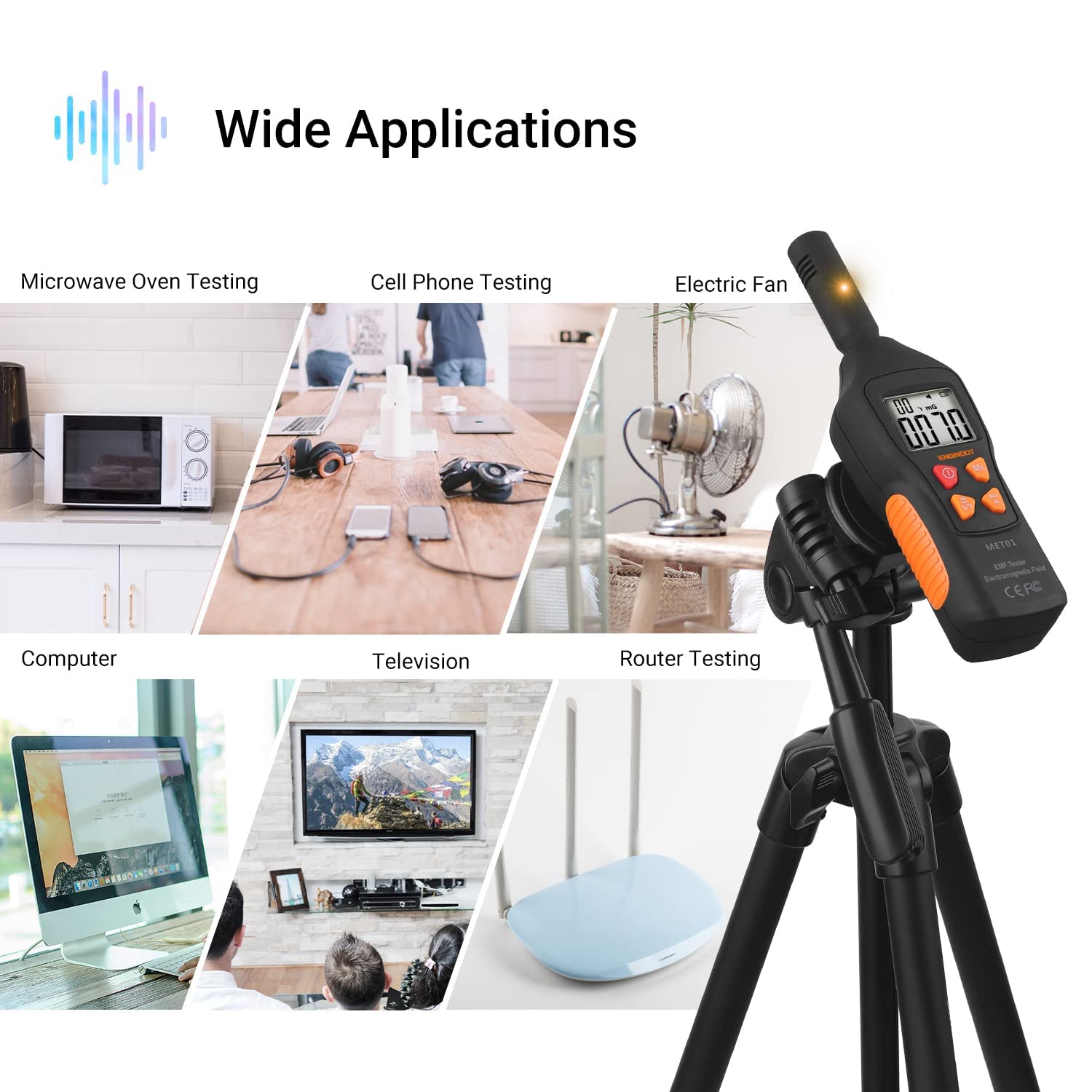
Image: The ENGINDOT MET01 EMF Meter is suitable for testing a wide range of electronic devices and environments.
8. Measurement Interpretation (Sound & Light Alarm)
The ENGINDOT MET01 provides clear indications of radiation intensity through a combination of colored LED lights and audible alarms:
- Green Light (Mute): Indicates a low radiation level, typically less than 4mG. The sound alarm is muted in this range.
- Yellow Light (Low Sound Frequency): Indicates a moderate radiation level, ranging from 4mG to 40mG. A low-frequency sound alarm will be active.
- Red Light (High Sound Frequency): Indicates a high radiation level, exceeding 40mG. A high-frequency sound alarm will be active, signaling a potentially significant radiation source.
The sound alarm can be toggled on or off by a short press of the КҮЙГҮЗҮҮ/ӨЧҮРҮҮ button while the device is powered on.
9. Техникалык тейлөө
- Тазалоо: Аппараттын сыртын тазалоо үчүн жумшак, кургак чүпүрөктү колдонуңуз. Абразивдүү тазалагычтарды же эриткичтерди колдонбоңуз.
- Сактагыч: When not in use for extended periods, remove the battery to prevent leakage and store the device in a cool, dry place.
- Батареяны алмаштыруу: Replace the 9V battery promptly when the low battery indicator appears on the LCD to ensure accurate and consistent performance.
10. Кыйынчылыктарды
| Көйгөй | Мүмкүн себеп | Чечим |
|---|---|---|
| Түзмөк күйбөйт. | Батарея өлүп калган же туура эмес орнотулган. | Батареянын полярдуулугун текшериңиз. Жаңы 9V батарея менен алмаштырыңыз. |
| Туура эмес же өзгөрүлмө окуулар. | Low battery. Interference from other electronic devices. | Replace battery. Move away from strong electromagnetic sources. Ensure proper measurement technique. |
| Backlight/Flashlight not working. | Not activated correctly. | Press and hold the MAX/BL button for 2 seconds to toggle. |
| Үн сигнализациясы иштебей жатат. | Sound alarm is muted. | Press the ON/OFF button briefly to toggle the sound alarm. |
11. Техникалык шарттар
| Өзгөчөлүк | Спецификация |
|---|---|
| Модель номери | MET01 |
| Electromagnetic Field Range | 0.1 - 199.9 mG |
| Electromagnetic Field Resolution | 0.1 мГ / 0.01 мкТ |
| Электр талаасынын диапазону | 1 - 1999 V/M |
| Electric Field Resolution | 1 В/М |
| Температура диапазону | 0 - 50 ℃ / 32 - 122 ℉ |
| Өлчөө тактыгы | ±15% |
| Дисплей стили | LCD |
| Power Source | 9V батарея (камтылган) |
| Элемент Салмагы | 200 г |
| Продукциянын өлчөмдөрү (L x W x Y) | 19.1 x 5.2 x 4 см |
| Түс | Yellow, Green, Red (indicator lights) |
| Өндүрүүчү | ENGINDOT |
12. Кепилдик жана колдоо
For warranty information, technical support, or service inquiries, please refer to the official ENGINDOT website or contact their customer service directly. Details are typically provided on the product packaging or the manufacturer's official online resources.