
Introduction
Thank you for choosing the Sengled Smart Bulb. This manual provides essential information for setting up, operating, and maintaining your new smart lighting product. The Sengled Smart Bulb offers advanced features including app and voice control, 16 million colors, tunable white light, scheduling, and remote access, all without requiring a separate hub.
Орнотуу колдонмосу
Follow these steps to set up your Sengled Smart Bulb:
- Download the Sengled Home App: Издөө 'Sengled Home' in the App Store (iOS) or Google Play Store (Android) and install the application.
- Катталуу/Кирүү: Колдонмону ачып, жаңы каттоо эсебин түзүү үчүн экрандагы нускамаларды аткарыңыз же сизде мурунтан эле бар болсо кириңиз.
- Лампаны орнотуу: Twist the Sengled Smart LED bulb into a standard E26 medium base socket. Ensure the power is turned off before installation.
- Күйгүзүү: Turn on the light switch to power on the bulb. The bulb should blink to indicate it's in pairing mode.
- Колдонмого түзмөк кошуу: In the Sengled Home app, tap the '+' icon to add a new device. Select 'Light Bulb' and follow the in-app guide to complete the setup.
- Wi-Fi'га туташуу: The bulb will connect to your home's 2.4GHz Wi-Fi network. No additional hub is required.
- Үн жардамчысын интеграциялоо (милдеттүү эмес): If you wish to use voice control, link your Sengled Home account with your Amazon Alexa or Google Assistant account through their respective apps.
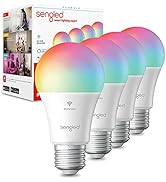
Image: Steps for setting up the Sengled Smart Bulb using the Sengled Home app.

Image: A Sengled Smart Bulb installed in a ceiling light fixture.
Иштөө нускамалары
The Sengled Smart Bulb offers versatile control options:
Колдонмо башкаруу
- Күйгүзүү/өчүрүү: Toggle the bulb's power directly from the app.
- алсыздатуу: Жарыктыкты 1%дан 100%ке чейин тууралаңыз.
- Түс тандоо: Choose from 16 million colors to match your mood or decor.
- Түзүлүүчү ак: Select white light temperatures from 2000K (warm white) to 6500K (cool white).
- Пландаштыруу: Set timers and routines for automatic on/off times, dimming, or color changes.
- Топтук көзөмөл: Create groups of bulbs to control multiple lights simultaneously.
- Сахна режими: Apply pre-set or custom scenes for various activities or moods.
Image: A smartphone screen displaying the Sengled Home app interface for color selection.
Үн менен башкаруу
Control your smart bulbs hands-free using voice commands with Amazon Alexa or Google Assistant. Examples:
- – Alexa, бөлмөнүн жарыгын күйгүз.
- "Эй, Google, уктоочу бөлмөнүн жарыгын көк түскө коюп кой."
- "Alexa, dim the kitchen to 50%."
Image: A person interacting with a smart speaker to control the Sengled Smart Bulb via voice commands.
Алыстан башкаруу
Manage your lighting from anywhere using the Sengled Home app on your smartphone, ensuring your home always looks occupied, even when you're away.
Wake Up to Light Feature
Program your bulbs to slowly brighten over a set period, simulating a natural sunrise to help you wake up gently.
Video: Official Sengled video demonstrating the 100-watt smart bulb's features and Alexa compatibility.
Техникалык тейлөө
Sengled Smart Bulbs are designed for long-term use with a service life of 22.8 years. No specific maintenance is required beyond occasional dusting with a soft, dry cloth. Ensure the bulb is not exposed to water or excessive humidity.
Проблемаларды чечүү
If you encounter issues with your Sengled Smart Bulb, consider the following:
- Туташуу маселелери: Ensure your Wi-Fi network is 2.4GHz (5G networks are not supported). Try restarting your router and the bulb.
- Лампочка жооп бербей жатат: Check if the bulb is securely screwed into the socket and if the power switch is on. Try turning the power off and on again to reset the bulb.
- Voice Command Problems: Verify that your Alexa or Google Assistant device is properly linked to your Sengled Home account and that the device names are correctly configured.
- Колдонмо маселелери: Ensure your Sengled Home app is updated to the latest version. Try force-closing and reopening the app.
Көбүрөөк жардам алуу үчүн, колдоо бөлүмүнө кайрылыңыз же кардарларды тейлөө кызматына кайрылыңыз.
Техникалык шарттар
| Өзгөчөлүк | Деталь |
|---|---|
| Бренд | сезген |
| Модель номери | W12-N15 |
| Жарык түрү | LED |
| Ватtage | 100 watts equivalent (actual power consumption not specified, but typically lower for LED) |
| Жарыктык | 1500 Lumens |
| Лампанын формасынын өлчөмү | A19 |
| Лампанын базасы | E26 Орто |
| Ачык түс | Multicolor (16 Million Colors) & Tunable White (2000K to 6500K) |
| Түстөрдү көрсөтүү индекси (CRI) | >90 |
| Байланыш технологиясы | Wi-Fi (2.4 ГГц гана) |
| Controller Type | Amazon Alexa, Google жардамчысы, SmartThings |
| Жарык булагы иштөө мөөнөтү | 22.8 жыл |
| Ички/тышкы колдонуу | Indoor |
| Материалдын түрү | Синтетикалык Полимер (PMMA) |
Кепилдик жана колдоо
Sengled Smart Bulbs come with a 2 жылдык кепилдик. For warranty claims or technical support, please visit the official Sengled website or contact their customer service. Live customer service is available in the U.S.
Көбүрөөк маалымат жана колдоо үчүн, иш сапары менен sengled.com.