
EPOS Impact D 10 USB ML II
EPOS Impact D 10 USB ML II Wireless DECT Headset User Manual
Бренд: EPOS | Модел: Impact D 10 USB ML II (1000999)
Продукт бүттүview
The EPOS Impact D 10 USB ML II is a wireless DECT mono ear convertible headset designed for direct connection to a PC or softphone. It offers premium audio performance and powerful wireless reach, providing a streamlined solution for professional communication environments, including hotdesking.

Image: EPOS Impact D 10 USB ML II headset on its charging base, highlighting key features such as premium audio, single device connectivity, flexible wearing styles, powerful wireless range, and a tidy desk design.
Негизги өзгөчөлүктөрү
- EPOS Voice™ Technology: Ensures premium audio for clear calls.
- Ызы-чууну жок кылуучу микрофон: Provides natural, clear conversations by reducing background noise.
- Powerful Wireless Reach: Offers up to 55 m (180 ft) in typical office environments and up to 180 m (590 ft) line of sight.
- Узак сүйлөшүү убактысы: Бир кубаттоо менен 12 саатка чейин сүйлөшүү убактысы.
- Plug-and-Play туташуусу: Direct USB connection to PC/Softphone for immediate use.
- Convertible Wearing Styles: Includes a detachable headband and a bendable ear hook to suit personal preference.
- Magnetic Docking and Charging: Easy and secure docking for charging.
Кутуда эмне бар
Upon unboxing your EPOS Impact D 10 USB ML II headset, you should find the following components:
- Headset (with mounted bendable ear hook)
- Base Station / Charging Station
- USB кабели
- Headband (detachable)
- Басылган Ыкчам колдонмо
- Printed Safety Guide
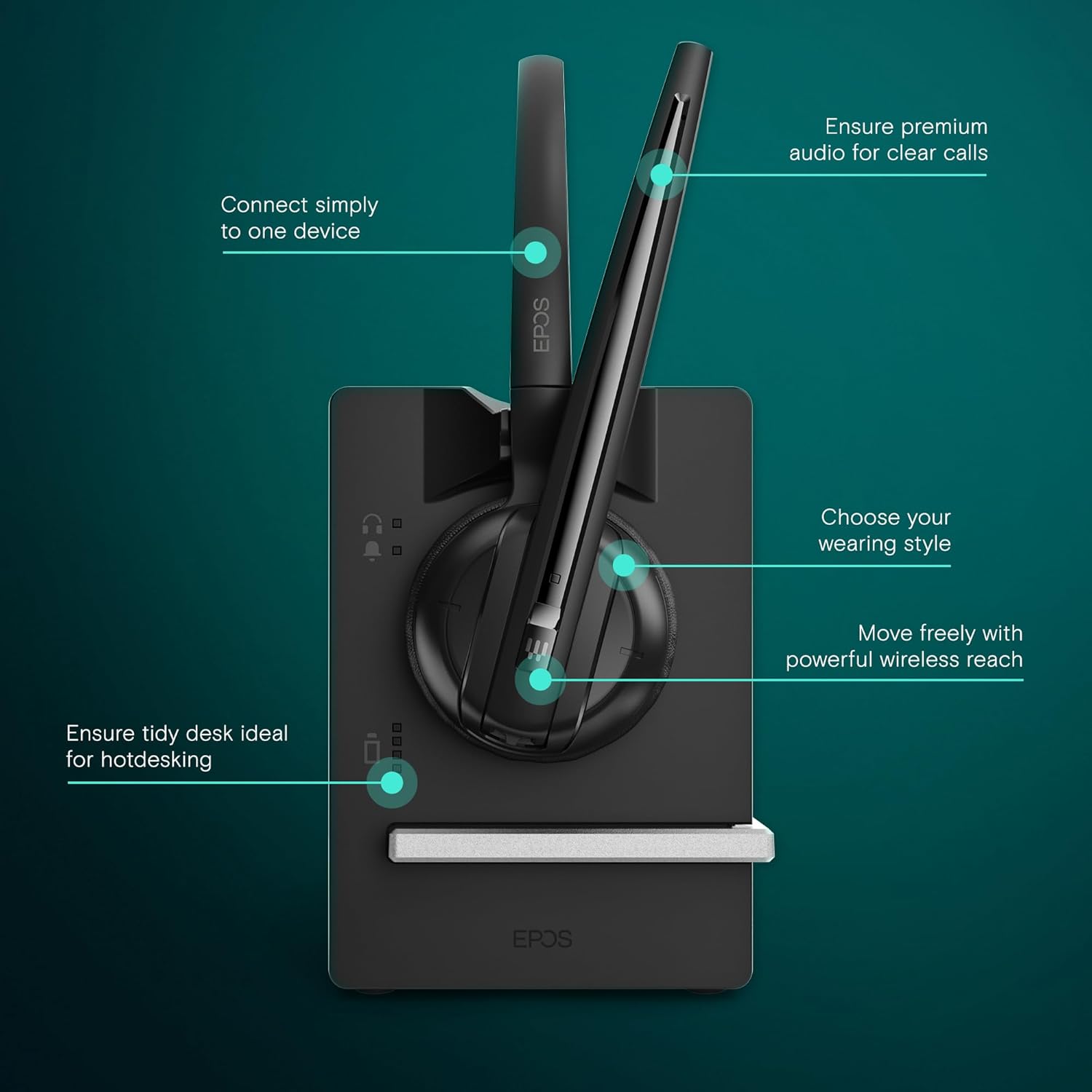
Image: All components included in the EPOS Impact D 10 USB ML II package, including the headset, base station, USB cable, detachable headband, quick guide, and safety guide.
Орнотуу нускамалары
- Базалык станцияны туташтыруу: Connect the provided USB cable to the base station and then to an available USB port on your PC or softphone. The base station will power on automatically.
- Гарнитураны заряддоо: Place the headset onto the magnetic charging interface of the base station. Ensure it is securely docked. The headset will begin charging. A full charge provides up to 12 hours of talk time.
- Choose Your Wearing Style:
- Кулак илгич: The bendable ear hook is pre-mounted on the headset for immediate use. Adjust it for a comfortable fit around your ear.
- Баш боосу: To use the headband, detach the ear hook and attach the headset to the provided headband. Adjust the headband for a secure and comfortable fit over your head.
- Баштапкы жупташтыруу (зарыл болсо): The headset and base station are typically pre-paired. If pairing is required, refer to the detailed Quick Guide for specific instructions.
- Software Installation (optional): For advanced features and settings, you may download and install the EPOS Connect software from the official EPOS webсайт.

Image: The EPOS Impact D 10 USB ML II headset securely docked on its charging base, ready for use or charging.
Иштөө нускамалары
Чалууларды кабыл алуу жана кабыл алуу
- Чалууга жооп берүү/аяктоо: Press the call control button on the headset to answer an incoming call or end an active call.
- Микрофондун үнүн басуу: Чалуу учурунда микрофонуңуздун үнүн басуу же ачуу үчүн гарнитурадагы үнүн басуу баскычын басыңыз.
- Үндү тууралоо: Use the volume up/down buttons on the headset to adjust the listening volume.

Image: The EPOS Impact D 10 USB ML II headset on its base, illustrating features like one-touch call management, fast charging, and phone conferencing capabilities.
Wireless Range and Mobility
The headset provides significant wireless freedom. You can move up to 55 meters (180 feet) in typical office environments and up to 180 meters (590 feet) in line-of-sight conditions from the base station. This allows for flexibility during calls and while working.
Optimized for Unified Communications (UC)
The EPOS Impact D 10 USB ML II is optimized for Unified Communications, ensuring seamless integration and high-quality audio with various UC platforms and softphones.

Сүрөт: жакын план view of the EPOS Impact D 10 USB ML II headset's ear cup, emphasizing its optimization for Unified Communications.
Продукт видеосу бүттүview
Видео: Аткаминерview of the EPOS Impact D 10 USB ML II Headset, demonstrating its features and functionality.
Техникалык тейлөө
- Заряддоо: Always dock the headset on the base station when not in use to ensure it is charged and ready for your next call. The headset features fast charging capabilities.
- Тазалоо: Use a soft, dry cloth to clean the headset and base station. Avoid using harsh chemicals or abrasive materials.
- Сактагыч: Store the headset and base station in a cool, dry place away from direct sunlight and extreme temperatures.

Image: The EPOS Impact D 10 USB ML II headset on its charging base, illustrating its compact and tidy design suitable for various workspaces.
Проблемаларды чечүү
If you encounter issues with your EPOS Impact D 10 USB ML II headset, please consider the following common troubleshooting steps:
- Аудио жок/микрофон иштебей жатат:
- Ensure the headset is properly docked and charged.
- Verify the USB cable is securely connected to both the base station and your PC/softphone.
- Check your PC/softphone audio settings to ensure the EPOS headset is selected as the default input and output device.
- Confirm the microphone is not muted on the headset.
- Poor Wireless Range/Connection Drops:
- Reduce the distance between the headset and the base station.
- Minimize obstructions (walls, large metal objects) between the headset and base station.
- Avoid placing the base station near other wireless devices that may cause interference.
- Гарнитура кубатталбай жатат:
- Ensure the headset is correctly seated on the magnetic charging interface.
- Check the USB cable connection to the base station and power source.
- Башка USB портун же кубат адаптерин колдонуп көрүңүз.
For more detailed troubleshooting or persistent issues, please consult the full user manual or contact EPOS customer support.
Техникалык шарттар
| Модель аты | Impact D 10 USB ML II |
| Элемент моделинин номери | 1000999 |
| Байланыш технологиясы | Зымсыз (DECT) |
| Wireless Range (Office) | 55 м / 180 фут чейин |
| Wireless Range (Line of Sight) | 180 м / 590 фут чейин |
| Talk Time | 12 саатка чейин |
| Заряддоо убактысы | Fast Charging (50% in 20 minutes) |
| Микрофон | Noise-Canceling |
| Наушник уясы | USB |
| Элемент Салмагы | 2 унция (болжол менен 57 грамм) |
| Продукциянын өлчөмдөрү | 8.12 x 6.12 x 2.62 дюйм |
| Кулак жайгаштыруу | On Ear |
| Форма фактору | On Ear |
| Башкаруу түрү | Сенсордук башкаруу, Үн менен башкаруу |
| Шайкеш түзмөктөр | Computers, Laptops, Softphones |
Кепилдик жана колдоо
EPOS products are designed for durability and performance. For specific warranty information, please refer to the warranty card included in your product packaging or visit the official EPOS website. If you require technical assistance, support, or have questions regarding your headset, please contact EPOS customer service directly through their official channels.
Кошумча коргоо пландарын ыйгарым укуктуу чекене сатуучулардан сатып алууга болот.
Ask a question about this manual
Ask about setup, troubleshooting, compatibility, parts, safety, or missing instructions. Manuals+ will review the question and use this page’s manual context to help answer it.