
Introduction
The havit GK58B is a USB plug-and-play gaming microphone designed for clear voice communication. It features omnidirectional sound pickup, a flexible gooseneck, a stable base, and unique RGB lighting effects. This manual provides instructions for setup, operation, maintenance, and troubleshooting to ensure optimal performance.
Өзгөчөлүктөрү
- USB аркылуу туташтырып иштетүү: Simple connection without driver installation.
- Ар тараптуу алып кетүү: Captures sound from all directions for clear communication.
- ийкемдүү каз моюн: Adjustable microphone position for optimal voice capture.
- Туруктуу база: Ensures the microphone remains securely in place.
- RGB жарыктандыруу: Integrated lighting for an enhanced aesthetic.
Пакеттин мазмуну
The havit GK58B package includes:
- 1 x havit GK58B USB Gaming Microphone
- 1 х Колдонуучунун колдонмосу (бул документ)

Сүрөт: алдыңкы view of the havit GK58B USB Gaming Microphone retail packaging.

Сүрөт: Артка view of the havit GK58B USB Gaming Microphone retail packaging, showing product specifications.
Жайгашуу
- Микрофонду таңгактан чыгаруу: Carefully remove the havit GK58B microphone from its packaging.
- Микрофонду жайгаштырыңыз: Place the microphone on a stable, flat surface. Adjust the flexible gooseneck to position the microphone head optimally for your voice, typically 15-30 cm (6-12 inches) from your mouth.
- Компьютерге туташуу: Plug the USB connector of the microphone cable into an available USB port on your computer.
- Драйверди орнотуу: The microphone is plug-and-play and does not require additional driver installation. Your operating system should automatically detect and configure the device.
- Select as Default Device:
- Windows: барыңыз Үн орнотуулары > Үн башкаруу панели > Жаздыруу tab. Select "havit GK58B" or similar as your default recording device.
- MacOS: барыңыз Системанын артыкчылыктары > Үн > Киргизүү tab. Select "havit GK58B" or similar as your input device.
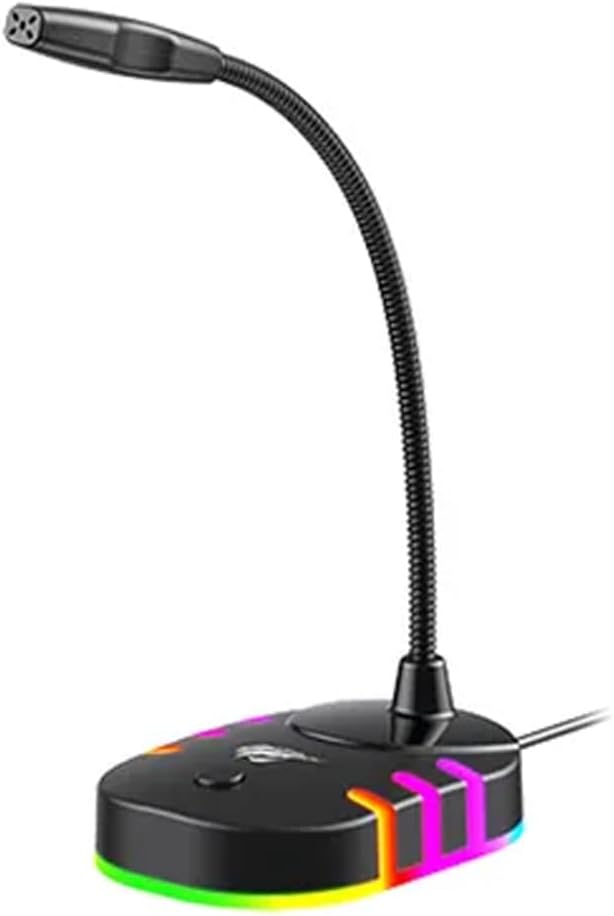
Сүрөт: алдыңкы жагы view of the havit GK58B USB Gaming Microphone, showing the gooseneck and base with RGB lighting.
Иштөө нускамалары
- Микрофонду иштетүү: Once connected and selected as the default input device, the microphone is ready for use. The RGB lighting on the base will illuminate, indicating it is powered on.
- Үндү тууралоо: Microphone input volume can be adjusted through your computer's sound settings or within the specific application you are using (e.g., game chat, communication software).
- Ар тараптуу алып кетүү: The GK58B features an omnidirectional polar pattern, meaning it picks up sound equally from all directions. This is suitable for capturing ambient sound or multiple speakers around the microphone. For best voice clarity, speak directly towards the microphone head.
- RGB жарыкты башкаруу: The microphone base features RGB lighting. While specific controls are not detailed, typically these lights cycle automatically or can be toggled via a button on the base if present. Refer to the product's physical buttons for any lighting control options.
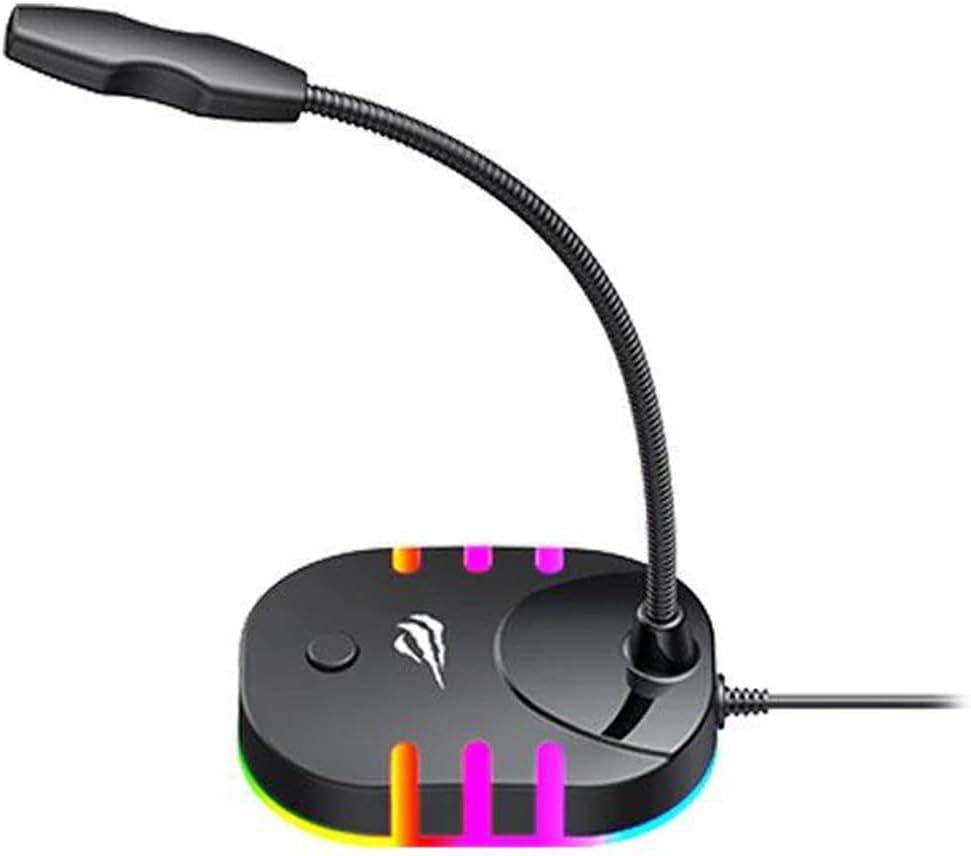
Image: Back-side view of the havit GK58B USB Gaming Microphone, showing the USB cable connection point and the base with RGB lighting.
Техникалык тейлөө
- Тазалоо: Use a soft, dry cloth to wipe the microphone and its base. Avoid using liquid cleaners or abrasive materials, as these can damage the device.
- Сактагыч: Колдонулбаганда, микрофонду таза, кургак чөйрөдө, түз күндүн нурунан жана өтө температурадан алыс сактаңыз.
- Кабельге кам көрүү: USB кабелин өтө ийип же кысып албаңыз. Сууруп жатканда ар дайым кабелди эмес, сайгычын кармаңыз.
Проблемаларды чечүү
| Көйгөй | Мүмкүн себеп | Чечим |
|---|---|---|
| Microphone not detected / No sound input |
|
|
| Микрофондун үнү төмөн |
|
|
| RGB жарыктандыруу иштебейт |
|
|
Техникалык шарттар
| Модель аты | GK58B |
| Байланыш технологиясы | USB |
| Туташтыргыч түрү | USB Type-A |
| Полярдык үлгү | Көп багыттуу |
| Сезимталдуулук | -36 ± 3dB |
| Импеданс | 2.2 кОм |
| Frequency Response | 30Гц – 16кГц |
| Кабелдин узундугу | 1.5 м |
| Operating Voltage | 5.0V |
| Иштөө агымы | 90мА |
| Микрофондун өлчөмдөрү | φ6*5мм |
| Продукциянын өлчөмдөрү | 7.5 x 13 x 11 см |
| Элемент Салмагы | 2 г |
| Шайкеш түзмөктөр | Ноутбук, персоналдык компьютер |
| Өзгөчө өзгөчөлүк | Stand, RGB Lighting |
Кепилдик жана колдоо
For warranty information and technical support, please refer to the official havit webсайтына кириңиз же жергиликтүү сатуучуңузга кайрылыңыз. Кепилдик боюнча дооматтар үчүн сатып алуу дүмүрчөгүңүздү сактап коюңуз.
Өндүрүүчү: Хавит