
Introduction
This manual provides detailed instructions for the safe and effective operation of your ENGiNDOT SC-L01 Self-Leveling Cross Line Laser Level. Please read this manual thoroughly before using the device and retain it for future reference. The ENGiNDOT SC-L01 is designed for various leveling and alignment tasks, offering both self-leveling and manual modes for versatility.

Image: The ENGiNDOT SC-L01 laser level projecting cross lines for alignment tasks.
Коопсуздук маалыматы
Жаракат алуунун жана түзмөктүн бузулушунун алдын алуу үчүн ар дайым төмөнкү коопсуздук чараларын сактаңыз:
- Лазердик нурлануу: Do not stare directly into the laser beam. Avoid direct eye exposure.
- Балдар: Аппаратты балдар жетпеген жерде сактаңыз.
- Курчап турган чөйрө: Use the device in a well-lit area. Avoid using it in explosive atmospheres.
- Тейлөө: Аппаратты өз алдынча бөлүүгө же оңдоого аракет кылбаңыз. Квалификациялуу тейлөө кызматкерлерине кайрылыңыз.
- Батареялар: Ensure batteries are inserted with correct polarity. Do not mix old and new batteries or different types of batteries. Remove batteries if the device will not be used for an extended period.
Пакеттин мазмуну
Пакетте бардык буюмдар бар экенин текшериңиз:
- ENGiNDOT Laser Level SC-L01
- Магниттик орнотуу пластина
- Nylon Zippered Pouch
- 2 x AAA батареялары
- Колдонуучунун Колдонмосу (бул документ)
Видео: Бүттүview of the ENGiNDOT SC-L01 Laser Level and its included accessories.
Жайгашуу
1. Батареяларды орнотуу
- Аппараттын түбүндөгү батарея отсегин табыңыз.
- Батарея уясынын капкагын ачыңыз.
- Туура полярдуулукту (+/-) камсыз кылуу менен 2 AAA батарейкасын салыңыз.
- Батарея уясынын капкагын бекем жабыңыз.

Image: The laser level's battery compartment and various fixing methods, including magnetic mounting and tripod use.
2. Аппаратты орнотуу
The ENGiNDOT SC-L01 offers flexible mounting options:
- Магниттик орнотуу: Attach the magnetic mounting plate to metal surfaces. The laser level can then be rotated 360 degrees on the plate.
- Tripod орнотуу: The device features a 1/4-20 mounting thread on its base, compatible with standard camera tripods for stable positioning.
Иштөө нускамалары
1. Күйгүзүү / Өчүрүү
- To turn on the device, slide the Power/Lock switch to the unlocked position and press the Power Button.
- To turn off the device, slide the Power/Lock switch to the locked position and press the Power Button.
2. Иштөө режимдери
The laser level features two operating modes:
- Өзүн-өзү тегиздөө режими:
Slide the Power/Lock switch to the unlocked position. The laser will automatically self-level within 4 degrees. If the device is outside this range, the laser beams will flash to indicate it cannot self-level. This mode is ideal for achieving perfectly horizontal and vertical lines.
- Кол режими:
Slide the Power/Lock switch to the locked position. The laser lines will be projected, but they will not self-level. This mode allows you to project lines at any desired angle, useful for tasks like installing handrails or decorative patterns.

Image: Illustration of the two operating modes: self-leveling for automatic horizontal/vertical lines and manual mode for angled projections.
Video: Demonstrates how to turn off the laser in self-leveling mode and switch between modes.
3. Тиркемелер
The ENGiNDOT SC-L01 is suitable for various tasks, including:
- Tiling installation
- Picture and photo hanging
- Door and window installation
- Furniture alignment
- General interior decoration and construction tasks

Сүрөт: Мисamples of the laser level in use for tasks such as floor tiling, wall decoration, and picture hanging.
Техникалык тейлөө
Proper maintenance ensures the longevity and accuracy of your laser level:
- Тазалоо: Аппаратты жумшак менен сүртүңүз, гamp cloth. Do not use abrasive cleaners or solvents. Keep the laser windows clean for optimal visibility.
- Сактагыч: Store the device in its zippered pouch in a dry, cool place when not in use. Remove batteries for long-term storage.
- Узактыгы: The device features an IP54 water/debris resistant over-molded housing and TPE material wrapped rubber for enhanced durability. While robust, avoid unnecessary drops or impacts.
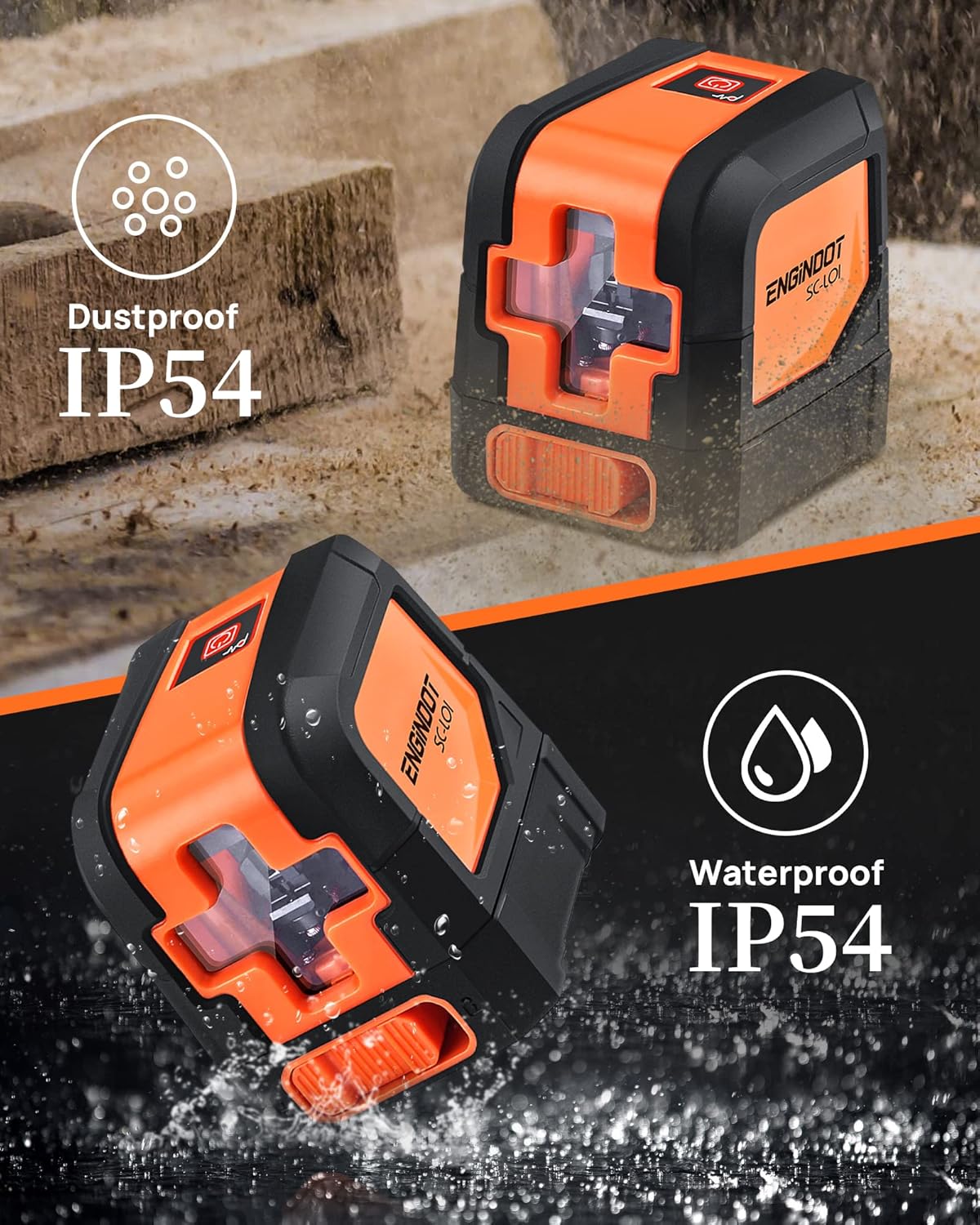
Image: The laser level highlighting its IP54 dustproof and waterproof design, indicating its suitability for various work environments.
Проблемаларды чечүү
| Көйгөй | Мүмкүн себеп | Чечим |
|---|---|---|
| Лазер күйбөйт. | Батареялар өлүп калган же туура эмес салынган. | Батареянын полярдуулугун текшериңиз жана керек болсо батарейкаларды алмаштырыңыз. |
| Laser lines are flashing in self-leveling mode. | Device is outside its self-leveling range (over 4 degrees tilt). | Түзмөктү тегизирээк бетке коюңуз. |
| Лазердик сызыктар күңүрт же көрүнбөйт. | Ambient light is too bright; laser windows are dirty. | Use in lower light conditions or clean laser windows. |
| Туура эмес өлчөө. | Device not properly calibrated or damaged. | Ensure the device is on a stable surface. If issues persist, contact customer support. |
Техникалык шарттар
| Өзгөчөлүк | Деталь |
|---|---|
| Бренд | ENGINDOT |
| Модел | SC-L01 |
| Материал | Акрилонитрил бутадиен стирол, резина |
| Түс | Кызгылт сары, кара |
| Продукциянын өлчөмдөрү (L x W) | 2.95"L x 2.6"W |
| Элемент Салмагы | 0.46 килограмм |
| Иштөө режими | Self-leveling mode, Manual mode |
| Өз алдынча тегиздөө диапазону | 4° ичинде |
| Тактык | ± 1/8 inch at 33 Ft |
| Visibility Range | 50 фут чейин |
| Water/Debris Resistance | IP54 |
| Монтаждык жип | 1/4-20 |
| Батарея түрү | AAA (2 included) |
Кепилдик жана колдоо
ENGiNDOT is committed to providing quality products and customer satisfaction. For any questions, technical support, or warranty claims, please contact us. We offer 24-hour quick response and product technical support for every customer.
Please refer to your purchase documentation or the official ENGiNDOT webэң акыркы кепилдик маалыматы жана байланыш маалыматтары үчүн сайт.