
ELISWEEN 72ed368d-9dff-42ae-ba96-5d07f9731cf6
ELISWEEN Presentation Remote with Air Mouse Function User Manual
Model: 72ed368d-9dff-42ae-ba96-5d07f9731cf6
Introduction
This manual provides detailed instructions for the ELISWEEN Presentation Remote with Air Mouse Function. This wireless presenter is designed to enhance your presentations by offering flexible control, including an air mouse, laser pointer, and intuitive slide navigation. It is compatible with various operating systems and presentation software.
Пакеттин мазмуну
Пакетиңизде бардык буюмдар бар экенин текшериңиз:
- 1 x ELISWEEN Wireless Presenter Remote
- 1 USB Receiver х
- 1 х Колдонуучунун колдонмосу (бул документ)
Продукт өзгөчөлүктөрү
- Аба чычкан функциясы: Combines traditional clicker functions with wireless cursor control, acting like a true mouse for enhanced interaction.
- Bright Red Laser Pointer: Easily highlight key points on most backgrounds with a visible red laser.
- Кеңейтилген башкаруу диапазону: Wireless range up to 165 feet, air mouse function range up to 50 feet, and laser light range up to 328 feet.
- Эргономикалык дизайн: Shaped to fit comfortably in hand with intuitive touch-keys for seamless control without needing to look at the device.
- Full-Functionality: Includes controls for volume, window switching, hyperlinks, video playback, full/black screen toggle, page up/down, and label/eraser functions.
- Plug & Play: No drivers required. Simply plug the USB dongle into a compatible port.
- Кеңири шайкештик: Supports Windows 2003/XP/Vista/7/8/10, Mac OS, Linux, Android. Compatible with software like PowerPoint, iWork (Keynote, Numbers, Pages), Prezi, MS Word, Excel, ACDSee, and web browsers. (Note: Not compatible with Google Slides).
Орнотуу нускамалары
- Батареяларды салыңыз:
Open the battery compartment on the back of the presenter. Insert two AAA batteries (not included), ensuring correct polarity (+/-). Close the compartment securely.
- USB кабылдагычты туташтыруу:
Locate the USB receiver stored within the presenter's battery compartment or a dedicated slot. Plug the USB receiver into an available USB-A port on your computer or laptop.
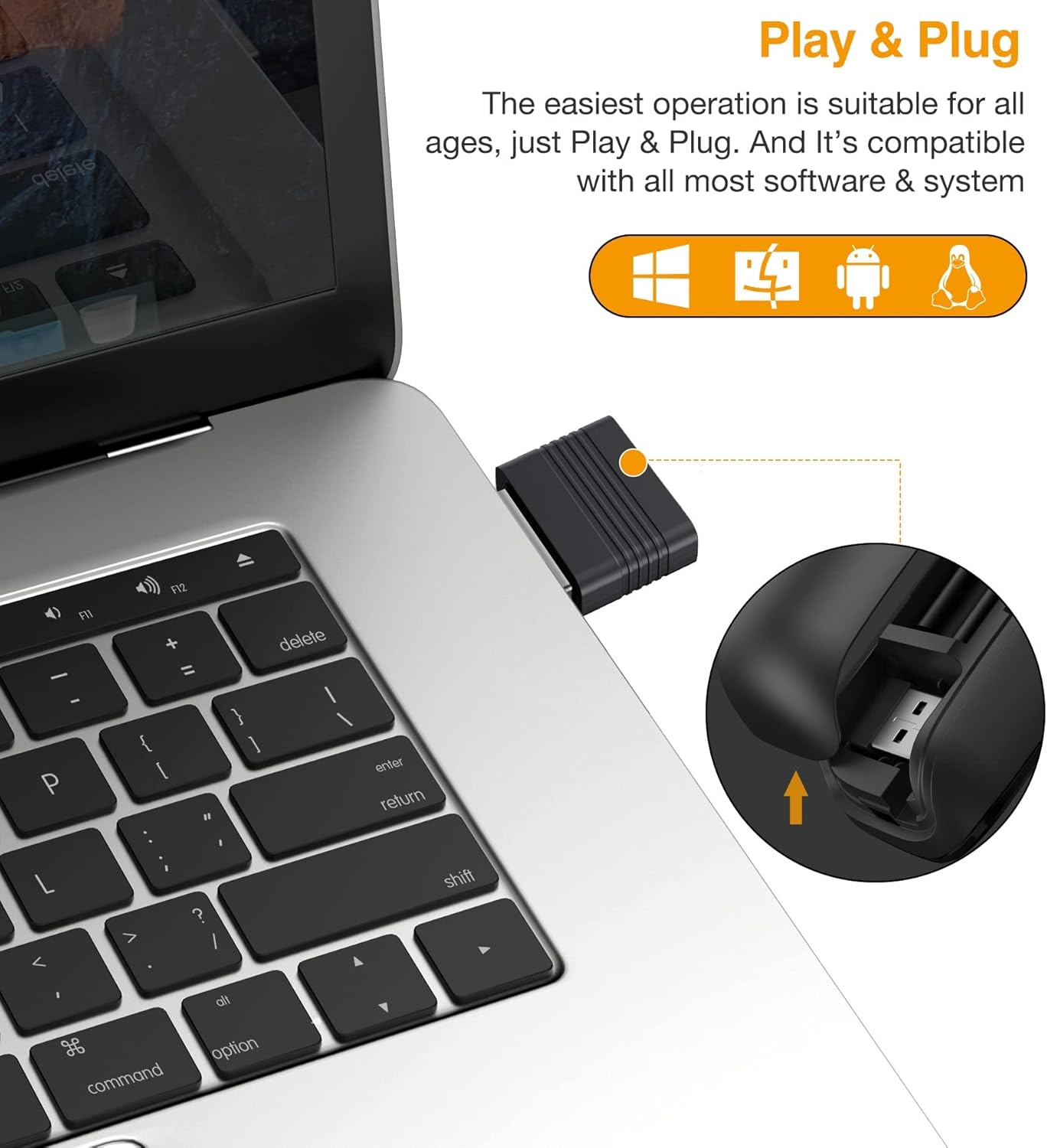
The USB receiver is designed for easy storage within the presenter and connects directly to your computer's USB-A port for instant plug-and-play functionality.
- Күйгүзүү:
Turn on the presenter using the power switch, usually located on the side or bottom. A blue indicator light may illuminate to confirm it is powered on and connected.
- Системаны таануу:
Your computer should automatically detect and install the necessary drivers. This process typically takes a few seconds. No manual driver installation is required.
Иштөө нускамалары
Familiarize yourself with the buttons and functions of your ELISWEEN Presentation Remote:
Баскычтар бүттүview

This image illustrates the various control buttons on the presentation remote and their corresponding functions, including navigation, annotation, and screen control.
- Барак өйдө/төмөн: Navigate through slides.
- Left/Right Clicker: Flexible control for computer interface interactions.
- Label/Eraser: Activate annotation mode to highlight points or erase markings.
- Full/Black Screen: Toggle between full screen presentation mode and a black screen.
- Switch Windows: Quickly switch between open applications.
- Play Slideshow: Start or pause video playback within your presentation.
- Үндү көзөмөлдөө: Аудио чыгарууну тууралоо.
- Гипершилтемелер: Activate embedded hyperlinks in your presentation.
Аба чычкан функциясы
The presenter features an air mouse function, allowing you to control the cursor by moving the remote in the air. This provides greater flexibility during presentations.
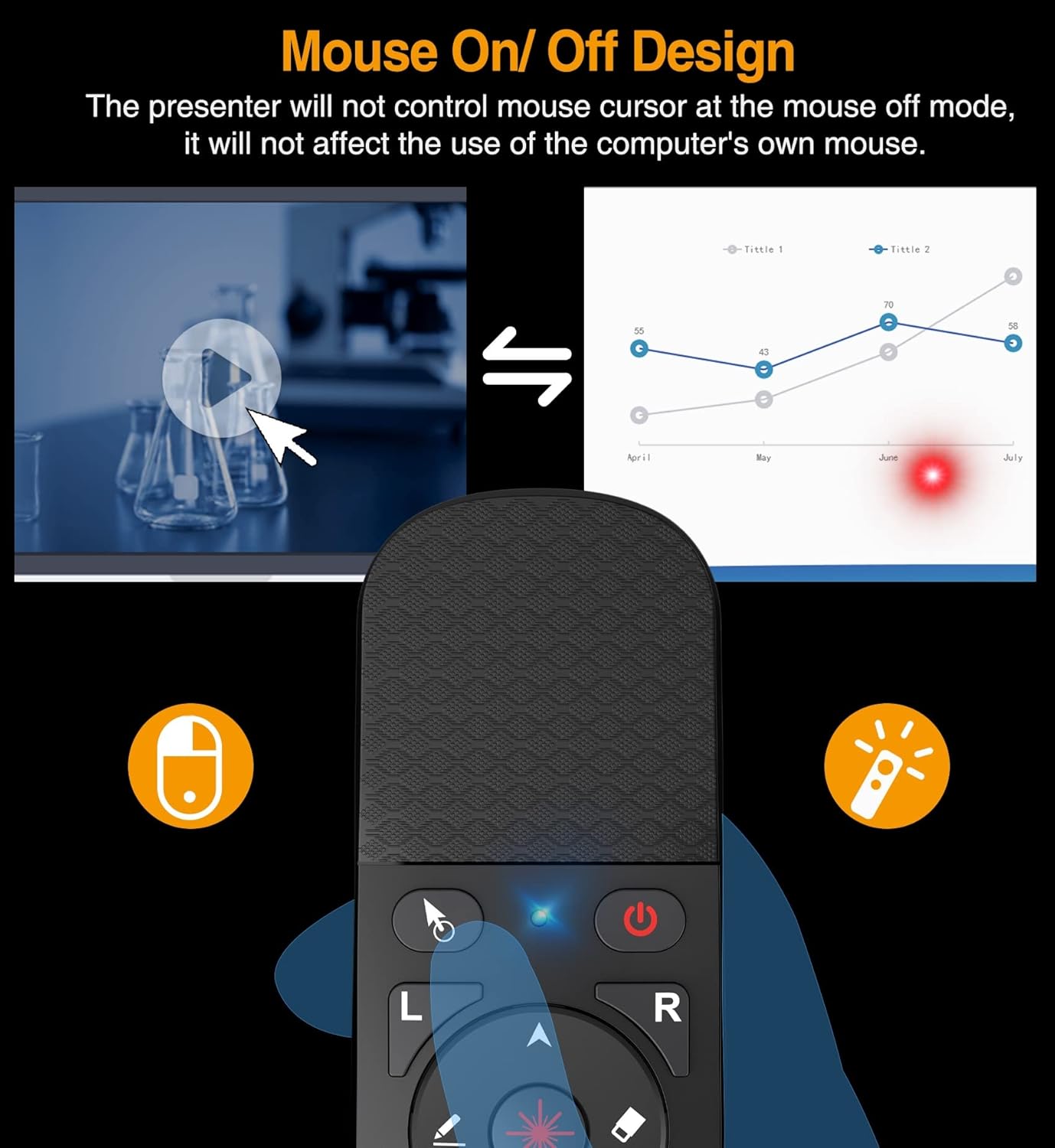
The remote includes a dedicated switch to activate or deactivate the air mouse function. When the air mouse is off, the presenter will not control the mouse cursor, allowing you to use your computer's own mouse without interference.
- Activating Air Mouse: Press the dedicated air mouse button or toggle the switch (refer to the device layout). The cursor will appear on your screen.
- Controlling Cursor: Move the presenter in the air to control the cursor's movement.
- Deactivating Air Mouse: Press the air mouse button or toggle the switch again to turn off the air mouse function. This allows you to use your computer's mouse without interference from the presenter.
Лазердик көрсөткүч
Use the integrated red laser pointer to draw attention to specific areas on your presentation screen.

The bright red laser pointer is effective for highlighting content during presentations and meetings. Its visibility helps guide the audience's focus.
- Лазерди активдештирүү: Press and hold the laser button (typically marked with a laser icon) to emit the red laser beam.
- Лазерди өчүрүү: Release the button to turn off the laser.
- Эскертүү: The laser pointer is designed for traditional projection screens. Its visibility may be reduced or absent on LED/LCD screens.
Зымсыз диапазон

This image highlights the effective operational ranges for the laser pointer, air mouse, and general wireless control, allowing for freedom of movement during presentations.
The ELISWEEN Presentation Remote offers significant freedom of movement:
- Wireless Control Range: 165 фут (50 метр) чейин.
- Air Mouse Function Range: 50 фут (15 метр) чейин.
- Laser Light Range: 328 фут (100 метр) чейин.
Note that environmental factors and obstacles may affect the actual operating range.
Техникалык тейлөө
- Тазалоо: Use a soft, dry cloth to clean the surface of the presenter. Avoid using liquid cleaners or abrasive materials.
- Батареяны алмаштыруу: When the indicator light dims or the presenter becomes unresponsive, replace the two AAA batteries. Ensure correct polarity.
- Сактагыч: Store the USB receiver inside the presenter when not in use to prevent loss. Store the device in a cool, dry place away from direct sunlight and extreme temperatures.
- Колдонуу: Avoid dropping the device, as this may cause the battery cover to detach or damage internal components.
Проблемаларды чечүү
| Көйгөй | Мүмкүн себеп | Чечим |
|---|---|---|
| Алып баруучу жооп бербей жатат. | Low batteries; USB receiver not connected; presenter not powered on. | Replace batteries; ensure USB receiver is securely plugged in; turn on the presenter. |
| Laser pointer does not work. | Laser button not pressed; low batteries; pointing at an LED/LCD screen. | Press and hold the laser button; replace batteries; note that the laser is less visible on LED/LCD screens. |
| Air mouse cursor lags or is difficult to control. | Interference; distance from receiver; rapid movements. | Reduce distance to USB receiver; ensure no major obstructions; use smoother, deliberate movements. |
| Presenter disconnects frequently. | Low batteries; USB receiver interference; out of range. | Replace batteries; try a different USB port; stay within the recommended wireless range. |
| Functions (e.g., page up/down) do not work in specific software. | Software incompatibility; software not in focus. | Ensure the software is supported (e.g., not Google Slides); click on the presentation window to ensure it is the active application. |
Техникалык шарттар
- Модель номери: 72ed368d-9dff-42ae-ba96-5d07f9731cf6
- Материал: ABS
- Ачык түс: Red (Laser)
- Радио жыштык: 2.4 ГГц
- Wireless Control Range: ≤ 165 ft (50 meters)
- Air Mouse Function Range: ≤ 50 ft (15 meters)
- Laser Light Range: ≤ 328 ft (100 meters)
- Кубат булагы: 2 x AAA батарейкасы (кошулбаган)
- Өлчөмдөрү: 5.31 x 1.65 x 0.95 дюйм
- Элемент Салмагы: 1.76 унция
- Колдоого алынган операциялык системалар: Win 2000, XP, Vista, Win7, Win8, Win10, MAC OS, Linux, Android
- Шайкеш түзмөктөр: Personal Computer (Laptop, Desktop)
- Колдоого алынган түзмөктөрдүн максималдуу саны: 10
Кепилдик жана колдоо
For warranty information and technical support, please contact ELISWEEN customer service. Details can typically be found on the product packaging or the official ELISWEEN webсайт. Кепилдик дооматтары үчүн сатып алганыңыздын далилин сактап коюңуз.
Manufacturer: SHENZHEN QIXUN SPACE TECHNOLOGY CO.,LTD
Ask a question about this manual
Ask about setup, troubleshooting, compatibility, parts, safety, or missing instructions. Manuals+ will review the question and use this page’s manual context to help answer it.