
BOROFONE BR16
BOROFONE BR16 Portable Bluetooth Speaker User Manual
Модел: BR16
Introduction
Thank you for choosing the BOROFONE BR16 Portable Bluetooth Speaker. This manual provides essential information for setting up, operating, and maintaining your device. Please read it carefully before use to ensure optimal performance and longevity.
Продукт бүттүview
Пакеттин мазмуну
- BOROFONE BR16 Portable Bluetooth Speaker
- USB заряддоо кабели
- User Manual
Динамиктин компоненттери жана башкаруу элементтери
Сүрөт 1: Арткы view of the BOROFONE BR16 speaker, showing the power switch, USB-A port, Micro-USB charging port, TF card slot, and control buttons. The speaker's model and specifications are visible on the back label.

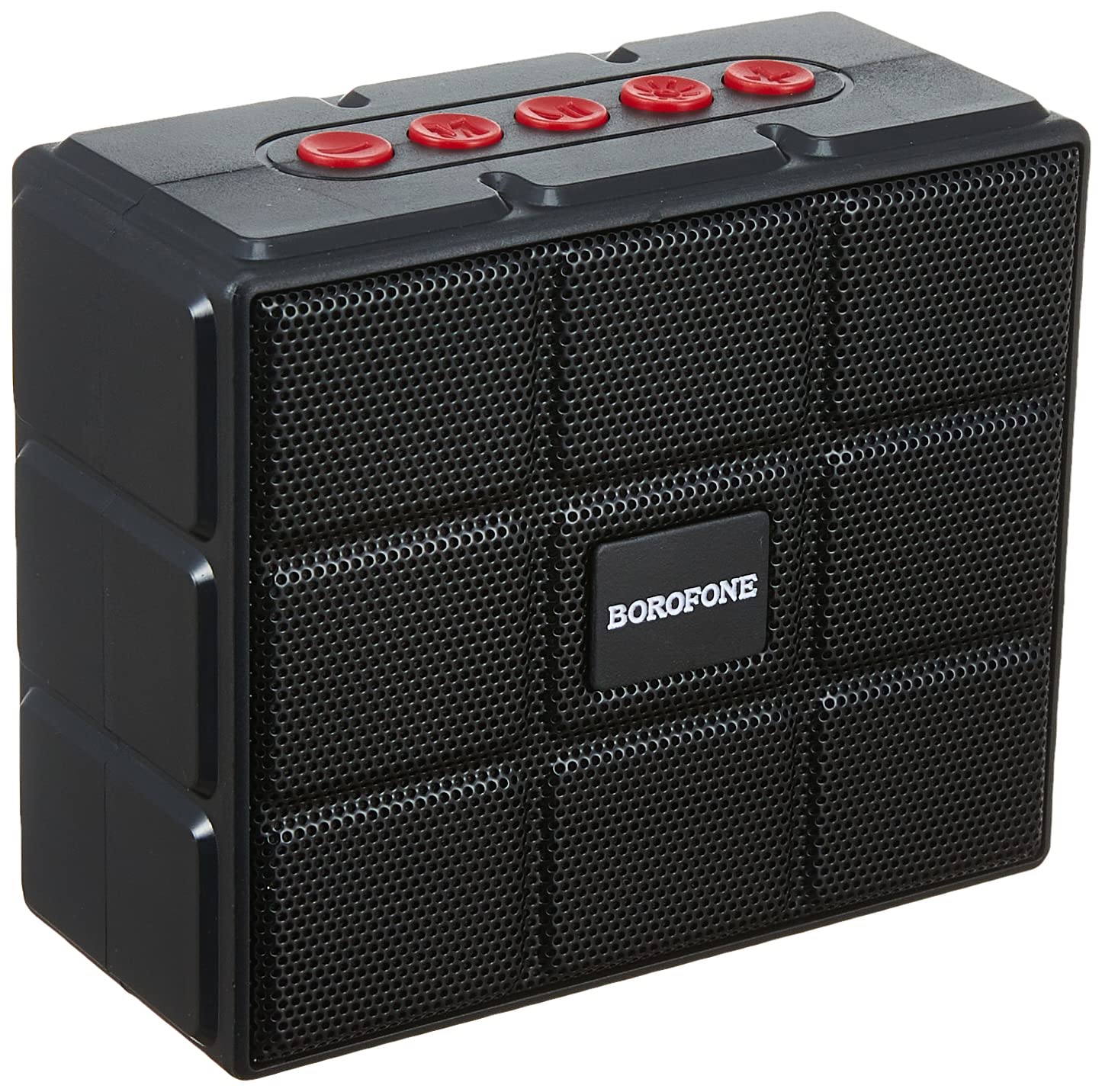
Сүрөт 2: Фронт view of the BOROFONE BR16 speaker, featuring a protective grille and the BOROFONE logo.

Сүрөт 3: Деталдаштырылган view of the speaker's back label, displaying model number BR16, Wireless version V5.1, Input DC 5V/1A, Power 5W x 1, and Battery Rated Capacity 1200mAh, along with CE, FCC, RoHS, and CCC certifications.
- Кубат которгучу: Located on the side/rear, used to turn the speaker ON/OFF.
- Башкаруу баскычтары: (Red buttons on top) For playback control (play/pause, volume up/down, track skip) and mode selection.
- USB-A порту: For U disk (USB flash drive) playback.
- Микро-USB порту: Динамикти заряддоо үчүн.
- TF карта уячасы: For playing music from a MicroSD/TF card.
Жайгашуу
Спикерди заряддоо
- Connect the Micro-USB end of the provided charging cable to the speaker's Micro-USB port.
- Connect the USB-A end of the cable to a USB power adapter (not included) or a computer's USB port.
- Кубаттоо көрсөткүчү күйөт. Адатта, кубаттоо болжол менен 3 саатка созулат.
- Толук заряддалгандан кийин, индикатор жарыгы өзгөрүшү же өчүп калышы мүмкүн. Заряддоочу кабелди сууруп салыңыз.

Сүрөт 4: The USB charging cable included with the speaker, featuring a standard USB-A connector and a Micro-USB connector.
Күйгүзүү/өчүрүү
- To power on, slide the ON/OFF switch to the "ON" position. You will hear an audible prompt.
- Өчүрүү үчүн, КҮЙГҮЗҮҮ/ӨЧҮРҮҮ которгучун "ӨЧҮРҮҮ" абалына жылдырыңыз.
Иштөө нускамалары
Bluetooth режими
- Динамиктин күйүп турганын текшериңиз. Ал автоматтык түрдө Bluetooth жупташтыруу режимине өтөт, бул күйүп-өчүүчү LED жарыгы жана үндүү сигнал менен көрсөтүлөт.
- Түзмөгүңүздө (смартфон, планшет, ноутбук) Bluetooth иштетиңиз жана жеткиликтүү түзмөктөрдү издеңиз.
- Select "BOROFONE BR16" from the list of devices.
- Once paired, the LED indicator will stop flashing, and you will hear a confirmation sound.
- Эми сиз түзмөгүңүздөн аудиону динамик аркылуу ойной аласыз.
Эскертүү: The speaker supports Bluetooth 5.1 for stable and efficient wireless connection.
FM радио режими
- Динамикти иштетүү.
- Press the Mode button (one of the red control buttons) to switch to FM radio mode.
- Жеткиликтүү FM станцияларын автоматтык түрдө сканерлөө жана сактоо үчүн Ойнотуу/Тынытуу баскычын басып, кармап туруңуз.
- Use the Volume Up/Down buttons (or track skip buttons) to navigate between saved stations.
TF Card / U Disk Playback
- Insert a TF (MicroSD) card into the TF card slot or a USB flash drive into the USB-A port.
- Динамик сактагыч түзмөгүн автоматтык түрдө аныктап, аудиону ойнотууну баштайт files.
- Use the control buttons for playback (play/pause, next/previous track, volume).
TWS (True Wireless Stereo) Function (If Supported)
If you have two BOROFONE BR16 speakers, you can pair them together for a True Wireless Stereo experience.
- Ensure both BR16 speakers are powered on and not connected to any Bluetooth device.
- On one speaker, press and hold the TWS pairing button (refer to specific button function if available, otherwise try Play/Pause or Mode button).
- The speakers will attempt to pair with each other. Once successful, you will hear a confirmation sound.
- Connect your device to one of the paired speakers via Bluetooth. Audio will now play in stereo through both speakers.
Эскертүү: The TWS function allows two speakers to act as left and right channels for a more immersive sound.
Техникалык тейлөө
- Keep the speaker dry. Do not expose it to extreme temperatures or humidity.
- Динамикти жумшак, кургак чүпүрөк менен тазалаңыз. Абразивдүү тазалагычтарды же эриткичтерди колдонбоңуз.
- Спикерди түшүрүүдөн же катуу таасирлерге дуушар кылуудан качыңыз.
- When not in use for extended periods, charge the speaker at least once every three months to maintain battery health.
Проблемаларды чечүү
| Көйгөй | Чечим |
|---|---|
| Динамик күйбөйт. | Батарея заряддалганын текшериңиз. Динамикти USB кубаттоо кабели аркылуу кубат булагына туташтырыңыз. |
| Bluetooth аркылуу жупташтыруу мүмкүн эмес. |
|
| Үн жок же үнү төмөн. |
|
| FM радиосун кабыл алуу начар. |
|
Техникалык шарттар
| Модел | BR16 |
| Бренд | БОРОФОН |
| Bluetooth версиясы | 5.1 |
| Чип | JL AC6965E |
| Батарея сыйымдуулугу | 1200mAh |
| Заряддоо убактысы | Болжол менен 3 саат |
| Музыка/Сүйлөшүү убактысы | Болжол менен 4 саат |
| Динамик бирдиги | 52mm х 1 |
| Чыгуу күчү | 5W |
| Өлчөмдөр | 100 x 84 x 47 мм (болжол менен 3.9 x 3.3 x 1.85 дюйм) |
| Салмагы | 245г (болжол менен 0.54 фунт) |
| Материал | Пластик |
| Байланыш | Bluetooth, FM Radio, TF Card, U Disk, TWS |
| Шайкеш түзмөктөр | Смартфондор, планшеттер, ноутбуктар |
| Башкаруу ыкмасы | Физикалык баскычтар |
| Суу каршылык | Yes (Specific IP rating not provided, assume splash-proof) |
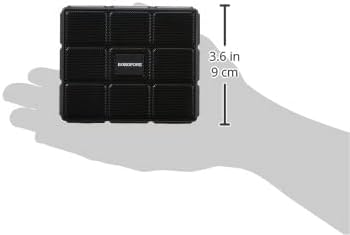
Сүрөт 5: The BOROFONE BR16 speaker held in a hand, illustrating its compact and portable design with approximate dimensions of 3.6 inches (9 cm).
Кепилдик жана колдоо
For warranty information or technical support, please refer to the documentation provided with your purchase or contact your retailer.

Сүрөт 6: The official BOROFONE company logo.
Ask a question about this manual
Ask about setup, troubleshooting, compatibility, parts, safety, or missing instructions. Manuals+ will review the question and use this page’s manual context to help answer it.