
1. Киришүү
The Elo 4303L 43-inch Touchscreen Signage display is designed for continuous commercial use, offering interactive capabilities for various environments. This manual provides essential information for setting up, operating, maintaining, and troubleshooting your device.
Негизги өзгөчөлүктөр төмөнкүлөрдү камтыйт:
- 43-inch touch screen monitor with a sleek, slim design.
- TouchPro PCAP technology supporting up to 40 touches with fast and sensitive response time.
- Anti-friction glass to minimize heat during prolonged use.
- Designed for 24/7 operation in high-traffic locations.
- Flexible installation options: landscape, portrait, and tabletop orientations.
- Touch-thru functionality for installations requiring a protective layer.
2. Коопсуздук маалыматы
Please read all safety instructions before using this product. Failure to follow these instructions may result in electric shock, fire, or damage to the device.
- Аппаратты жамгырга же нымга тийгизбеңиз.
- в ачпагылаasinг. Бардык тейлөөлөрдү квалификациялуу кызматкерлерге тапшырыңыз.
- Дисплейдин айланасын туура желдетүүнү камсыз кылыңыз.
- Use only the power cord and adapters supplied by the manufacturer.
- Электр шнурунун үстүнө оор нерселерди коюудан алыс болуңуз.
- Disconnect the power plug from the outlet if the device will not be used for a long period.
3. Кутуда эмне бар
Таңгакта бардык буюмдар бар экенин текшериңиз:
- 43-inch Interactive Display
- Ыкчам орнотуу көрсөтмөсү
- HDMI 2.0 cable (A to A)
- USB cable (A to C)
- Power cables (IEC 60320-C5 NA; EU/KR; UK)
- Serial 3.5mm male to Serial DB9 female cable
- Energy label according to EU Regulation 1062/2010
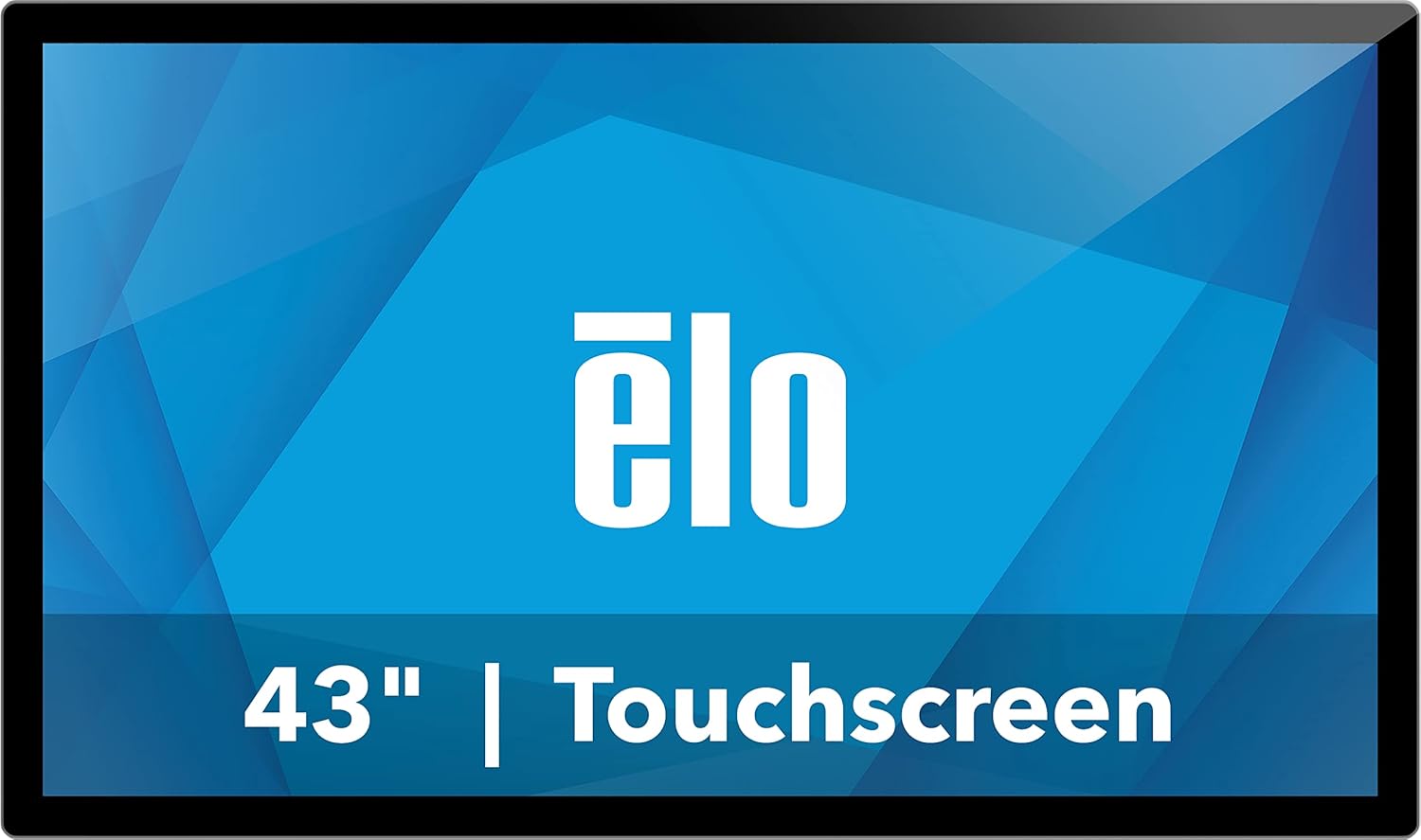
Сүрөт 1: Алдыңкы view of the Elo 4303L 43-inch Touchscreen Signage display.
4. Орнотуу
4.1 Физикалык орнотуу
The Elo 4303L can be mounted in various orientations. Ensure the mounting solution is compatible with VESA standards and can support the display's weight.
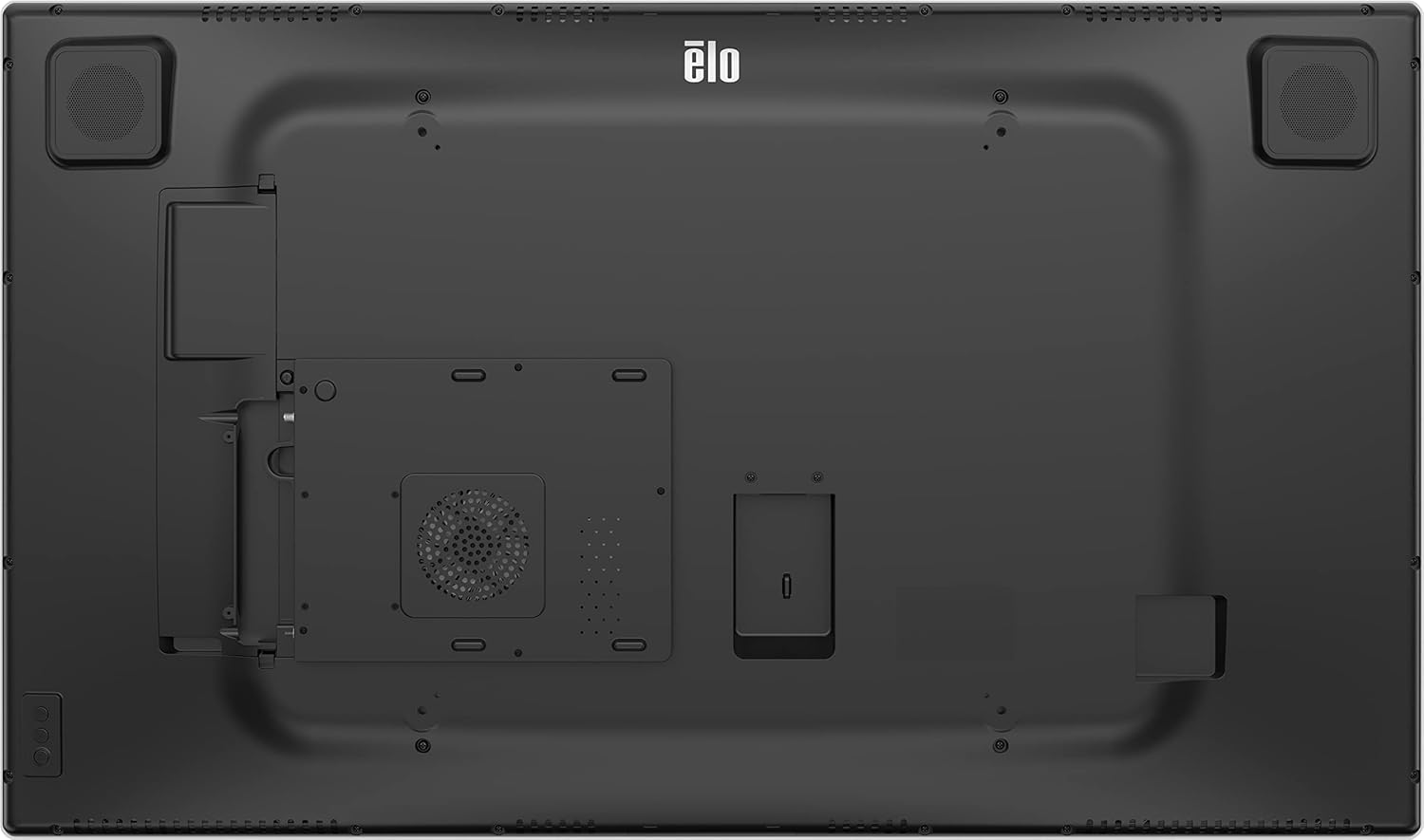
2-сүрөт: Арткы view of the display with VESA mount points.
4.2 Туташтыруучу кабельдер
Connect the necessary cables for power, video, and touch functionality.
- Кубат туташуу: Connect one end of the provided power cable to the display's power input and the other end to a grounded electrical outlet.
- Видео туташуу: Use the HDMI 2.0 cable to connect your video source (e.g., PC, media player) to one of the HDMI input ports on the display.
- Touch Connection: Connect the USB-A to USB-C cable from your computer's USB port to the display's USB-C port for touch functionality.
Video 1: This video demonstrates the unboxing and installation process, including connecting various cables to a similar 43-inch interactive display. It shows the rear port layout and how to connect power, video, and USB cables.
5. Иштөө нускамалары
5.1 Күйгүзүү/өчүрүү
Locate the power button, typically on the side or bottom bezel of the display. Press it to turn the display on or off.
5.2 Сенсордук функция
The display supports up to 40 simultaneous touches. Ensure the USB touch cable is connected to your computer for touch input to function.
Video 2: This video illustrates the multi-touch capabilities and interactive whiteboard features of a similar touchscreen display, demonstrating smooth and responsive touch input.
5.3 Тармакка туташуу
If the display has built-in smart features or requires network access, connect it via Ethernet or Wi-Fi. Refer to the on-screen settings for network configuration.
5.4 Screen Mirroring/Casting
The display may support screen mirroring from compatible devices. Consult the display's software interface for available casting options.
Video 3: This video demonstrates wireless screen mirroring functionality, showing how to connect a mobile device to a touchscreen display for content sharing.
6. Техникалык тейлөө
6.1 Дисплейди тазалоо
To clean the display, first power it off and disconnect the power cord. Use a soft, lint-free cloth lightly dampened with a non-abrasive, ammonia-free glass cleaner. Do not spray cleaner directly onto the screen.
6.2 Жалпы кам көрүү
Avoid exposing the display to extreme temperatures or humidity. Do not block ventilation openings. Handle the display with care to prevent physical damage.
7. Кыйынчылыктарды
7.1 Күч жок
- Ensure the power cable is securely connected to both the display and the electrical outlet.
- Розетка иштеп жатканын башка түзмөктү сайып текшериңиз.
7.2 Видео сигнал жок
- Check that the video cable (HDMI) is securely connected to both the display and the video source.
- Ensure the correct input source is selected on the display (if applicable).
- Verify the video source (e.g., PC) is powered on and functioning correctly.
7.3 Touch Functionality Not Working
- Confirm the USB touch cable is properly connected between the display and your computer.
- Restart your computer and the display.
- Check your computer's device manager for any issues with USB input devices.
8. Техникалык шарттар
| Өзгөчөлүк | Деталь |
|---|---|
| Продукциянын өлчөмдөрү | 44.95 x 7.31 x 32.01 дюйм |
| Элемент Салмагы | 41.8 фунт |
| Өндүрүүчү | Elo Touch Solutions, Inc. |
| Элемент моделинин номери | E720629 |
| Туруктуу экран дисплей өлчөмү | 43 дюйм |
| Аспект катышы | 16:9 |
| Резолюция | 1920 x 1080 (FHD 1080p) |
| Сүрөттүн жарыктыгы | 430 нит |
| Жалпы USB порттору | 1 |
| Screen Surface Description | Жылтырак |
9. Кепилдик жана колдоо
For warranty information, please refer to the documentation included with your product or visit the official Elo website. Technical support is available through the manufacturer's customer service channels.
Кошумча маалыматты жана колдоо ресурстарын төмөнкү жерден таба аласыз Elo Store on Amazon.