
1. Киришүү
Thank you for choosing Kinganda Q71 Bluetooth Earbuds. This manual provides detailed instructions for setting up, operating, and maintaining your new wireless earbuds. Please read this manual carefully before use to ensure proper functionality and to maximize your listening experience.
2. Коопсуздук маалыматы
- Do not expose the earbuds or charging case to extreme temperatures, humidity, or corrosive environments.
- Угуу жөндөмүнө зыян келтирбөө үчүн узак убакыт бою жогорку үн деңгээлинде угуудан качыңыз.
- Аппаратты балдардан жана үй жаныбарларынан алыс кармаңыз.
- Буюмду ажыратууга же өзгөртүүгө аракет кылбаңыз. Бул кепилдикти жокко чыгарат.
- Кулакчындарды жана кубаттагыч кутучаны жумшак, кургак чүпүрөк менен гана тазалаңыз.
3. Пакеттин мазмуну
Пакетиңизде бардык буюмдар бар экенин текшериңиз:
- Kinganda Q71 Bluetooth Earbuds (Left and Right)
- Заряддоо кутусу
- USB заряддоо кабели
- Кулак учтарынын бир нече өлчөмү
- User Manual
4. Продукт бүтүп калдыview
Familiarize yourself with the components of your Kinganda Q71 Bluetooth Earbuds.
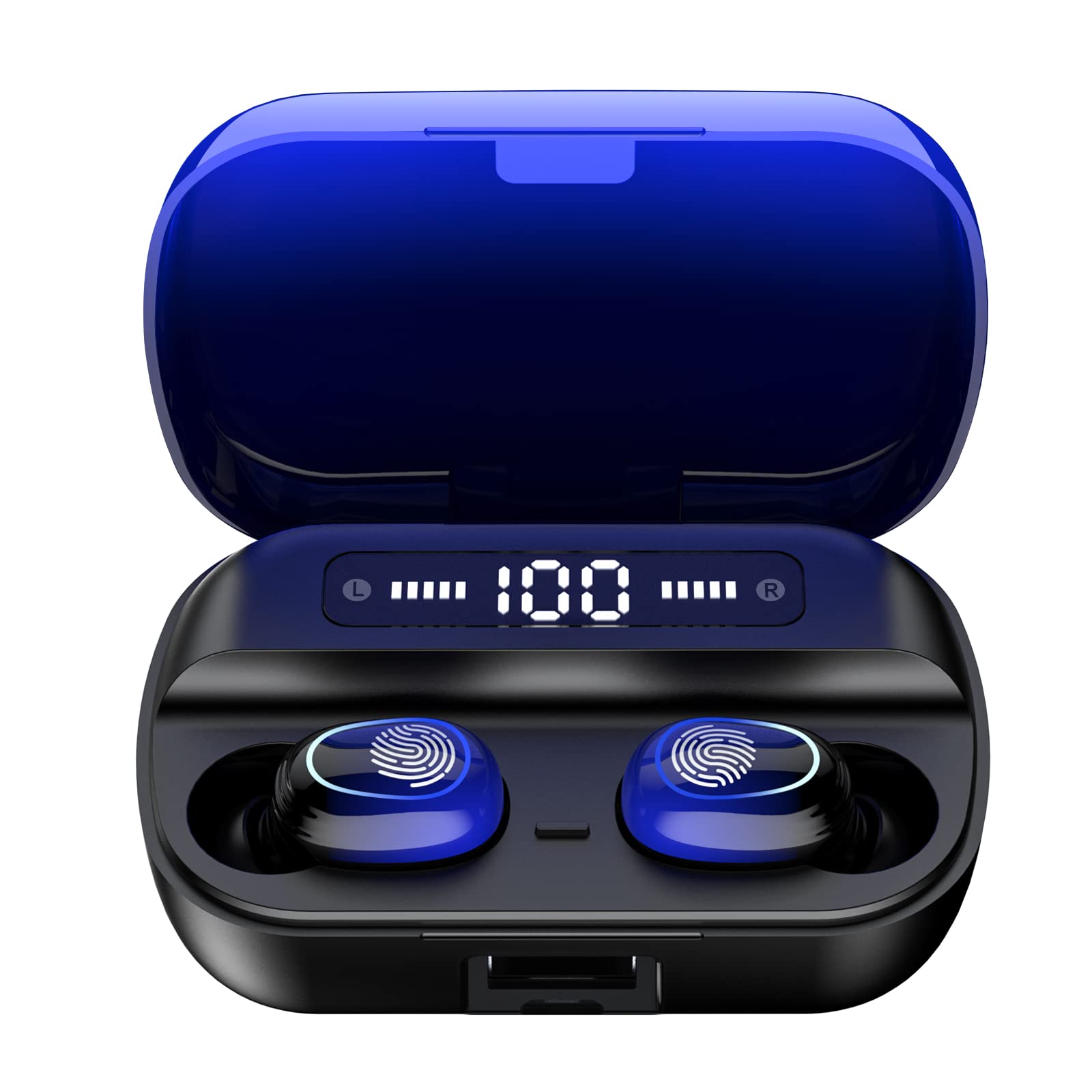
Сүрөт 4.1: Бүттүview of Kinganda Q71 Bluetooth Earbuds and key features including Bluetooth 5.1, low latency, low power consumption, touch control, clear calls, 10mm speakers, compatibility with iOS and Android, and a 33-foot signal range.
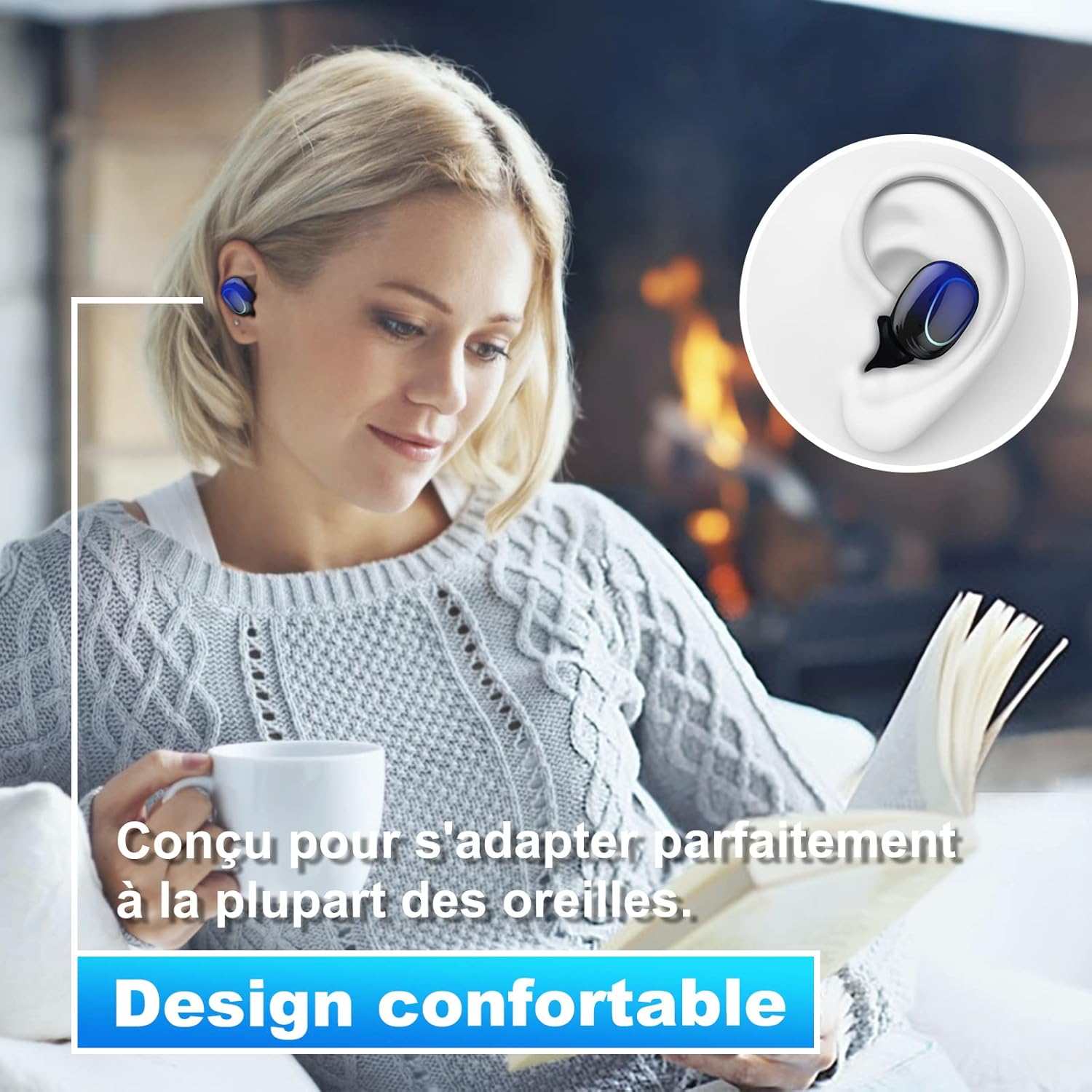
Image 4.2: The Kinganda Q71 earbuds are designed for a comfortable and secure fit in most ears.
5. Орнотуу
5.1 Кулакчындарды жана кутучаны заряддоо
Биринчи колдонуудан мурун, заряддоо кутусун жана кулакчындарды толук заряддаңыз.
- Кулакчындарды заряддоо кутусуна салыңыз. Алардын туура отурганын текшериңиз.
- USB кубаттоочу кабелди корпустагы кубаттоочу портко жана кубат булагына (мисалы, USB дубал адаптери, компьютердин USB порту) туташтырыңыз.
- Корпустагы индикатор жарыктары кубаттоо абалын көрсөтөт. Толук заряддалгандан кийин, жарыктар аяктагандыгын көрсөтүп турат же өчөт.

Image 5.1: The charging case has a 3500mAh battery. Earbuds provide approximately 5 hours of playback, and the case extends total usage to about 150 hours. A full recharge takes approximately 1.5 hours.
5.2 Bluetooth түзмөгү менен жупташтыруу
Туруктуу байланыш үчүн кулакчындар Bluetooth 5.1 колдонот.
- Заряддоо кутучасын ачыңыз. Кулакчындар автоматтык түрдө күйүп, жупташтыруу режимине өтөт.
- Түзмөгүңүздө (смартфон, планшет ж.б.) Bluetooth иштетиңиз.
- Издөө available Bluetooth devices and select "Kinganda Q71" (or similar name) from the list.
- Туташкандан кийин сиз ырастоо үнүн угасыз жана кулакчындардагы индикаторлор өзгөрөт.
5.3 Кулакчындарды тагынуу
For optimal sound quality and comfort, choose the correct ear tip size and ensure a snug fit.
- Select the ear tips that best fit your ear canals.
- Gently insert each earbud into your ear, twisting slightly until it feels secure and comfortable.
6. Иштөө нускамалары
The Kinganda Q71 earbuds feature touch controls for easy operation.

Image 6.1: Touch controls for various functions including power, music playback, call management, and voice assistant activation.
6.1 Негизги функциялар
- Күйгүзүү/өчүрүү: Earbuds power on automatically when removed from the case and power off when placed back in the case. Alternatively, long-press the touch area for manual power on/off.
- Ойнотуу/тындыруу: Кулакчындарды бир жолу таптаңыз.
- Кийинки трек: Оң кулакчынды эки жолу таптаңыз.
- Мурунку трек: Сол кулакчынды эки жолу таптаңыз.
- Чалууга жооп берүү/аяктоо: Кирүүчү чалуу учурунда гарнитураны бир жолу таптаңыз.
- Чакырууну четке кагуу: Long-press on either earbud during an incoming call.
- Үн жардамчысын (Siri) жандыруу: Кулакчындарды үч жолу таптаңыз.
6.2 Колдонуу режимдери
The Kinganda Q71 earbuds support various listening modes.

Image 6.2: The earbuds can be used in mono mode (single earbud) to stay aware of surroundings, TWS stereo mode for immersive sound, or twin mode to share music with another person.
- Моно режими: Use a single earbud (left or right) to listen to audio while keeping the other ear open to your surroundings. Simply remove one earbud from the case.
- TWS стерео режими: Use both earbuds for a full stereo audio experience. Both earbuds will automatically connect to each other and your device when removed from the case.
- Эгиз режим: Share your music with a friend by giving them one earbud. Both earbuds will play the same audio.
7. Техникалык тейлөө
7.1 Тазалоо
Үзгүлтүксүз тазалоо үн сапатын жана гигиенаны сактоого жардам берет.
- Кулакчындарды жана кубаттоочу кутуну сүртүү үчүн жумшак, кургак, түксүз чүпүрөктү колдонуңуз.
- Remove ear tips and clean them with mild soap and water if necessary, then dry thoroughly before reattaching.
- Катуу химиялык заттарды же абразивдүү материалдарды колдонбоңуз.
7.2 Сактоо
Колдонулбаганда, кулакчындарды коргоо жана кубаттоо үчүн кубаттоочу кутучага сактаңыз.
8. Кыйынчылыктарды
Эгер көйгөйлөргө туш болсоңуз, төмөнкү чечимдерди колдонуп көрүңүз:
- Кулакчындар жупташкан жок: Ensure both earbuds are charged. Place them back in the case, close it, then open it again to re-initiate pairing mode. Check your device's Bluetooth settings and try reconnecting.
- Бир гана кулакчын иштейт: Place both earbuds back in the charging case, close the lid, wait a few seconds, then open the lid and remove them simultaneously. This should force them to re-sync.
- Үн жок: Түзмөгүңүздөгү үн деңгээлин текшерип, кулакчындардын туура туташтырылганын текшериңиз.
- Заряддоо маселелери: Заряддоо кабели корпуска да, кубат булагына да бекем туташтырылганын текшериңиз. Башка заряддоо кабелин же кубат адаптерин колдонуп көрүңүз.
- Үн сапаты начар: Ensure the earbuds are clean and properly seated in your ears. Try different ear tip sizes for a better seal.
9. Техникалык шарттар
| Модель аты | Q71 |
| Бренд | Kinganda |
| Байланыш технологиясы | Зымсыз (Bluetooth 5.1) |
| Зымсыз диапазон | 33 фут (10 метр) чейин |
| Аудио драйвер түрү | Динамикалык драйвер (10 мм) |
| Башкаруу ыкмасы | Touch Control |
| Материал | Пластик, силикон |
| Сууга туруктуулук деңгээли | Суу өткөрбөйт (IPX7) |
| Наушниктин батареясынын иштөө мөөнөтү | Болжол менен 5 саат |
| Заряддоого Батарея Өмүрү | Approx. 150 hours (with case) |
| Заряддоо кутусунун кубаттуулугу | 3500mAh |
| Убакытты толтуруу | Болжол менен 1.5 саат |
| Шайкеш түзмөктөр | Bluetooth-enabled devices (iOS, Android) |
| Өзгөчө өзгөчөлүк | Жеңил |

Image 9.1: The 10mm immersive drivers deliver enhanced sound quality with deeper bass.

Image 9.2: With an IPX7 waterproof rating, the earbuds are protected against sweat and water splashes, making them suitable for sports.
10. Кепилдик жана колдоо
Kinganda products are designed for reliability and performance. This product comes with a standard manufacturer's warranty. For specific warranty details, please refer to the warranty card included in your package or contact Kinganda customer support.
If you have any questions, require technical assistance, or need to claim warranty service, please contact our customer support team through the contact information provided on the Kinganda official webсайт же сатып алуу платформаңыз.