
Introduction
This manual provides detailed instructions for the setup, operation, and maintenance of your Blue Tiger Storm Gray Premium Trucker Bluetooth Headset. Please read this manual thoroughly to ensure optimal performance and longevity of your device.
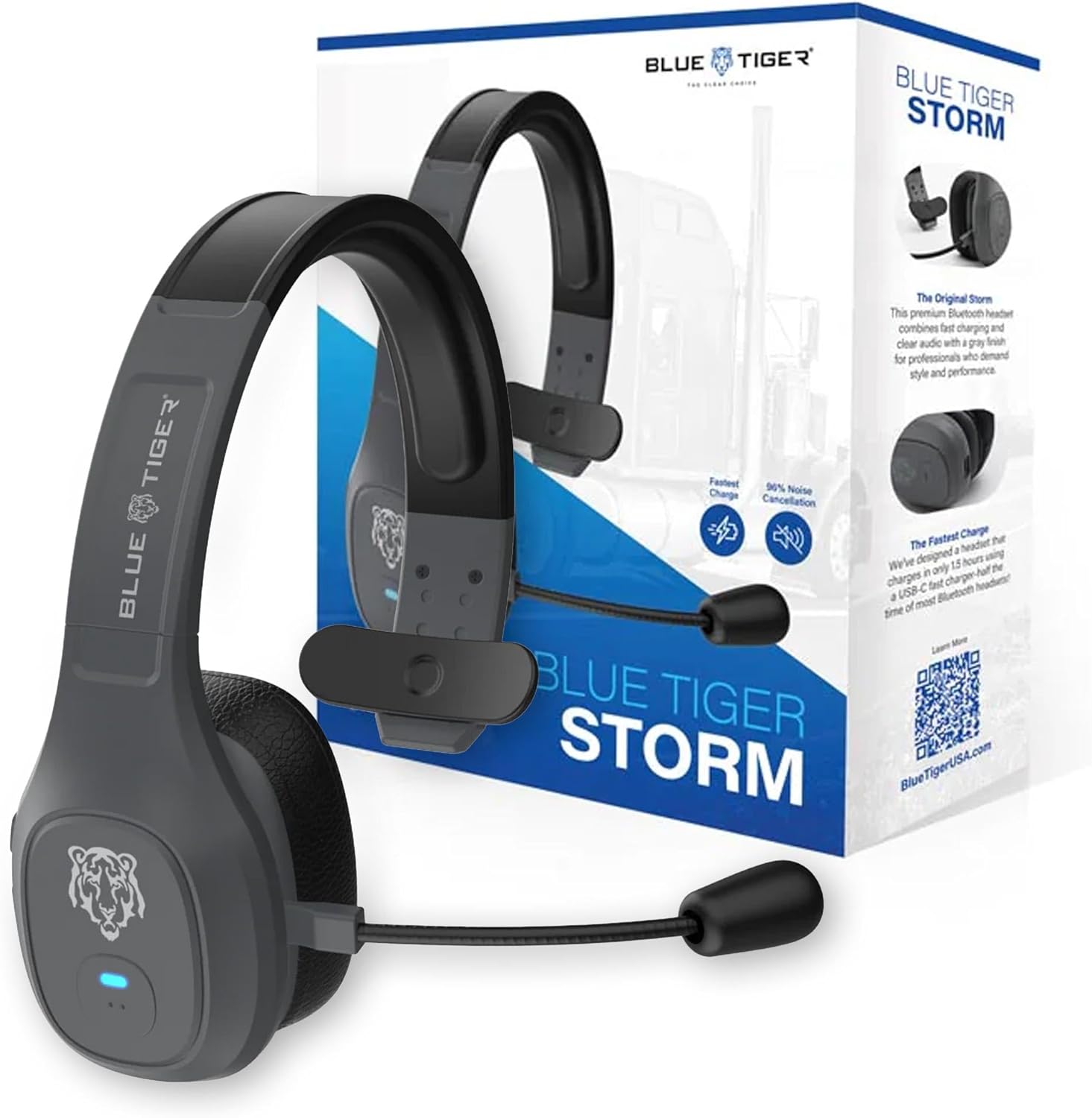
Image: Blue Tiger Storm Gray Premium Trucker Bluetooth Headset with its packaging.
Пакеттин мазмуну
Пакетиңизде бардык буюмдар бар экенин текшериңиз:
- Premium Storm Headset
- Attached Protein Leather Ear Cushion
- USB-C заряддоо кабели
- D/C Vehicle Adapter
- Bonus Mic Cover
- Quick Start Guide
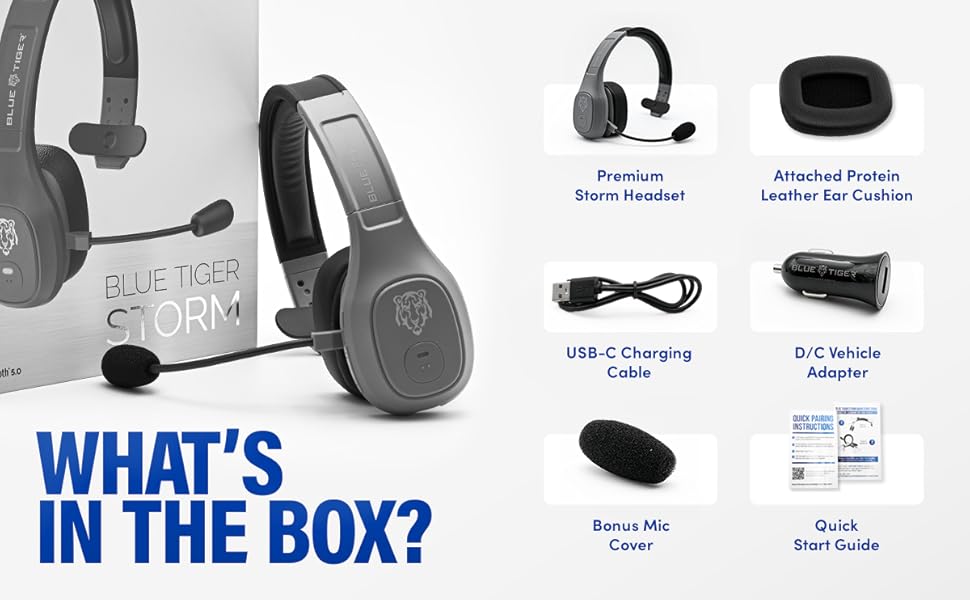
Image: Contents of the Blue Tiger Storm headset package.
Продукт бүттүview
Компоненттер жана башкаруу элементтери
Familiarize yourself with the various parts and controls of your headset:
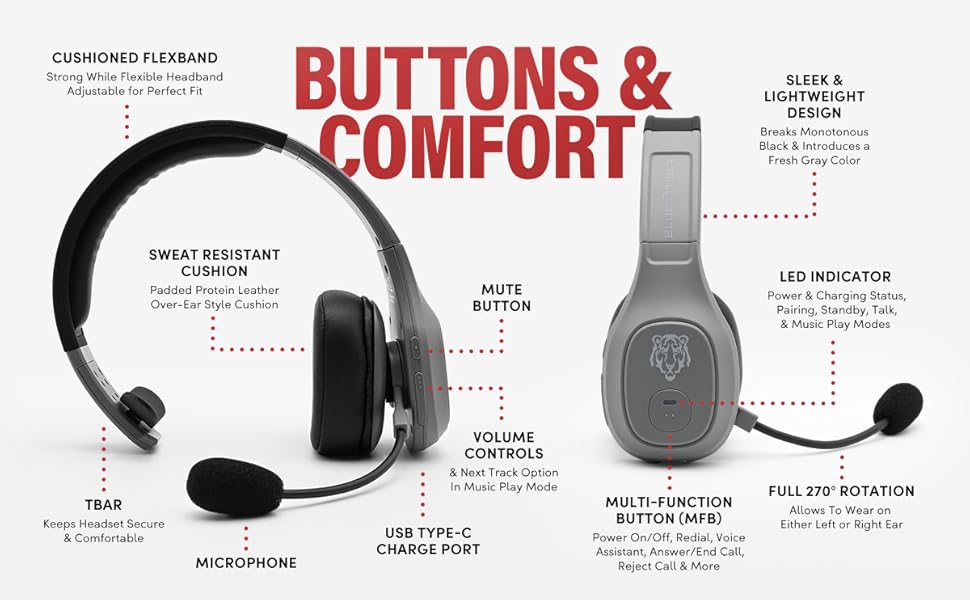
Image: Diagram of headset components and controls.
- Cushioned Flexband: Strong yet flexible headband for a comfortable fit.
- Sweat Resistant Cushion: Padded protein leather over-ear style cushion.
- Микрофон: Passive noise-canceling microphone for clear communication.
- USB Type-C заряддоо порту: Гарнитураны заряддоо үчүн.
- Үнсүз баскычы: Controls microphone mute function.
- Көлөмдү көзөмөлдөө: Adjusts audio volume and navigates tracks in music mode.
- Көп функциялуу баскыч (MFB): Controls power, pairing, calls, and voice assistant.
- LED көрсөткүчү: Displays power, charging, pairing, talk, and music play modes.
- Толук 270° айлануу: Allows the headset to be worn on either the left or right ear.
- TBAR: Helps keep the headset secure and comfortable.
Негизги өзгөчөлүктөрү
- Комфорт: Lightweight (under 5 oz), adjustable headband, and soft over-ear protein leather ear cushions designed for extended wear.
- Ызы -чууну жокко чыгаруу: Passive noise-canceling microphone blocks out 96% of background noise for clear calls in noisy environments.
- Узартылган батареянын иштөө мөөнөтү: 400 mAh battery provides 30 hours of talk time and 800 hours on standby.
- Тез кубаттоо: USB-C port allows for a full charge in 1.5 hours.
- Ишенимдүү байланыш: Bluetooth 5.0 offers a 100 ft operating range and compatibility with two devices simultaneously.
- Акылдуу өзгөчөлүктөр: Supports Siri and Google Assistant for hands-free voice commands.
- Vehicle-Ready: Includes a D/C vehicle adapter for convenient charging on the go.

Image: Comfort features of the headset.

Image: Noise cancellation features.
Жайгашуу
1. Гарнитураны заряддоо
- Connect the provided USB-C charging cable to the headset's USB-C port.
- Plug the other end of the USB-C cable into a compatible USB power source (e.g., computer, wall adapter, or the included D/C vehicle adapter).
- The LED indicator will show charging status. A full charge typically takes 1.5 hours.
2. Bluetooth Жупташтыруу
Ensure your device supports Bluetooth functionality.
- Күйгүзүү: Көп функциялуу баскычты (КФБ) LED индикатору көк жана кызыл түстө күйүп-өчкөнгө чейин басып туруңуз, бул жупташтыруу режимин көрсөтөт.
- Bluetooth иштетүү: On your mobile device, navigate to the Bluetooth settings and turn Bluetooth on.
- Гарнитураны тандоо: Look for "Blue Tiger Storm" in the list of available devices and select it to connect.
- Ырастоо: The LED indicator on the headset will turn solid blue or flash blue slowly once successfully paired. A voice prompt will also confirm the connection.
- Экинчи түзмөктү жупташтыруу: To pair a second device, ensure the first device is connected. Then, put the headset back into pairing mode (LED flashing blue/red) and connect the second device. The headset can maintain connection with two devices simultaneously.
Видео: 360 градус view of the Blue Tiger Storm headset, demonstrating its design and features.
Иштөө нускамалары
Күйгүзүү/өчүрүү
- Күйгүзүү: Press and hold the MFB for approximately 3 seconds until the LED flashes blue.
- Өчүрүү: Press and hold the MFB for approximately 5 seconds until the LED flashes red and then turns off.
Чалууларды башкаруу
- Чалууга жооп берүү/аяктоо: MFB бир жолу басыңыз.
- Чакырууну четке кагуу: MFBди 2 секунд басып туруңуз.
- Акыркы номерди кайра терүү: MFBди эки жолу басыңыз.
Үндүн көлөмү жана үнсүз
- Көлөмү: Үнүн жогорулатуу баскычын басыңыз.
- Үнүн азайтуу: Үндү азайтуу баскычын басыңыз.
- Микрофондун үнүн басуу/ачуу: Double-tap the Mute button. The microphone boom can be adjusted 270 degrees for optimal positioning.
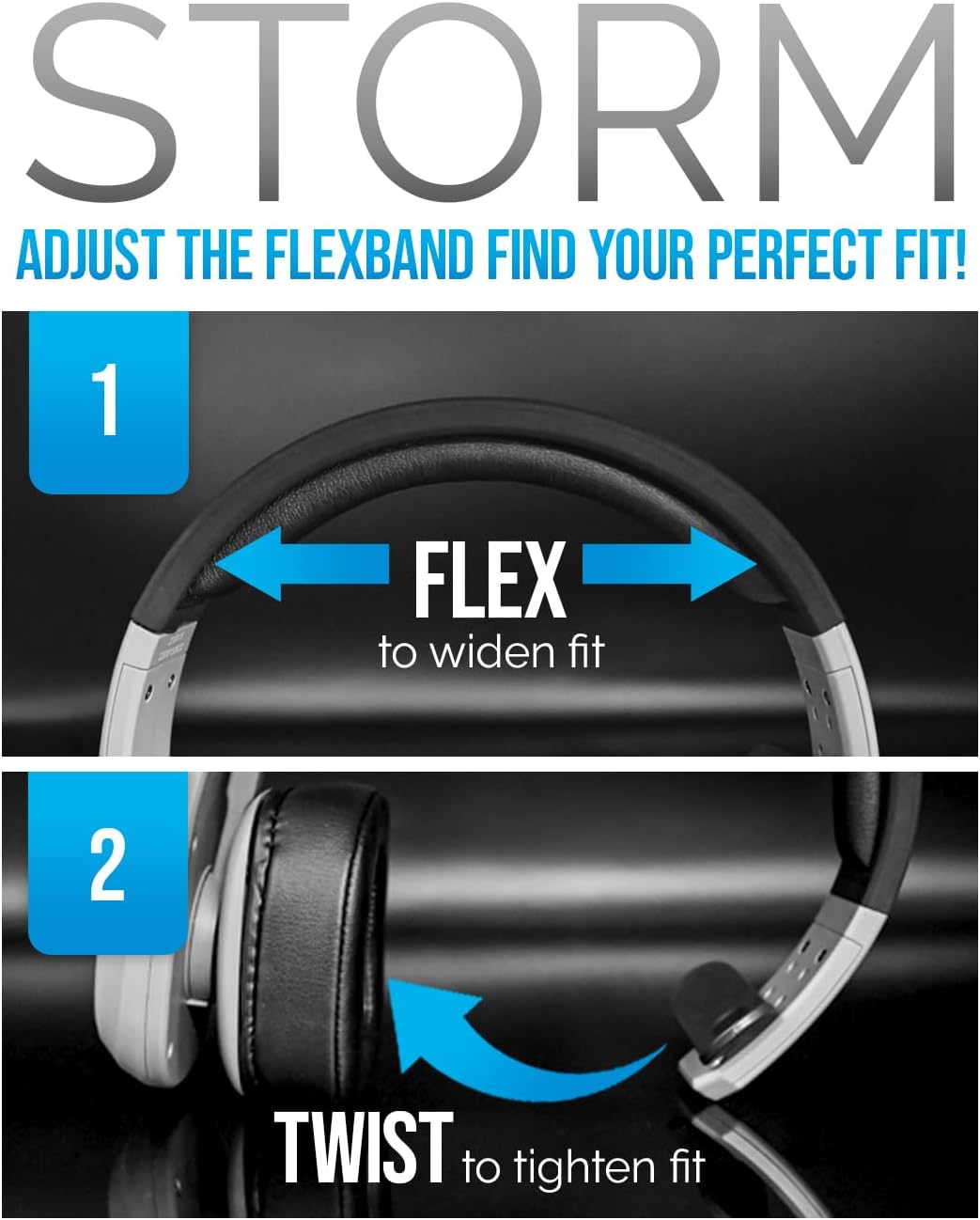
Image: Adjusting the headset for a perfect fit.
Үн жардамчысы
- Siri/Google Жардамчысын иштетүү: Tap the MFB once to activate your device's voice assistant.
Музыканы ойнотуу
- Ойнотуу/тындыруу: MFB бир жолу басыңыз.
- Кийинки трек: Үндү катуулатуу баскычын 2 секунд басып туруңуз.
- Мурунку трек: Үндү азайтуу баскычын 2 секунд басыңыз.
Video: A promotional video highlighting the features and benefits of the Blue Tiger Storm headset, including noise cancellation, battery life, and smart assistant integration.
Техникалык тейлөө
Тазалоо
- Гарнитураны жумшак менен сүртүңүз, damp кездеме. Катуу химиялык заттарды же абразивдүү тазалагычтарды колдонуудан алыс болуңуз.
- For the protein leather ear cushions, use a mild soap solution if necessary, and ensure they are completely dry before use.
- The microphone cover can be gently removed and cleaned or replaced with the bonus mic cover provided.
Сактагыч
- Гарнитураны күн нурунан жана экстремалдык температурадан алыс салкын, кургак жерде сактаңыз.
- Гарнитуранын бузулушун алдын алуу үчүн, анын үстүнө оор буюмдарды койбоңуз.
Проблемаларды чечүү
| Көйгөй | Мүмкүн себеп | Чечим |
|---|---|---|
| Гарнитура күйбөйт | Батарея аз | Charge the headset using the USB-C cable. |
| Түзмөк менен жупташтыруу мүмкүн эмес | Headset not in pairing mode; Bluetooth off on device; Device out of range | Ensure headset is in pairing mode (flashing blue/red LED). Turn on Bluetooth on your device. Move device closer to headset (within 100 ft). |
| Начар аудио сапаты / Фондук ызы-чуу | Microphone not positioned correctly; Excessive environmental noise; Weak Bluetooth connection | Adjust microphone closer to your mouth. Ensure the passive noise cancellation is effective. Move closer to the paired device. |
| Гарнитурадан үн жок | Volume too low; Headset not connected; Device audio output not set to headset | Increase headset and device volume. Re-pair the headset. Check device audio settings to ensure output is directed to the headset. |
| Гарнитура тез-тез үзүлүп калат | Out of range; Interference; Low battery | Stay within 100 ft of the paired device. Avoid strong electromagnetic interference. Charge the headset. |
Техникалык шарттар
| Өзгөчөлүк | Спецификация |
|---|---|
| Модель аты | Бороон |
| Байланыш технологиясы | Зымсыз (Bluetooth 5.0) |
| Bluetooth диапазону | 100 Фут |
| Talk Time | 30 саат |
| Күтүү убактысы | 800 саат |
| Заряддоо убактысы | 1.5 саат (USB-C) |
| Noise Control | Passive Noise Cancellation (96%) |
| Салмагы | 4.98 Ounces (approx. 5 ounces) |
| Кулак жайгаштыруу | Кулак үстүндө |
| Микрофон | 270-degree adjustable boom mic |
| Шайкеш түзмөктөр | Bluetooth-enabled devices, Car Audio Systems |
| Камтылган компоненттер | D/C vehicle adapter, Extra Mic Cover, USB-C Charging Cable |
Кепилдик жана колдоо
Blue Tiger products are designed for durability and performance. For specific warranty information, please refer to the warranty card included with your product or visit the official Blue Tiger website. For technical support or further assistance, please contact Blue Tiger customer service.
Онлайн колдоо: www.bluetigerusa.com