
Jadfezy J-7000
Jadfezy Action Camera J-7000
User Manual
Продукт бүттүview
The Jadfezy J-7000 is a high-performance 4K Action Camera designed for capturing dynamic moments in various environments. It features 4K/60FPS video recording, 24MP photo resolution, Electronic Image Stabilization (EIS), Wi-Fi connectivity, and a robust waterproof case for underwater use.

Image: The Jadfezy J-7000 Action Camera, shown with its protective waterproof housing, a remote control, a dual battery charger with two batteries, and a compact carrying case. This image highlights the camera's readiness for various action-packed scenarios.
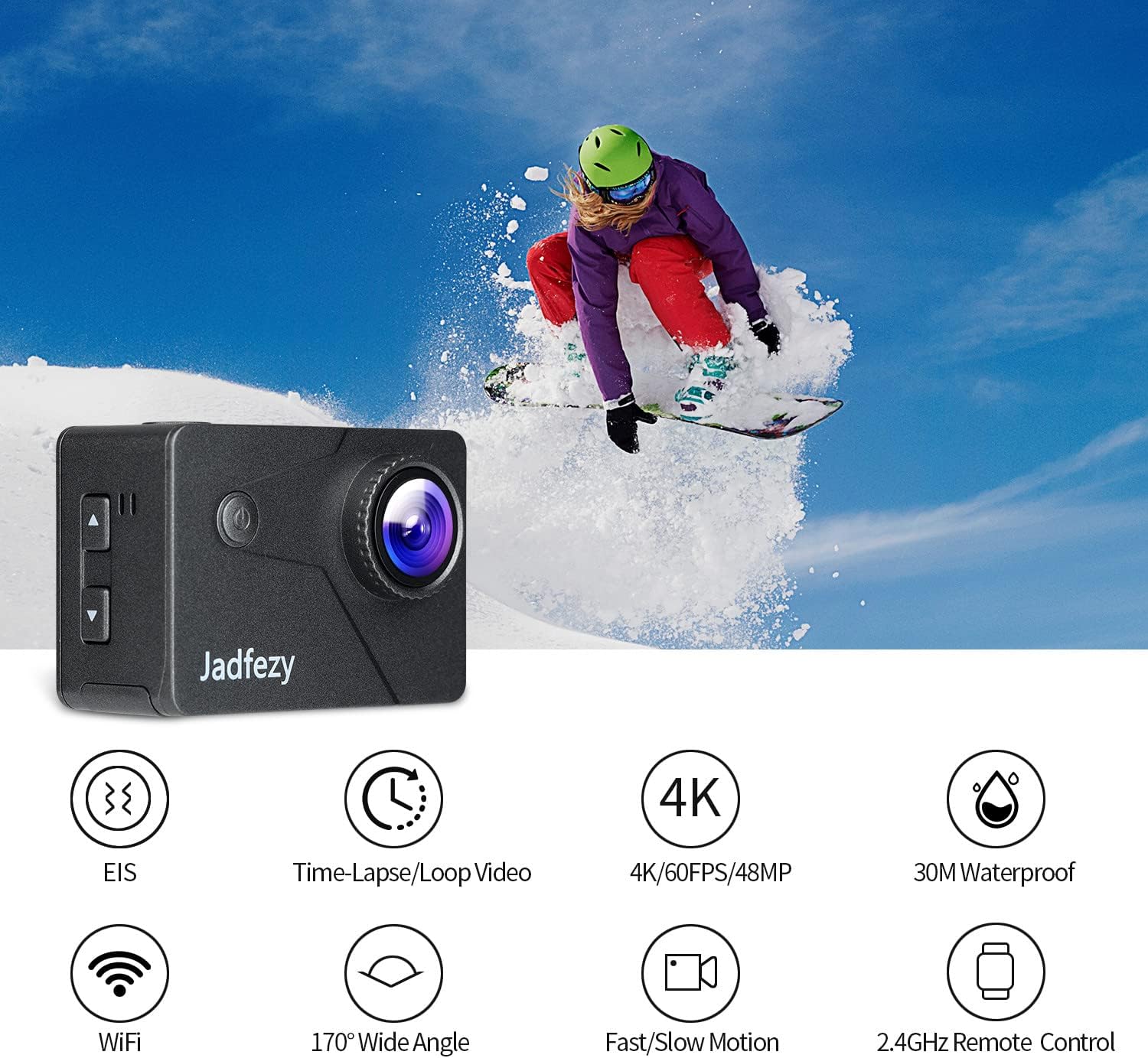
Image: The Jadfezy J-7000 Action Camera displayed alongside icons illustrating its core functionalities: Electronic Image Stabilization (EIS), Time-Lapse/Loop Video, 4K/60FPS/48MP recording, 30M Waterproof capability, Wi-Fi connectivity, 170° Wide Angle lens, Fast/Slow Motion modes, and 2.4GHz Remote Control compatibility.
Жайгашуу
1. Батареяны орнотуу жана заряддоо
The camera comes with two 1500 mAh Lithium Ion batteries. Before first use, ensure batteries are fully charged.
- Камеранын ылдый жагындагы батарея уясынын капкагын ачыңыз.
- Батареяны туура багыт менен салыңыз.
- Батарея уясынын капкагын бекем жабыңыз.
- To charge, use the included dual battery charger and USB cable. Connect the charger to a USB power source. The indicator lights will show charging status.
2. Micro SD картаны киргизүү
A Micro SD card (not included) is required for recording. The camera supports Micro SD cards up to 64GB (Class 10 or higher recommended).
- Камераңыздын капталынан Micro SD карта уячасын табыңыз.
- Insert the Micro SD card with the contacts facing the front of the camera until it clicks into place.
- Чыгаруу үчүн картаны сыртка чыкканга чейин акырын түртүңүз.

Сүрөт: комплекстүү view of the Jadfezy J-7000 Action Camera and its extensive accessory kit. This includes the camera in its waterproof housing, a dual battery charger with two batteries, a remote control, various mounts (helmet, bicycle, wrist), straps, a tripod, cleaning cloth, and a durable carrying case, demonstrating the versatility and completeness of the package.
Камераны иштетүү
1. Негизги башкаруу элементтери
- Кубат / режим баскычы: Press and hold to power on/off. Press briefly to switch between video, photo, and playback modes.
- Жапкыч/ОК баскычы: Press to start/stop recording video or take a photo. In menu, press to confirm selection.
- Өйдө/ылдый баскычтары: Navigate menu options or zoom in/out.
2. Видео жаздыруу жана сүрөткө тартуу
The J-7000 supports various resolutions for video and high-resolution photos.
- Видео чечимдери: 4K/60FPS, 4K/30FPS, 2.7K/60FPS, 1080P/120FPS, 1080P/60FPS.
- Сүрөттүн чечими: 24MP.
- To switch between video and photo modes, press the Power/Mode button.
- Press the Shutter/OK button to begin recording or take a picture.
3. Электрондук сүрөттү турукташтыруу (EIS)
The EIS feature helps to stabilize footage, reducing blur and shakiness, especially during action-packed activities.
- Access the camera settings menu to enable or disable EIS.
- When EIS is active, the camera digitally compensates for movements, resulting in smoother video.

Image: A visual comparison demonstrating the effect of Electronic Image Stabilization (EIS). The left side shows a clear, stable image of a skier with EIS ON, while the right side shows a blurred, shaky image of the same skier with EIS OFF, highlighting the effectiveness of the stabilization feature.
4. Wi-Fi туташуу жана Колдонмо башкаруу
Connect the camera to your smartphone via Wi-Fi for remote control and file өткөрүп берүү.
- Download the "ISMART DV" app from your smartphone's app store.
- On the camera, enable Wi-Fi through the settings menu. The camera's Wi-Fi name and password will be displayed.
- On your smartphone, connect to the camera's Wi-Fi network.
- Open the "ISMART DV" app to control the camera, view жаша фооtage, and download videos/photos.

Image: The Jadfezy J-7000 Action Camera positioned next to a smartphone, illustrating its Wi-Fi connectivity feature. Various action shots are displayed on the smartphone screen, symbolizing the ability to share captured moments instantly via social media platforms like Twitter, Facebook, and InstagRAM.
5. Алыстан башкаруу операциясы
Комплекттелген 2.4G зымсыз алыстан башкаруу пульту алыстан ыңгайлуу иштөөгө мүмкүндүк берет.
- Ensure the remote control is paired with the camera (refer to the camera's settings for pairing instructions if needed).
- Use the remote to start/stop video recording or take photos without directly touching the camera.
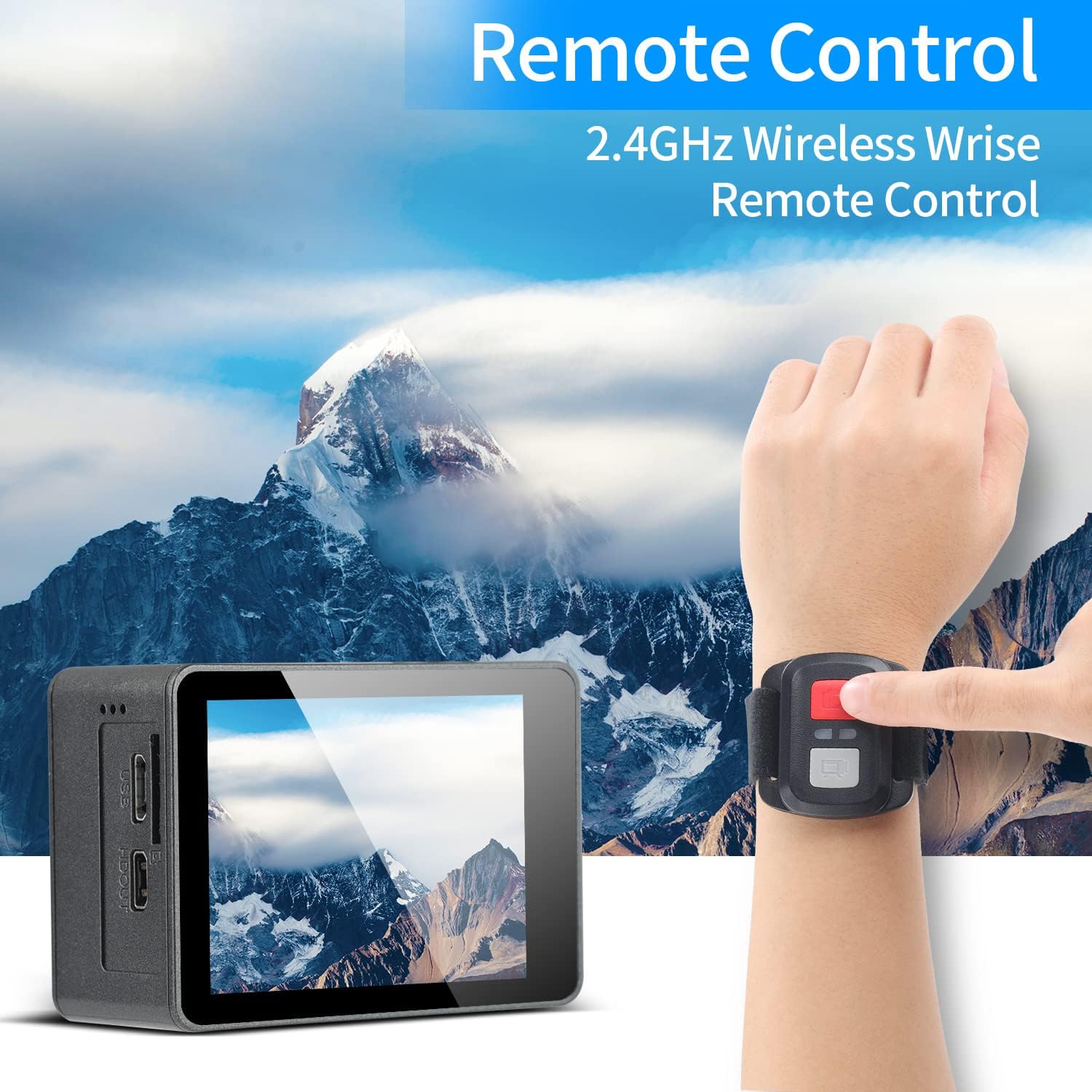
Image: A person's hand wearing the 2.4GHz wireless remote control for the Jadfezy J-7000 Action Camera, with the camera itself visible in the foreground. The background features a majestic mountain landscape, emphasizing the camera's suitability for outdoor adventures and the convenience of remote operation.
6. Underwater Usage
The camera is equipped with an IP68 certified waterproof case, allowing for dives up to 30 meters (98 feet).
- Always ensure the waterproof case is properly sealed before submerging the camera. Check for any debris or hair around the seal.
- After each use in saltwater, rinse the case with fresh water and allow it to air dry.

Image: The Jadfezy J-7000 Action Camera, enclosed in its waterproof housing, submerged underwater alongside a diver. A depth scale on the right indicates its capability up to 30 meters, highlighting its suitability for various underwater activities.
7. Multiple Modes
The camera offers various shooting modes to enhance your creative possibilities:
- Убакыттын өтүшү менен тартылган видео: Captures frames at set intervals to create a sped-up video.
- Цикл жаздыруу: Records video continuously, overwriting the oldest footagд эстутум картасы толгондо.
- Жай кыймыл: Records at a higher frame rate to create smooth slow-motion playback.
- Айдоо режими: Functions as a dash cam, starting recording automatically when powered on.
- Убактылуу сүрөт: Takes photos at set intervals.
- Үзгүлтүксүз атуу: Бир нече сүрөттү тез катары менен тартат.
Техникалык тейлөө
- Камераны тазалоо: Камеранын корпусун тазалоо үчүн жумшак, кургак чүпүрөктү колдонуңуз. Линза үчүн атайын линзаны тазалоочу чүпүрөктү жана эритмени колдонуңуз. Катуу химиялык заттардан алыс болуңуз.
- Суу өткөрбөй турган корпуска кам көрүү: Regularly inspect the waterproof case's O-ring for dirt, sand, or damage. Clean the O-ring and its groove with a soft, damp cloth. Apply silicone grease to the O-ring periodically to maintain its seal.
- Батареяга кам көрүү: Store batteries in a cool, dry place. If not using the camera for an extended period, remove the batteries. Avoid fully discharging batteries frequently to prolong their lifespan.
- Сактагыч: Store the camera and accessories in the provided carrying case in a dry, dust-free environment away from direct sunlight and extreme temperatures.
Проблемаларды чечүү
| Көйгөй | Мүмкүн себеп | Чечим |
|---|---|---|
| Камера күйбөйт. | Батарея түгөнүп калган же туура салынган эмес. | Charge the battery fully. Ensure battery is inserted with correct polarity. |
| Видео/сүрөттүн сапаты начар. | Lens is dirty; incorrect settings; insufficient lighting. | Clean the lens. Adjust resolution settings. Ensure adequate lighting. |
| Суу өткөрбөгөн корпуста суу агып жатат. | Case not sealed properly; O-ring damaged or dirty. | Ensure case is securely latched. Check O-ring for debris or damage; clean or replace if necessary. |
| Wi-Fi туташуу маселелери. | Incorrect password; camera Wi-Fi not enabled; app issues. | Verify Wi-Fi password. Ensure camera Wi-Fi is on. Restart camera and app. |
| Пульт иштебей жатат. | Remote battery low; not paired with camera. | Replace remote battery. Re-pair remote with camera according to instructions. |
Техникалык шарттар
| Өзгөчөлүк | Деталь |
|---|---|
| Бренд | Jadfezy |
| Модель аты | J-7000 |
| Видео тартуунун резолюциясы | 4K (60FPS), 1080p (120FPS) |
| Сүрөттүн резолюциясы | 24 депутат |
| Image Stabilization | Электрондук сүрөт турукташтыруу (EIS) |
| Суу өткөрбөйт | Up to 30m (98ft) with included case |
| Screen Size | 2 дюйм |
| Байланыш технологиясы | Wi-Fi, USB |
| Flash эс тутум түрү | Micro SD (64 ГБ чейин, 10+ класс) |
| Батареялар | 2 x 1500 mAh Lithium Ion (included) |
| Оптикалык масштаб | 8x |
| Элемент Салмагы | 1.44 фунт |
| Продукциянын өлчөмдөрү | 1.2 x 2.3 x 1.6 дюйм |
Кепилдик жана колдоо
For warranty information and technical support, please refer to the documentation included with your purchase or contact Jadfezy customer service directly. Keep your proof of purchase for any warranty claims.
Ask a question about this manual
Ask about setup, troubleshooting, compatibility, parts, safety, or missing instructions. Manuals+ will review the question and use this page’s manual context to help answer it.