
1. Коопсуздук боюнча маанилүү маалымат
Please read all safety and operating instructions carefully before using this television. Keep this manual for future reference. Always follow basic safety precautions to reduce the risk of fire, electric shock, and injury.
- Бул шайманды жамгырга же нымга тийгизбеңиз.
- Эч кандай желдетүүчү тешиктерди жаап албаңыз. Өндүрүүчүнүн көрсөтмөлөрүнө ылайык орнотуу.
- Радиаторлор, жылуулук регистрлери, мештер же башка аппараттар (анын ичинде) сыяктуу жылуулук булактарынын жанына орнотпоңуз ampкөтөргүчтөр) жылуулукту пайда кылуучу.
- Электр зымын басып же кысылып калуудан, айрыкча, сайгычтардан, ыңгайлуу идиштерден жана шаймандан чыккан жеринен сактаңыз.
- Өндүрүүчү тарабынан көрсөтүлгөн тиркемелерди/аксессуарларды гана колдонуңуз.
- Бардык тейлөөнү квалификациялуу тейлөө кызматкерлерине тапшырыңыз. Аппарат кандайдыр бир жол менен бузулганда тейлөө талап кылынат.
2. Кутуда эмне бар
Carefully unpack your new Sansui TV and ensure all items listed below are present.
- 1 x Sansui 4K Ultra HD Android LED TV (JSW50ASUHD)
- 2 x Столдун негизи
- 1 x Wall Mounting Set
- 4 x Screws for stand/mount
- 1 x User Manual
- 1 x Кепилдик картасы
- 1 x Алыстан башкаруу
- 2 x AAA батарейкалар (алыштан үчүн)
- 1 х Кубат кабели
- 1 x Mini AV кабели
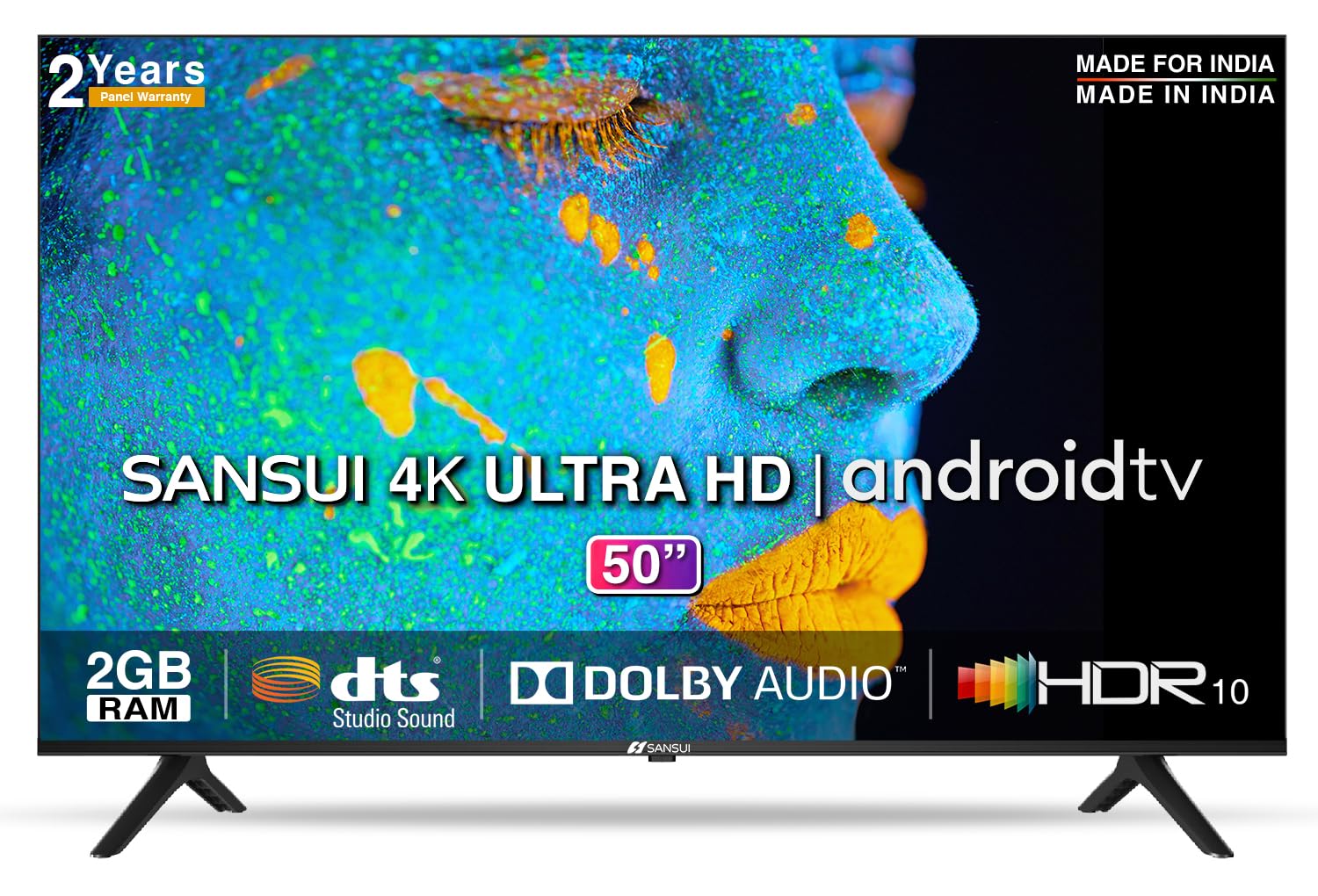
Image: Sansui 50-inch 4K Ultra HD Android LED TV with its table stand.
3. Продукт бүтүп калдыview
3.1. Негизги өзгөчөлүктөрү
- Дисплей: 4K Ultra HD (3840x2160) resolution, 60Hz refresh rate, Wide Viewing Angle, A+ Grade Panel, Wide Colour Gamut, HDR 10, Crystal Clear Display, High Brightness, Bezel-less Design.
- Аудио: Dolby Audio, DTS Studio Sound, 20 Watts Audio Output.
- Smart TV өзгөчөлүктөрү: Android 10.0 (Certified by Google), Google Assistant, Alexa Enabled Support, Built-in Chromecast, CA53 Quad Core Processor, 2GB RAM, 8GB ROM.
- Колдоого алынган колдонмолор: Prime Video, Netflix, Disney + Hotstar, YouTube, Google Play.
- Байланыш: 3 HDMI ports, 2 USB ports, 3.5mm audio jack, Bluetooth, Wi-Fi, RJ45 (Ethernet), Antenna.

Image: Visual representation of the TV's main features and capabilities.
3.2. Өлчөмдөр
The TV features a 50-inch screen (127 cm diagonal) with a bezel-less design for an immersive viewтажрыйбасы.

Image: Detailed dimensions of the Sansui 50-inch TV, including width, height, and depth with and without the stand.
4. Орнотуу
4.1. Стол стендин орнотуу
- Телевизордун экранын ылдый каратып жумшак, тегиз жерге коюңуз.
- Align the table stand bases with the corresponding slots at the bottom of the TV.
- Secure the bases using the provided screws. Ensure they are tightened firmly.
4.2. Дубалга орнотуу (кошумча)
If you choose to wall mount your TV, please use the provided wall mounting set and screws. The VESA mount standard is 800 x 400 mm. It is recommended to seek professional assistance for wall mounting to ensure proper and safe installation.
4.3. Түзмөктөрдү туташтыруу
The TV offers various connectivity options for your external devices.
- Күч: Кубат шнурун телевизордун кубат киргизүү булагына, андан кийин розеткага туташтырыңыз.
- HDMI: Use HDMI cables to connect devices like set-top boxes, gaming consoles, or Blu-ray players to the 3 HDMI ports.
- USB: Connect USB drives or other USB devices to the 2 USB ports for media playback.
- Аудио чыгышы: Use the 3.5mm jack to connect headphones or external audio systems.
- Ethernet (RJ45): For a stable internet connection, connect an Ethernet cable from your router to the RJ45 port.
- Антенна: Connect your antenna cable to the RF input for terrestrial broadcasting.
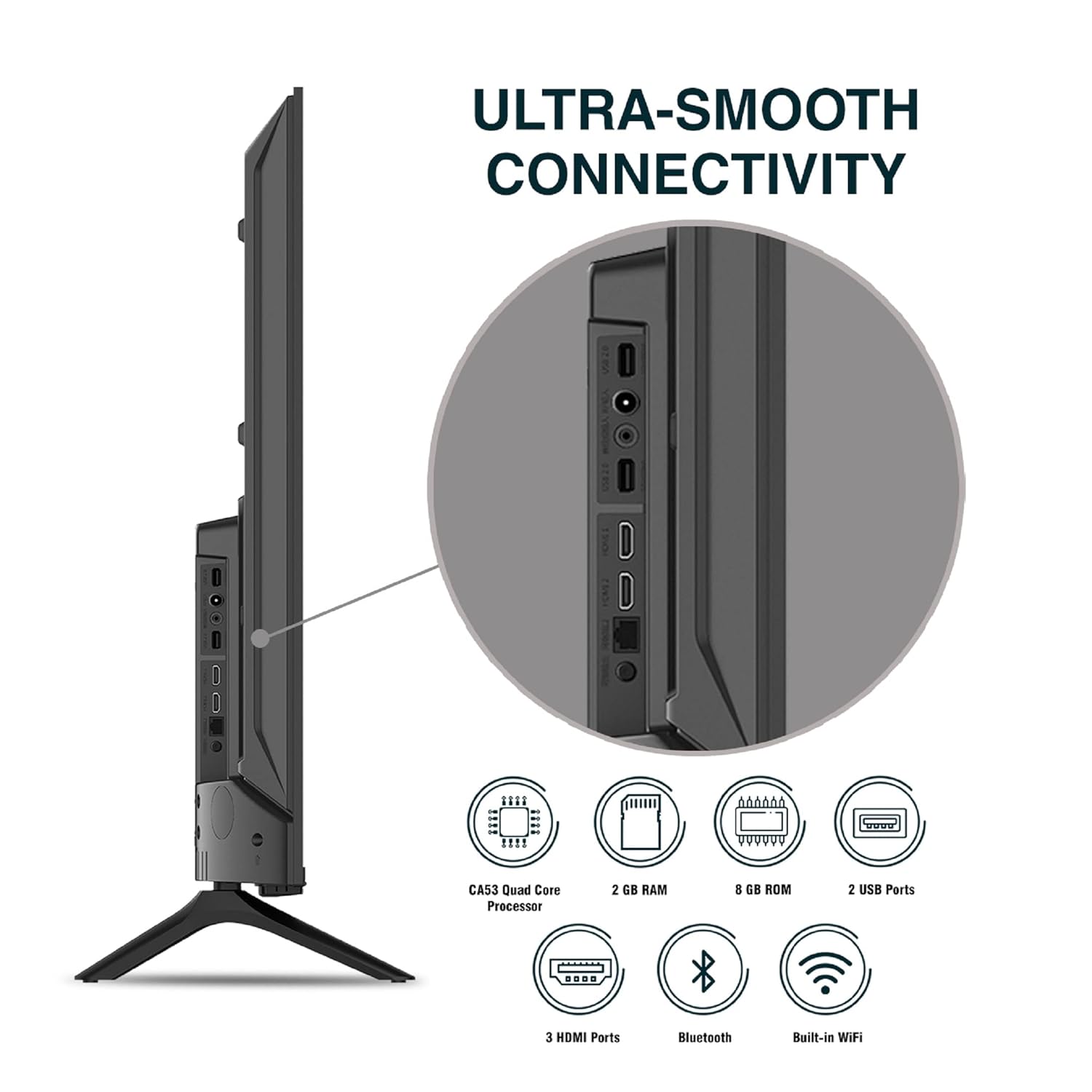
Сүрөт: деталдуу view телевизордун туташуу портторунун.
5. Иштөө нускамалары
5.1. Негизги операция
- Күйгүзүү/өчүрүү: Аны күйгүзүү же өчүрүү үчүн алыстан башкаруу пультундагы же телевизордогу кубат баскычын басыңыз.
- Баштапкы орнотуу: Upon first power-on, follow the on-screen instructions to set up language, network connection, and Google account.
- Киргизүү булагы: Press the 'Input' button on the remote to select between HDMI, AV, TV, or other connected sources.
- Үндү көзөмөлдөө: Пульттагы үндү жогорулатуу/төмөндөө баскычтарын колдонуңуз.
5.2. Акылдуу пультту колдонуу
The included remote control features voice control and dedicated hotkeys for quick access to popular streaming services.
- Үн менен башкаруу: Press the Google Assistant button (microphone icon) and speak your commands to search for content, control smart home devices, or ask questions.
- Ыкчам баскычтар: Directly launch Netflix, Prime Video, YouTube, and Google Play with a single press.
- Навигация: Use the directional pad and 'OK' button to navigate the Android TV interface.

Image: Sansui Smart Remote Control with voice control and app hotkeys.
5.3. Android TV Interface and Smart Features
Your Sansui TV runs on Android 10.0, providing access to a wide range of apps and smart functionalities.
- Башкы экран: The home screen displays your favorite apps, recommended content, and input sources.
- Google Play дүкөнү: Download and install additional apps, games, and content from the Google Play Store.
- Кыналган Chromecast: Cast content (videos, photos, music) from your smartphone, tablet, or computer directly to the TV.
- Google Жардамчысы/Alexa: Use voice commands via the remote or a compatible Alexa device to control your TV and other smart home devices.

Image: Android TV home screen showing available applications.
6. Техникалык тейлөө
Proper care and maintenance will extend the life of your TV.
- Экранды тазалоо: Экранды жумшак, түксүз чүпүрөк менен акырын сүртүңүз. Кежир издер үчүн атайын телевизорлор үчүн иштелип чыккан, экранга түздөн-түз эмес, чүпүрөккө колдонулган экран тазалагычты колдонуңуз.
- Кабинетти тазалоо: Телевизордун шкафын сүртүү үчүн жумшак, кургак чүпүрөктү колдонуңуз. Абразивдүү тазалагычтарды же эриткичтерди колдонбоңуз.
- Вентиляция: Ашыкча ысып кетүүнүн алдын алуу үчүн желдетүү тешиктерин чаңдан жана таштандыдан тазалаңыз.
- Электр кабели: Regularly check the power cord for any damage. If damaged, replace it with an authorized part.
7. Кыйынчылыктарды
Эгерде кандайдыр бир көйгөйлөргө туш болсоңуз, төмөнкү кеңири таралган көйгөйлөрдү жана чечимдерди караңыз.
| Көйгөй | Мүмкүн себеп | Чечим |
|---|---|---|
| Күч жок | Электр зымы ажыратылган; Электр розеткасынын маселеси | Электр шнурунун туташуусун текшериңиз; розетканы башка түзмөк менен текшериңиз. |
| Сүрөт жок, үн гана | Incorrect input source; External device issue | Select correct input source; Check external device connection and power. |
| Үн жок, бир гана сүрөт | Volume muted/low; External audio system issue | Unmute or increase volume; Check external audio system connections. |
| Пульт иштебейт | Батареялар түгөнгөн; Пульт менен телевизордун ортосундагы тоскоолдук | Батареяларды алмаштыруу; Бардык тоскоолдуктарды алып салыңыз. |
| Wi-Fi туташуу маселелери | Incorrect password; Router issues; Signal interference | Re-enter password; Restart router; Move TV closer to router or use Ethernet. |
Бул чечимдерди колдонуп көргөндөн кийин көйгөй чечилбесе, кардарларды колдоо менен байланышыңыз.
8. Техникалык шарттар
Detailed technical specifications for the Sansui JSW50ASUHD TV.
| Өзгөчөлүк | Description |
|---|---|
| Модель аты | SANSUI LED - JSW50ASUHD |
| Screen Size | 50 дюйм (127 см) |
| Дисплей технологиясы | LED |
| Резолюция | 4K Ultra HD (3840x2160) |
| Жаңыртуу ылдамдыгы | 60 Гц |
| Операция системасы | Android 10.0 (Certified by Google) |
| Процессор | CA53 Quad Core |
| RAM | 2 ГБ |
| ROM (сактоо) | 8 ГБ |
| Аудио чыгаруу | 20 Ватт |
| Үн Technology | Dolby Audio, DTS Studio Sound |
| HDMI порттору | 3 |
| USB порттору | 2 |
| Зымсыз байланыш | Wi-Fi, Bluetooth |
| Башка туташуу | Ethernet (RJ45), 3.5mm Audio Jack, Antenna |
| HDR колдоо | HDR10 |
| Монтаж түрү | Дубалга жана үстөлгө орнотуу |
| VESA тоо стандарты | 800 x 400 мм |
| Энергияны керектөө | 120 Ватт |
| Элемент Салмагы | 9650 грамм |
| Түс | Mystique Black |
9. Кепилдик жана колдоо
Your Sansui TV comes with a comprehensive warranty and dedicated customer support.
- Кепилдик: 1 year comprehensive warranty and 1 year additional on panel from the date of purchase.
- Кепилдик колдоо: For warranty-related queries, please contact Sansui Toll Free No.: 1800-419-3777.
- Импорттоочунун байланыш маалыматы: Jaina India Pvt Ltd., D170, Okhla Industrial Area, Phase-1, New Delhi-110020 INDIA | Email: sansuicare@jainaindia.com.
Кепилдик дооматтары үчүн сатып алуу дүмүрчөгүңүздү сактап коюңуз.