
Introduction
This user manual provides comprehensive instructions for the LongPlus Wireless Outdoor Security Camera (Model X83). It covers everything from initial setup and operation to maintenance and troubleshooting, ensuring you can effectively utilize all features including 2K resolution, AI motion detection, 2-way talk, and various storage options.

Figure 1: LongPlus Security Cameras with live view on smartphone.
Кутуда эмне бар
Сиздин пакетте бардык компоненттер бар экенин текшериңиз:
- Security Camera with Bracket
- Бурамалар пакети
- Ийени кайра коюу
- USB кабели
- Quick Start Guide
Video 1: Unboxing the LongPlus Security Camera, showing all included components.
Продукт бүттүview
The LongPlus X83 camera features a compact design with essential components for effective surveillance.

Сүрөт 2: Алдыңкы view of the LongPlus camera, highlighting the lens and sensors.
Key components include the camera lens, PIR motion sensor, LED indicator, microphone, speaker, and a USB charging port. The camera is designed for both indoor and outdoor use, with an IP65 waterproof rating.
Жайгашуу
1. Баштапкы төлөм
Before first use, fully charge the camera using the provided USB cable. A full charge ensures optimal battery life and performance.
2. Колдонмону орнотуу
Download the "Vicohome" app from your smartphone's app store (App Store for iOS or Google Play Store for Android). Create an account and log in.
3. Camera Pairing (Wi-Fi Connection)
Follow these steps to connect your camera to your Wi-Fi network:
- Open the Vicohome app and tap "Add Device".
- Select "Battery Home Security Camera" from the list.
- Turn on the camera by long-pressing the power button until the indicator light flashes and you hear a voice prompt.
- Confirm in the app that you heard the beeping sound.
- Input your 2.4GHz Wi-Fi network name (SSID) and password.
- The app will generate a QR code. Hold your camera approximately 6-12 inches (15-30 cm) in front of your phone's screen to scan the QR code. The camera will confirm successful scanning with a voice prompt.
- Туташтырылгандан кийин, камераңызга ат коюп, анын жайгашкан жерин коюңуз.
Video 2: Detailed guide on how to set up and connect your LongPlus camera to the app.
4. Монтаждоо
The camera can be mounted on a wall or ceiling. Use the provided bracket and screws for secure installation. Ensure the mounting location has a strong Wi-Fi signal for optimal performance.

Figure 3: Multiple installation options for the LongPlus camera.
Иштөө нускамалары
1. Түз эфир View
Access real-time video streaming from your camera through the Vicohome app. You can view up to four cameras simultaneously on one screen.

Figure 4: Demonstrating the upgraded 2K QHD video quality.
2. Эки тараптуу аудио
Utilize the built-in microphone and speaker for two-way communication. This feature allows you to speak with visitors or deter intruders directly through the app.

Figure 5: Two-way audio functionality for real-time communication.
3. Кыймылды аныктоо жана эскертүүлөр
The camera features AI-powered motion detection that can differentiate between people, pets, vehicles, and packages, reducing false alarms. When motion is detected, the camera can trigger an audio and strobe light alarm and send instant notifications to your phone.

Figure 6: AI event analysis for precise motion detection.
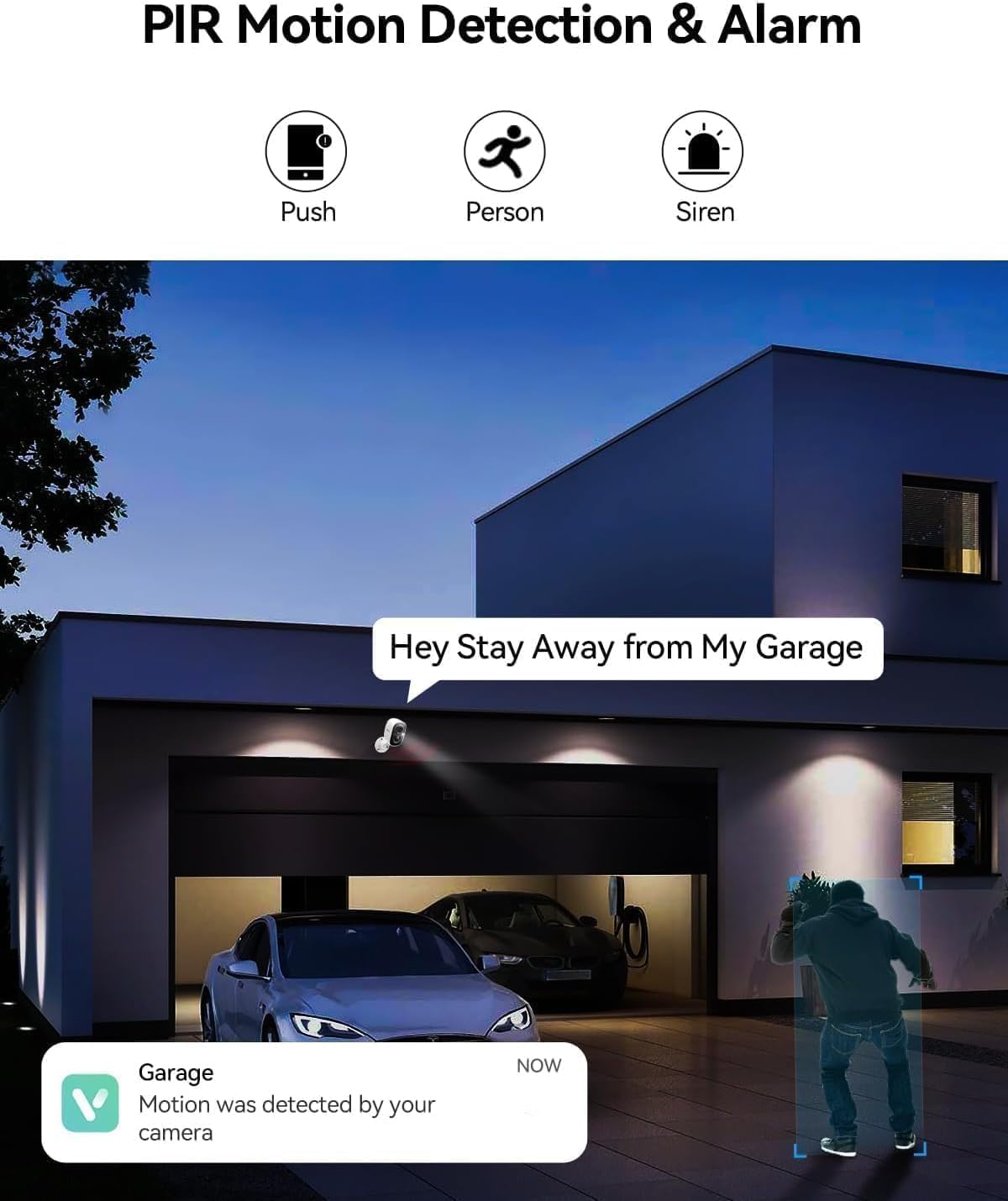
Figure 7: PIR motion detection and siren alarm in action.
Video 3: Function introduction for the wireless security camera, including motion detection and alerts.
4. Түнкү көрүнүш
Equipped with color night vision technology, the camera captures clear and vibrant images up to 33ft even in low-light conditions.
Figure 8: Color night vision for clear images in the dark.
5. Сактоо параметрлери
The camera supports local storage via a Micro SD card (up to 128GB, not included) and offers optional bank-level encrypted cloud storage with a 30-day free trial.
6. Түзмөктү бөлүшүү
Share access to your camera with multiple users globally through the Vicohome app, allowing family members to monitor your home together.
Техникалык тейлөө
1. Батареяны кубаттоо
The camera is battery-powered. Recharge the battery using the provided USB cable when the battery level is low. For optimal battery longevity, avoid extreme temperatures during charging and operation.
2. Тазалоо
Regularly clean the camera lens and body with a soft, dry cloth to ensure clear image quality and proper sensor function. Do not use harsh chemicals or abrasive materials.
3. Микропрограмманы жаңыртуу
Keep your camera's firmware updated through the Vicohome app to ensure access to the latest features, security enhancements, and bug fixes. Follow the in-app prompts for firmware updates.
Проблемаларды чечүү
| Көйгөй | Мүмкүн себеп | Чечим |
|---|---|---|
| Камера Wi-Fi'га туташпай жатат | Туура эмес Wi-Fi сырсөзү; Камера роутерден өтө алыс; 5 ГГц Wi-Fi гана жеткиликтүү. | Ensure correct 2.4GHz Wi-Fi password. Move camera closer to router. Confirm router supports 2.4GHz. |
| Тез-тез жалган сигналдар | High motion sensitivity; Environmental factors (e.g., swaying trees, passing cars). | Adjust motion detection sensitivity in the app. Utilize AI detection features to filter out non-human motion. Set up activity zones. |
| Видеонун сапаты начар | Кир линза; Wi-Fi сигналынын начардыгы; Жарык аз шарттар. | Камера линзасын тазалаңыз. Wi-Fi сигналынын күчүн жакшыртыңыз. Жетиштүү жарыкты камсыз кылыңыз же түстүү түнкү көрүү системасына таяныңыз. |
| Батарея бат эле түгөнөт | Frequent motion detection; Live view overuse; Extreme temperatures. | Reduce motion detection sensitivity or frequency. Limit live view sessions. Avoid placing camera in direct sunlight or extreme cold. |
Техникалык шарттар
| Өзгөчөлүк | Деталь |
|---|---|
| Модел | X83 |
| Ички/тышкы колдонуу | Тышкы, ички |
| Power Source | Батарея менен иштейт (2599.99 мАч) |
| Connectivity Protocol | Wi-Fi (2.4 ГГц) |
| Видео тартуунун резолюциясы | 1440p (2K QHD) |
| Түнкү көрүү диапазону | 33 фут (түстүү түнкү көрүү) |
| Viewбурч | 130 градус |
| Сактагыч | Micro SD (128 ГБ чейин), Булуттагы сактагыч |
| Эки тараптуу аудио | Ооба |
| Motion Detection | AI Motion Detection (Person/Vehicle/Pets Detection), PIR Sensor |
| Сууга туруктуулук деңгээли | Суу өткөрбөйт (IP65) |
| Өлчөмдөрү (L x W x Y) | 3 x 2 x 2 дюйм |
| Элемент Салмагы | 5.6 унция |
Кепилдик маалымат
LongPlus products typically come with a manufacturer's warranty. Please refer to the warranty card included in your product packaging or visit the official LongPlus webдеталдуу кепилдик шарттары жана шарттары үчүн сайт. Сатып алуу квитанциясын кепилдик дооматтары үчүн сатып алуунун далили катары сактаңыз.
Кардарларды колдоо
For any questions, technical assistance, or support regarding your LongPlus Security Camera, please contact our customer support team:
- Webсайт: www.longplus.com
- Электрондук почта: support@longplus.com
- Телефон: (Refer to your Quick Start Guide for regional contact numbers)
Our support team is available to assist you with setup, troubleshooting, and general inquiries.