
TERIOS TERIOS 5S
TERIOS Wireless Controller User Manual
Model: TERIOS 5S (ASIN: B09KLR5DCZ)
Introduction
This user manual provides comprehensive instructions for the TERIOS Wireless Controller, designed for an enhanced gaming experience. This controller is compatible with PlayStation 4, PS4 Pro, and PS4 Slim consoles.

Сүрөт: алдыңкы view of the green TERIOS Wireless Controller, showcasing анын эргономикалык дизайны жана баскычтардын жайгашуусу.
Кутуда эмне бар
Пакетти ачканда, төмөнкү нерселердин бардыгы бар экенин текшериңиз:
- 1 x TERIOS Wireless Controller
- 1 x USB заряддоо кабели
- 1 x Controller User Manual (this document)

Image: The TERIOS Wireless Controller, USB charging cable, and user manual laid out, representing the package contents.
Продукт өзгөчөлүктөрү
The TERIOS Wireless Controller is equipped with several features designed to enhance your gaming experience:
- Зымсыз туташуу: Connects wirelessly to your PS4 console via Bluetooth 4.2 for a stable connection up to 8 meters.
- Built-in Speaker & Headset Jack: Features an integrated speaker and a 3.5mm stereo headset jack for immersive audio.
- Multitouch Pad: A central multitouch pad expands gaming possibilities and interaction.
- Бөлүшүү баскычы: Allows for live-streaming and sharing gameplay moments without interrupting your session.
- Кош аналогдук таякчалар: Provides pinpoint accuracy and enhanced sensitivity for precise control.
- Double Shock Vibration: Integrated motors provide haptic feedback for an immersive gaming experience.
- Turbo Feature: Enables rapid-fire functionality for certain in-game actions.
- Кайра заряддалуучу батарея: Equipped with a 1000mAh lithium battery, offering 10-12 hours of continuous use on a single charge.
- Эргономикалык дизайн: Conforms to the palm structure for comfortable extended gaming sessions.

Сүрөт: Жакын план views highlighting the built-in speaker, share button, and multitouch pad functionalities of the controller.

Image: Visuals illustrating the Bluetooth 4.2 connection, ergonomic design for comfortable grip, and the placement of advanced gaming buttons.

Image: The controller with a visual emphasis on its dual analog sticks, indicating their role in providing a better gaming experience.
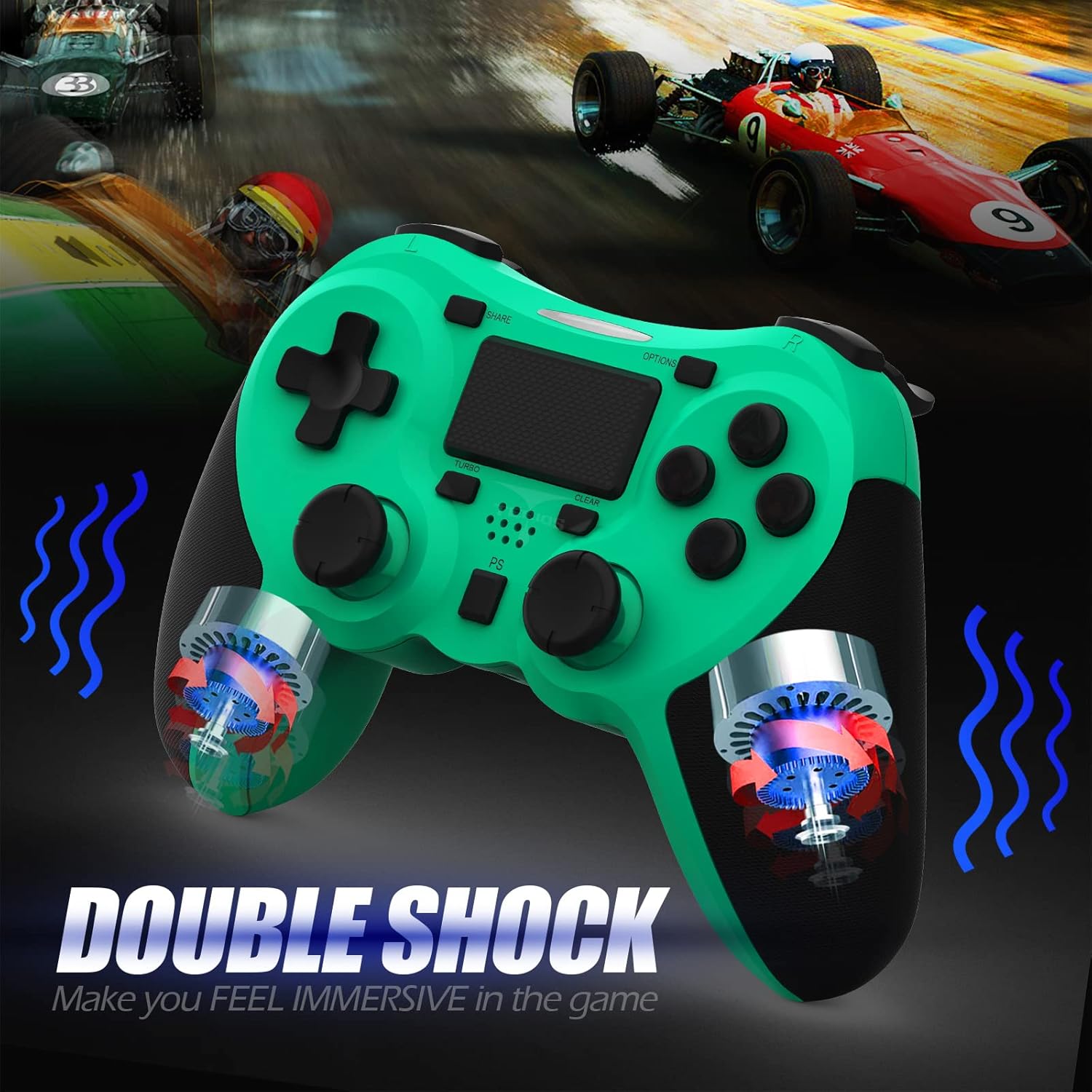
Сүрөт: ички view of the controller highlighting the double shock vibration motors, designed to provide immersive haptic feedback.
Орнотуу колдонмосу
1. Баштапкы заряддоо
Before first use, fully charge the controller. Connect the supplied USB charging cable to the controller's micro USB port and the other end to a USB port on your PlayStation 4 console or a compatible USB wall adapter.
- Кубаттоо убактысы: Толук заряддоо үчүн болжол менен 2-3 саат.
- Battery Life: Up to 10-12 hours of continuous gameplay.
- Күтүү убактысы: 30 күнгө чейин.
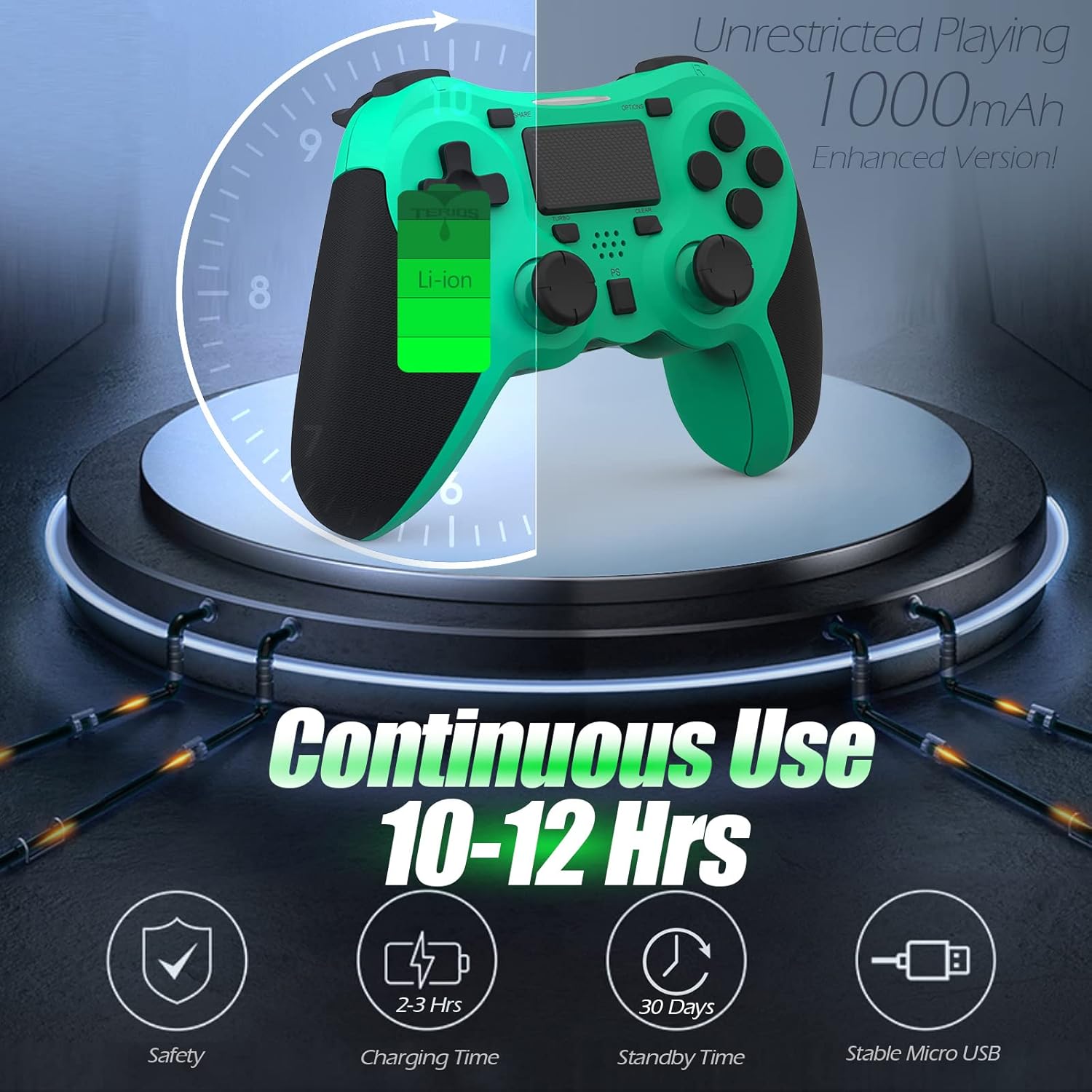
Image: A visual representation of the controller's 1000mAh battery, indicating 10-12 hours of continuous use, 2-3 hours charging time, and 30 days standby time.
2. Pairing with PlayStation 4
Контроллерди PS4 консолуңуз менен жупташтыруу үчүн:
- PS4 консолуңуз күйгүзүлгөнүн текшериңиз.
- USB кубаттоо кабели аркылуу контроллерди PS4 консолуна туташтырыңыз.
- басыңыз PS баскычы (located in the center of the controller). The light bar on the controller will flash, then glow a solid color, indicating successful pairing.
- Жупташтырылгандан кийин, зымсыз ойнотуу үчүн USB кабелин ажыратсаңыз болот.
Эскертүү: If the controller does not pair, ensure it is charged and try connecting it to a different USB port on the console. For persistent issues, refer to the Troubleshooting section.
Иштөө нускамалары
Негизги башкаруу элементтери
| Компонент | Функция |
|---|---|
| PS баскычы | Powers on the controller, accesses the PS4 home screen, switches users, or turns off the console (long press). |
| БӨЛҮШҮҮ баскычы | Accesses the Share menu to capture screenshots, record video clips, or broadcast gameplay. |
| OPTIONS баскычы | Pauses games, accesses in-game menus, or confirms selections. |
| Directional Buttons (D-Pad) | Navigates menus and provides directional input in games. |
| Action Buttons (Triangle, Circle, Cross, Square) | Performs in-game actions, confirms, or cancels selections. |
| Left/Right Sticks (L3/R3) | Controls character movement, camera, or other analog inputs. Pressing down on the sticks activates L3/R3 buttons. |
| L1/R1 Buttons | Trigger various in-game actions, often for aiming or secondary functions. |
| L2/R2 триггерлер | Analog triggers for actions like accelerating, braking, or firing weapons. |
| Multitouch Pad | Provides touch input for specific game interactions or navigation. |
| 3.5 мм гарнитура уясы | Connects compatible headsets for game audio and voice chat. |
Атайын функциялар
Турбо өзгөчөлүгү
The Turbo feature allows for rapid, continuous input of a button press, useful for actions like rapid firing in games.
- басып, кармап туруңуз TURBO баскычы (located below the touchpad).
- While holding TURBO, press the action button you wish to apply the rapid-fire function to (e.g., Square, Cross, Circle, Triangle, L1, R1, L2, R2).
- Release both buttons. The selected action button will now continuously register presses as long as it is held down.
- To disable Turbo for a specific button, repeat the process: hold TURBO and press the button again.
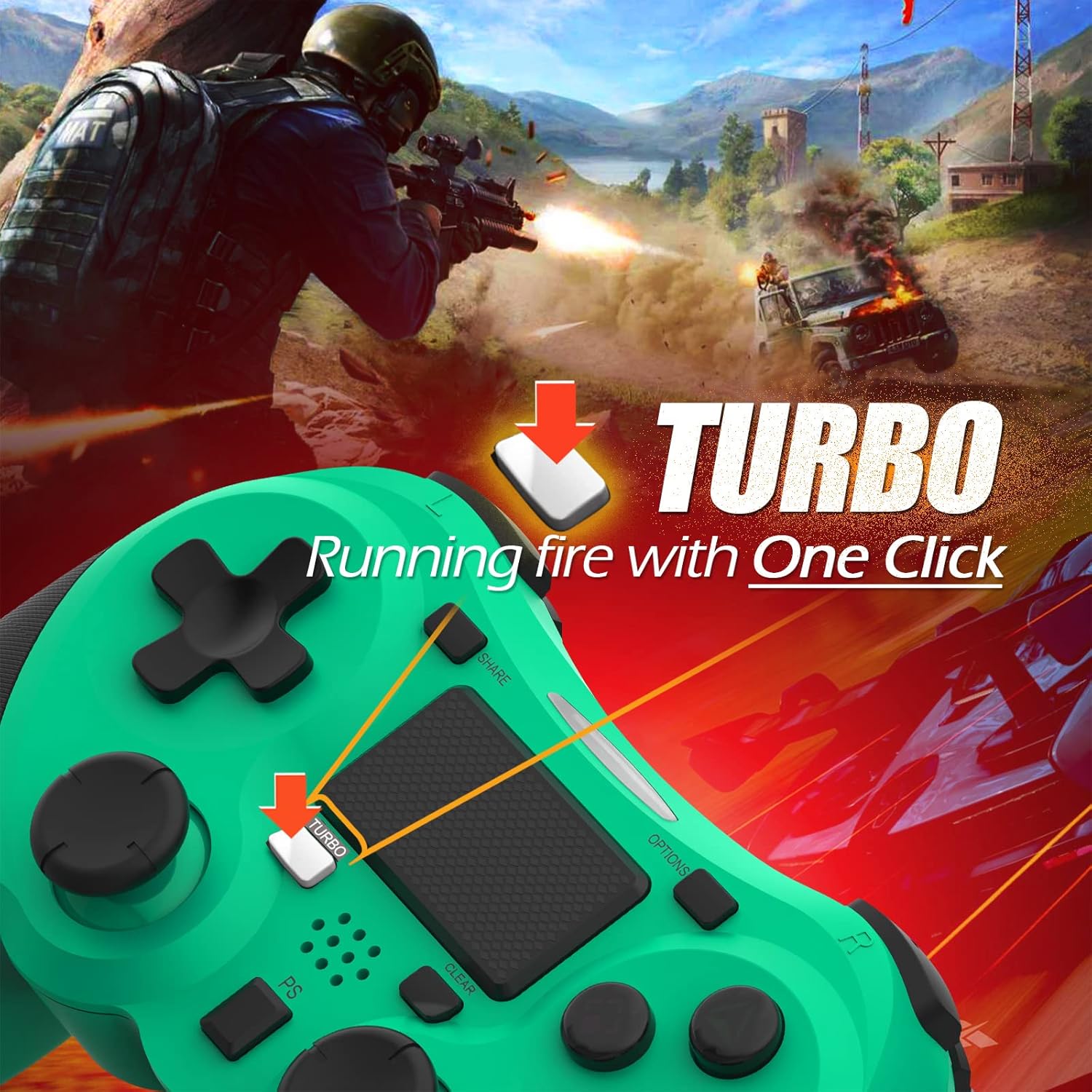
Image: A visual guide demonstrating how to activate the Turbo feature on the controller for rapid-fire actions.
Share Button Functionality
The SHARE button provides quick access to PS4's sharing features:
- Жалгыз басуу: Opens the Share menu, allowing you to save a screenshot, save a video clip, or start a broadcast.
- Узак басуу: Takes a screenshot directly.
- Кош басуу: Видео жаздырууну баштайт/токтотот.
Техникалык тейлөө
Proper maintenance ensures the longevity and optimal performance of your TERIOS Wireless Controller.
Тазалоо
- Контроллердин бетин сүртүү үчүн жумшак, кургак чүпүрөктү колдонуңуз.
- өжөр кир үчүн, бир аз гampчүпүрөктү суу же жумшак, абразивдүү тазалагыч менен жууп салыңыз. Ашыкча нымдуулуктан сактаныңыз.
- Катуу химиялык заттарды, эриткичтерди же абразивдик материалдарды колдонбоңуз, алар контроллердин жасалгасына жана ички компоненттерине зыян келтириши мүмкүн.
Сактагыч
- Контроллерди салкын, кургак жерде, күндүн түз нурунан, өтө жогорку температурадан жана жогорку нымдуулуктан алыс сактаңыз.
- Avoid placing heavy objects on the controller to prevent damage to buttons or analog sticks.
Батареяга кам көрүү
- To preserve battery life, avoid fully discharging the controller frequently.
- Эгер батарейканы узак убакытка сактасаңыз, сактоодон мурун аны болжол менен 50% га чейин заряддаңыз.
- Recharge the controller at least once every three months if not in use to prevent deep discharge.
Проблемаларды чечүү
If you encounter issues with your TERIOS Wireless Controller, please refer to the following common solutions:
Контроллер туташпай/жупташпай жатат
- Батареяны текшерүү: Ensure the controller is sufficiently charged. Connect it to the PS4 via USB cable to charge.
- Кайра жупташтыруу: Connect the controller to the PS4 with the USB cable and press the PS button to re-establish the connection.
- Контроллерди баштапкы абалга келтирүү: Locate the small reset button hole on the underside of the controller (near the L2 button). Use a straightened paperclip or a similar thin object to press and hold the button for 3-5 seconds. This will reset the controller. After resetting, attempt to re-pair it with the PS4.
- Интерференция: Move closer to the PS4 console to rule out wireless interference.
Buttons or Sticks Unresponsive/Lagging
- Контроллерди баштапкы абалга келтирүү: Perform a hard reset as described above.
- Таза: Ensure no debris is lodged around the buttons or sticks. Clean the controller as per the Maintenance section.
- Микропрограмма: PS4 тутумуңуздун программалык камсыздоосу жаңыртылганын текшериңиз.
Ашыкча титирөө
- Контроллерди баштапкы абалга келтирүү: A reset can often resolve unexpected vibration issues.
- Оюн орнотуулары: Check in-game settings for vibration intensity.
Техникалык шарттар
| Атрибут | Деталь |
|---|---|
| Модел | TERIOS 5S |
| ASIN | B09KLR5DCZ |
| Шайкештик | PlayStation 4, PS4 Pro, PS4 Slim |
| Байланыш | Wireless (Bluetooth 4.2), USB |
| Батарея түрү | Литий Полимер (1 камтылган) |
| Батарея сыйымдуулугу | 1000mAh |
| Үзгүлтүксүз колдонуу убактысы | 10-12 саат |
| Заряддоо убактысы | 2-3 саат |
| Күтүү убактысы | 30 күнгө чейин |
| Элемент Салмагы | 10.8 унция (болжол менен 306 грамм) |
| Пакеттин өлчөмдөрү | 6.69 x 5.24 x 2.72 дюйм |
| Өндүрүүчү | TERIOS |
| Дата биринчи жеткиликтүү | 28-октябрь, 2021-жыл |
Кепилдик жана колдоо
TERIOS stands behind the quality of its products. This controller comes with a 1 жылдык кепилдик сатып алынган күндөн тартып өндүрүш кемчиликтерин жабуу.
For customer support, technical assistance, or warranty claims, please contact TERIOS customer service through the platform where you purchased the product or visit the official TERIOS store page for contact information.
We are committed to providing premium customer support and ensuring your satisfaction with our products.
Ask a question about this manual
Ask about setup, troubleshooting, compatibility, parts, safety, or missing instructions. Manuals+ will review the question and use this page’s manual context to help answer it.