
1. Киришүү
Thank you for choosing the Attoe Ergonomic Rechargeable Small Vertical Wireless Mouse. This mouse is designed to provide a more natural hand position, reducing strain on your wrist and hand during extended use. Its vertical design promotes comfort and efficiency.
This manual will guide you through the setup, operation, and maintenance of your new mouse to ensure optimal performance and longevity.
2. Пакеттин мазмуну
- Vertical Mouse x 1
- USB кабыл алуучу x 1
- USB кубаттоо кабели x 1
- Instructions x 1 (This document)
3. Системалык талаптар
- IBM же туура келген компьютер
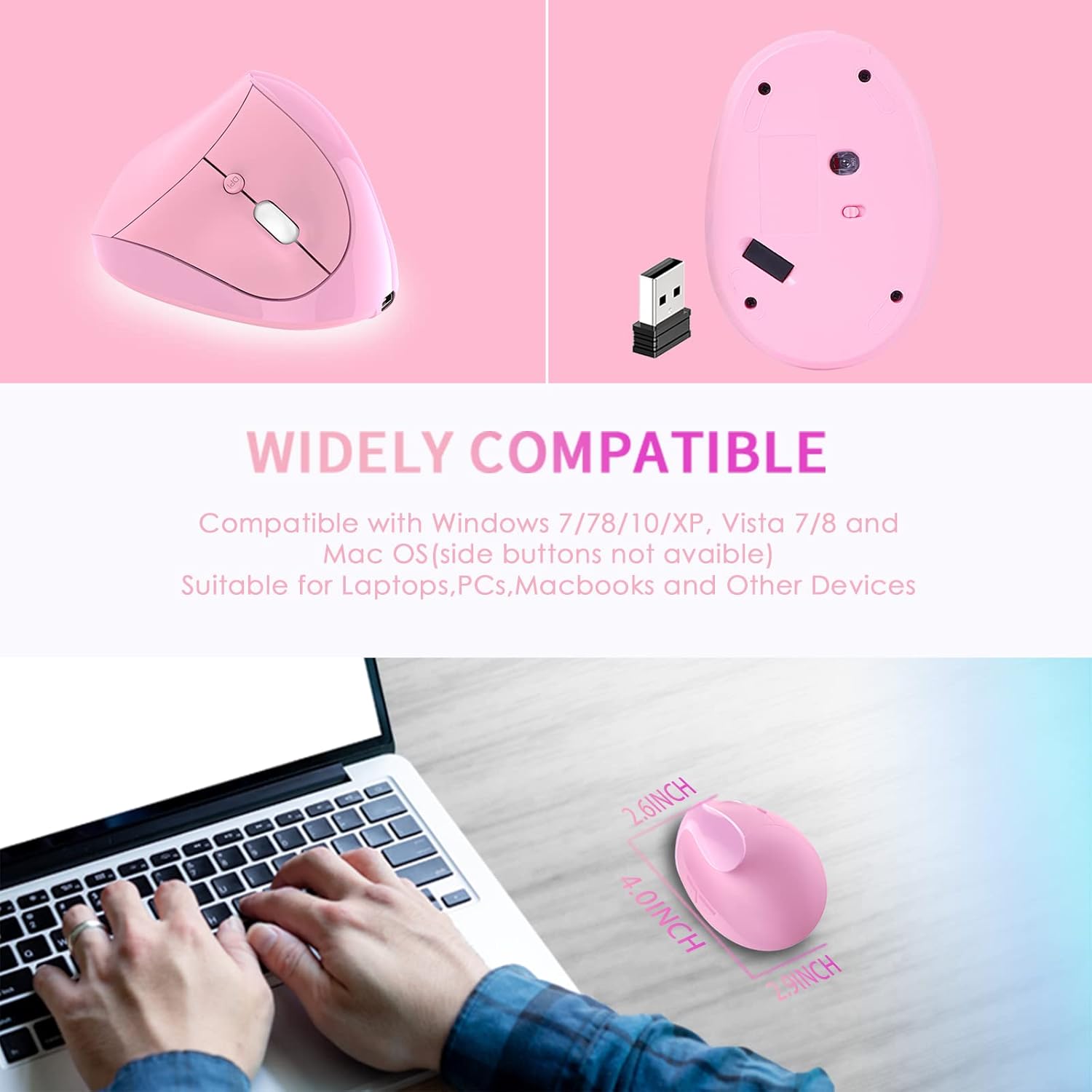
- Operating Systems: Windows 2000/ME/XP (x64)/Vista/7/8/10, Mac OS X (over V10.4), Linux
- Жеткиликтүү USB порту
4. Орнотуу колдонмосу
- Install USB Receiver: USB ресиверди компьютериңиздеги жеткиликтүү USB портуна салыңыз.
- Системаны таануу: Wait for your computer to recognize and install the necessary drivers for the USB receiver. This usually happens automatically.
- Чычканды күйгүзүү: Чычкандын астыңкы жагындагы кубат баскычын таап, аны "ON" абалына жылдырыңыз.
- Сыноо функциясы: The mouse should now be operational. Move the mouse and click buttons to confirm it is working correctly.

5. Иштөө нускамалары
The Attoe Ergonomic Vertical Wireless Mouse features 6 buttons for enhanced productivity:
- Сол чыкылдатуу баскычы: Standard selection function.
- Оң баскычты чыкылдатуу: Контексттик менюларга жетет.
- Жылдыруу дөңгөлөгү: Документтерди жылдырат жана web баракчалар. Ошондой эле, ортоңку чыкылдатуу функциясы үчүн чыкылдатса болот.
- DPI жөндөө баскычы: DPI жөндөөлөрү аркылуу цикл жасайт (800/1200/1600).
- Алга баскычы: Алга карай жылдырат web браузерлер же file изилдөөчүлөр. (Note: Not recognized on Mac OS.)
- Артка баскычы: Артка карай багыт алат web браузерлер же file изилдөөчүлөр. (Note: Not recognized on Mac OS.)

DPI тууралоо
Press the DPI button, usually located near the scroll wheel, to cycle through the available sensitivity settings: 800 DPI, 1200 DPI, and 1600 DPI. Choose the setting that best suits your preference and task.
Эргономикалык дизайндын артыкчылыктары
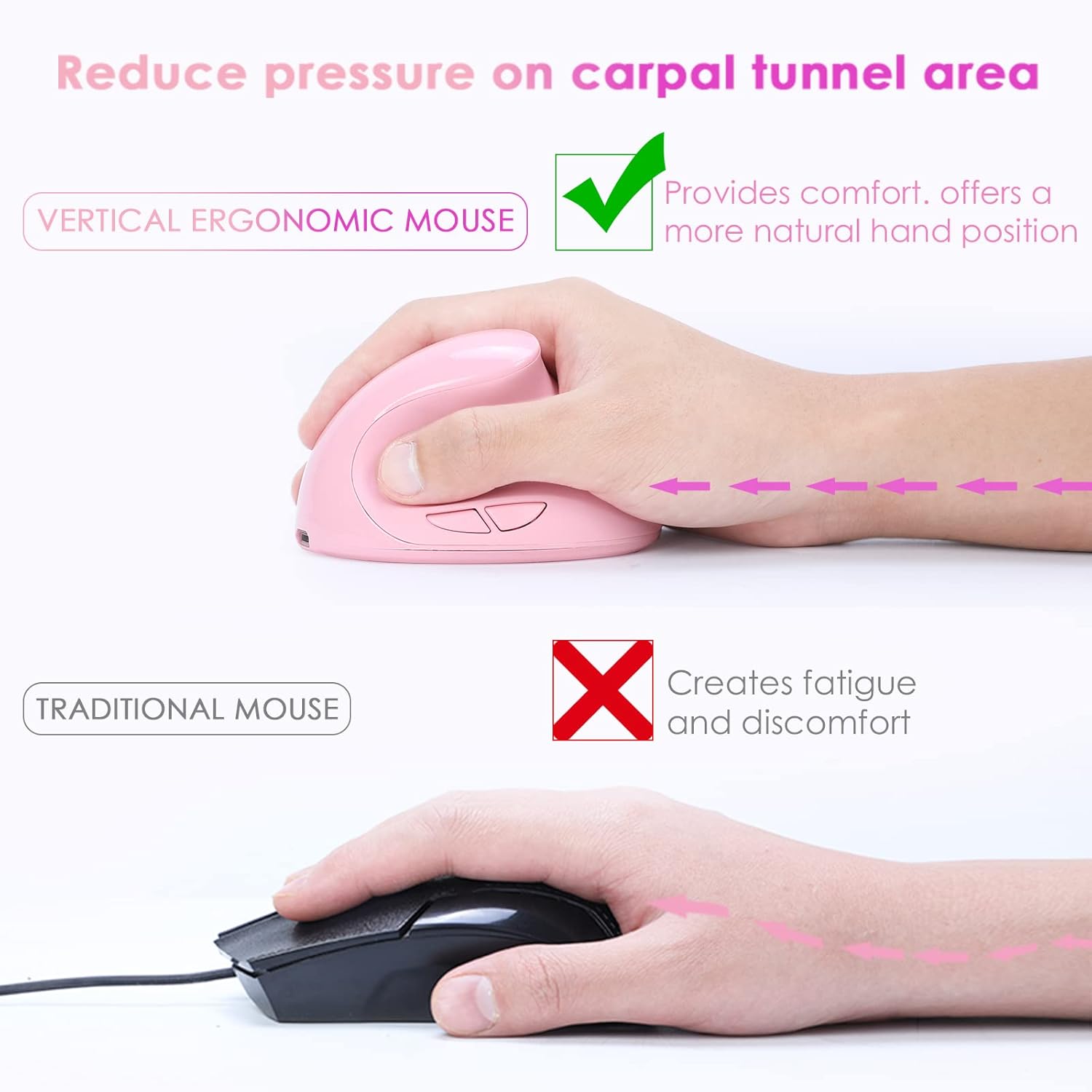
The vertical design of this mouse positions your hand in a natural handshake posture, which helps to alleviate wrist pronation and reduce pressure on the carpal tunnel area, promoting comfort during prolonged use.
Тынч иштөө
The mouse features whisper-quiet clicks, allowing you to work without disturbing others in quiet environments.

6. Заряддоо
This mouse is rechargeable. When the battery is low, connect the provided USB charging cable to the mouse's charging port and to a USB power source (e.g., computer USB port, USB wall adapter). The mouse can be used while charging.

7. Техникалык тейлөө
To ensure the longevity and appearance of your mouse, please note the following:
- The surface of the mouse's grip is sprayed with rubber oil. Prolonged use, especially with uncleaned hands or exposure to sweat, can cause this surface to blacken or corrode.
- Regularly clean the mouse with a soft, dry cloth. Avoid harsh chemicals or abrasive cleaners.
8. Кыйынчылыктарды
Mouse Has No Response
If your mouse is not responding, try the following steps:
- Чычканды заряддоо: Connect the mouse to a power source using the USB charging cable.
- USB кабылдагычты текшерүү: USB ресиверди компьютериңиздин башка USB портуна сайып көрүңүз.
- Кубат өчүргүчтү текшерүү: Чычкандын астыңкы жагындагы кубат баскычы "КҮЙҮК" абалында экенин текшериңиз.
- Компьютерди кайра иштетүү: Restart your computer to refresh the USB connections and drivers.
If the issue persists after trying these steps, please contact customer support for technical assistance.
9. Техникалык шарттар
| Өзгөчөлүк | Деталь |
|---|---|
| Button Number | 6 баскыч |
| Көз салуу системасы | Оптикалык |
| Жыштык | 2405МГц-2476МГц |
| Натыйжалуу аралык | 10 метр (33 фут) |
| Working Voltage/Current | 3V/4mA |
| Button Life | 5 миллион жолу |
| Roller Life | 1.2 million turns |
| Продукциянын өлчөмдөрү | 4.0 (L) * 2.9 (W) * 2.6 (H) inches |
| Продукт Салмагы | 200 ± 5g (0.44 lbs) |
| Чечимдүүлүк (DPI) | 800 / 1200 / 1600 (Жөнгө салынуучу) |
| Кирешелүүлүк көрсөткүчү | 250Hz |
| Колдун багыты | Туура |
10. Кепилдик жана колдоо
The Attoe Ergonomic Rechargeable Small Vertical Wireless Mouse comes with a 1 жылдык кепилдик сатып алынган күндөн тартып.
For technical assistance, troubleshooting, or warranty claims, please contact Attoe customer support. Refer to your purchase documentation or the official Attoe webбайланыш маалыматы үчүн сайт.