
1. Киришүү
Сатып алганыңыз үчүн рахматasing the VILINICE 120W TV Sound Bar, Model SD04. This sound bar is designed to enhance your audio experience with powerful sound, built-in subwoofers, and versatile connectivity options. Please read this manual carefully before use to ensure proper operation and to maximize the product's performance.
2. Маанилүү коопсуздук нускамалары
- Бул шайманды жамгырга же нымга тийгизбеңиз.
- Эч кандай желдетүүчү тешиктерди жаап албаңыз. Өндүрүүчүнүн көрсөтмөлөрүнө ылайык орнотуу.
- Радиаторлор, жылуулук регистрлери, мештер же башка аппараттар (анын ичинде) сыяктуу жылуулук булактарынын жанына орнотпоңуз ampкөтөргүчтөр) жылуулукту пайда кылуучу.
- Электр зымын басып же кысылып калуудан, айрыкча, сайгычтардан, ыңгайлуу идиштерден жана шаймандан чыккан жеринен сактаңыз.
- Өндүрүүчү тарабынан көрсөтүлгөн тиркемелерди/аксессуарларды гана колдонуңуз.
- Чагылган бороондо же узак убакыт бою колдонбогондо бул шайманды розеткадан ажыратыңыз.
- Бардык тейлөөлөрдү квалификациялуу тейлөө кызматкерлерине тапшырыңыз. Аппарат кандайдыр бир зыянга учураганда, мисалы, кубат берүүчү шнур же сайгыч бузулганда, суюктук төгүлгөндө же аппараттын ичине нерселер түшкөндө, аппарат жамгырга же нымдуулукка дуушар болгондо, нормалдуу иштебей калганда тейлөө талап кылынат. , же түшүрүлгөн.
3. Пакеттин мазмуну
Сураныч, бардык буюмдар пакетиңизге камтылганын текшериңиз:
- VILINICE 120W TV Sound Bar
- Алыстан башкаруу
- RCA кабелине 3.5 мм
- Кубаттуу адаптер
- HDMI кабели
- User Manual

Image: Contents of the VILINICE Sound Bar package, including the sound bar, remote control, 3.5mm to RCA cable, power adapter, HDMI cable, and user manual.
4. Продукт бүтүп калдыview
4.1. Өзгөчөлүктөрү
- 120W strong output power with built-in 2 subwoofers and 4 full-range speakers.
- Built-in DSP technology for accurate sound field positioning and clear vocals.
- Three Equalizer (EQ) Modes: Movie, Music, Dialog.
- Adjustable Bass and Treble.
- LED display for mode and volume indication.
- Wireless Bluetooth 5.0 connectivity.
- Multiple input options: HDMI-ARC, AUX/RCA, Optical, USB.
- Ultra-slim 39-inch design.
4.2. Үн тилкесинин компоненттери

Сүрөт: жарылган view of the VILINICE Sound Bar, showing the internal full-range drivers and subwoofers that contribute to the 3D surround sound system.
4.3. Арткы панелдин туташуулары

Image: Close-up of the rear panel of the VILINICE Sound Bar, displaying various input ports including DC power, BASS, USB, AUX, RCA, Optical, COA, and HDMI-ARC.
5. Орнотуу жана байланыштар
Туташуудан мурун, бардык түзмөктөр өчүрүлгөнүн текшериңиз.
5.1. Кубатка туташуу
- Connect the power adapter to the DC input port on the sound bar.
- Кубат адаптерин розеткага сайыңыз.
5.2. Connecting to a TV or Other Devices
Төмөнкү туташуу ыкмаларынын бирин тандаңыз:
- HDMI-ARC (Recommended): Connect an HDMI cable from the HDMI-ARC port on the sound bar to the HDMI-ARC port on your TV. This allows for audio return channel functionality.
- Оптикалык: Connect an optical cable from the OPTICAL port on the sound bar to the optical output port on your TV or audio source.
- AUX/RCA: Use the provided 3.5mm to RCA cable to connect the AUX port on the sound bar to the RCA audio output ports (red and white) on your TV or device. Alternatively, use a 3.5mm audio cable for direct AUX connection.
- USB: Insert a USB drive into the USB port for playing audio fileтүздөн-түз дисктен.
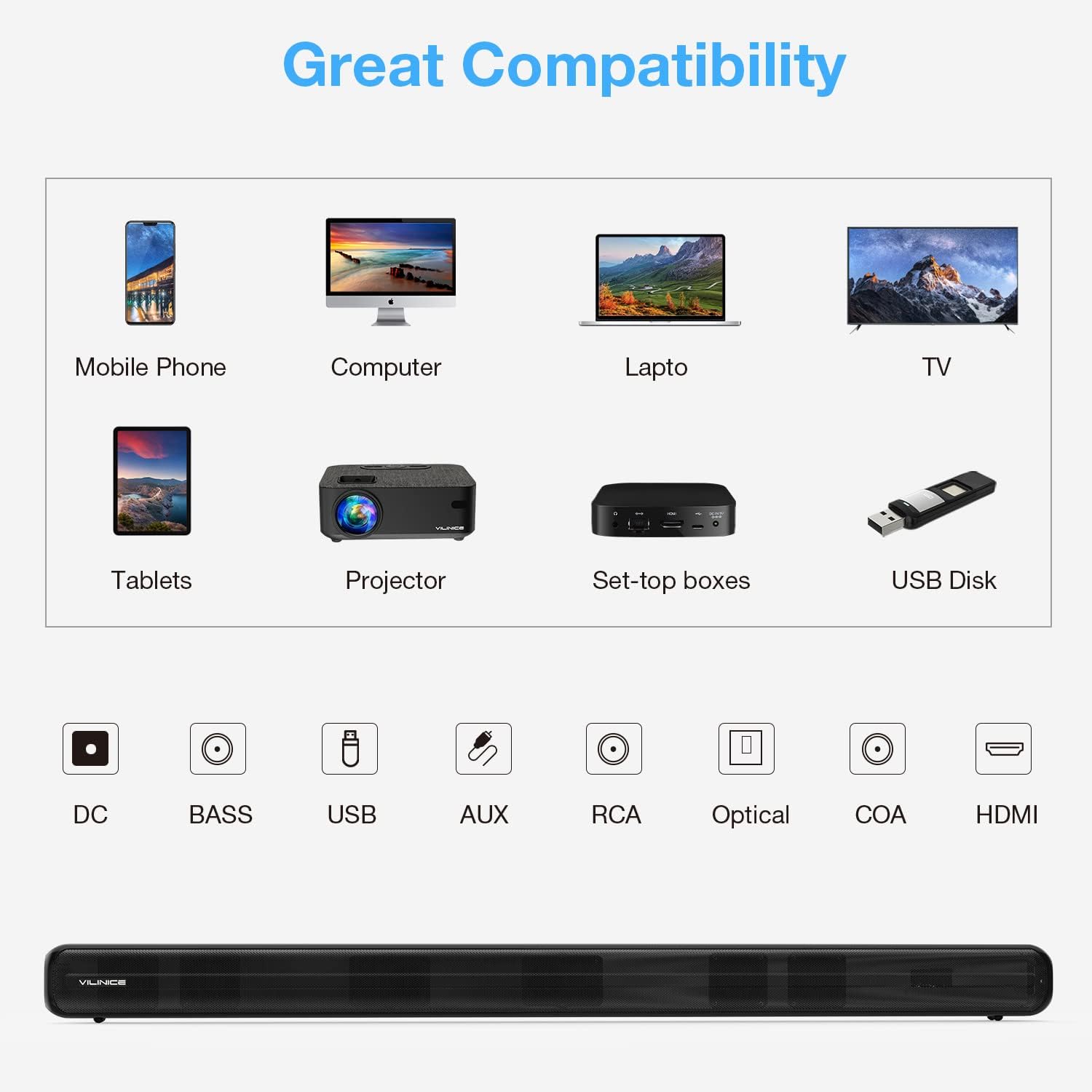
Image: Diagram illustrating the compatibility of the VILINICE Sound Bar with various devices (mobile phone, computer, laptop, TV, tablets, projector, set-top boxes, USB disk) and its available input ports (DC, BASS, USB, AUX, RCA, Optical, COA, HDMI).
6. Иштөө нускамалары
6.1. Күйгүзүү/өчүрүү
Press the Power button on the remote control or on the sound bar to turn the unit on or off.
6.2. Selecting Input Mode
басыңыз РЕЖИМ button on the remote control or on the sound bar to cycle through the available input modes: HDMI-ARC, OPTICAL, AUX, USB, and Bluetooth. The LED display will indicate the current mode.
6.3. Үндү башкаруу
- Басыңыз Көлөм + көлөмүн көбөйтүү.
- Басыңыз Көлөмү - үнүн азайтуу үчүн.
- Басыңыз БАСУУ үндү өчүрүү же ачуу.
6.4. Equalizer (EQ) Modes
The sound bar features three preset EQ modes to optimize audio for different content types:
- КИНО: Enhances dialogue and sound effects for films.
- МУЗЫКА: салмактуу үн про камсыз кылатfile музыка ойнотуу үчүн.
- ДИАЛОГ: Optimizes vocal clarity for news, podcasts, or speech-heavy content.
Тийиштүү баскычты басыңыз КИНО, МУЗЫКА, же ЖАНЫЛЫКТАР (Dialog) button on the remote control to select an EQ mode.

Image: Illustration of the VILINICE Sound Bar's DSP technology and three EQ modes (Music, Movie, News/Dialog) with corresponding visual examples.
6.5. Бас жана жогорку жыштыктарды жөндөө
колдонуу BASS + / БАС- buttons on the remote control to adjust the bass level. Similarly, use the TREBLE + / ҮЧҮНЧҮ баскычтар жогорку деңгээлди тууралоо үчүн.

Image: Close-up of the VILINICE Sound Bar's remote control, highlighting the MODE, BASS+, BASS-, MOVIE, MUSIC, and NEWS buttons for audio adjustments.
6.6. Bluetooth Жупташтыруу
- Turn on the sound bar and switch to Bluetooth mode using the РЕЖИМ button. The LED display will show "BT" and flash, indicating it's in pairing mode.
- Мобилдик түзмөгүңүздө Bluetooth иштетип, жеткиликтүү түзмөктөрдү издеңиз.
- Select "SD04" from the list of devices.
- Once connected, the LED display will stop flashing and remain solid "BT".
- To disconnect, turn off Bluetooth on your device or press and hold the Bluetooth button on the sound bar.
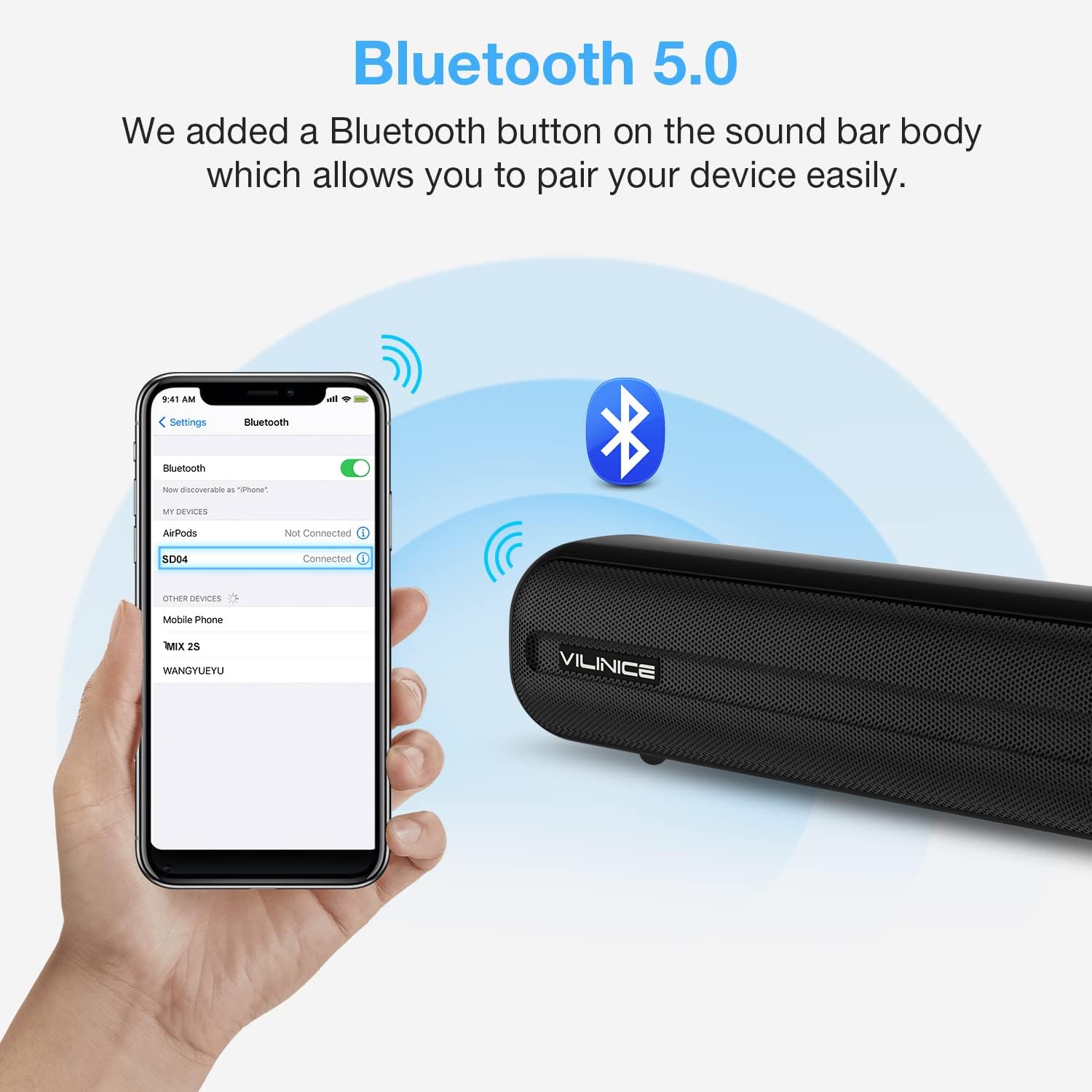
Image: A smartphone screen showing the Bluetooth settings with "SD04" selected for pairing, next to the VILINICE Sound Bar emitting Bluetooth signals.
7. Техникалык тейлөө
- Тазалоо: Үн тилкесинин бетин тазалоо үчүн жумшак, кургак чүпүрөктү колдонуңуз. Суюк тазалоочу каражаттарды же абразивдүү материалдарды колдонбоңуз.
- Сактагыч: Үн тилкесин узак убакытка сактасаңыз, аны розеткадан сууруп, салкын, кургак жерде сактаңыз.
- Вентиляция: Ensure the sound bar has adequate ventilation and is not covered, to prevent overheating.
8. Кыйынчылыктарды
| Көйгөй | Мүмкүн себеп | Чечим |
|---|---|---|
| Күч жок | Электр шнуру туташтырылган эмес же розетка иштебейт. | Ensure the power cord is securely connected to the sound bar and a working power outlet. |
| Үн жок | Incorrect input mode selected; volume too low; cables not connected properly. |
|
| Пульт иштебей жатат | Batteries are dead or incorrectly inserted; obstacle between remote and sound bar. |
|
| Bluetooth жупташуу көйгөйлөрү | Үн тилкеси жупташтыруу режиминде эмес; түзмөк өтө алыс; тоскоолдук бар. |
|
9. Техникалык шарттар
| Модель номери | SD04 |
| Динамик түрү | Surround, Soundbar |
| Динамиктин максималдуу чыгаруу күчү | 120 Ватт |
| Байланыш технологиясы | Auxiliary, Optical, HDMI-ARC, USB, Bluetooth 5.0 |
| Аудио чыгаруу режими | Курчап |
| Продукциянын өлчөмдөрү (D x W x Y) | 2.7" x 38.8" x 2.8" |
| Элемент Салмагы | 6.78 фунт |
| Башкаруу ыкмасы | Алыстан |
| Power Source | DC |
| Өзгөчө өзгөчөлүк | Equalizer (3 Modes), Built-in DSP |
10. Кепилдик жана колдоо
VILINICE provides lifetime technical support for this product. If you encounter any issues or have questions regarding your sound bar, please contact our customer support team. Refer to the contact information provided with your purchase or visit the official VILINICE webжардам үчүн сайт.