
1. Киришүү
Бул окуу куралыңызды коопсуз жана эффективдүү колдонуу үчүн керектүү маалыматты камтыйт SHARP 65EQ3EA 65-inch 4K Ultra HD Android Smart TV. Please read these instructions thoroughly before operating the television and retain them for future reference. This model features a frameless design, Quantum Dot display technology, Harman Kardon audio, and runs on the Android 11 (R) operating system.
Experience a premium design: the frameless contour of the SHARP EQ3EA integrates easily into any ambiance. Thanks to its slim aluminum frame, the television becomes an elegant accessory in your interior, even when turned off.
Bring premium cinematic images in 4K Ultra HD resolution to your home. Discover cinema-inspired HDR with Dolby Vision. Be captivated by deep contrasts and rich, precise colors. Thanks to Quantum Dot (Quantum Colour) technology, the EQ3EA can display the ultimate color space. The light sensor automatically adjusts brightness for even better images. With AQUOS Motion technology, even the fastest movements are displayed smoothly and realistically, allowing you to experience fast-paced scenes as if you were in the middle of the action.
The premium image is supported by a premium sound experience, thanks to the integrated Harman/Kardon hybrid audio system. The innovative driver configuration, composed of front-firing tweeters and down-firing woofers, delivers clear sounds and solid bass. Innovative Dolby Atmos and dts:X sound technologies allow you to enjoy 360-degree Virtual Surround sound that completely immerses you in your content.
Thanks to the current Android 11 (R) operating system, the SHARP EQ3EA is even smarter. With the integrated Google Assistant, you can easily control your TV by voice command. Additionally, 7,000 applications such as Netflix or Prime Video are available to you. The EQ3EA also excites gamers. The four HDMI 2.1 ports with eARC, ALLM, VRR, and QMS ensure low latency and variable frame rates. Thanks to the integrated Chromecast, the TV also supports Google Stadia.

Image 1.1: The SHARP 65EQ3EA television displaying vibrant content, highlighting its frameless design and Harman Kardon audio system.
2. Кутуда эмне бар
Carefully unpack your television and ensure all items are present. If any items are missing or damaged, please contact your retailer.
- SHARP 65EQ3EA 4K Ultra HD Android Smart TV
- Алыстан башкаруу
- 2 x AAA батарейкалар (алыстан башкаруу үчүн)
- Телевизор стендин орнотуу комплекти
- Quick Guide (Note: Language may vary)
3. Орнотуу
3.1. Алгачкы жайгаштыруу
- Place the TV on a stable, level surface or mount it on a wall using a VESA 200 x 200 mm compatible wall mount.
- Ашыкча ысып кетүүнүн алдын алуу үчүн телевизордун айланасында жетиштүү желдетүүнү камсыз кылыңыз.
- Avoid direct sunlight or strong light sources that may affect picture quality.
3.2. Туташтыруучу кабельдер
Connect all necessary external devices to the TV's ports. Refer to the image below for port locations.

Image 3.1: Rear panel of the SHARP 65EQ3EA TV, showing various input and output ports.
- HDMI: Connect up to four HDMI 2.1 devices (e.g., game consoles, Blu-ray players). These ports support eARC, ALLM, VRR, and QMS for enhanced gaming and audio.
- USB: Медиа ойнотуу же программалык камсыздоону жаңыртуу үчүн USB сактагыч түзмөктөрдү туташтырыңыз.
- Антенна/Спутник: Connect your terrestrial or satellite antenna cable for DVB-T/T2/C/S/S2 reception.
- LAN (RJ45): Зымдуу интернет байланышы үчүн.
- Оптикалык аудио чыгышы: Тышкы үн системасына туташуу үчүн.
- Гарнитура уячасы: Жеке угуу үчүн.
- Mini Composite/CVBS + Audio Input: Эски аналогдук түзмөктөр үчүн.
- Микро SD картаны окугуч: For additional storage or media.
3.3. Күйгүзүү жана баштапкы орнотуу
- Электр шнурду сыналгыга, андан кийин розеткага туташтырыңыз.
- Пульттагы же сыналгыдагы кубат баскычын басыңыз.
- Follow the on-screen instructions to complete the initial setup, including language selection, network connection (Wi-Fi or LAN), Google account login, and channel scanning.
- The integrated Google Assistant will guide you through setting up voice control.
4. Иштөө нускамалары
4.1. Remote Control Overview
Сыналгыңызды оңой багыттоо жана башкаруу үчүн алыстан башкаруу баскычтары менен таанышыңыз.

Image 4.1: The two remote controls included with the SHARP 65EQ3EA TV, showing various function buttons.
- Кубат баскычы: Телевизорду күйгүзөт же өчүрөт.
- Булак баскычы: Selects input sources (HDMI, TV, USB, etc.).
- Чабыттоо баскычтары (өйдө/төмөн/сол/оң/ОК): Менюда навигация жана тандоо үчүн.
- Үнүн жогорулатуу/төмөндөтүү: Үн деңгээлин тууралайт.
- Канал өйдө/төмөн: Телеканалдарды өзгөртөт.
- Үй баскычы: Android TV башкы экранына жетет.
- Netflix/YouTube/Prime Video баскычтары: Агымдык колдонмолорго түз жетүү.
- Google Жардамчы баскычы: Үн менен башкарууну иштетет.
4.2. Телевизордун негизги функциялары
- Күйгүзүү/өчүрүү: Алыстан башкаруу пультунун кубат баскычын басыңыз.
- Каналдарды өзгөртүү: Use the CH+/- buttons or enter channel numbers directly.
- Үндү тууралоо: VOL+/- баскычтарын колдонуңуз.
- Киргизүү булагын тандоо: Press the SOURCE button and select the desired input (e.g., HDMI 1, TV).
4.3. Smart TV өзгөчөлүктөрү (Android TV)
Your SHARP 65EQ3EA runs on Android 11 (R), providing access to a wide range of smart features.
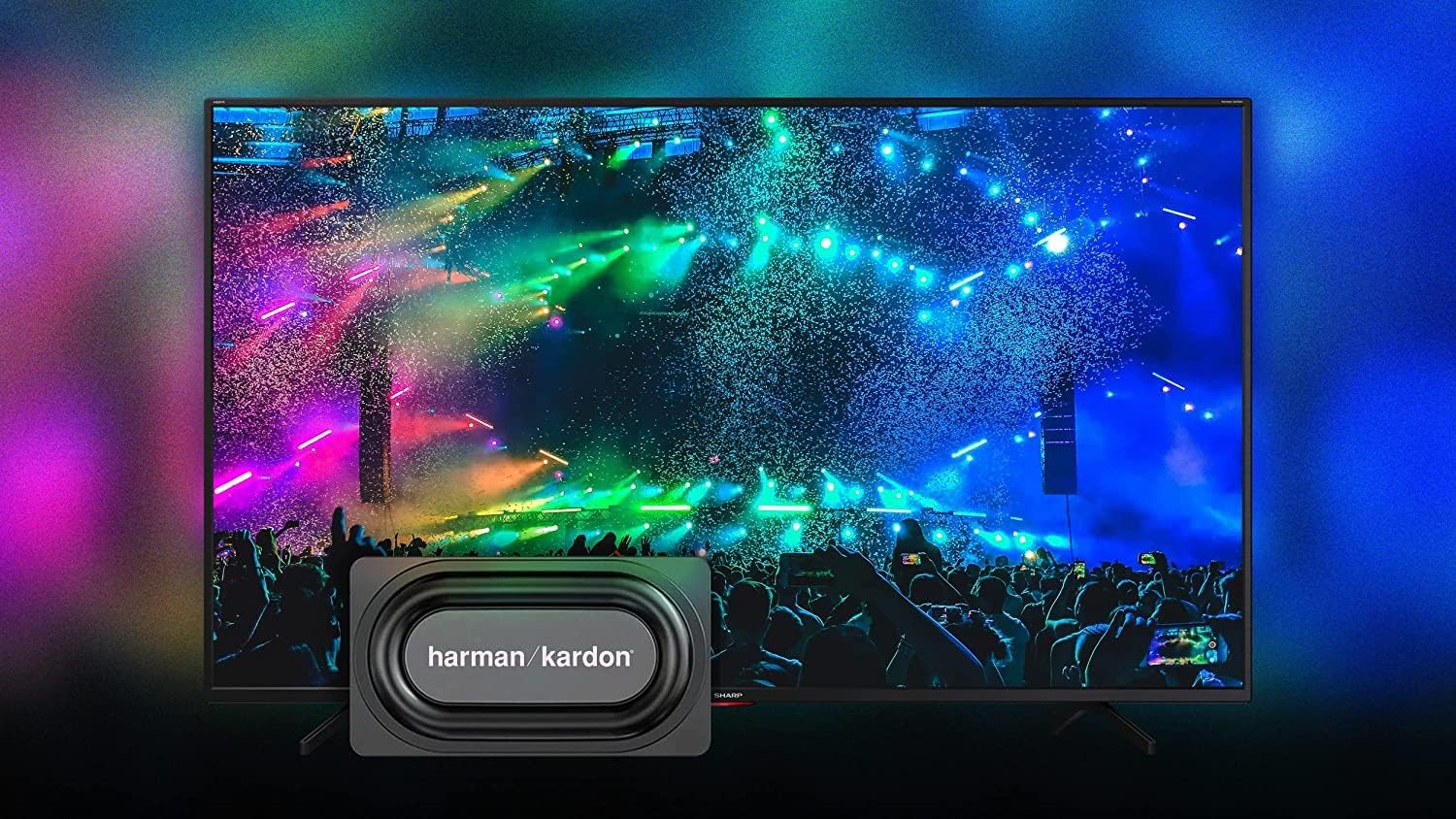
Image 4.2: The Android TV home screen on the SHARP 65EQ3EA, displaying various streaming applications and content recommendations.
- Башкы экран: Press the Home button to access your favorite apps, recommended content, and settings.
- Колдонмолор: Access pre-installed apps like Netflix, YouTube, Google Play Movies & TV, Google Play Store, and Prime Video. Download more apps from the Google Play Store.
- Google Жардамчысы: Use voice commands to search for content, control smart home devices, or get information. Press the Google Assistant button on your remote and speak into the microphone.
- Chromecast камтылган: Cast content (videos, photos, music) from your smartphone, tablet, or computer directly to your TV.
4.4. Аудио өзгөчөлүктөрү
The integrated Harman Kardon speaker system, combined with Dolby Atmos and DTS:X technologies, delivers an immersive audio experience.
- Harman Kardon Audio: Enjoy clear sounds and solid bass from the front-firing tweeters and down-firing woofers.
- Dolby Atmos жана DTS:X: These technologies provide 360-degree virtual surround sound, enhancing your viewтажрыйбасы.
- Аудио жөндөөлөрү: Adjust sound modes (e.g., Standard, Movie, Music) and equalizer settings in the TV's audio menu.
4.5. Оюн функциялары
The SHARP 65EQ3EA is designed to enhance your gaming experience.
- HDMI 2.1 порттору: Four HDMI 2.1 ports support advanced gaming features.
- eARC (жакшыртылган аудиону кайтаруу каналы): For high-quality audio passthrough to compatible sound systems.
- ALLM (Авто аз күтүү режими): Оюн консолу аныкталганда, телевизорду автоматтык түрдө аз кечигүү режимине которот.
- VRR (өзгөрмө жаңыртуу ылдамдыгы): Экранды жыртууну жана кекечтенүүнү азайтуу үчүн сыналгынын жаңыртуу ылдамдыгын оюн консолунун кадр ылдамдыгы менен синхрондоштуруу.
- QMS (тез медиа алмаштыруу): Reduces black screen time when switching between different frame rates.
- Google Stadia Support: The integrated Chromecast allows for direct streaming of Google Stadia games.
5. Техникалык тейлөө
5.1. Экранды тазалоо
- Тазалоодон мурун дайыма сыналгыдан ажыратыңыз.
- Use a soft, lint-free cloth (e.g., microfiber) to gently wipe the screen.
- өжөр белгилери үчүн, жеңил гampчүпүрөккө суу же атайын экран тазалоочу каражат. Эч качан тазалагычты түздөн-түз экранга чачпаңыз.
- Avoid using abrasive cleaners, alcohol, or solvents, as these can damage the screen surface.
5.2. Программалык камсыздоону жаңыртуу
- Сыналгыңыз интернетке туташып турганын текшериңиз.
- Navigate to the TV's settings menu to check for and install available software updates.
- Regular updates ensure optimal performance, security, and access to new features.
6. Кыйынчылыктарды
If you encounter problems with your TV, refer to the following common issues and solutions.
| Көйгөй | Мүмкүн чечим |
|---|---|
| Күч жок | Электр шнуру бекем туташтырылганын текшериңиз. Розетка иштеп жатканын текшериңиз. Телевизордун өзүндөгү кубат баскычын басып көрүңүз. |
| Сүрөт жок, бирок үн бар | Киргизүү булагын текшериңиз. Тышкы түзмөктөрдүн туура сайылып, туташтырылганын текшериңиз. Башка HDMI кабелин колдонуп көрүңүз. |
| Үн жок, бирок сүрөт бар | Үн деңгээлин текшериңиз. Үнсүз режими иштетилбегенин текшериңиз. Эгер тышкы динамиктерди колдонсоңуз, аудио чыгаруу жөндөөлөрүн текшериңиз. |
| Пульт иштебей жатат | Батареяларды алмаштырыңыз. Пульт менен сыналгынын IR сенсорунун ортосунда эч кандай тоскоолдуктар жок экенин текшериңиз. |
| Wi-Fi'га туташпай жатат | Ensure your Wi-Fi router is on and working. Re-enter the Wi-Fi password. Try restarting your router and TV. |
| Smart TV apps are slow or unresponsive | Check your internet connection speed. Close unused apps. Restart the TV. Clear app cache in settings. |
7. Техникалык шарттар
Detailed technical specifications for the SHARP 65EQ3EA TV.

Image 7.1: Diagram showing the dimensions of the SHARP 65EQ3EA television.
| Өзгөчөлүк | Деталь |
|---|---|
| Бренд | Sharp |
| Модель номери | 65EQ3EA |
| Screen Size | 65 дюйм (164 см) |
| Дисплей технологиясы | LED with Quantum Dot (Q-COLOUR) |
| Резолюция | 4K Ultra HD (3840 x 2160 пиксель) |
| Жаңыртуу ылдамдыгы | 60 Hz (Active Motion 1000) |
| Операция системасы | Android 11 (R) |
| Өзгөчөлүктөр | Frameless Design, Google Assistant, Chromecast built-in, Dolby Vision, HDR10, HLG, Dolby Atmos, dts:X, dts Virtual:X, Harman Kardon Speaker System, AQUOS UltraClear, AQUOS Motion, Optical Picture Control (OPC) Light Sensor, Google Stadia Support |
| Байланыш технологиясы | Ethernet, HDMI, USB, Bluetooth, Wi-Fi |
| Байланыштар | 4 x HDMI 2.1 (eARC, ALLM, VRR, QMS), 2 x USB, Micro SD Card Reader, Antenna Input, Satellite Input, Headphone Jack, Digital Optical Audio Output, Mini Composite/CVBS + Audio Input, LAN (RJ45) |
| тюнер | Triple UHD Tuner DVB-T/T2/C/S/S2 (MPEG4 + H.265) /HEVC (10 bits) |
| Аудио чыгаруу | 2 x 15W (Harman Kardon) |
| VESA стандарты | 200 x 200 мм |
| Түс | Кара |
| Батареялар | 2 AAA (кошулган) |
| Колдоого алынган Интернет кызматтары | Amazon Instant Video, Google TV, Netflix, YouTube |
8. Кепилдик жана колдоо
Your SHARP 65EQ3EA television comes with a standard manufacturer's warranty. Please refer to the warranty card included in the packaging for specific terms and conditions, including warranty period and coverage details. For technical support, service, or inquiries about spare parts, please contact Sharp customer service or your authorized retailer. Keep your purchase receipt as proof of purchase for warranty claims.