
iRobot i155220
iRobot Roomba i1+ (i155220) Өзүн-өзү бошотуучу робот чаң соргучтун колдонуу боюнча колдонмосу
Модел: i155220
1. Киришүү
The iRobot Roomba i1+ (i155220) is a self-emptying robot vacuum designed to automate floor cleaning. It features intelligent navigation, powerful suction, and a Clean Base Automatic Dirt Disposal system, allowing the robot to empty its own dust bin for extended periods.
This manual provides essential information for setting up, operating, maintaining, and troubleshooting your Roomba i1+ robot vacuum.
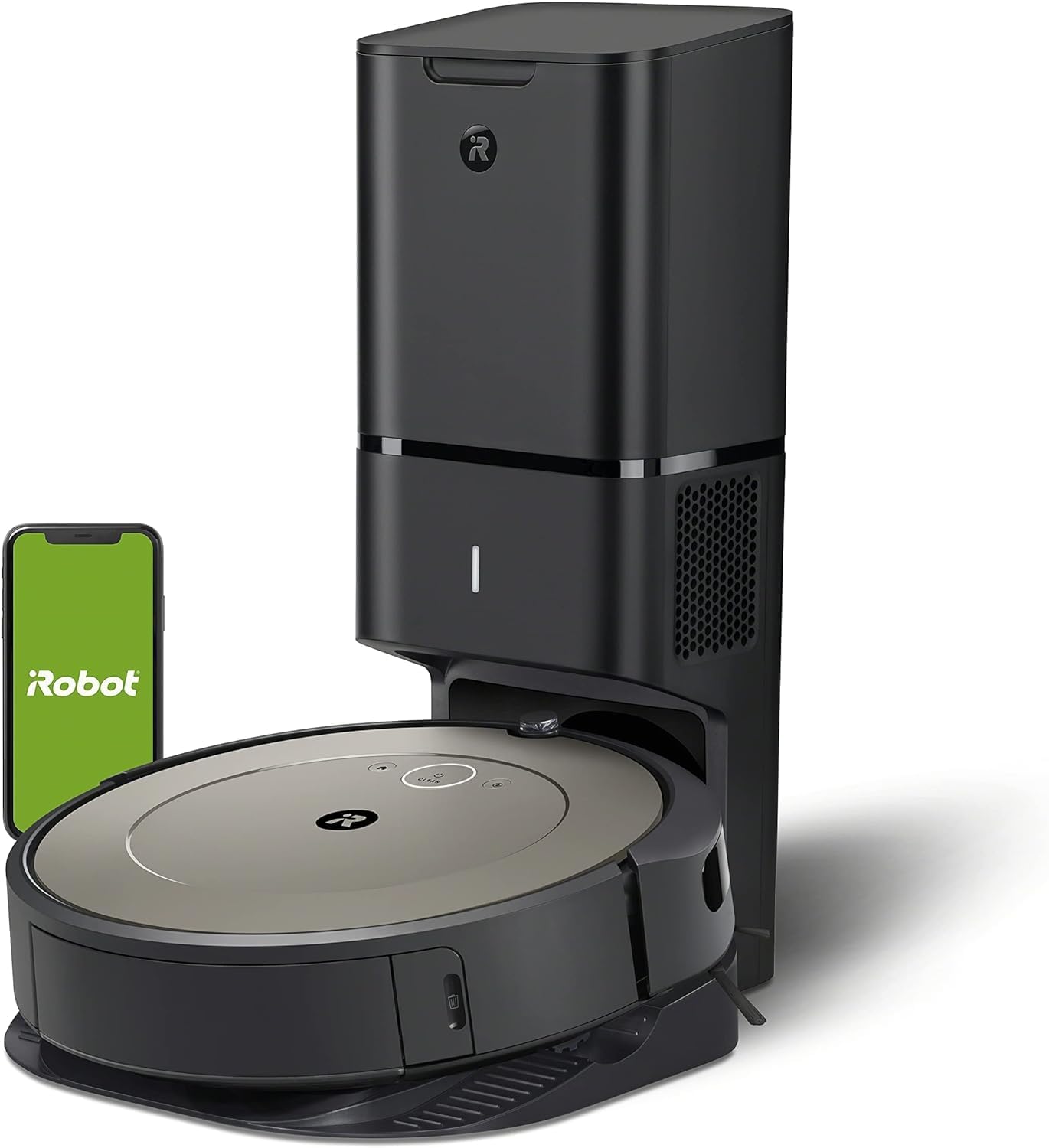
Image 1: The Roomba i1+ robot vacuum docked with its Clean Base Automatic Dirt Disposal unit.
2. Пакеттин мазмуну
- iRobot Roomba i1+ робот чаң соргуч
- Таза база кирди жок кылуу
- 1 Dirt Disposal Bag (pre-installed in Clean Base)
- Line Cord
- Owner's Guide (this document)
3. Орнотуу
- Place the Clean Base: Select a location for the Clean Base that is near a wall outlet and on a level surface. Ensure there is clear space around the base (at least 1.5 feet on each side and 4 feet in front).
- Плагин: Connect the line cord to the Clean Base and then to a wall outlet. The indicator light on the Clean Base will illuminate.
- Роботту заряддоо: Place the Roomba robot onto the Clean Base charging contacts. The robot will power on and begin charging. Allow at least 3 hours for a full charge before first use.
- iRobot Home колдонмосун жүктөп алыңыз: For full functionality, download the iRobot Home app on your smartphone or tablet. Follow the in-app instructions to connect your Roomba i1+ to your Wi-Fi network. The app enables scheduling, cleaning preferences, and provides access to additional features.
4. Иштөө нускамалары
Starting a Cleaning Job
- Кол менен баштоо: Press the CLEAN button on the robot once to wake it up, then press CLEAN again to start a cleaning cycle.
- iRobot Home тиркемесин колдонуу: Open the app and select 'CLEAN' to start a cleaning job. You can also set up cleaning schedules and customize cleaning preferences through the app.
Тыныгуу жана улантуу
- To pause the robot during a cleaning cycle, press the CLEAN button.
- To resume, press the CLEAN button again.
Ending a Cleaning Job / Sending Home
- To send the robot back to its Clean Base during a cleaning cycle, press the CLEAN button and hold it for 2-3 seconds.
- Alternatively, use the 'Home' button in the iRobot Home app.
Негизги өзгөчөлүктөрү
- Интеллектуалдык навигация: The Roomba i1+ uses floor tracking sensors to clean in neat, efficient rows.
- Кирди аныктоо технологиясы: The robot identifies and focuses on dirtier areas of your home for a more thorough clean.
- Automatic Dirt Disposal: The robot automatically empties its dust bin into the Clean Base, which holds up to 60 days of debris.
5. Техникалык тейлөө
Regular maintenance ensures optimal performance of your Roomba i1+ robot vacuum.
Таза база кирди жок кылуу
- Replace Dirt Disposal Bag: The Clean Base bag should be replaced approximately every 60 days, or when the indicator light on the Clean Base turns solid red. To replace, lift the lid, pull up on the bag tab to remove, and insert a new bag.

Image 2: The Clean Base Automatic Dirt Disposal system actively transferring debris from the robot's bin into a sealed bag.
Робот тейлөө
- Таза щеткалар: Regularly remove hair and debris from the multi-surface rubber brushes. Pinch the brush frame release tabs, lift the frame, and remove the brushes.
- Таза чыпка: Remove the filter from the robot's dust bin and tap it against a trash can to clear debris. Replace the filter every 2-3 months.
- Clean Caster Wheel: Pull firmly on the front caster wheel to remove it. Clear any hair or debris from the wheel and its housing.
- Таза сенсорлор: Wipe the charging contacts on the robot and Clean Base, as well as the cliff sensors and dirt detect sensors on the robot's underside, with a clean, dry cloth.
6. Кыйынчылыктарды
If your Roomba i1+ encounters an issue, the robot will play an audible alert and the indicator light will flash. Consult the iRobot Home app for specific error messages and troubleshooting steps.
Жалпы маселелер жана чечимдер:
- Робот заряддалбай жатат: Ensure the Clean Base is plugged in and the robot is properly aligned on the charging contacts. Clean the charging contacts on both the robot and the Clean Base.
- Туташуу маселелери (Wi-Fi): Verify your Wi-Fi network is active. Restart your router, then attempt to reconnect the robot via the iRobot Home app. Ensure the robot is within Wi-Fi range.
- Robot Not Emptying: Check if the dirt disposal bag in the Clean Base is full or improperly installed. Ensure the Clean Base's suction port is clear of obstructions.
- Начар тазалоо көрсөткүчтөрү: Clean the multi-surface brushes, filter, and caster wheel. Ensure the robot's dust bin is not full (though it should self-empty).
- Robot Stuck/Error Messages: Clear any obstacles from the robot's path. If an error persists, try rebooting the robot by holding the CLEAN button for 10 seconds until the light ring turns white, then release.
7. Техникалык шарттар
| Өзгөчөлүк | Деталь |
|---|---|
| Бренд | iRobot |
| Модель аты | iRobot® Roomba® i1+ (1552) Wi-Fi® Connected Robot Vacuum with Automatic Dirt Disposal |
| Модель номери | i155220 |
| Өзгөчө өзгөчөлүк | Чаңды автоматтык түрдө чогултуу, өзүн-өзү бошотуу |
| Түс | Бадам |
| Продукциянын өлчөмдөрү | 13"L x 13"W x 3.6"H |
| Элемент Салмагы | 21.8 фунт |
| Power Source | Батарея менен иштейт |
| Батарея түрү | Литий-ион (кошулган) |
| Чыпка түрү | Диск |
| Башкаруу ыкмасы | Колдонмо |
| Шайкеш түзмөктөр | Amazon Echo |
| UPC | 885155029904 |
8. Кепилдик жана колдоо
For information regarding your product's warranty, please refer to the warranty card included in your product packaging or visit the official iRobot webсайт. Кепилдиктин шарттары аймакка жана сатуучуга жараша өзгөрүшү мүмкүн.
If you require technical assistance, have questions about your product, or need to order replacement parts, please contact iRobot Customer Care. Support contact information can typically be found on the iRobot website or within the iRobot Home app.
When contacting support, please have your robot's serial number and proof of purchase available.
Ask a question about this manual
Ask about setup, troubleshooting, compatibility, parts, safety, or missing instructions. Manuals+ will review the question and use this page’s manual context to help answer it.