
Introduction
Thank you for choosing the mcdodo MC-7051 Magnetic Fast Wireless Power Bank. This device is designed to provide convenient and efficient charging for your compatible smartphones and other devices. Please read this manual carefully before use to ensure proper operation and to maximize the lifespan of your product.
Продукт өзгөчөлүктөрү
- 5000mAh Батарея сыйымдуулугу: камсыз кылат ample power for on-the-go charging.
- 15W тез зымсыз кубаттоо: Offers quick and efficient wireless power delivery.
- Магниттик тиркеме: Securely attaches to compatible devices for stable wireless charging.
- Интегралдык стенд: Features a foldable stand for comfortable viewзаряддоо учурунда.
- USB Type-C порту: For recharging the power bank and wired charging of devices.
- Кош кубаттоо мүмкүнчүлүгү: Supports both wireless and wired charging.
- Компакт жана портативдик дизайн: Easy to carry for daily use and travel.
Пакеттин мазмуну
- mcdodo MC-7051 Magnetic Fast Wireless Power Bank
- USB Type-C кубаттоочу кабель
- User Manual
Жайгашуу
Power Bank заряддоо
- Connect the provided USB Type-C charging cable to the USB Type-C port on the power bank.
- Кабелдин экинчи учун туура келген USB кубат адаптерине (кошумча эмес) же компьютердин USB портуна туташтырыңыз.
- The LED indicators on the power bank will illuminate to show the charging status. A full charge is indicated when all LEDs are solid.
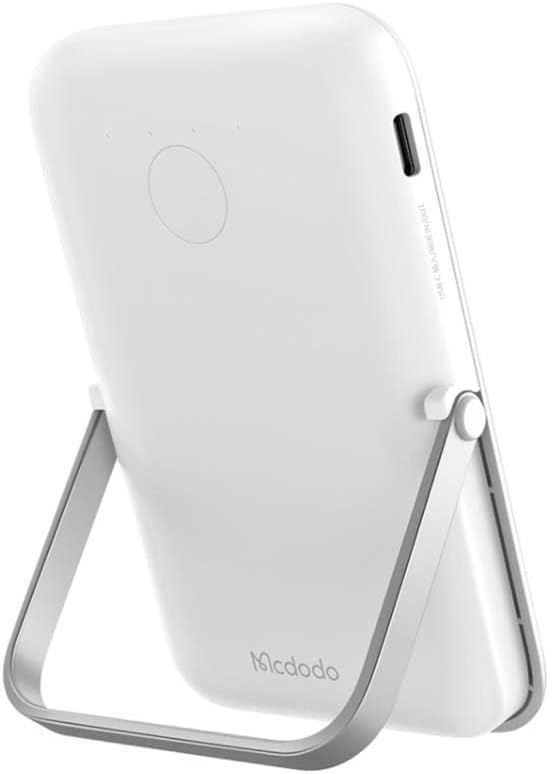
Image: The mcdodo MC-7051 Power Bank, viewed from the side, highlighting the USB Type-C charging port for recharging the device.
Баштапкы колдонуу
Оптималдуу иштеши үчүн, Power Bankты биринчи жолу колдонуудан мурун толук кубаттаңыз.
Иштөө нускамалары
Зымсыз заряддоо
- Ensure your smartphone is compatible with magnetic wireless charging (e.g., iPhone 12 series or newer, or other phones with magnetic cases).
- Align the back of your compatible smartphone with the magnetic charging area on the power bank. The magnets will automatically snap into place.
- The power bank will automatically begin wireless charging. Check your phone's screen for the charging indicator.
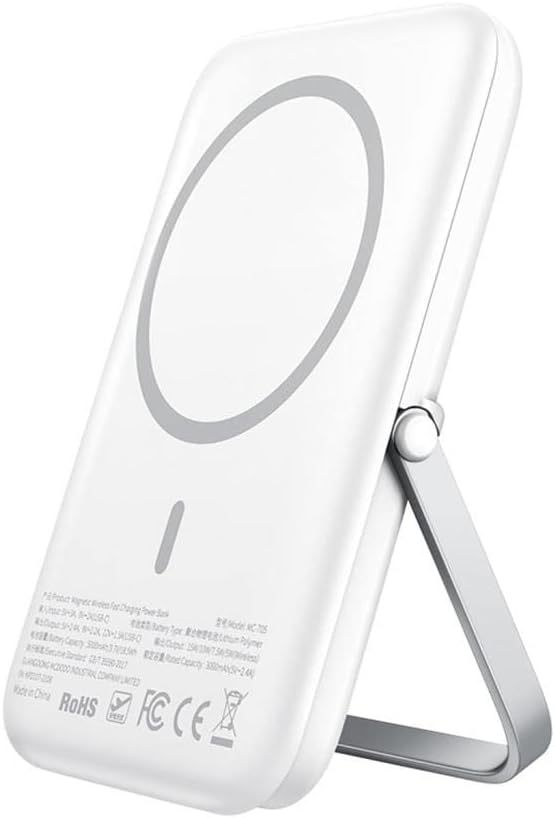
Image: The mcdodo MC-7051 Power Bank shown magnetically attached to the back of a smartphone, with its integrated kickstand extended to support the phone in an upright position.
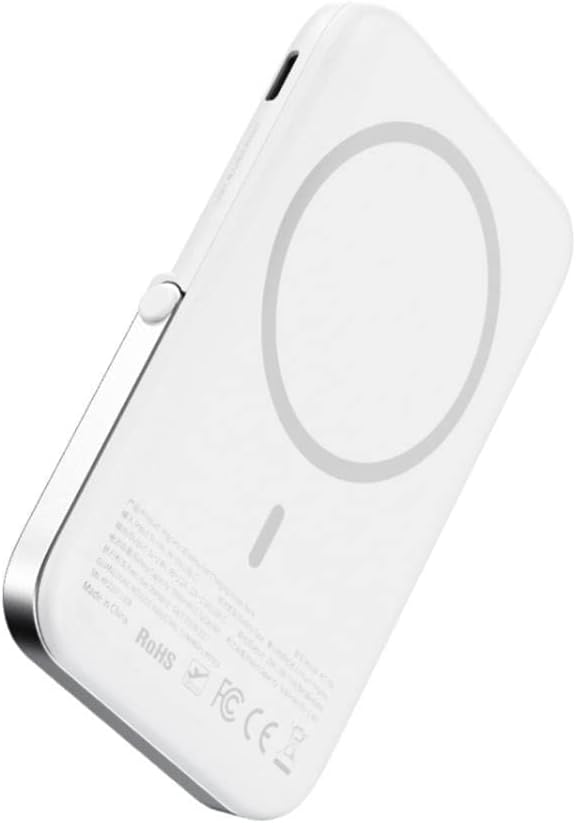
Сүрөт: жакын план view of the mcdodo MC-7051 Power Bank's back surface, clearly displaying the circular magnetic charging area and product labels.
Зымдуу кубаттоо
To charge a device via cable:
- Connect one end of a compatible USB Type-C cable (or your device's charging cable) to the power bank's USB Type-C port.
- Кабелдин экинчи учун шайманга туташтырыңыз.
- Power банк түзмөгүңүздү автоматтык түрдө кубаттай баштайт.
Using the Integrated Stand
The power bank features a foldable stand for convenient viewing:
- Gently pull out the stand from the back of the power bank.
- Стендди өзүңүз каалагандай тууралаңыз viewбурч.
- Place your magnetically attached smartphone on a flat surface using the stand.
Техникалык тейлөө
- Тазалоо: Power bankты жумшак, кургак чүпүрөк менен сүртүңүз. Катуу химиялык заттарды же абразивдүү материалдарды колдонбоңуз.
- Сактагыч: Power банкты күн тийбеген жана экстремалдык температурадан алыс, салкын, кургак жерде сактаңыз.
- Батареяга кам көрүү: Батареянын иштөө мөөнөтүн узартуу үчүн, эгерде үзгүлтүксүз колдонулбаса, Power Bankты жок дегенде үч айда бир жолу толук кубаттап туруңуз. Батареянын тез-тезден толугу менен түгөнүп калышынан алыс болуңуз.
- Тамчылардан качуу: Powerbankты түшүрүп албаңыз же катуу соккуга дуушар кылбаңыз.
Проблемаларды чечүү
- Power банк кубатталбай жатат: Кубаттоочу кабелдин кубат банкына жана кубат адаптерине бекем туташтырылганын текшериңиз. Башка кабелди же адаптерди колдонуп көрүңүз.
- Түзмөк зымсыз кубатталбай жатат: Ensure your device is compatible with magnetic wireless charging and is properly aligned with the power bank's charging area. Remove any thick phone cases that may interfere with wireless charging.
- Жай кубаттоо: Ensure you are using a fast-charging compatible adapter for the power bank and that your device supports fast wireless charging.
- Магниттик байланыш алсыз: Ensure your phone or case has magnetic compatibility. Foreign objects between the power bank and phone can also weaken the magnetic connection.
- LED индикаторлору иштебей жатат: If the power bank is completely drained, it may take a few minutes for the LEDs to light up after connecting to power. If the issue persists, contact support.
Техникалык шарттар
| Модель номери | MC-7051 |
| Бренд | mcdodo |
| Батарея сыйымдуулугу | 5000 мАч |
| Зымсыз кубаттоо чыгышы | 15 Вт чейин |
| Туташтыргыч түрү | USB Type-C |
| Порттардын саны | 2 (1x USB Type-C for input/output, 1x Wireless Charging) |
| Өзгөчөлүктөр | Fast Charge, Wireless Charge, Magnetic Attachment, Integrated Stand |
| Шайкеш телефон моделдери | Smartphones (with magnetic wireless charging capability for optimal use) |
| Power Source | Батарея менен иштейт |
| Кайра колдонууга жарамдуу | Зарядкалуу |
| Продукциянын өлчөмдөрү | 6 x 6 x 2 см |
Коопсуздук маалыматы
- Power bankты өтө жогорку температурага (45°C жогору же 0°C төмөн) дуушар кылбаңыз.
- Keep away from water, moisture, and flammable liquids.
- Түзмөктү бөлүктөргө бөлбөңүз, тешпеңиз же өзгөртпөңүз.
- Балдар жетпеген жерде сактаңыз.
- Avoid placing metal objects between the power bank and your device during wireless charging, as this may cause overheating.
- If the power bank swells, emits an odor, or becomes excessively hot during use or charging, discontinue use immediately and contact support.
- Жергиликтүү эрежелерге ылайык кубат банкын жоопкерчилик менен жок кылыңыз. Аны тиричилик таштандылары менен таштабаңыз.
Кепилдик жана колдоо
This mcdodo product is covered by a standard manufacturer's warranty. For specific warranty terms and conditions, please refer to the warranty card included with your purchase or visit the official mcdodo website. If you encounter any issues or require technical assistance, please contact mcdodo customer support through their official channels.