
1. Киришүү
This manual provides instructions for the safe and efficient operation of your MIFA S2118 WildRod Portable Bluetooth Speaker. Please read this manual thoroughly before using the product and retain it for future reference.
2. Пакеттин мазмуну
Пакетте бардык буюмдар бар экенин текшериңиз:
- MIFA WildRod Speaker
- USB-C Cable
- Колдонуучунун Колдонмосу (бул документ)
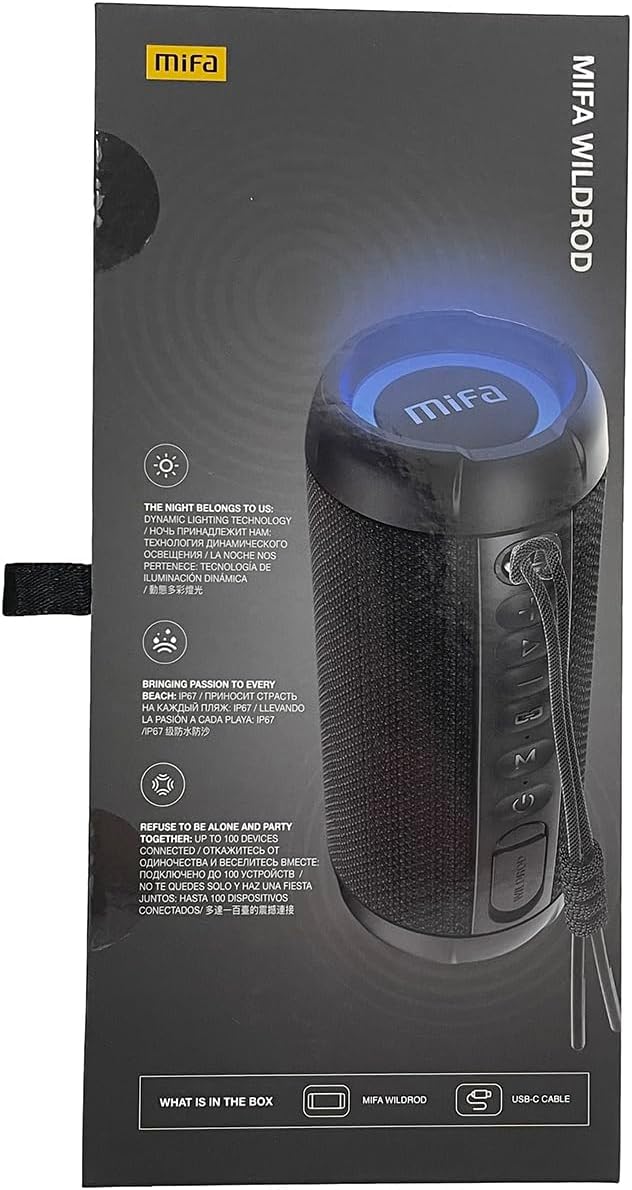
3. Продукт бүтүп калдыview
The MIFA S2118 WildRod is a portable Bluetooth speaker designed for outdoor use, featuring robust construction and dynamic audio capabilities.
Негизги өзгөчөлүктөрү:
- IP67 суу жана чаң өткөрбөйт: Designed to withstand immersion in water up to 1 meter for 30 minutes and protected against dust ingress.
- 30W чыгаруу кубаттуулугу: Delivers clear and powerful sound with a 2-way speaker system, including a racetrack-shaped woofer and a separate tweeter.
- Dynamic LED Light: Features 16.8 million Aurora colors and 36 mixed color flashing lights that synchronize with music.
- Bluetooth 5.3: For stable wireless connectivity.
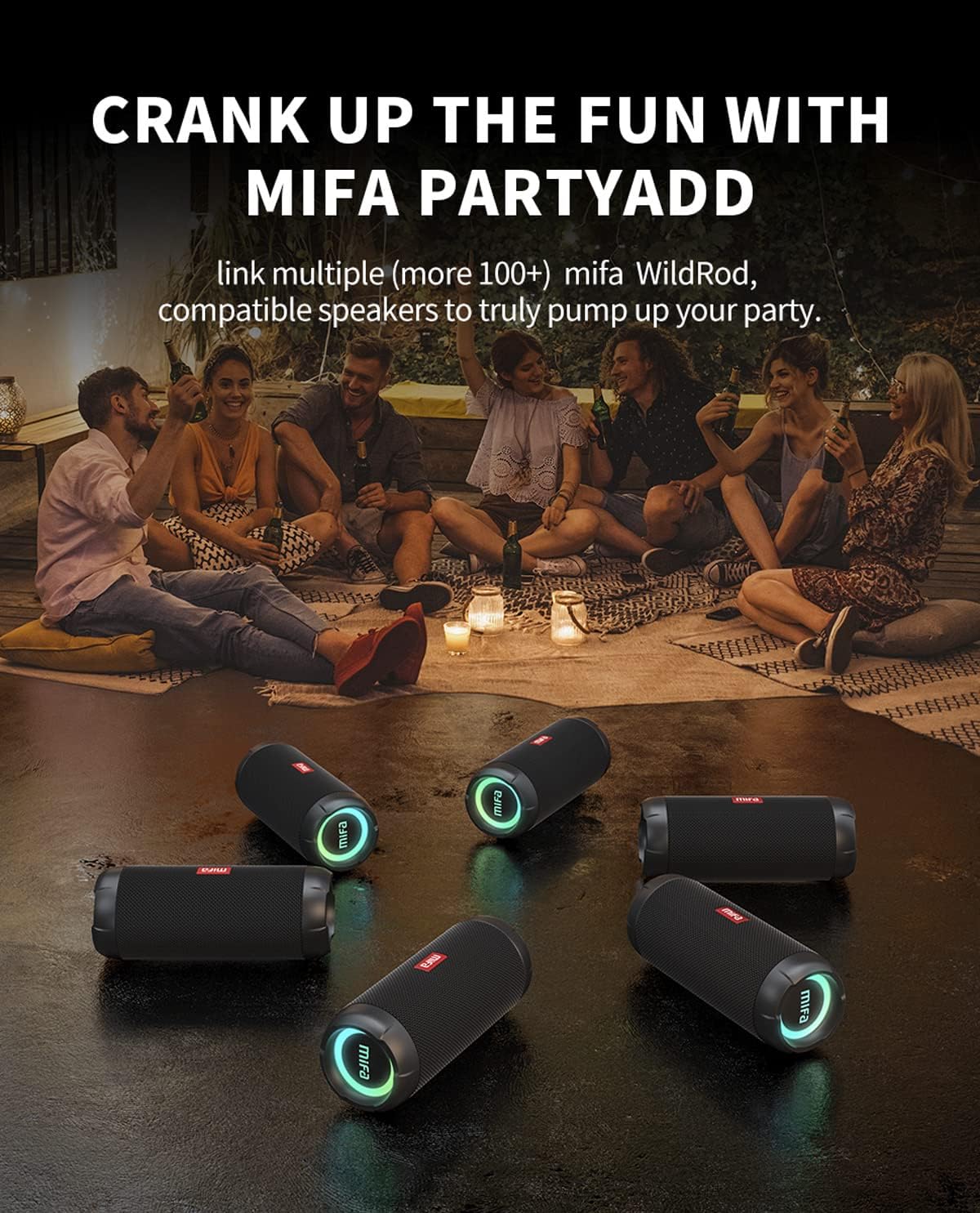
- MIFA PartyAdd: Allows linking multiple (100+) compatible speakers for synchronized audio.
- 12 саат ойноо убактысы: Equipped with a 5000mAh lithium battery.
- Бир нече киргизүү параметрлери: Supports Bluetooth and Micro SD card playback.


4. Орнотуу
4.1 Алгачкы заряддоо
- Биринчи жолу колдонуудан мурун, берилген USB-C кабелин колдонуп, динамикти толугу менен кубаттаңыз.
- Connect the USB-C cable to the charging port on the speaker and the other end to a compatible USB power adapter (not included).
- LED индикатору кубаттоо абалын көрсөтүп, толук кубатталганда өчөт же түсүн өзгөртөт.

5. Иштөө нускамалары
5.1 Күйгүзүү/өчүрүү
- Күйгүзүү үчүн, кубат баскычын индикатор жарыгы күйгүчө басып туруңуз.
- Өчүрүү үчүн, индикатор жарыгы өчкөнгө чейин Кубат баскычын басып, кармап туруңуз.
5.2 Bluetooth жупташтыруу
- Динамиктин күйүп турганын жана Bluetooth жупташтыруу режиминде экенин текшериңиз (индикатор жарыгы күйүп-өчөт).
- Түзмөгүңүздө (смартфон, планшет ж.б.) Bluetooth иштетиңиз жана жеткиликтүү түзмөктөрдү издеңиз.
- Select "MIFA S2118" or "MIFA WildRod" from the list of devices.
- Жупташкандан кийин динамик ийгиликтүү туташууну көрсөтүп, индикатор жарыгы катуу болуп калат.
5.3 Ойнотуу башкаруулары
- Ойнотуу/тындыруу: Play/Pause баскычын басыңыз.
- Көлөмү: Көлөм + баскычын басыңыз.
- Үнүн азайтуу: Үн көлөмү - баскычын басыңыз.
- Кийинки трек: Көлөмү + баскычын басып, кармап туруңуз.
- Мурунку трек: Үн көлөмү - баскычын басып, кармап туруңуз.
5.4 LED жарык режимдери
The speaker features dynamic LED lights. Refer to the specific button on your speaker (often marked with a light icon) to cycle through different light modes or turn them off.
5.5 MIFA PartyAdd (True Wireless Stereo Pairing)
To connect multiple MIFA WildRod speakers for a synchronized audio experience:
- Эки динамик тең күйгүзүлгөнүн жана эч кандай Bluetooth түзмөгүнө туташкан эмес экенин текшериңиз.
- On one speaker, press the PartyAdd button (or designated TWS button). It will enter pairing mode.
- Процессти экинчи динамикте кайталаңыз.
- Once connected, the speakers will indicate successful pairing. You can then connect your device to one of the speakers via Bluetooth.

5.6 Micro SD карта ойнотуу
Аудио менен Micro SD картаны салыңыз files into the designated slot. The speaker will automatically switch to Micro SD card playback mode. Use the playback controls to manage your music.
6. Техникалык тейлөө
- Тазалоо: жумшак колдонуу, damp спикердин сыртын тазалоо үчүн кездеме. Катуу химиялык заттарды же абразивдүү тазалагычтарды колдонбоңуз.
- Сактагыч: Динамикти түз күн нурунан жана өтө температурадан алыс салкын, кургак жерде сактаңыз.
- Батареяга кам көрүү: Батареянын иштөө мөөнөтүн узартуу үчүн, көпкө чейин иштебей турганда динамикти толук кубаттаңыз. Батареянын кубатын тез-тез толугу менен түгөтүп коюудан алыс болуңуз.
7. Кыйынчылыктарды
| Көйгөй | Мүмкүн себеп | Чечим |
|---|---|---|
| Динамик күйбөйт. | Батарея аз. | Динамикти толук заряддаңыз. |
| Bluetooth аркылуу жупташтыруу мүмкүн эмес. | Динамик жупташтыруу режиминде эмес; түзмөк Bluetooth өчүк; спикерден өтө алыс. | Динамик жупташтыруу режиминде экенин текшериңиз. Түзмөктүн Bluetooth'ун өчүрүп күйгүзүңүз. Түзмөктү динамикке жакыныраак жылдырыңыз. |
| Үн жок. | Үнү өтө төмөн; түзмөк туташкан эмес; киргизүү булагы туура эмес. | Increase volume on both speaker and device. Re-pair Bluetooth. Check if Micro SD card is inserted. |
| Үндүн бузулушу. | Үн өтө жогору; батареянын заряды аз. | Үндү азайтыңыз. Динамикти кубаттаңыз. |
8. Техникалык шарттар
- Модель аты: WildRod
- Модель номери: S2118
- Бренд: MIFA
- Динамиктин максималдуу чыгаруу күчү: 30 Ватт
- Жыштык жообу: 20000 Гц
- Байланыш технологиясы: USB (for charging), Bluetooth 5.3
- Аудио чыгаруу режими: Стерео
- Киргизүү көлөмүtage: 5 вольт
- Монтаж түрү: Стол үстү
- Материал: Waterproof and dustproof plastic with LED lights
- Динамик түрү: Сыртта
- Батареялар: 1 литий-иондук батарейка (кошулган)
- Продукциянын өлчөмдөрү: 7 x 7 x 19 см
- Салмагы: 600 г
- Суу өткөрбөйт рейтинги: IP67
- Чаң өткөрбөйт рейтинги: IP6X
- Оюн убактысы: 12 саатка чейин
9. Коопсуздук маалыматы
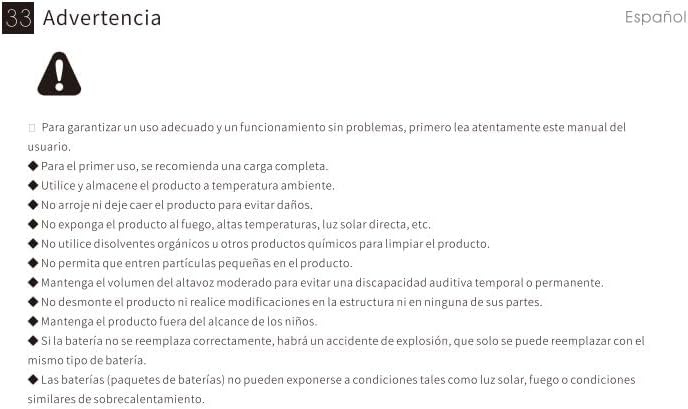
⚠ Эскертүү: For proper use and trouble-free operation, please read this user manual carefully first.
- For first use, a full charge is recommended.
- Бөлмө температурасында продуктуну колдонуу жана сактоо.
- Буюмга зыян келтирбөө үчүн түшүрбөңүз.
- Продукцияны отко, жогорку температурага, тике күн нуруна ж.б.
- Do not use organic solvents or other chemical products to clean the product.
- Майда бөлүкчөлөрдүн продуктка киришине жол бербеңиз.
- Maintain moderate speaker volume to avoid temporary or permanent hearing impairment.
- Do not disassemble the product or make modifications to the structure or any of its parts.
- Продукцияны балдар жетпеген жерде сактаңыз.
- If the battery is not replaced correctly, there will be an explosion accident, and it can only be replaced with the same type of battery.
- Batteries (battery packs) cannot be exposed to conditions such as light, fire, or overheating.
10. Кепилдик жана колдоо
MIFA products are covered by a limited warranty. For detailed warranty information and support, please visit the official MIFA webсайтка же кардарларды тейлөөгө кайрылыңыз.
- Өндүрүүчү: MIFA INNOVATIONS ООО
- Webсайт: www.mifa.net
- Байланыш: 4007-881-899
