
9 DIGITAL Lite
9 DIGITAL Bone Conduction Headphones Lite User Manual
Модел: Lite
Introduction
Thank you for choosing the 9 DIGITAL Bone Conduction Headphones Lite. These open-ear headphones utilize patented bone conduction technology to deliver audio through your cheekbones, allowing you to remain aware of your surroundings while enjoying sound. Designed for comfort and durability, they are ideal for various activities including running, cycling, hiking, and gym workouts.

Image: The 9 DIGITAL Bone Conduction Headphones Lite in black, showcasing алардын эргономикалык дизайны.
Bone conduction technology transmits sound vibrations directly to the inner ear via the cheekbones, bypassing the eardrum. This method allows for an open-ear listening experience, enhancing safety during outdoor activities by keeping your ears open to ambient sounds.
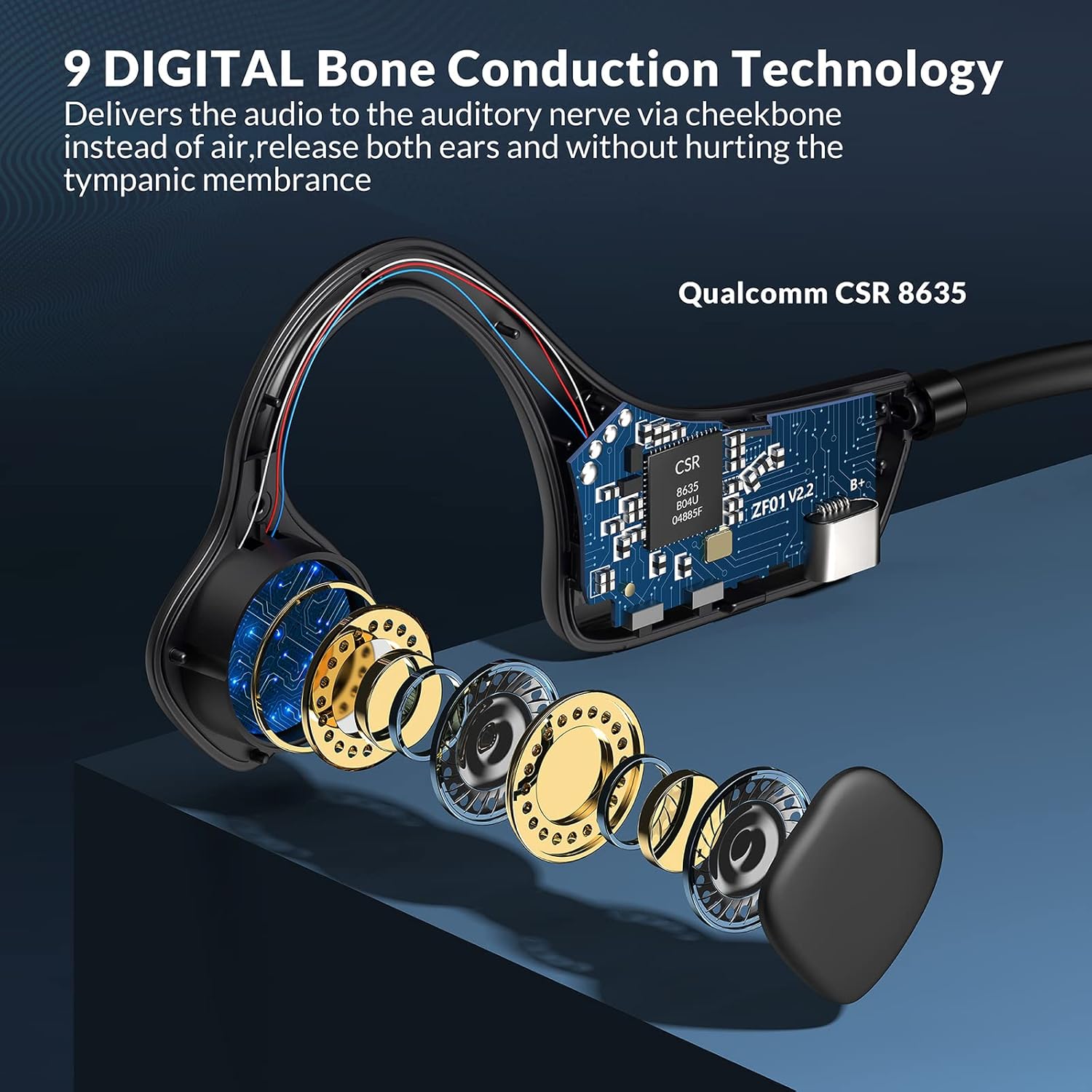
Сүрөт: жарылган view illustrating the internal bone conduction components and Qualcomm CSR 8635 chip.
Жайгашуу
1. Наушниктерди заряддоо
Биринчи жолу колдонуудан мурун, кулакчыныңызды толук кубаттаңыз. Толук кубаттоо болжол менен 2 саатты талап кылат.
- Connect the charging cable to the USB port on the headphones.
- Кабелдин экинчи учун USB кубат булагына туташтырыңыз (мисалы, компьютер, дубал адаптер).
- The LED indicator will show charging status (refer to product specific LED behavior for details).
2. Bluetooth Жупташтыруу
The headphones use Bluetooth 5.0 for wireless connectivity.
- Наушниктердин өчүрүлгөнүн текшериңиз.
- Press and hold the power button (often the multifunction button) for approximately 3-5 seconds until the LED indicator flashes red and blue, indicating pairing mode.
- Түзмөгүңүздө (смартфон, планшет, компьютер) Bluetooth иштетип, жеткиликтүү түзмөктөрдү издеңиз.
- Select "9 DIGITAL Lite" (or similar name) from the list of devices.
- Туташтырылгандан кийин, LED индикатору, адатта, көк түстө же жай көк түстө жаркылдайт.
3. Наушник тагынуу
Position the transducers on your cheekbones, just in front of your ears, with the band resting comfortably behind your head. The open-ear design ensures comfort and situational awareness.
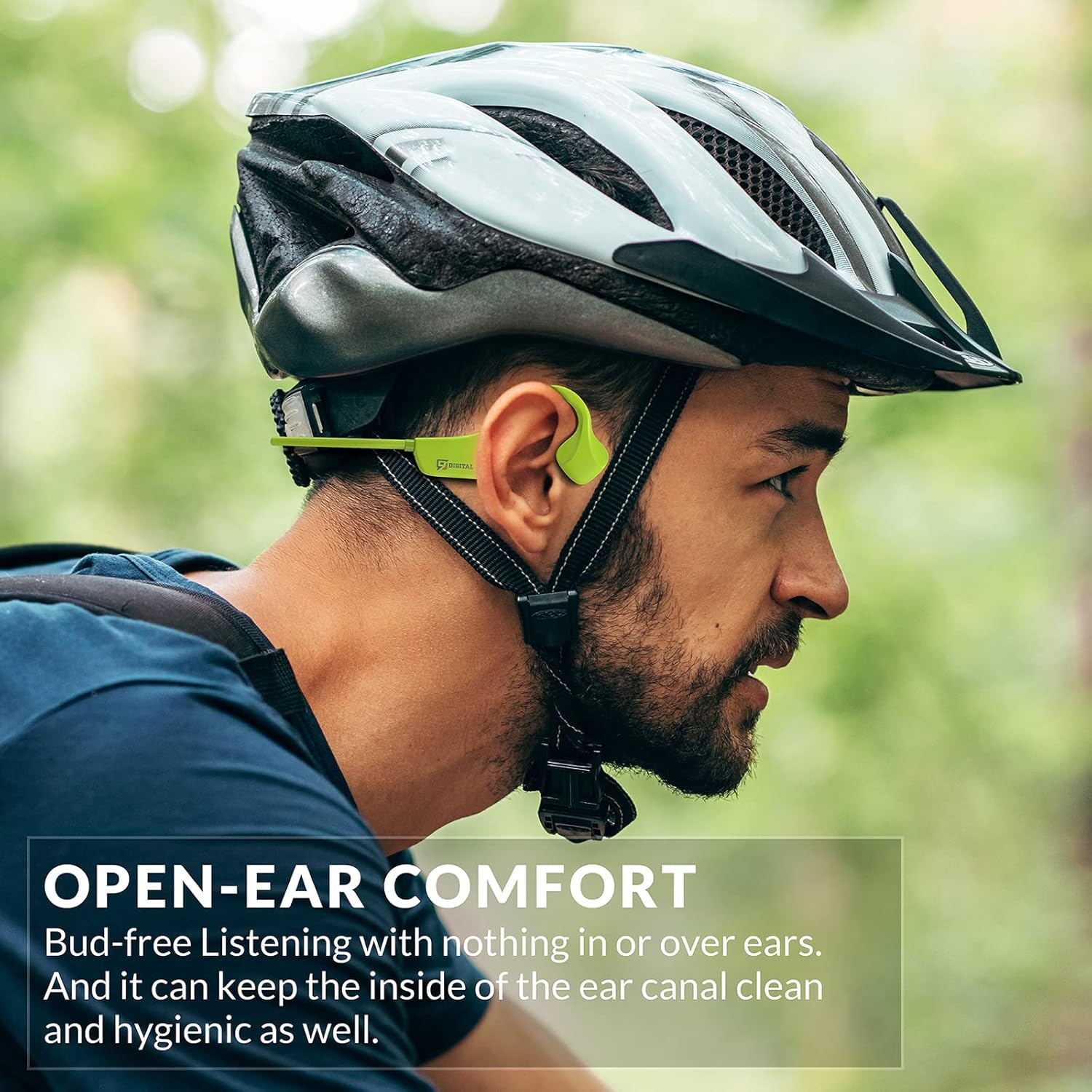
Image: A man wearing the headphones while cycling, demonstrating the secure and open-ear fit.
Иштөө нускамалары
The 9 DIGITAL Bone Conduction Headphones Lite feature intuitive controls for media playback and call management.

Image: A visual guide to the headphone's control buttons and their functions.
Баскыч функциялары:
- Күйгүзүү/өчүрүү: Press and hold the Multifunction Button (MFB) for 3 seconds.
- Ойнотуу/тындыруу: MFBди бир жолу басыңыз.
- Кийинки трек: MFBди эки жолу чыкылдатыңыз.
- Чалууга жооп берүү/аяктоо: Click the MFB once during an incoming call or active call.
- Чакырууну четке кагуу: Press and hold the MFB for 2 seconds during an incoming call.
- Көлөмү: '+' баскычын бир жолу басыңыз.
- Үнүн азайтуу: '-' баскычын бир жолу басыңыз.
Note: The playing time is dependent on the volume level. It is recommended to adjust the volume to 80% for optimal battery life during playback or calls.
Техникалык тейлөө
Тазалоо жана кам көрүү
- Наушниктерди жумшак менен сүртүңүз, гamp кездеме. Катуу химиялык заттарды же абразивдүү материалдарды колдонуудан алыс болуңуз.
- Заряддоо кабелин туташтыруудан мурун кубаттоо порту кургак экенин текшериңиз.
Суу каршылык
These headphones are certified waterproof and sweatproof, making them suitable for indoor and outdoor sports. However, they are сууда сүзүүгө ылайыктуу эмес.

Image: A woman exercising, highlighting the sweatproof design of the headphones.
Сактагыч
- Наушниктерди салкын, кургак жерде күндүн тике тийген нурунан жана экстремалдык температурадан алыс сактаңыз.
- Наушниктерге оор нерселерди коюудан алыс болуңуз.
Проблемаларды чечүү
| Көйгөй | Мүмкүн чечим |
|---|---|
| Күйгүзүлбөй жатат | Наушниктердин толук заряддалганын текшериңиз. Кубат булагына туташып, кайра аракет кылыңыз. |
| Түзмөк менен жупташтыруу мүмкүн эмес |
|
| Үн жок же үнү төмөн |
|
| Sound quality issues (e.g., buzzing) |
|
| Headphones feel uncomfortable or don't fit well | Adjust the position of the transducers on your cheekbones. While designed for comfort, individual fit may vary. |
Техникалык шарттар
| Өзгөчөлүк | Деталь |
|---|---|
| Модель аты | Bone Conduction Headphone Lite |
| Байланыш технологиясы | Зымсыз, Bluetooth |
| Bluetooth версиясы | 5.0 |
| Bluetooth диапазону | 10 метр |
| Аудио драйвер түрү | Сөөк өткөргүч айдоочу |
| Батареянын иштөө мөөнөтү | Up to 6.5 Hours (music/calls) |
| Күтүү убактысы | 480 саат |
| Заряддоо убактысы | 2 саат |
| Жыштык диапазону | 20 Гц - 20 000 Гц |
| Сууга туруктуулук деңгээли | Waterproof (IP54 Sweatproof) |
| Элемент Салмагы | 25 грамм (0.882 унция) |
| Материал | PC&ABS&Titanium |
| Микрофон | Камтылган |
| Башкаруу ыкмасы | Сенсордук / Медианы башкаруу баскычтары |
| Кулак жайгаштыруу | Ачык кулак |
Кепилдик жана колдоо
9 DIGITAL is committed to providing quality products and customer satisfaction.
- Кепилдик: The product includes a 12-month satisfying service.
- Техникалык колдоо: Өмүр бою техникалык колдоо бар.
- Байланыш: For any questions or issues, please contact Nine Digital Direct. We aim to reply and resolve all inquiries within 12 hours.
Ask a question about this manual
Ask about setup, troubleshooting, compatibility, parts, safety, or missing instructions. Manuals+ will review the question and use this page’s manual context to help answer it.