
1. Киришүү
This manual provides essential instructions for the safe and efficient use of your mDesign Metal Curved Desk Lamp, Model 18875MDHS. Please read this manual thoroughly before assembly and operation, and retain it for future reference. This lamp is designed for indoor use only and is suitable for various settings such as home offices, bedrooms, and living rooms.
Маанилүү коопсуздук маалыматы
- Лампаны тазалоодон же алмаштыруудан мурун ар дайым электр кубатынан ажыратыңыз.
- Муну колдонбоңузamp with a dimmer switch unless specifically rated for it.
- l камсыз кылууamp чөгүп кетпеши үчүн туруктуу, жалпак бетке коюлат.
- l ачыкка чыгарбооamp нымдуулукка же экстремалдык температурага.
- Белгиленген лампочканын түрүн жана ватты гана колдонуңузtagысып кетүүнүн жана бузулуунун алдын алуу үчүн.
- Кубат шнурун жылуулук булактарынан, курч четтерден жана нымдуу жерлерден алыс кармаңыз.
2. Пакеттин мазмуну
Please check the package carefully to ensure all components are present and undamaged. If any parts are missing or damaged, do not proceed with assembly and contact customer support.
- Lamp Base with Power Cord and In-line Switch
- Lamp Кол
- Lamp Shade
- Mounting Hardware (if applicable for assembly)

2.1-сүрөт: Бүттүview of the mDesign Metal Curved Desk Lamp. This image shows the assembled lamp, which consists of a base, a curved arm, and a conical shade.
3. Орнотуу жана чогултуу
Follow these steps to assemble your desk lamp:
- Компоненттерди таңгактан чыгаруу: Carefully remove all parts from the packaging. Place them on a clean, flat, and stable surface.
- Чогултуу Лamp Base and Arm: l тиркеңизamp кол lamp base. Ensure it is securely tightened to prevent wobbling. (Note: Some models may have pre-assembled bases and arms. If you encounter loose wiring, ensure connections are secure before proceeding, or contact support.)
- Тиркегиле Лamp Көлөкө: lamp л-дын башына көлөкөamp кол.
- Лампаны орнотуу:
- l камсыз кылууamp розеткадан суурулуп турат.
- Screw a compatible light bulb into the lamp socket. Refer to the specifications section for bulb type and maximum wattage.
- Лamp: l коюңузamp on your desired surface, ensuring it is stable and the power cord can reach an outlet without being strained or obstructed.

3.1-сүрөт: This image illustrates the bulb requirements for the lamp. It clearly states "USES TYPE G BULBS MAXIMUM 40W".
4. Иштөө нускамалары
Operating your mDesign Desk Lamp түз:
- Кубат туташуу: lampэлектр шнурунун стандарттуу электр розеткасына.
- Күйгүзүү/өчүрүү: Locate the in-line switch on the power cord. Press the switch to turn the lamp ON же OFF.
- Жөндөө Лamp башчысы: лamp head is designed to swivel, allowing you to direct the light as needed. Gently adjust the shade to your desired angle.
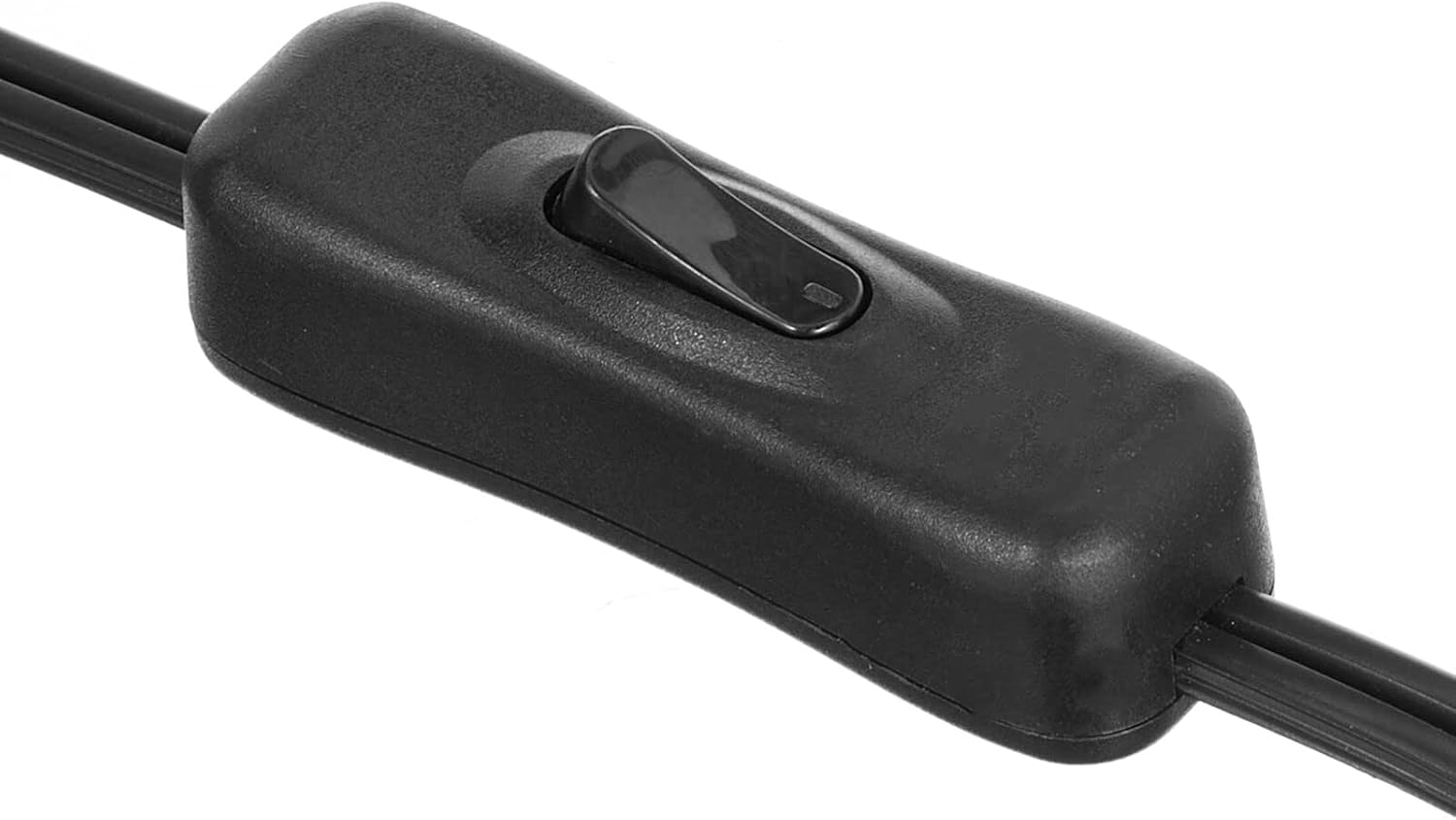
4.1-сүрөт: This image displays a close-up of the black in-line switch located on the power cord, used to turn the lamp күйгүзүү жана өчүрүү.

4.2-сүрөт: This image demonstrates the adjustable nature of the lamp head, showing it swiveling to different positions to direct light.
5. Техникалык тейлөө
Тазалоо
- Ар дайым lamp тазалоо алдында.
- л сүртamp's surface with a soft, dry cloth.
- Do not use abrasive cleaners, solvents, or polishing agents as they may damage the finish.
Лампаны алмаштыруу
- l камсыз кылууamp розеткадан ажыратылган жана лампочканы алмаштырууга аракет кылуудан мурун толугу менен муздаган.
- Эски лампочканы розеткадан кылдаттык менен чыгарыңыз.
- Screw in a new bulb of the correct type (E26 base, Type G) and wattage (maximum 40W).
6. Кыйынчылыктарды
Эгерде сиз l менен көйгөйлөргө туш болсоңузamp, төмөнкү көйгөйлөрдү чечүү боюнча колдонмону караңыз:
| Көйгөй | Мүмкүн себеп | Чечим |
|---|---|---|
| Lamp күйбөйт. |
|
|
| Жарык жылтылдайт. |
|
|
| Lamp туруксуз. |
|
|
7. Техникалык шарттар
| Өзгөчөлүк | Деталь |
|---|---|
| Модель номери | 18875MDHS |
| Бренд | mDesign |
| Өлчөмдөрү (L x W x Y) | 7 x 11 x 21 дюйм (17.8 x 27.9 x 53.3 см) |
| Элемент Салмагы | 2.2 фунт (1 кг) |
| Материал | Эритме болот, металл |
| Аяктоо түрү | Жылмаланган |
| Түс | White/Soft Brass |
| Лампанын базасы | E26 |
| Макс Ватtage | 40 ватт |
| Сунушталган лампочканын түрү | G түрү |
| Power Source | Электр зымдары |
| Башкаруу ыкмасы | In-line Switch |
| Өзгөчө өзгөчөлүк | Жөнгө салынуучу Лamp Баш |
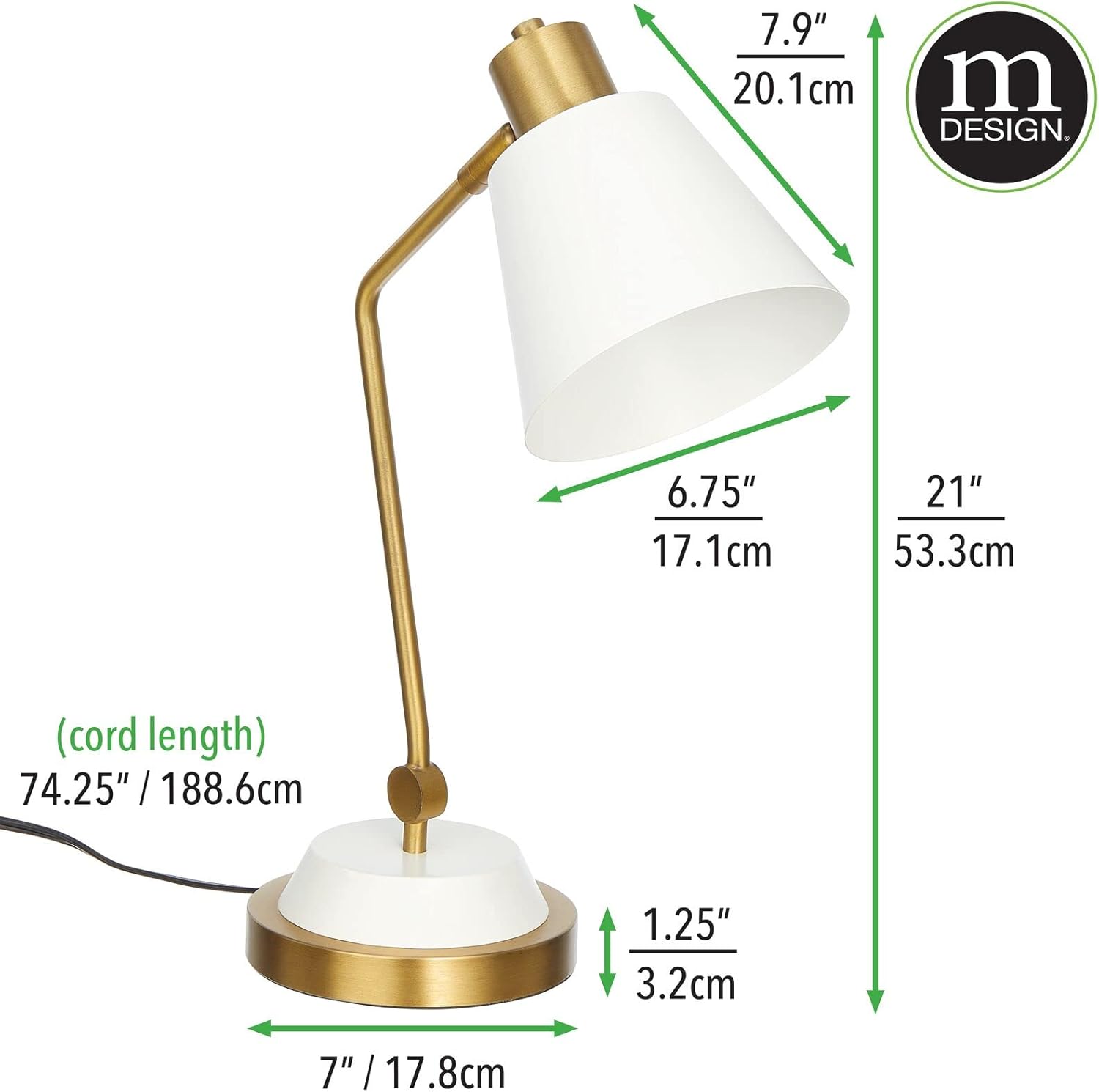
7.1-сүрөт: This image provides detailed measurements of the lamp, including height, width, depth, and cord length in both inches and centimeters.
8. Кепилдик маалыматы
Specific warranty details for the mDesign Metal Curved Desk Lamp (Model 18875MDHS) are not provided in this manual. For information regarding warranty coverage, terms, and conditions, please refer to the product packaging or contact mDesign customer support directly.
9. Кардарларды колдоо кызматы
If you have any questions, require assistance with assembly, operation, or troubleshooting beyond the scope of this manual, please contact mDesign customer support. Contact information can typically be found on the product packaging or on the official mDesign webсайт.
For more information about mDesign products, visit: mDesign Store on Amazon