
1. Продукт бүтүп калдыview
The HiBy MC1 is a compact 2.4GHz wireless microphone system designed for high-quality audio recording with various devices. It features a professional high-sensitivity condenser microphone and an integrated DSP noise reduction chip for clear sound capture. The system offers stable, interference-free digital audio transmission up to 40 meters.
Пакеттин мазмуну
- Сактоочу баштык
- MC1 Receiver (RX)
- MC1 Transmitter (TX)
- Transmitter Windscreen
- USB заряддоо кабели
- 3.5mm to 3.5mm Audio Cable (x2)
- User Manual
Негизги өзгөчөлүктөрү
- Кесиптик конденсатор микрофон: High-sensitivity microphone with built-in DSP noise reduction for superior audio quality.
- Жеңил операция: Simple buttons and indicators for quick setup and use. Automatic pairing within 3 seconds of power-on.
- Stable 2.4GHz Transmission: Digital audio transmission ensures real-time, accurate, and stable connection up to 40 meters, even through walls.
- реалдуу убакыт мониторинг: Headphone output on the receiver allows for live audio monitoring.
- Батареянын узак иштөө мөөнөтү: Integrated rechargeable Li-ion battery provides up to 10 hours of use on a 2-hour charge via Type-C port.
- Кеңири шайкештик: Works with cameras, smartphones (Android with Type-C, iPhone with Lightning cable for IV-iOS version), sound cards, computers, and mixers.
2. Орнотуу
2.1 Аппараттарды заряддоо
Before first use, fully charge both the MC1 Transmitter (TX) and Receiver (RX) using the provided USB charging cable. Connect the cable to the Type-C charging port on each device and a standard USB power source (e.g., computer USB port, wall adapter). The charging indicator light will show charging status.

Image: HiBy MC1 Transmitter and Receiver with battery life indicators. The image illustrates the 10-hour use time and 2-hour charge time.
2.2 Өткөргүчтү жана кабыл алгычты жупташтыруу
The MC1 system is designed for automatic pairing. Simply power on both the Transmitter (TX) and Receiver (RX). They will automatically connect within approximately 3 seconds. A stable connection is indicated by the status lights on both units.

Image: Illustration of the HiBy MC1 Transmitter and Receiver automatically pairing. It shows the devices connecting within 3 seconds after being turned on, ensuring a stable connection.
2.3 Жаздыруучу түзмөктөргө туташуу
Connect the MC1 Receiver (RX) to your recording device using the appropriate 3.5mm audio cable. The standard SV version is compatible with Android phones (via Type-C adapter, not included) and cameras with a 3.5mm microphone input. The IV-iOS version includes a Lightning cable for iPhones.
- Камералар үчүн: Use one of the provided 3.5mm to 3.5mm cables to connect the RX unit's output to your camera's microphone input.
- Смартфондор/планшеттер үчүн: Depending on your device, you may need a specific adapter (e.g., USB-C to 3.5mm for Android, Lightning to 3.5mm for iOS if not using the IV-iOS version). Connect the RX unit to the adapter, then to your phone.
- For Computers/Mixers: Use the appropriate 3.5mm cable to connect the RX unit to your computer's microphone input or mixer.
3. Иштөө нускамалары
3.1 Күйгүзүү/өчүрүү
Press and hold the power button on both the Transmitter (TX) and Receiver (RX) for a few seconds to power them on or off. The indicator lights will illuminate when the devices are active.
3.2 Микрофонду жайгаштыруу
Attach the Transmitter (TX) to the speaker's clothing using the integrated clip. For optimal sound quality, ensure the microphone is positioned close to the speaker's mouth, typically on the lapel or collar. Use the provided windscreen to reduce plosives and wind noise.

Image: Close-up of the HiBy MC1 microphone showing 360-degree omnidirectional pickup. This illustrates the microphone's ability to capture sound from all directions.
3.3 Чуулду азайтуу
The MC1 features a built-in DSP noise reduction chip. This technology automatically minimizes background noise, ensuring clearer recordings. No manual activation is typically required as it operates automatically.

Image: HiBy MC1 unit with an overlay indicating a built-in DSP noise reduction chip. The text highlights its function in reducing noise during voice recording.
3.4 Чыныгы убакыттагы аудио мониторинг
Connect headphones to the 3.5mm headphone output port on the MC1 Receiver (RX) to monitor the audio in real-time. This allows you to adjust recording levels and ensure optimal sound capture during your session.
3.5 Колдонуу сценарийлери
The HiBy MC1 is suitable for various applications, including:
- Live streaming and commerce
- Vlog recording
- Интерviews
- Online meetings and presentations
- Content creation for platforms like YouTube, Instagram, and TikTok

Image: Three panels showing the HiBy MC1 in different usage scenarios: live commerce, vlog recording, and interview recording. This demonstrates the versatility of the microphone system.
4. Техникалык тейлөө
4.1 Тазалоо
Wipe the devices with a soft, dry cloth. Do not use liquid cleaners or solvents, as they may damage the product. Keep the charging ports free of dust and debris.
4.2 Батареяга кам көрүү
To prolong battery life, avoid fully discharging the devices frequently. Charge them regularly, even if not in use for extended periods. Store the devices in a cool, dry place away from direct sunlight and extreme temperatures.
4.3 Сактоо
When not in use, store the microphone system in its provided storage bag to protect it from dust, scratches, and physical damage.
5. Кыйынчылыктарды
5.1 Үн жок же үнү төмөн
- Ensure both the Transmitter (TX) and Receiver (RX) are powered on and properly paired.
- Check the audio cable connection between the receiver and your recording device.
- Verify that your recording device's microphone input is selected and its volume is adjusted correctly.
- Confirm that the microphone on the transmitter is not obstructed and is positioned correctly.
5.2 Intermittent Connection or Dropouts
- Ensure the distance between the transmitter and receiver is within the 40-meter operating range.
- Minimize physical obstructions (e.g., thick walls, large metal objects) between the units.
- Avoid areas with strong 2.4GHz interference from other wireless devices (Wi-Fi routers, Bluetooth devices).
- Re-pair the devices by powering them off and then on again.
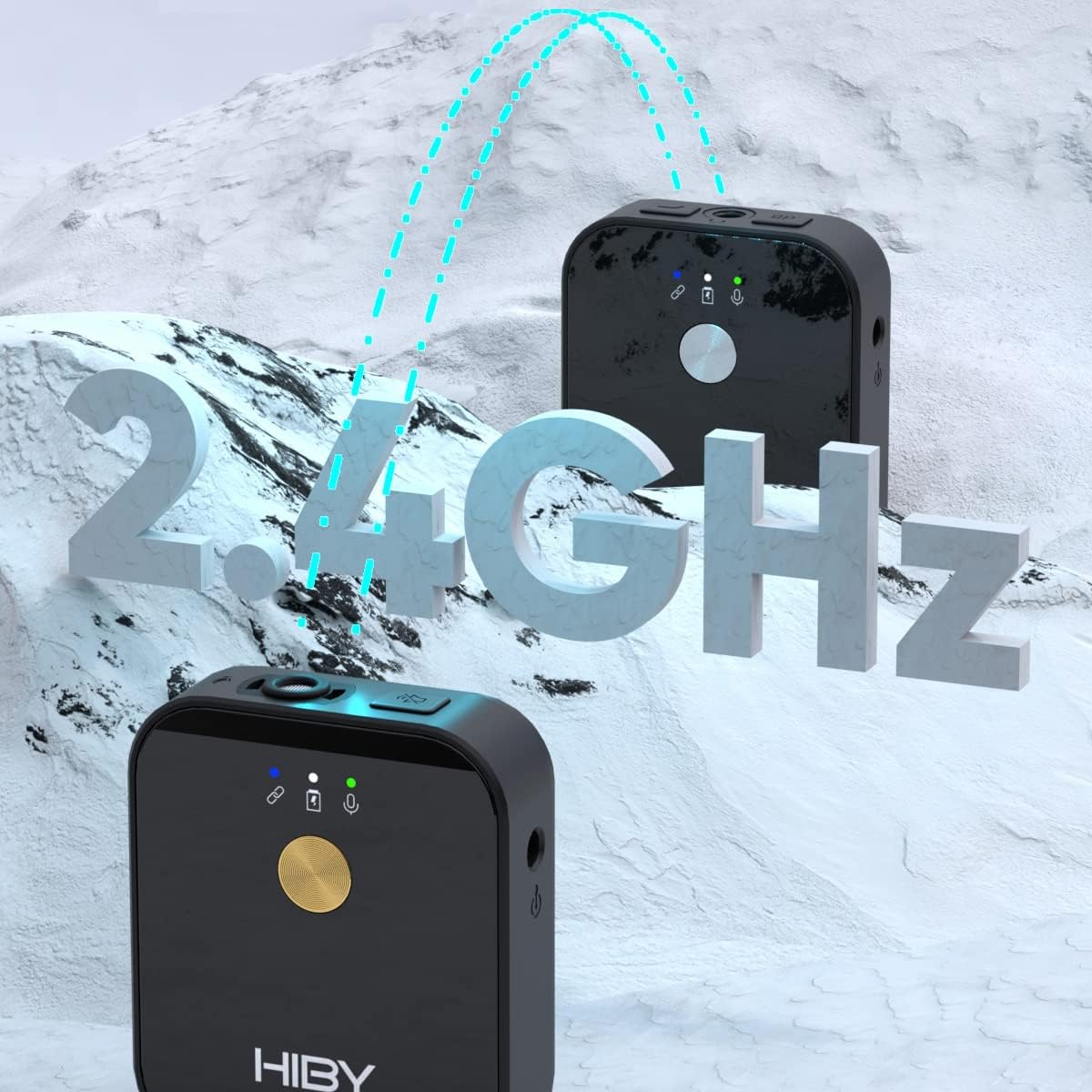
Image: Illustration of the HiBy MC1 units transmitting audio via 2.4GHz. This highlights the digital transmission technology.

Image: HiBy MC1 receiver mounted on a camera, showing a person at a distance, illustrating the 40-meter reception range and strong signal penetration.
5.3 Заряддоо маселелери
- Check if the USB charging cable is securely connected to both the device and the power source.
- Башка USB портун же кубат адаптерин колдонуп көрүңүз.
- Ensure the charging ports on the devices are clean and free of debris.
6. Техникалык шарттар
| Модель номери | MC1 |
| Бренд | СаламБей |
| Микрофон форма фактору | Микрофон тутуму |
| Байланыш технологиясы | Зымсыз (2.4 ГГц санарип) |
| Frequency Response | 2.4 ГГц |
| Иштөө диапазону | 40 метрге чейин (көрүү сызыгы) |
| Power Source | Кайра заряддалуучу литий-иондук батарейка |
| Батареянын иштөө мөөнөтү | Болжол менен 10 саат |
| Заряддоо убактысы | Болжол менен 2 саат (USB Type-C аркылуу) |
| Элемент Салмагы | 26 grams (per unit) |
| Шайкеш түзмөктөр | Cameras, Smartphones, Tablets, PCs, Mixers |
| Өзгөчөлүктөр | Wireless, DSP Noise Reduction, Real-time Monitoring, Auto-pairing |
| Түс | SV |
| UPC | 843378100831 |
7. Кепилдик жана колдоо
For warranty information and technical support, please refer to the warranty card included in your package or visit the official HiBy webсайт. Жардам алуу үчүн сатуучуга да кайрылсаңыз болот.
Сураныч, кепилдик дооматтар үчүн сатып алуу далилиңизди сактап коюңуз.