
1. Маанилүү коопсуздук нускамалары
Бул шайманды колдонуудан мурун бардык көрсөтмөлөрдү кунт коюп окуп чыгыңыз жана аларды келечекте колдонуу үчүн сактап коюңуз. Бул көрсөтмөлөрдү аткарбоо электр тогуна урунууга, өрткө же олуттуу дене жаракатына алып келиши мүмкүн.
- Do not insert fingers or any objects into the fan grille when the fan is operating.
- Ал оодарылып кетпеши үчүн, желдеткич туруктуу, жалпак бетке коюлганын текшериңиз.
- Do not use the fan near water or in excessively humid environments.
- Вентиляторду пардалардан, пардалардан же желдеткичтин калактарына тартылып калышы мүмкүн болгон башка нерселерден алыс кармаңыз.
- Тазалоодон же кандайдыр бир техникалык тейлөө иштерин жүргүзүүдөн мурун желдеткичти кубат булагынан сууруп коюңуз.
- Бул шайман физикалык, сезүү же акыл-эс жөндөмү начар же тажрыйбасы жана билими жок адамдар (анын ичинде балдар) үчүн, эгерде алардын коопсуздугуна жооптуу адам тарабынан көзөмөлсүз же шайманды колдонуу боюнча көрсөтмө болбосо, колдонууга арналбайт.
- Зымы же сайгычы бузулган учурда желдеткичти иштетпеңиз. Эгерде зымы же сайгычы бузулган болсо, жардам алуу үчүн кардарларды тейлөө кызматына кайрылыңыз.
- Use only the charging cable provided or a compatible USB cable for charging.
2. Продукт бүтүп калдыview
The Mistral MRF600 Mimica No.X Typhoon 8 is a compact and portable rechargeable USB fan designed for personal cooling. It features a robust design and simple controls.
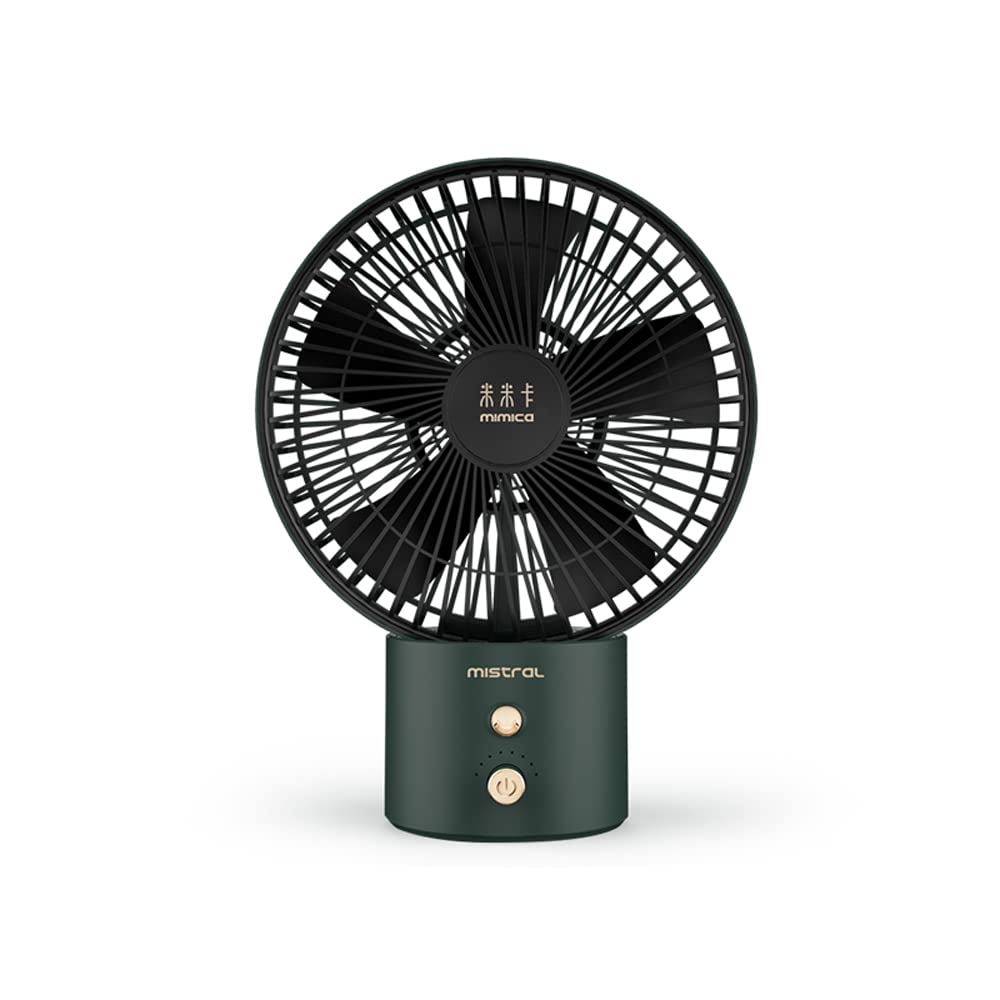
Image 1: Mistral MRF600 Mimica No.X Typhoon 8 Rechargeable USB Fan (Green color variant shown).
Пакеттин мазмуну:
- Mistral MRF600 Rechargeable USB Fan
- USB заряддоо кабели
- Көрсөтмө (бул документ)
Негизги компоненттер:
- Fan Head with Blades and Grille
- Control Button (Power/Speed)
- USB заряддоо порту
- Негиз/Стенд
3. Орнотуу
3.1 Алгачкы заряддоо
Before first use, fully charge the fan's internal battery. This ensures optimal performance and battery longevity.
- Connect the small end of the provided USB charging cable to the USB charging port on the fan.
- Connect the larger end of the USB cable to a standard USB power adapter (not included), a computer's USB port, or a power bank.
- The charging indicator light (if present) will illuminate, typically red, to show that the fan is charging.
- Once fully charged, the indicator light may change color (e.g., to green or blue) or turn off. Charging typically takes 3-4 hours.
3.2 Орнотуу
Place the fan on a firm, level surface. Ensure there is adequate space around the fan for proper airflow and to prevent obstruction of the air intake or output.
4. Иштөө нускамалары
The Mistral MRF600 fan features a single control button for power and speed adjustment.
- Power On / Speed 1: Press the control button once to turn on the fan at the low-speed setting.
- Ылдамдык 2: Press the control button a second time to switch to the high-speed setting.
- Өчүрүү: Press the control button a third time to turn off the fan.
The fan offers 2 distinct power levels for customized airflow.
5. Техникалык тейлөө жана тазалоо
Үзгүлтүксүз тазалоо желдеткичтин иштешин сактап, анын иштөө мөөнөтүн узартууга жардам берет.
- Always ensure the fan is turned off and unplugged from any power source before cleaning.
- жумшак колдонуу, damp вентилятордун сырткы беттерин сүртүүчү чүпүрөк. Абразивдүү тазалагычтарды же эриткичтерди колдонбоңуз.
- To clean dust from the fan blades and grilles, use a soft brush, a vacuum cleaner with a brush attachment, or compressed air.
- Желдеткичти сууга батырбаңыз же мотор корпусуна суу тамчылап жибербеңиз.
- Вентилятор көпкө колдонулбаган учурда салкын, кургак жерде сактаңыз.
6. Кыйынчылыктарды
If you encounter issues with your Mistral MRF600 fan, refer to the following common problems and solutions:
| Көйгөй | Мүмкүн себеп | Чечим |
|---|---|---|
| Желдеткич күйбөйт. | Батарея түгөнүп калды. | Берилген USB кабелин колдонуп, желдеткичти кубаттаңыз. |
| Желдеткич күйбөйт. | Бузук USB кабели же кубат булагы. | Try a different USB cable or a different USB power adapter/port. |
| Алсыз аба агымы. | Fan is on low speed setting. | Press the control button to switch to the high-speed setting. |
| Алсыз аба агымы. | Бышактарда/решеткада чаңдын топтолушу. | Clean the fan blades and grilles as described in the Maintenance section. |
If the problem persists after trying these solutions, please contact Mistral customer support.
7. Техникалык шарттар
| Бренд | MISTRAL |
| Модель аты | Mistral MRF600 Mimica No.X Typhoon 8 |
| Модель номери | MRF600 |
| Электр желдеткич дизайн | Стол желдеткичи |
| Power Source | Батарея менен иштейт (USB аркылуу кайра заряддоого болот) |
| Ватtage | 7 ватт |
| Кубат деңгээли саны | 2 |
| Башкаруу ыкмасы | Push Button |
| Материал | Пластик |
| Продукциянын өлчөмдөрү (D x W x Y) | 20.6D x 27.3W x 1H сантиметр |
| Ички/тышкы колдонуу | Indoor |
8. Кепилдик жана колдоо
Mistral products are manufactured to high-quality standards. For information regarding warranty coverage, terms, and conditions, please refer to the warranty card included with your purchase or visit the official Mistral webсайт.
If you require technical assistance, have questions about your product, or need to report a defect, please contact Mistral customer support through their official channels. Contact details can typically be found on the product packaging or the official brand webсайт.