
Introduction
Thank you for choosing the Edifier Hecate GT4 Gaming Earbuds. These true wireless earbuds are designed to provide a low-latency audio experience for gaming across multiple platforms, including PS5, PS4, Nintendo Switch, mobile phones, and PCs. Featuring Bluetooth 5.2 connectivity, an IP55 rating for dust and splash resistance, and customizable RGB lighting, the GT4 earbuds offer both performance and convenience. Please read this manual thoroughly to ensure proper use and optimal performance of your new earbuds.
Пакеттин мазмуну
Төмөндө тизмеленген нерселердин баары пакетиңизде бар экенин текшериңиз:
- Edifier Hecate GT4 Gaming Earbuds (Left and Right)
- Заряддоо кутусу
- USB-C заряддоо кабели
- Multiple Sizes of Eartips (Small, Medium, Large)
- User Manual

Image: The Edifier Hecate GT4 earbuds, charging case, USB-C cable, and extra eartips are shown, representing the package contents.
Жайгашуу
1. Кулакчындарды жана кутуну кубаттоо
Before first use, fully charge the earbuds and charging case. Place the earbuds into the charging case. Connect the USB-C charging cable to the charging port on the case and the other end to a USB power adapter (not included) or a computer's USB port. The indicator lights on the case will show charging status.
- Заряддоо убактысы: Толук кубаттоо үчүн болжол менен 1.5 саат.
- Батареянын иштөө мөөнөтү: Up to 7 hours of playback on a single charge, with an additional 21 hours provided by the charging case.
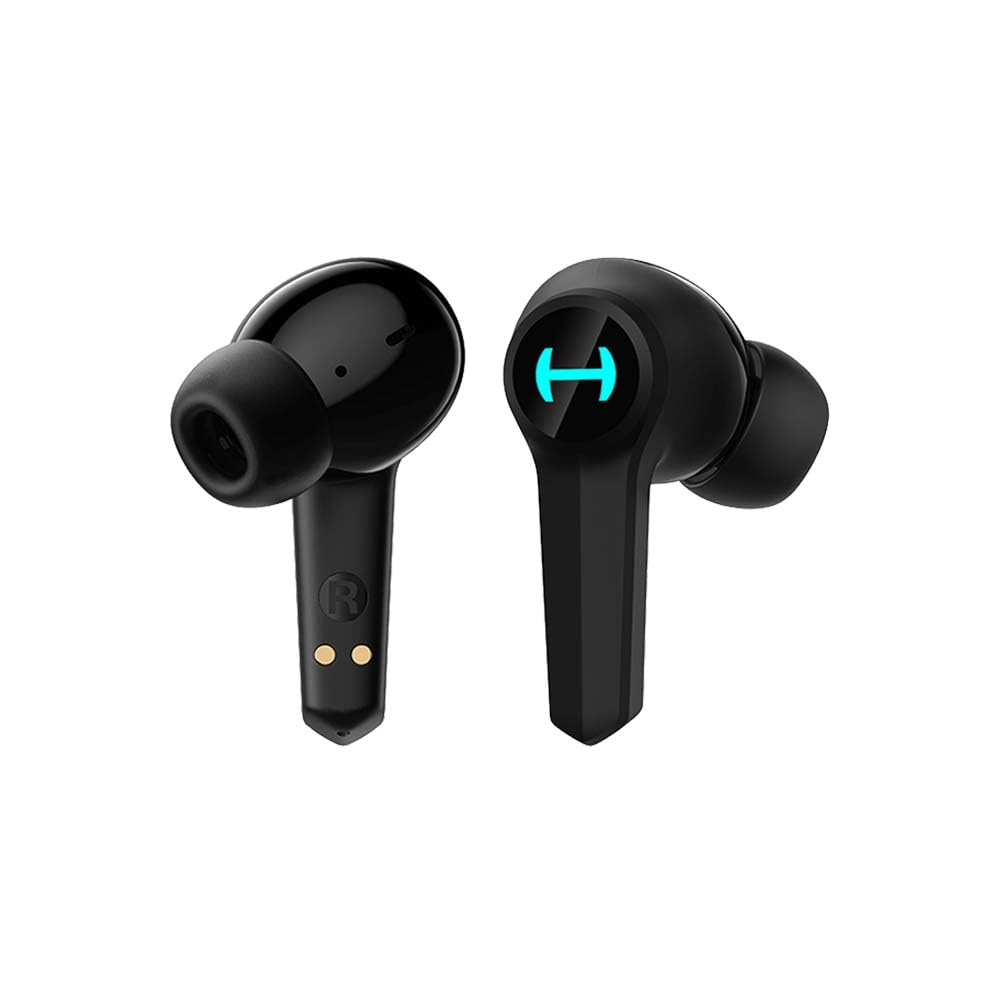
Image: The Edifier Hecate GT4 earbuds are shown inside their open charging case, with the case's RGB lights illuminated.
2. Bluetooth Жупташтыруу
- Кулакчындардын кубатталганын текшериңиз.
- Кубаттоочу кутучаны ачыңыз. Кулакчындар автоматтык түрдө жупташтыруу режимине өтөт, бул күйүп-өчкөн жарыктар менен көрсөтүлөт.
- On your device (phone, PC, console), enable Bluetooth and search for new devices.
- Select "EDIFIER HECATE GT4" from the list of available devices to connect.
- Once connected, the earbud lights will stop flashing or show a steady light.
The earbuds support Bluetooth 5.2 for a stable and efficient connection.
Иштөө нускамалары
1. Күйгүзүү/өчүрүү
- Күйгүзүү: Заряддоо кутучасын ачыңыз же кулакчындарды кутудан чыгарып алыңыз. Алар автоматтык түрдө күйөт.
- Өчүрүү: Кулакчындарды кайра заряддоо кутусуна салып, капкагын жабыңыз. Алар автоматтык түрдө өчүрүлөт.
2. Башкаруу элементтерине тийүү
The Edifier Hecate GT4 earbuds feature touch-sensitive controls on each earbud. Refer to the diagram below for touch panel location.

Image: A finger is shown touching the outer surface of an earbud, indicating the smart touch control area.
| Акция | Сол кулакчын (L) | Оң кулакчын (R) |
|---|---|---|
| Ойнотуу/Тыныгуу | Эки жолу таптаңыз | Эки жолу таптаңыз |
| Кийинки трек | Үч жолу таптоо | Үч жолу таптоо |
| Чалууга жооп берүү/аяктоо | Эки жолу таптаңыз | Эки жолу таптаңыз |
| Чакырууну четке кагуу | Узак басуу (2сек) | Узак басуу (2сек) |
| Оюн режимин иштетүү | Узак басуу (2сек) | Узак басуу (2сек) |
| Deactivate Game Mode | Узак басуу (2сек) | Узак басуу (2сек) |
Эскертүү: Үндү башкаруу түздөн-түз туташкан түзмөгүңүздө жөндөлүшү керек болушу мүмкүн.
3. Game Mode (45ms Low-Latency)
The Edifier Hecate GT4 features a dedicated Game Mode to reduce audio latency to as low as 45ms, providing a synchronized audio-visual experience crucial for gaming. To activate or deactivate Game Mode, long press either earbud for 2 seconds. You will hear an audio prompt indicating the mode change.

Image: An illustration depicting the low latency feature of the earbuds, highlighting the 45ms response time.
Видео: Продукциянын расмий көргөзмөсүasing the features of the EDIFIER HECATE GT4 Gaming Earbuds, including low latency and ergonomic design.
4. RGB жарыктандыруу
The charging case and earbuds feature RGB lighting. The lighting indicates various statuses such as charging, pairing, and game mode activation. The specific patterns and colors are pre-set and provide visual feedback on the earbuds' operational status.

Image: The Edifier Hecate GT4 charging case is shown with its red RGB lighting illuminated, indicating its gaming aesthetic.
Техникалык тейлөө
- Тазалоо: Use a soft, dry cloth to clean the earbuds and charging case. Do not use liquid cleaners or abrasive materials.
- Суу каршылык: The earbuds have an IP55 rating, meaning they are protected against dust and low-pressure water jets. Avoid submerging them in water or exposing them to heavy rain. Dry them thoroughly if they get wet.
- Сактагыч: Колдонулбаганда, кулакчындарды коргоо жана кубаттоо үчүн кубаттоочу кутучага сактаңыз. Салкын, кургак жерде, экстремалдык температурадан алыс сактаңыз.

Image: An Edifier Hecate GT4 earbud is shown with water splashing around it, illustrating its water-resistant feature.
Проблемаларды чечүү
| Көйгөй | Мүмкүн себеп | Чечим |
|---|---|---|
| Кулакчындар күйбөйт. | Батарея аз. | Кулакчындарды жана кубаттоочу кутучаны толук кубаттаңыз. |
| Түзмөк менен жупташтыруу мүмкүн эмес. | Bluetooth not enabled, earbuds not in pairing mode, or device too far. | Ensure Bluetooth is enabled on your device. Place earbuds in case, close, then open to re-enter pairing mode. Keep devices within 10 meters. |
| Үн жок же үзгүлтүксүз үн жок. | Earbuds not properly connected, low battery, or interference. | Check Bluetooth connection. Recharge earbuds. Move away from sources of interference (e.g., Wi-Fi routers). |
| Бир кулакчындын үнү жок. | Individual earbud connection issue. | Place both earbuds back into the charging case, close the lid, then open it again to reset the connection. Re-pair if necessary. |
| Low latency mode not working. | Game Mode not activated. | Long press either earbud for 2 seconds to activate Game Mode. Listen for the audio prompt. |
| Cannot connect to PS4/PS5/Switch. | Console limitations or specific pairing requirements. | Some consoles may require a separate Bluetooth adapter for full compatibility or specific pairing steps. Refer to your console's manual for Bluetooth audio device connection instructions. |
Техникалык шарттар
| Өзгөчөлүк | Деталь |
|---|---|
| Модель номери | GT4-BK |
| Бренд | Edifier |
| Байланыш технологиясы | Зымсыз (Bluetooth) |
| Bluetooth версиясы | 5.2 |
| Кулак жайгаштыруу | Кулакта |
| Аудио драйвер түрү | Dynamic Driver (10mm Composite Diaphragm Unit) |
| Жыштык диапазону | 20Гц-20кГц |
| Төмөн күтүү | 45мс (Оюн режими) |
| Батареянын иштөө мөөнөтү (наушник) | 7 саатка чейин |
| Батареянын жалпы иштөө мөөнөтү (корпусу менен) | Up to 28 hours (7 + 21 hours) |
| Батареяны заряддоо убактысы | Болжол менен 1.5 саат |
| Башкаруу ыкмасы | тийүү |
| Сууга туруктуулук деңгээли | IP55 (чаңга жана чачыратууга туруктуу) |
| Шайкеш түзмөктөр | PS5, PS4, Nintendo Switch, Phone (Android, iOS), PC |
| Материал | Пластик |
| Элемент Салмагы | 0.12 килограмм |
Кепилдик жана колдоо
Edifier продукциялары эң жогорку сапат стандарттарына ылайык иштелип чыккан жана өндүрүлгөн. Кепилдиктин камтылышы жөнүндө маалымат алуу үчүн, продукцияңыздын таңгагына кирген кепилдик картасын караңыз же Edifier компаниясынын расмий дүкөнүнө баш багыңыз. website. If you encounter any issues or have questions about your Edifier Hecate GT4 Gaming Earbuds, please contact Edifier customer support through their official channels for assistance.
Расмий Editifier Webсайт: www.edifier.com