
Fnatic BOLT
Fnatic BOLT Wireless Gaming Mouse User Manual
Introduction
This manual provides detailed instructions for the setup, operation, maintenance, and troubleshooting of your Fnatic BOLT Wireless Gaming Mouse. Please read this manual thoroughly before using the product to ensure optimal performance and longevity.
Продукт бүттүview
The Fnatic BOLT is a lightweight wireless gaming mouse designed for high performance. It features a durable construction and versatile connectivity options.
Компоненттер
- Left and Right Click Buttons
- Scroll Wheel
- DPI Cycle Button (typically located on the bottom or top)
- Каптал баскычтары (алдыга/артка)
- USB-C заряддоо порту
- Wireless Receiver (dongle)

1-сүрөт: Жогорку view of the Fnatic BOLT Wireless Gaming Mouse, showing the main click buttons and scroll wheel.

2-сүрөт: Бурчтуу view of the Fnatic BOLT Wireless Gaming Mouse, highlighting the two programmable side buttons.

Сүрөт 3: Алдыңкы view of the Fnatic BOLT Wireless Gaming Mouse, displaying the USB-C charging port.
Жайгашуу
1. Баштапкы заряддоо
Before first use, it is recommended to fully charge the Fnatic BOLT mouse.
- Connect the provided USB-C cable to the charging port on the front of the mouse.
- Connect the other end of the USB-C cable to a powered USB port on your computer or a USB wall adapter.
- The mouse's indicator light will show charging status (refer to product documentation for specific light patterns). A full charge typically takes a few hours.
2. Компьютериңизге туташуу
The Fnatic BOLT supports two wireless connection modes: 2.4 GHz wireless (via USB dongle) and Bluetooth.
2.1. 2.4 ГГц зымсыз байланыш
- Locate the USB wireless receiver (dongle) that came with your mouse.
- USB ресиверди компьютериңиздеги жеткиликтүү USB портуна сайыңыз.
- Чычкандын астыңкы жагында жайгашкан кубат баскычын колдонуп, чычканды күйгүзүңүз.
- The mouse should automatically connect to the receiver. The indicator light will confirm a successful connection.
2.2. Bluetooth туташуусу
- Компьютериңиздин Bluetooth иштетилгенин текшериңиз.
- Turn on the mouse and switch it to Bluetooth mode (refer to the mouse's bottom switch or button for mode selection).
- Компьютериңизден Bluetooth жөндөөлөрүнө өтүп, жаңы түзмөктөрдү издеңиз.
- Select "Fnatic BOLT" from the list of available devices to pair.
- The mouse's indicator light will confirm successful pairing.
Иштөө нускамалары
DPI тууралоо
The Fnatic BOLT mouse allows you to adjust its Dots Per Inch (DPI) sensitivity. This mouse features 4 preset DPI levels.
- Locate the DPI cycle button, typically on the bottom of the mouse.
- Press the DPI button to cycle through the available sensitivity settings.
- An indicator light (often on the scroll wheel or top of the mouse) may change color or flash to indicate the current DPI level.
Баскыч функциялары
- Сол чыкылдатуу: Негизги аракет, тандоо.
- Оң чыкылдатуу: Контексттик меню, кошумча аракет.
- Сыдыруу дөңгөлөгүн чыкылдатыңыз: Ортоңку чыкылдатуу, көбүнчө жаңы өтмөктөрдөгү шилтемелерди ачуу же оюндагы белгилүү бир функциялар үчүн колдонулат.
- Өйдө/ылдый жылдыруу: Navigating documents or web барактар.
- Каптал баскычтары: Default to Forward/Back in web browsers. These can often be customized via software (if available).
Power Management
- To conserve battery life, turn off the mouse using the power switch when not in use for extended periods.
- The mouse may enter a sleep mode after a period of inactivity. Move the mouse or click a button to wake it up.
- Monitor the battery indicator (if available) to know when to recharge.
Техникалык тейлөө
Тазалоо
- Чычкандын бетин жумшак, кургак, мамыксыз чүпүрөк менен үзгүлтүксүз тазалап туруңуз.
- өжөр кир үчүн, бир аз гampчүпүрөктү суу же жумшак тазалоо эритмеси менен жууп салыңыз. Катуу химиялык заттардан алыс болуңуз.
- Clean the optical sensor on the bottom of the mouse with a cotton swab to ensure accurate tracking.
- Суюктуктардын чычкандын ички бөлүктөрүнө киришине жол бербеңиз.
Батареяга кам көрүү
- Батареяны бат-баттан толук кубаттап калуудан алыс болуңуз.
- Чычканды узак убакытка колдонбогондо салкын, кургак жерде сактаңыз.
- Чычканды өтө жогорку температурага дуушар кылбаңыз.
Проблемаларды чечүү
Чычкан жооп бербейт
- Батареяны текшерүү: Ensure the mouse is charged. Connect it to the USB-C cable and allow it to charge for a period.
- Кубат которгучу: Чычкандын кубат баскычы "ON" абалында экенин текшериңиз.
- Wireless Connection (2.4 GHz):
- USB кабыл алгыч иштеп жаткан USB портуна бекем сайылып турганын текшериңиз. Башка USB портун колдонуп көрүңүз.
- Ensure the mouse is within range of the receiver.
- Тоскоолдук булактарынан алыс болуңуз (мисалы, башка зымсыз түзмөктөр, чоң металл буюмдар).
- Bluetooth байланыш:
- Компьютериңиздин Bluetooth иштетилгенин текшериңиз.
- Check if the mouse is in Bluetooth pairing mode or already paired. Re-pair if necessary.
- Remove and re-add the device in your computer's Bluetooth settings.
- Кайра баштоо: Компьютериңизди өчүрүп күйгүзүңүз.
Туура эмес көзөмөлдөө
- Таза сенсор: Чычкандын түбүндөгү оптикалык сенсорду тазалаңыз.
- Бети: Ensure you are using the mouse on a suitable surface. Highly reflective or uneven surfaces can affect tracking. A mouse pad is recommended.
- DPI жөндөөлөрү: Adjust the DPI setting to a level that suits your preference and task.
Кыска батареянын иштөө мөөнөтү
- Заряддоо: Чычкан толук заряддалганын текшериңиз.
- Өчүрүү: Remember to turn off the mouse when not in use.
- Колдонуу: High-intensity usage or certain settings might consume more power.
Техникалык шарттар
| Өзгөчөлүк | Деталь |
|---|---|
| Бренд | Fnatic |
| Модель аты | FnaticGear BOLT |
| Элемент моделинин номери | БОЛТ |
| Түс | ак |
| Байланыш технологиясы | Bluetooth, Wi-Fi (2.4 GHz Wireless) |
| Кыймылды аныктоо технологиясы | Оптикалык |
| баскычтардын саны | 6 |
| Колдун багыты | Туура |
| Өзгөчөлүктөр | Жеңил |
| Кубат булагынын түрү | Зымсыз (кайра заряддалуучу батарея) |
| Батареялар камтылган | Ооба (1 литий-металл батареясы) |
| Литий Батареясынын Энергия Мазмуну | 470 миллионamp Саат (мАч) |
| Продукциянын өлчөмдөрү | 12.5 x 6.5 x 0.1 см; 69 г |
| Шайкеш түзмөктөр | Ноутбук, персоналдык компьютер |
| Операциялык системалар | Linux, Windows 7, Windows XP (and newer) |
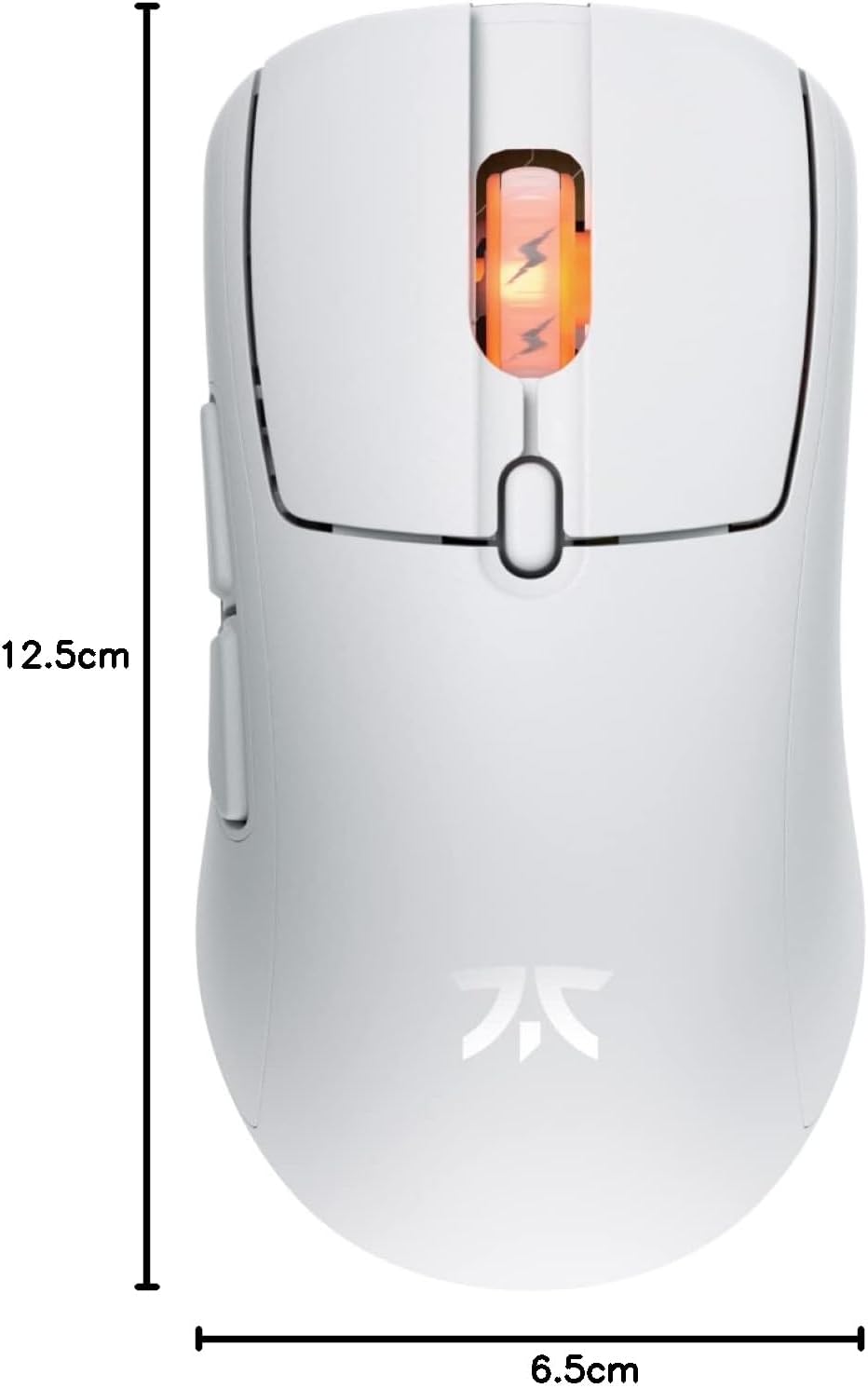
Figure 4: Diagram showing the dimensions of the Fnatic BOLT Wireless Gaming Mouse.
Кепилдик жана колдоо
For information regarding warranty coverage and technical support, please refer to the official Fnatic webсайтка же продуктуңузга кошулган кепилдик картасы.
You can typically find support resources, FAQs, and contact information on the manufacturer's official support pages.
Ask a question about this manual
Ask about setup, troubleshooting, compatibility, parts, safety, or missing instructions. Manuals+ will review the question and use this page’s manual context to help answer it.