
Introduction
Thank you for choosing the BOROFONE BJ9 Uranus Power Bank. This portable charger is designed to provide reliable and fast power to your electronic devices on the go. With a 10000mAh capacity, Power Delivery (PD), and Quick Charge 3.0 (QC3.0) technologies, it ensures efficient charging for smartphones, tablets, and other compatible gadgets. Please read this manual carefully to understand the product's features, operation, and maintenance for optimal performance and safety.
Продукт бүттүview
Негизги өзгөчөлүктөрү:
- Жогорку кубаттуулугу: 10000mAh lithium-ion battery for extended power.
- Fast Charging Technologies: Supports Power Delivery (PD) and Qualcomm Quick Charge 3.0 (QC3.0) for rapid charging.
- Бир нече чыгуулар: Features USB-C (18W), USB (18W), and USB (2A) outputs to charge various devices simultaneously.
- Кош киргизүү: Recharge the power bank via USB-C or Micro-USB ports.
- LED көрсөткүчү: Displays remaining battery level and charging status.
- Dedicated On/Off Switch: For convenient power management.
- Slim & Lightweight Design: Саякаттоо жана күнүмдүк колдонуу үчүн көтөрүп жүрүүгө оңой.
- Airline Safe: Complies with airline regulations for portable power banks.
- Smart Identification: Automatically detects and delivers optimal charging current to connected devices.
Пакеттин мазмуну:
- BOROFONE BJ9 Uranus Power Bank
- USB Type-C кубаттоочу кабель
- Micro-USB заряддоо кабели
- Колдонуучунун Колдонмосу (бул документ)
Продукт диаграммасы:
Көбүрөөк маалымат алуу үчүн төмөндөгү сүрөттү караңызview of the power bank's components and ports.
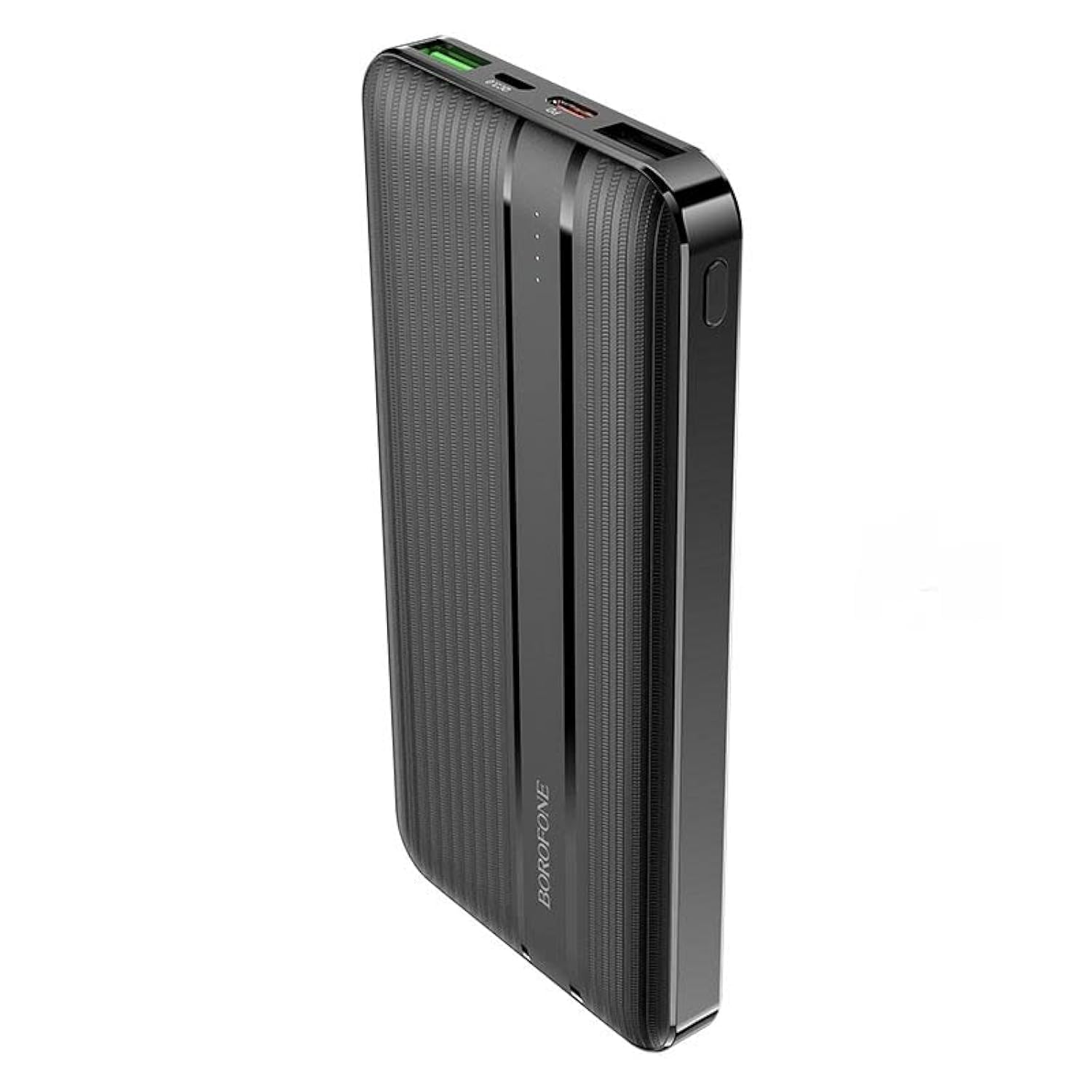
Сүрөт: алдыңкы view of the BOROFONE BJ9 Uranus Power Bank, showing USB-A, USB-C, and Micro-USB ports, along with the power button and LED indicators.
Жайгашуу
Power Банктын алгачкы заряддоосу:
- Connect one end of the provided USB-C or Micro-USB cable to the corresponding input port on the power bank.
- Кабелдин экинчи учун шайкеш келген USB дубал кубаттагычына туташтырыңыз (кошулмада жок).
- The LED indicators will illuminate to show the charging progress. When all LEDs are solid, the power bank is fully charged.
- Биринчи жолу колдонуудан мурун электр банкын толук заряддоо сунушталат.
Эскертүү: For faster recharging of the power bank, use a PD or QC3.0 compatible wall charger with the USB-C input port.
Иштөө нускамалары
Түзмөктөрүңүздү заряддоо:
- Connect your device's charging cable to one of the output ports on the power bank (USB-C, USB1, or USB2).
- Кабелдин экинчи учун шайманга туташтырыңыз.
- Press the power button on the power bank to initiate charging. The LED indicators will light up to show the power bank's remaining charge.
- Түзмөгүңүз автоматтык түрдө кубатталып башташы керек.
- To stop charging, disconnect your device or press the power button again (if the power bank does not automatically shut off after a period of inactivity).
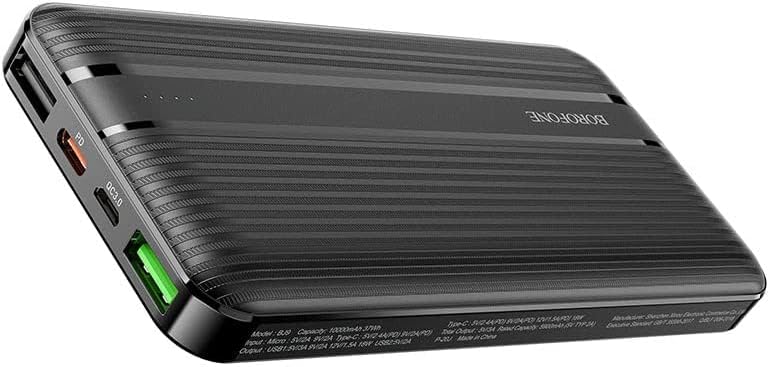
Image: The BOROFONE BJ9 Uranus Power Bank connected via cable to a smartphone, indicating active charging.

Image: The BOROFONE BJ9 Uranus Power Bank connected via cable to a laptop, demonstrating its capability to charge larger devices.
Батареянын деңгээлин текшерүү:
Press the power button once. The LED indicators will light up, showing the current battery level of the power bank. Each LED typically represents a percentage of the total charge (e.g., 4 LEDs = 75-100%, 3 LEDs = 50-75%, etc.).
Техникалык тейлөө
- Сактагыч: Power банкты күн тийбеген жана экстремалдык температурадан алыс, салкын, кургак жерде сактаңыз.
- Тазалоо: Power банкты тазалоо үчүн жумшак, кургак чүпүрөктү колдонуңуз. Катуу химиялык заттарды же абразивдүү материалдарды колдонбоңуз.
- Батареяга кам көрүү: Батареянын иштөө мөөнөтүн узартуу үчүн, эгерде үзгүлтүксүз колдонулбаса, Power Bankты жок дегенде үч айда бир жолу толук кубаттаңыз. Батареяны тез-тез толук заряддоодон алыс болуңуз.
- Тамчылардан качуу: Powerbankты түшүрүп албаңыз же катуу соккуга дуушар кылбаңыз.
Проблемаларды чечүү
| Көйгөй | Мүмкүн себеп | Чечим |
|---|---|---|
| Power банк заряддалбай жатат | Cable is faulty or not properly connected; Wall charger is not working; Power bank is fully charged. | Check cable connections; Try a different cable or wall charger; Check LED indicators (if all are solid, it's fully charged). |
| Түзмөк кубат банкынан кубатталбай жатат | Power bank battery is depleted; Cable is faulty or not properly connected; Device is incompatible; Power button not pressed. | Recharge the power bank; Check cable connections; Ensure your device is compatible; Press the power button to activate charging. |
| Жай кубаттоо | Using a non-fast charging port/cable; Device does not support fast charging; High power consumption by device during charging. | Ensure you are using a PD/QC3.0 compatible port and cable for fast charging; Close background apps on your device. |
| LED көрсөткүчтөрү иштебейт | Power bank is completely discharged; Internal malfunction. | Try charging the power bank for a few hours; If problem persists, contact customer support. |
Техникалык шарттар
| Модел | BJ9 Uranus |
| Бренд | БОРОФОН |
| Батарея сыйымдуулугу | 10000mAh |
| Батарея түрү | Литий-ион |
| Киргизүү (Micro-USB) | 5V/2A, 9V/2A, 12V/1.5A (18W макс) |
| Киргизүү (USB-C) | 5V/2A, 9V/2A, 12V/1.5A (18W макс) |
| Output (USB-C PD) | 5V/2.4A, 9V/2A, 12V/1.5A (18W макс) |
| Output (USB1 QC3.0) | 5V/2.4A, 9V/2A, 12V/1.5A (18W макс) |
| Output (USB2) | 5V/2A |
| Total Output | 20W макс |
| Түс | Кара |
| Шайкеш түзмөктөр | Smartphones, Tablets, PCs, Digital Video Game Players, iPod Touch |
| Өзгөчөлүктөр | LED Power Indicator, Dedicated On/Off Switch, Airline Safe, Smart Identification |
Коопсуздук маалыматы
- Do not expose the power bank to water, moisture, or high humidity.
- Аппаратты өзүңүз ажыратпаңыз, өзгөртпөңүз же оңдобоңуз.
- Жылуулук булактарынан, ачык оттон жана түз күн нурларынан алыс кармаңыз.
- Эгерде Power Bank бузулган же шишип кеткен болсо, колдонбоңуз.
- Балдар жетпеген жерде сактаңыз.
- Жергиликтүү эрежелерге ылайык кубат банкын жоопкерчилик менен жок кылыңыз.
Кепилдик жана колдоо
The BOROFONE BJ9 Uranus Power Bank comes with a standard manufacturer's warranty. For detailed warranty information, please refer to the warranty card included with your purchase or visit the official BOROFONE website. If you encounter any issues or have questions not covered in this manual, please contact BOROFONE customer support for assistance.