
WGP T6 Plus
WGP Teleheer T6 Plus Motorcycle Bluetooth Headset User Manual
Model: T6 Plus | Brand: WGP
Introduction
This manual provides detailed instructions for the installation, operation, and maintenance of your WGP Teleheer T6 Plus Motorcycle Bluetooth Headset. Please read this manual thoroughly before using the device to ensure proper function and safety. The T6 Plus is designed for motorcycle riders, offering full-duplex Bluetooth real-time intercom communication, hands-free calling, music playback, and voice assistant integration.
Негизги өзгөчөлүктөрү
- Full Duplex Bluetooth Real-time Intercom: Stable signal transmission up to 1500 meters (93 MPH) with ceramic antenna.
- Hands-free & Multi-function Keys: Bluetooth 5.1 connectivity, supports call handling (answer/refuse/redial), music playback. Automatic switch to phone mode for incoming calls. Large button design for easy operation with gloves.
- IP65 Суу өткөрбөйт жана чаң өткөрбөйт Дизайн: Withstands various weather conditions, operational down to -15°F.
- HD Speakers & Ultra High Quality Sound: High-definition sound quality, especially for bass, with effective wind noise reduction.
- All-in-One Type-C Port: Integrated audio, data transfer, and charging.
- Батареянын узак иштөө мөөнөтү: 850 mAh battery providing 30 hours of continuous use and 500 hours standby.
Пакеттин мазмуну
Пакетиңизде бардык буюмдар бар экенин текшериңиз:
- WGP Teleheer T6 Plus Bluetooth Headset Unit (2 units for 2-pack)
- Туулга баяндамачылар
- Microphone (boom mic for open-face helmets, soft mic for full-face helmets)
- Mounting Clip (clamp and adhesive options)
- USB Type-C кубаттоочу кабель
- User Manual

Image: A detailed diagram illustrating the components of the WGP Teleheer T6 Plus headset, including the main unit with its Type-C port, indicator light, and control buttons (OFF/ON, Volume+, Volume-, Telephone, Connect). It also shows the securing clip, microphone, and trumpet (speakers), providing a clear visual guide to the parts included and their connections.
Орнотуу жана орнотуу
1. Аппаратты заряддоо
Before first use, fully charge the T6 Plus headset. Connect the provided USB Type-C cable to the headset's Type-C port and the other end to a USB power adapter (not included). The indicator light will show charging status and turn off when fully charged.
- Заряддоо убактысы: Болжол менен 2-3 саат.
- Indicator light: Red during charging, off when fully charged.
2. Installing the Headset in Your Helmet
The T6 Plus can be installed using either the clamp mount or the adhesive mount.
- Монтаждоо ордун тандоо: Select a flat area on the left side of your helmet where the headset unit can be easily accessed.
- Динамиктерди орнотуу: Attach the speakers inside the helmet's ear pockets using the adhesive pads. Ensure they are positioned directly over your ears for optimal sound quality.
- Микрофонду орнотуу:
- For full-face helmets: Use the soft wire microphone and position it inside the chin bar, close to your mouth.
- For open-face or modular helmets: Use the boom microphone and position it in front of your mouth.
- Негизги блокту орнотуу:
- Clamp Тоо: Клди жылдырыңызamp between the helmet shell and the inner padding. Secure it tightly.
- Жабышкак орнотуу: Clean the chosen surface on the helmet. Peel off the protective film from the adhesive mount and firmly press it onto the helmet for at least 30 seconds. Allow 24 hours for the adhesive to cure before use.
- Кабелдерди туташтыруу: Plug the speaker/microphone cable into the Type-C port on the main headset unit.

Image: A WGP Teleheer T6 Plus headset unit mounted on the side of a motorcycle helmet. This image demonstrates the typical installation position of the headset on a helmet, showing its compact design and how it integrates with the helmet's exterior. The control buttons are visible, indicating ease of access for the rider.
Иштөө нускамалары
1. Күйгүзүү/өчүрүү
- Күйгүзүү: басып, кармап туруңуз Кубат баскычы for 3 seconds until the indicator light flashes.
- Өчүрүү: басып, кармап туруңуз Кубат баскычы индикатор жарыгы өчкөнгө чейин 3 секунд басып туруңуз.
2. Bluetooth аркылуу мобилдик телефонду жупташтыруу
- Ensure the T6 Plus is powered off.
- басып, кармап туруңуз Кубат баскычы индикатор жарыгы жупташуу режимин көрсөтүүчү кызыл жана көк түстөр кезектешип күйгүчө болжол менен 5-7 секунд.
- On your mobile phone, enable Bluetooth and search for "Teleheer T6 Plus".
- Select "Teleheer T6 Plus" from the list of available devices to connect. Once connected, the indicator light will flash blue slowly.
3. Intercom Pairing (Two Units)
To establish intercom communication between two T6 Plus units:
- Ensure both T6 Plus units are powered off.
- On Unit 1, press and hold the Кубат баскычы for 5-7 seconds until the indicator light flashes red and blue alternately.
- On Unit 2, press and hold the Кубат баскычы for 5-7 seconds until the indicator light flashes red and blue alternately.
- баскычын кыскача басыңыз Кубат баскычы on either Unit 1 or Unit 2 (one short press). The units will search for each other.
- Туташкандан кийин, эки блоктун тең индикаторлору көк түстө жай күйөт жана сиз ырастоо үнүн угасыз.
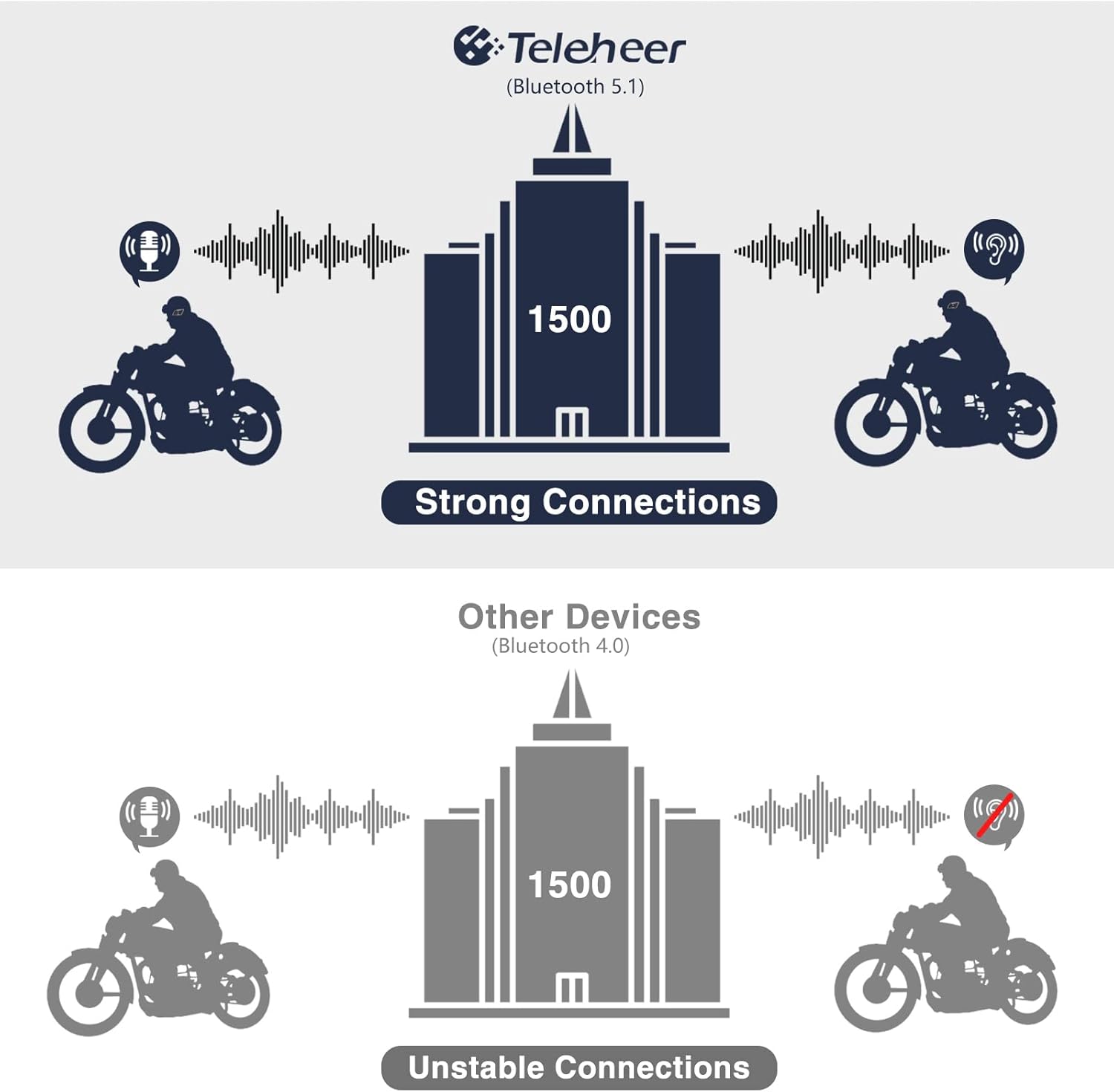
Image: A graphic illustrating the effective intercom range of the Teleheer T6 Plus (Bluetooth 5.1) compared to older Bluetooth 4.0 devices. The T6 Plus shows stable connections over 1500m, while older devices show unstable connections over shorter distances. This highlights the improved signal stability and range due to Bluetooth 5.1 and the ceramic antenna.
4. Phone Call Functions
- Чакырууга жооп берүү: баскычын кыска басыңыз Телефон баскычы.
- Чакырууну аяктоо: баскычын кыска басыңыз Телефон баскычы.
- Чалуудан баш тартуу: басып, кармап туруңуз Телефон баскычы 2 секундга.
- Акыркы номерди кайра терүү: эки жолу басыңыз Телефон баскычы.
5. Музыканы ойнотуу
- Ойнотуу/тындыруу: баскычын кыска басыңыз Телефон баскычы.
- Кийинки трек: баскычын кыска басыңыз Үнүн жогорулатуу баскычы.
- Мурунку трек: баскычын кыска басыңыз Көлөмү Down Button.
- Үндү тууралоо: басып, кармап туруңуз Үндү жогорулатуу/төмөн баскычтары көлөмүн көбөйтүү же азайтуу үчүн.
6. Үн жардамчысы (Siri/Google жардамчысы)
- Үн Жардамчысын жандыруу: эки жолу басыңыз Кубат баскычы.

Image: A graphic depicting the voice assistant feature of the Teleheer T6 Plus, showing a helmeted rider interacting with their phone via voice commands like "Hey Siri" or "Ok Google". This illustrates the hands-free convenience for navigation, calls, and other smartphone functions while riding.
Техникалык тейлөө жана кам көрүү
- Тазалоо: Гарнитураны жумшак менен сүртүңүз, damp кездеме. Катуу химиялык заттарды же абразивдүү тазалагычтарды колдонбоңуз.
- Суу каршылык: The device is IP65 waterproof. While it can withstand water jets, avoid submerging it in water for extended periods. Ensure the Type-C port cover is securely closed when not charging.
- Сактагыч: Түзмөктү колдонбогон учурда салкын, кургак жерде сактаңыз. Ашыкча температурадан алыс болуңуз.
- Батареяга кам көрүү: To prolong battery life, avoid fully discharging the battery frequently. Charge the device regularly, even if not in use for long periods.

Image: A WGP Teleheer T6 Plus headset unit partially submerged in water with splashes, demonstrating its IP65 waterproof rating. The image emphasizes the device's ability to withstand water exposure, making it suitable for various weather conditions during riding.
Проблемаларды чечүү
| Көйгөй | Мүмкүн себеп | Чечим |
|---|---|---|
| Түзмөк күйбөйт. | Батарея аз. | Аппаратты толук заряддаңыз. |
| Телефон менен жупташтыруу мүмкүн эмес. | Түзмөк жупташтыруу режиминде эмес; телефондо Bluetooth өчүк; жупташтырылган түзмөктөр өтө көп. | Ensure device is in pairing mode (red/blue flashing). Turn on phone's Bluetooth. Delete old Bluetooth connections on phone. |
| Intercom connection unstable or short range. | Obstructions; out of range; interference. | Ensure clear line of sight. Stay within 1500m range. Avoid strong electromagnetic interference. |
| Динамиктерден үн жок. | Speakers not connected properly; volume too low. | Check speaker connection to Type-C port. Increase volume. |
| Микрофон үндү кабыл албай жатат. | Microphone not connected properly; microphone position. | Check microphone connection. Ensure microphone is close to your mouth. |
| Wind noise during calls/intercom. | High speed; improper microphone placement. | Ensure microphone is positioned correctly to minimize wind exposure. The device has DSP noise suppression, but extreme conditions may affect performance. |
Техникалык шарттар
| Өзгөчөлүк | Деталь |
|---|---|
| Модель аты | Teleheer T6 Plus |
| Bluetooth версиясы | Bluetooth 5.1 |
| Домофон диапазону | Up to 1500 meters (93 MPH) |
| Батарея сыйымдуулугу | 850 мАч |
| Үзгүлтүксүз колдонуу убактысы | 30 саат |
| Күтүү убактысы | 500 саат |
| Заряддоо порту | Type-C |
| Суу каршылык | IP65 (Суюктуктардан коргоочу) |
| Иштөө температурасы | Down to -15°F |
| Антенна материалы | Керамикалык |
| Башкаруу ыкмасы | Тийүү / Физикалык баскычтар |
| Элемент Салмагы | 14.4 унция (болжол менен 408 грамм) |
| Өлчөмдөрү (пакет) | 8.54 x 3.9 x 2.95 дюйм |
Кепилдик жана колдоо
For warranty information and technical support, please refer to the official WGP webсайтка же түздөн-түз кардарларды тейлөөгө кайрылыңыз. Сатып алуу квитанциясын кепилдик дооматтары үчүн сатып алуунун далили катары сактаңыз.
Кошумча жардам алуу үчүн, сиз иш сапары менен болот Amazon боюнча продукт бет or contact the seller directly through the Amazon platform.
Ask a question about this manual
Ask about setup, troubleshooting, compatibility, parts, safety, or missing instructions. Manuals+ will review the question and use this page’s manual context to help answer it.