
1. Киришүү
This manual provides essential information for the safe and efficient operation of your SANSUI 43-inch 4K Ultra HD Certified Android LED TV, model JSW43ASUHD. Please read these instructions thoroughly before using your television and retain them for future reference.

Image: SANSUI 43-inch 4K Ultra HD Android LED TV JSW43ASUHD.
2. Кутуда эмне бар
Кутучаны кылдаттык менен ачыңыз жана төмөнкү нерселердин бардыгы бар экенин текшериңиз:
- 1 телевизор
- 1 Алыстан башкаруу
- 1 Колдонуучунун колдонмосу (бул документ)
- 1 Кепилдик картасы
- 1 Дубалга монтаждоо
- 2 AAA батареялары
- 2 Негизги стенд
- 4 Screws (for base stand)
- 1 Mini AV Cable
- 1 Электр кабели
3. Орнотуу
3.1 Пакеттен чыгаруу жана жайгаштыруу
Телевизорду жана бардык аксессуарларды таңгактан чыгарыңыз. Телевизорду туруктуу, тегиз жерге коюңуз же дубалга орнотууга даярданыңыз. Телевизордун айланасында жетиштүү желдетүүнү камсыз кылыңыз.
3.2 Стендди орнотуу
If using the included base stands:
- Сыналгынын экранын кылдаттык менен ылдый каратып жумшак, таза бетке коюңуз.
- Align each base stand with the corresponding slots on the bottom of the TV.
- Берилген бурамалар менен ар бир стендди бекитиңиз. Алардын бекем кысылганын текшериңиз.
- Сыналгыны этияттык менен туруктуу бетинде тик абалына көтөрүңүз.

Image: SANSUI TV with base stands installed.
3.3 Дубалга орнотуу
Your SANSUI TV supports VESA wall mounting with a standard of 200 x 200 мм. Follow the instructions provided with your wall mount kit. Ensure the wall mount is securely fastened to a suitable wall structure and can support the weight of the TV (approximately 6.75 kg).
3.4 Перифериялык түзүлүштөрдү туташтыруу
Тышкы түзмөктөрүңүздү телевизордун арткы панелиндеги тиешелүү портторго туташтырыңыз.
- HDMI Ports (3): Connect Blu-ray players, gaming consoles, set-top boxes, etc.
- USB порттору (2): Connect USB drives for media playback or other USB devices.
- 3.5 мм аудио джек: Connect headphones or external audio systems.
- RJ45 (Ethernet): Зымдуу интернет байланышы үчүн.
- Антенна киргизүү: Connect your terrestrial or cable antenna.

Image: Rear panel connectivity ports.
3.5 Кубат күйгүзүлдү
After connecting all necessary cables, plug the power cord into a wall outlet. Press the power button on the remote control or on the TV to turn it on. Follow the on-screen instructions for initial setup, including network connection and Google account login.
4. Сыналгыңызды иштетүү
4.1 Smart TV өзгөчөлүктөрү (Android 10.0)
Your SANSUI TV runs on Android 10.0, offering a smart and intuitive user experience. Key features include:
- Google Assistant & Alexa Enabled Support: Use voice commands for navigation, content search, and smart home control.
- Камтылган Chromecast: Easily cast content from your smartphone or tablet to the TV screen.
- Колдоого алынган колдонмолор: Access popular streaming services like Prime Video, Netflix, Disney+ Hotstar, YouTube, and Google Play Store.
- Performance: Powered by a CA53 Quad Core Processor with 2GB RAM and 8GB ROM for smooth operation.
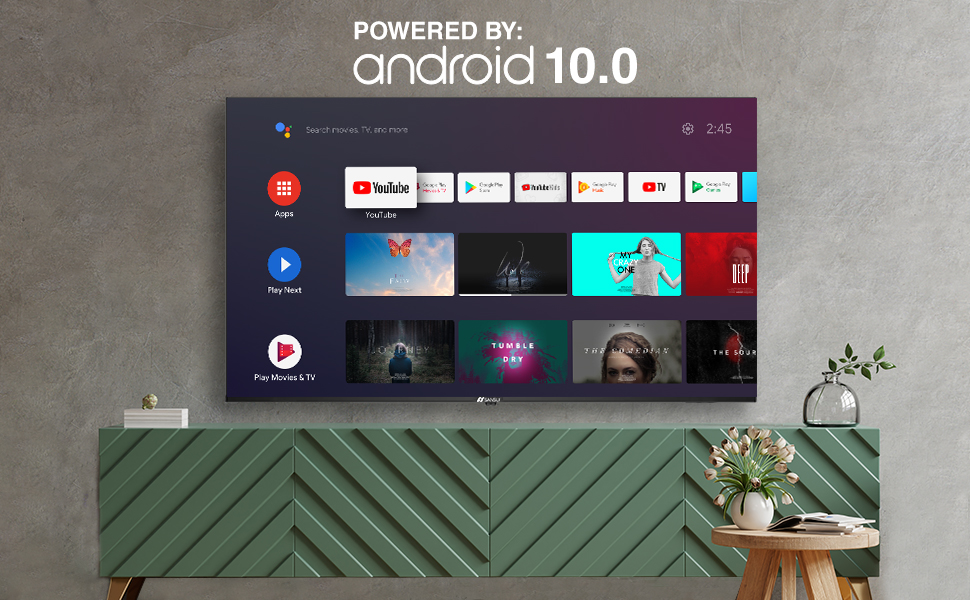
Image: Android 10.0 Smart TV interface.
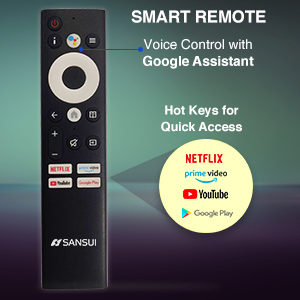
Image: Built-in Chromecast functionality.
4.2 Алыстан башкаруу
The included remote control features voice search capabilities with Google Assistant and dedicated hotkeys for quick access to popular streaming services.
- Үн менен башкаруу: Press the microphone button and speak your commands.
- Hot Keys: Direct access buttons for Netflix, Prime Video, YouTube, and Google Play.

Image: SANSUI Smart Remote Control.

Image: Smart Remote features.
4.3 Байланыш
The TV offers versatile connectivity options:
- Wi-Fi: Connect to your home wireless network for internet access.
- Bluetooth: Pair with compatible wireless headphones, speakers, or other Bluetooth devices.
- Ethernet (RJ45)Туруктуу зымдуу интернет байланышы үчүн.
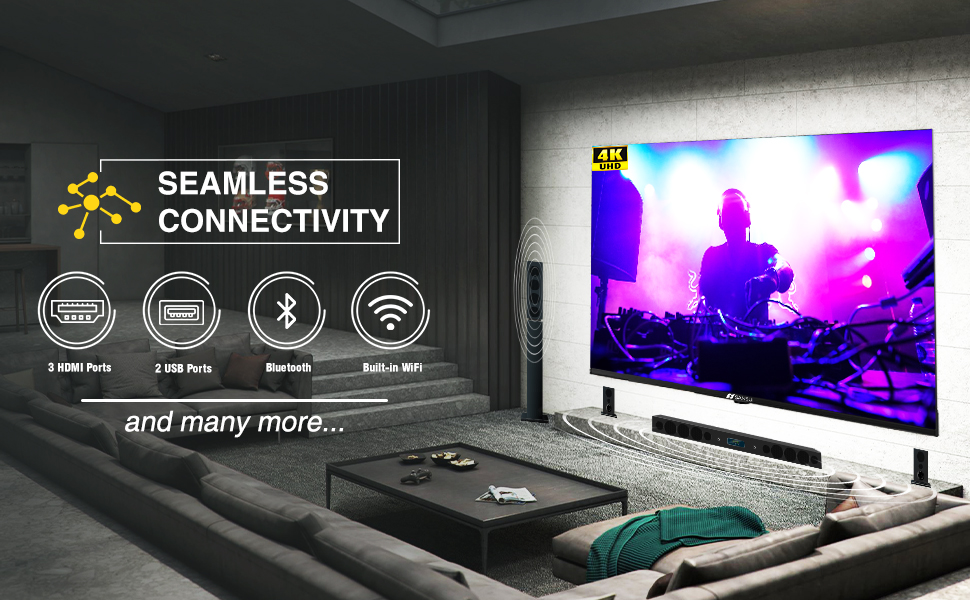
Image: Seamless connectivity options.
5. Дисплей жана аудио функциялары
5.1 Дисплей сапаты
Experience stunning visuals with your SANSUI 4K UHD Android TV:
- 4K UHD (3840x2160) Resolution: Delivers sharp, detailed images.
- HDR 10: Enhances contrast and color accuracy for a more dynamic picture.
- Wide Color Gamut: Produces a broader range of vibrant colors.
- Алкаксыз дизайн: Maximizes screen space for an immersive viewтажрыйбасы.
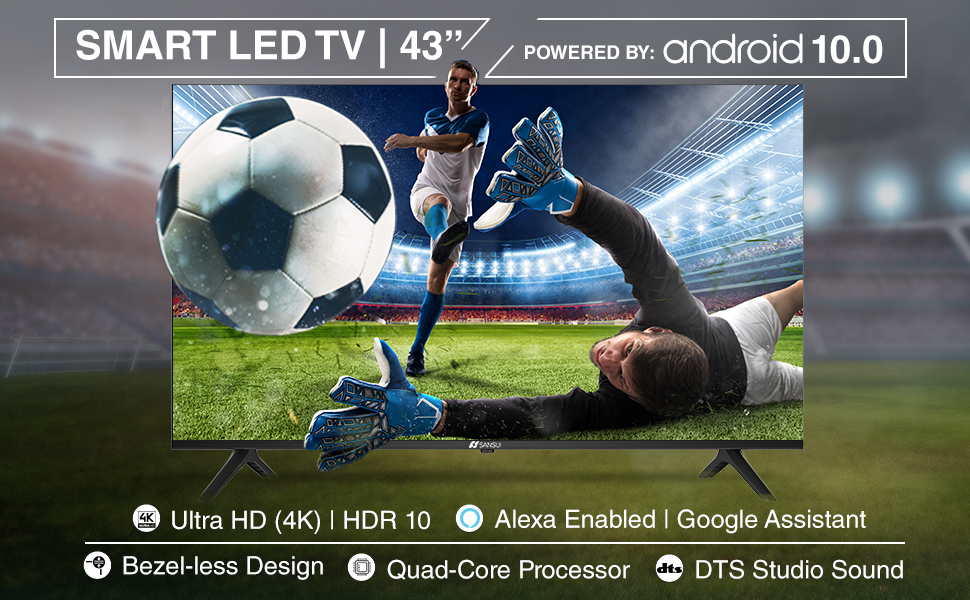
Image: Incredible visual possibilities with 4K UHD.
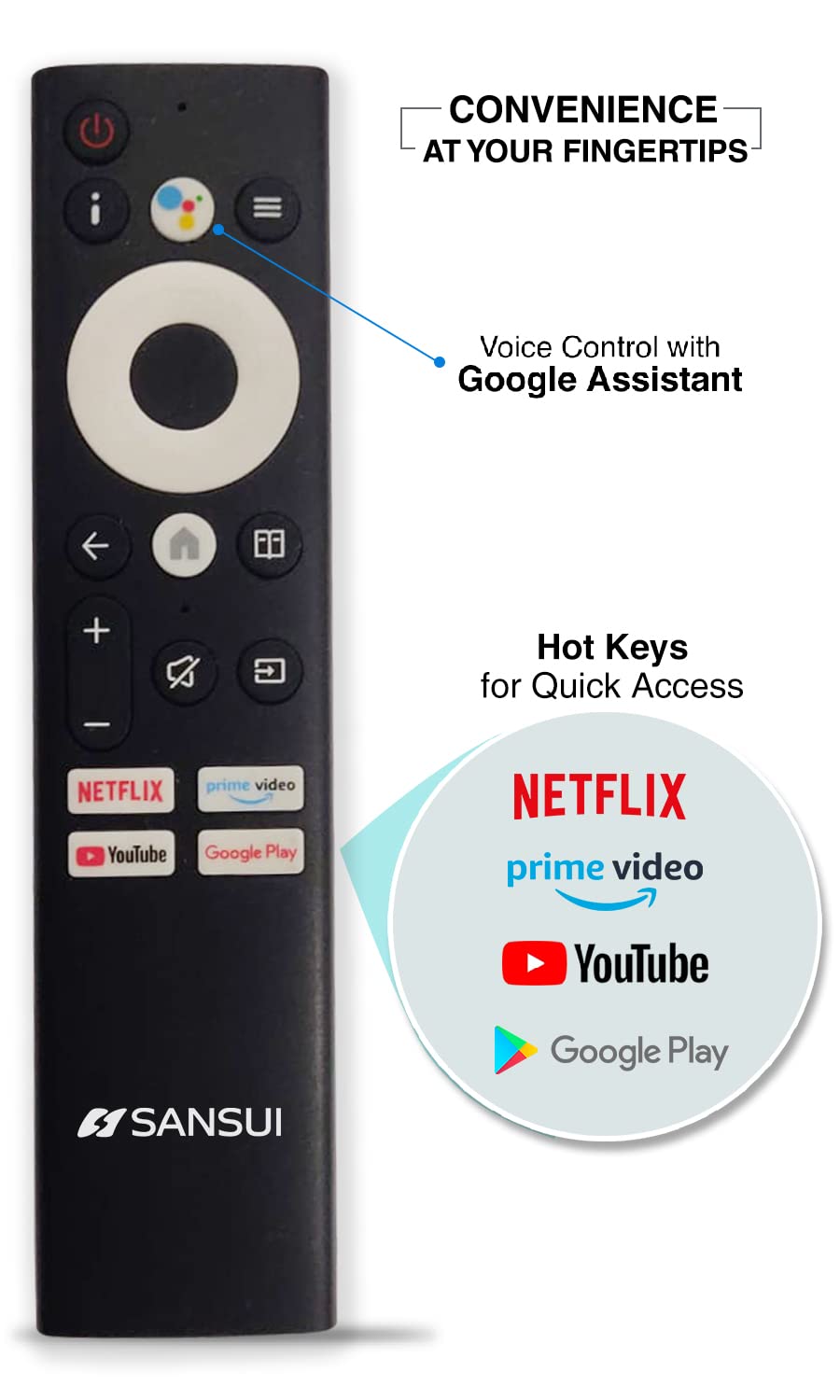
Image: Bezel-less design for an expansive view.
5.2 Аудионун сапаты
The TV features:
- 20W Audio Output: Provides clear and powerful sound.
- Dolby Audio & DTS Studio Sound: Enhances audio quality for an immersive listening experience.
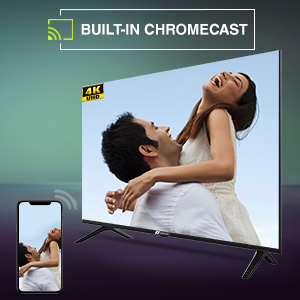
Image: Incredible audio features.
6. Техникалык тейлөө
6.1 Экранды тазалоо
Экранды тазалоо үчүн аны жумшак, түксүз чүпүрөк менен акырын сүртүңүз. өжөр белгилери үчүн, бир аз гampчүпүрөккө суу же атайын экран тазалоочу каражат. Жок use harsh chemicals, abrasive cleaners, or spray liquids directly onto the screen.
6.2 Жалпы кам көрүү
- Телевизорду күн нурунан, жылуулук булактарынан жана ашыкча чаңдан алыс кармаңыз.
- Ашыкча ысып кетүүдөн сактануу үчүн телевизордун айланасын туура желдетүүнү камсыз кылыңыз.
- Чагылган бороондо же ал узак убакыт бою колдонулбай турганда телевизорду розеткадан сууруп алыңыз.
7. Кыйынчылыктарды
Телевизоруңузда көйгөйлөргө туш болсоңуз, төмөнкү жалпы чечимдерди караңыз:
| Көйгөй | Мүмкүн чечим |
|---|---|
| Күч жок | Check if the power cord is securely plugged into the TV and the wall outlet. Ensure the outlet is functional. Try pressing the power button on the TV itself. |
| Сүрөт жок, бирок үн бар | Киргизүү булагын текшериңиз. Тышкы түзмөктөр күйгүзүлгөнүн жана туура туташканын текшериңиз. Сыналгыны өчүрүп күйгүзүп көрүңүз. |
| Үн жок, бирок сүрөт бар | Үн деңгээлин текшерип, телевизордун үнсүз эместигин текшериңиз. Эгер мүмкүн болсо, аудио жөндөөлөрүн жана тышкы динамиктердин туташууларын текшериңиз. |
| Пульт иштебей жатат | Ensure the AAA batteries are correctly inserted and not depleted. Point the remote directly at the TV's IR sensor. Remove any obstructions. |
| Wi-Fi'га туташпай жатат | Check if your Wi-Fi router is on and functioning. Re-enter the Wi-Fi password. Try restarting both the TV and the router. |
If the problem persists after trying these solutions, please contact SANSUI customer support.
8. Техникалык шарттар
Below are the detailed technical specifications for the SANSUI JSW43ASUHD TV:

Image: TV dimensions.
| Өзгөчөлүк | Спецификация |
|---|---|
| Screen Size | 43 дюйм (109 см) |
| Дисплей технологиясы | LED |
| Резолюция | 4K UHD (3840x2160) |
| Жаңыртуу ылдамдыгы | 60 Гц |
| Операция системасы | Android 10.0 (Certified by Google) |
| Процессор | CA53 Quad Core |
| RAM | 2 ГБ |
| ROM (сактоо) | 8 ГБ |
| HDR форматы колдоого алынат | HDR10 |
| Viewбурч | 178 градус |
| Аудио чыгаруу | 20 Вт |
| Аудио технологиясы | Dolby Audio, DTS Studio Sound |
| HDMI порттору | 3 |
| USB порттору | 2 |
| Байланыш | Bluetooth, Wi-Fi, Ethernet (RJ45) |
| Монтаж түрү | Wall Mount & Table Top |
| VESA тоо стандарты | 200 x 200 мм |
| Элемент Салмагы | 6750 грамм |
| Модель жылы | 2022 |
9. Кепилдик жана колдоо
9.1 Кепилдик маалыматы
Your SANSUI TV comes with a 1 жылдык комплекстүү кепилдик жана ан панелге кошумча 1 жылдык кепилдик, provided by the brand from the date of purchase.
9.2 Кардарларды колдоо
For warranty support or any technical assistance, please contact SANSUI customer service:
- Toll-Free No.: 1800-419-3777
- Email: sansuicare@jainaindia.com
- Importer Contact: Jaina India Pvt Ltd., D170, Okhla Industrial Area, Phase-1, New Delhi-110020 INDIA
10. Маанилүү эскертүүлөр
No official product videos with 'Seller' as creator type were available for embedding in this manual.