
1. Киришүү
Thank you for choosing the 5Rcom Universal TV Stand. This manual provides detailed instructions for the assembly, operation, and maintenance of your new TV stand, specifically focusing on the TF2001 Swivel TV Floor Stand. The UT3001 Table Top TV Stand is a simpler assembly of TV legs, which can be inferred from the TF2001 instructions for attaching the TV to the VESA brackets. Please read this manual thoroughly before installation to ensure safe and correct usage.
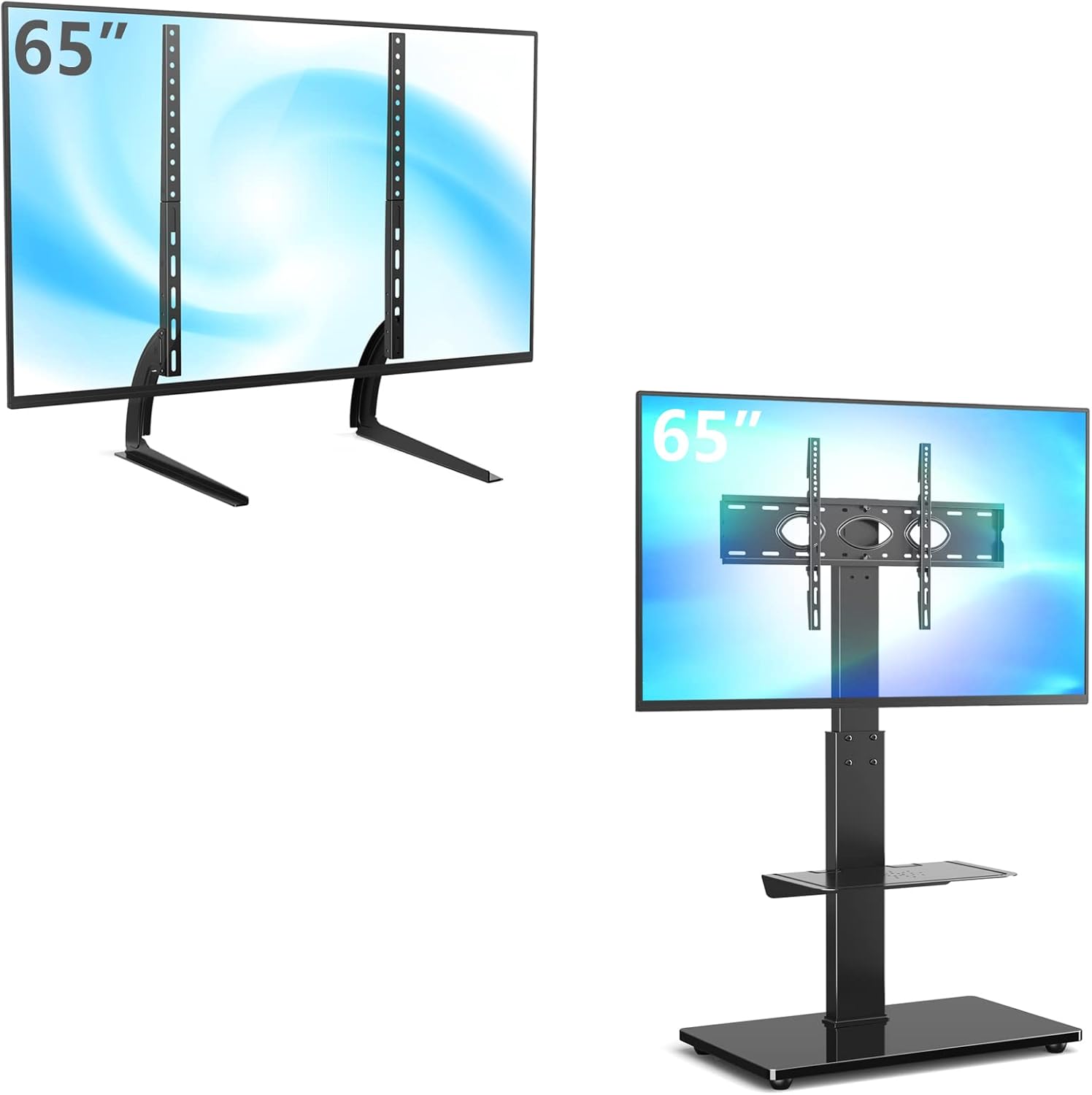
Figure 1: ашыкview of the 5Rcom TV Stand models, including the UT3001 table-top legs and the TF2001 swivel floor stand.
2. Коопсуздук маалыматы
- Read all instructions before assembly and use. If you have any questions, contact customer support.
- Do not exceed the maximum weight capacity of 110 lbs (50 kg) for the TV mount and 11 lbs (5 kg) for the accessory shelf.
- Колдонуудан мурун бардык бурамалар бекем бекитилгенин текшериңиз. Ашыкча бекемдебеңиз.
- Балдарды жана үй жаныбарларын чогултуу аянтынан алыс кармаңыз. Чакан бөлүктөрү муунуп калуу коркунучу болушу мүмкүн.
- Always use two people to lift and position the television onto the stand.
- Тирөөчтү оодарылып кетпеши үчүн, аны тегиз, туруктуу жана тегиз жерге коюңуз.
- Do not hang or climb on the stand.
- Бардык байланыштарды жана бекиткичтерди дайыма текшерип туруңуз, алар коопсуз бойдон калууда.
3. Пакеттин мазмуну
Please verify that all parts are present and undamaged before beginning assembly. If any parts are missing or damaged, do not attempt to assemble. Contact 5Rcom customer service for assistance.
Typical components for the TF2001 Swivel TV Floor Stand include:
- Негизги колдоо мамыча
- Температуралуу айнек базасы
- TV Mounting Brackets (VESA compatible)
- Height Adjustable Metal Shelf
- Hardware Kit (various screws, washers, spacers, nuts, Allen keys, wrench)
- Кабелди башкаруу клиптери/капкактары
- Монтаждоо көрсөтмөлөрү
4. Техникалык шарттар
| Өзгөчөлүк | Спецификация |
|---|---|
| Бренд | 5Rcom |
| Compatible TV Sizes (TF2001) | 32-65 дюйм |
| Compatible TV Sizes (UT3001) | 22-65 дюйм |
| Максималдуу TV жүктөө жөндөмдүүлүгү | 110 фунт (50 кг) |
| VESA шайкештиги | 100x100ммден 600x400ммге чейин |
| Монтаж түрү | Swivel Floor Stand (TF2001), Table Top Legs (UT3001) |
| Swivel Range (TF2001) | ±30 Degrees (60 degrees total) |
| Height Adjustment (TF2001 TV) | 44" to 56" from floor (5 levels) |
| Height Adjustment (TF2001 Shelf) | 5" to 23" from base (removable) |
| Текче жүктөө сыйымдуулугу | 11 фунт (5 кг) |
| Материал | Эритме болот, чыңдалган айнек |

Figure 2: Detailed product dimensions for the TF2001 Swivel TV Floor Stand and compatible VESA mounting patterns.
5. Setup Instructions (TF2001 Swivel TV Floor Stand)
Follow these steps carefully for the assembly of your TF2001 Swivel TV Floor Stand. For the UT3001 Table Top TV Legs, the process involves primarily attaching the legs to the TV's VESA holes, similar to steps 4 and 5 below.
- Базаны чогултуу: Attach the main support pole to the tempered glass base using the provided screws and tools. Ensure the pole is securely fastened and upright.
- Install the Accessory Shelf: Slide the metal accessory shelf onto the main support pole. Adjust its height to your desired position and secure it using the designated fasteners. The shelf is height adjustable from 5 inches to 23 inches.
- Attach TV Mounting Brackets to Pole: Secure the TV mounting bracket assembly to the top of the main support pole. Ensure it is aligned correctly and all bolts are tightened.
- VESA кронштейндерин телевизорго бекитүү: Identify the correct size screws and spacers for your television's VESA mounting holes. Attach the vertical VESA mounting brackets to the back of your TV. Ensure they are level and securely fastened.
- Телевизорду стендге орнотуу: With assistance, carefully lift your television and hook the VESA brackets onto the mounting plate on the stand. Engage the safety lock mechanism to prevent accidental dislodgement.
- Кабелдик башкаруу: Utilize the integrated cable management system within the main pole to route and conceal your TV and device cables for a tidy appearance.
- Акыркы түзөтүүлөр: Adjust the TV height and swivel angle as desired (refer to Operating Instructions).

Figure 3: Key features of the TF2001 stand, including safety lock, 30-degree swivel, heavy-duty castors, metal shelf, integrated cable management, and height-adjustable shelf.
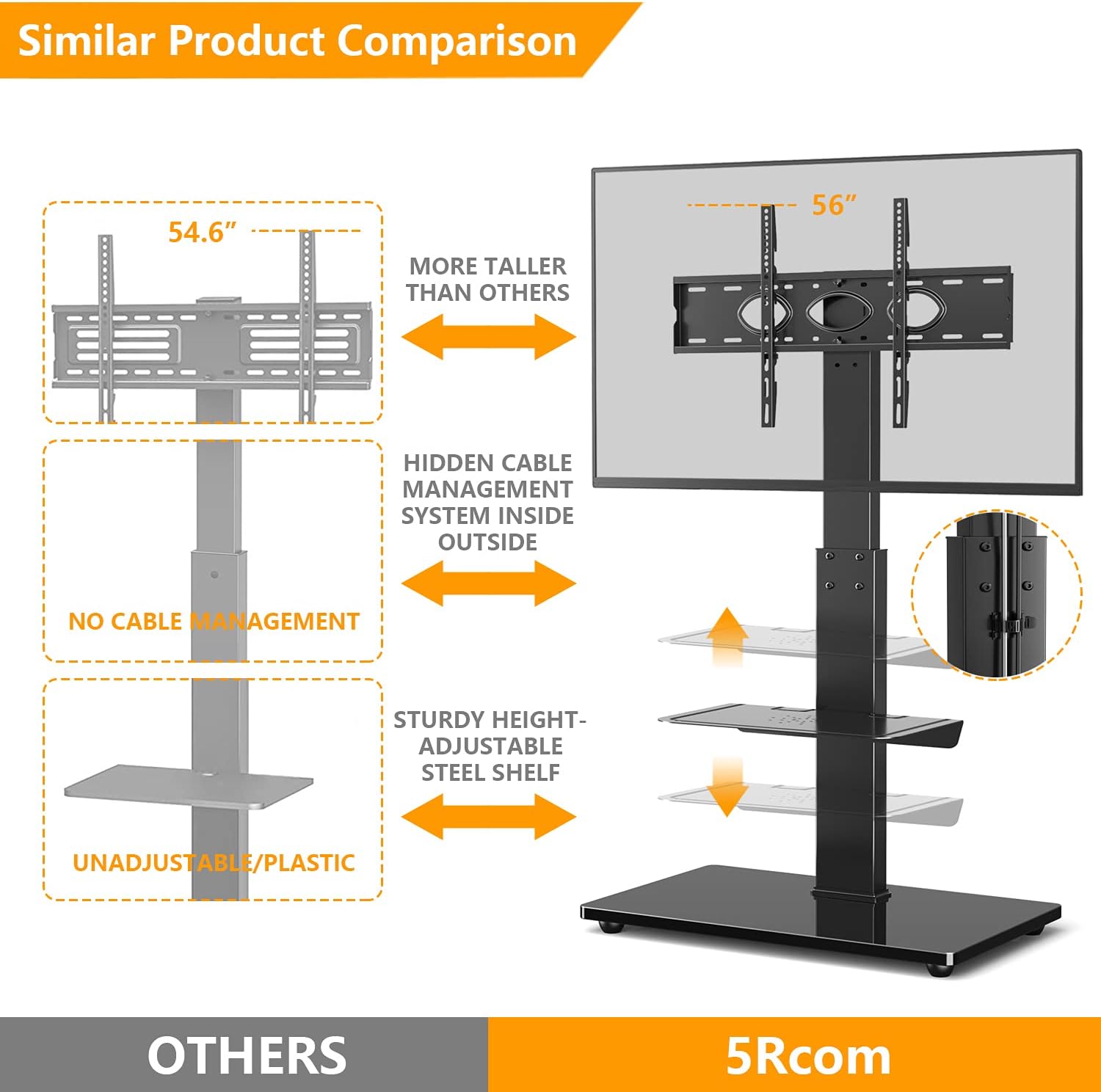
Figure 4: Comparison highlighting the superior features of the 5Rcom TF2001 stand, such as hidden cable management and sturdy adjustable shelves, compared to other models.
6. Operating Instructions (TF2001 Swivel TV Floor Stand)
Once assembled, your 5Rcom TF2001 Swivel TV Floor Stand offers several adjustable features for optimal viewыңгайлуулук жана ыңгайлуулук.
- TV Height Adjustment: The TV mounting bracket allows for 5 levels of height adjustment, ranging from 44 inches to 56 inches from the floor. To adjust, loosen the securing bolts on the main pole, slide the TV mount to the desired height, and re-tighten the bolts securely.
- Айлануучу функциясы: The TV mount can swivel 30 degrees to the left and 30 degrees to the right, providing a total of 60 degrees of swivel. Gently push the television to the desired viewбурч.
- Accessory Shelf Adjustment: The metal accessory shelf can be adjusted in height from 5 inches to 23 inches from the base. Loosen the shelf's securing mechanism, slide it to the preferred height, and re-secure it. The shelf can also be removed if not needed.
- Мобилдүүлүк (эгер бар болсо): If your model includes heavy-duty castors with brakes, you can easily move the stand. Engage the brakes when the stand is in its desired position to ensure stability.

Figure 5: The TF2001 Swivel TV Floor Stand demonstrating its adjustable height feature for optimal viewing.

Figure 6: Detailed illustration of the TF2001 stand's height adjustment capabilities for both the TV mount and the accessory shelf.

Figure 7: Visual representation of the TF2001 stand's 60-degree swivel range (30 degrees left and 30 degrees right).

Figure 8: A user operating a television mounted on the TF2001 Swivel TV Floor Stand in a home setting.
7. Техникалык тейлөө
- Тазалоо: Тирөөчтү тазалоо үчүн жумшак, кургак чүпүрөктү колдонуңуз. Өжөр тактар үчүн бир аз сүртүңүзamp cloth with mild detergent can be used, followed by drying. Avoid abrasive cleaners or solvents.
- Текшерүү: Мезгил-мезгили менен бардык бурамалар менен байланыштарды текшерип туруңуз, алар бекем жана бекем бойдон калууда. Керек болсо кайра тартыңыз.
- Кабелдик башкаруу: Ensure cables are neatly managed and not pinched or strained, which could lead to damage.
8. Кыйынчылыктарды
- Стенд туруксуз: Ensure the stand is placed on a flat, level surface. Check that all assembly screws are fully tightened. Verify that the TV weight does not exceed the maximum load capacity.
- TV does not fit the mount: Confirm your TV's VESA pattern (distance between mounting holes on the back of your TV) is within the supported range (100x100mm to 600x400mm). Ensure you are using the correct screws and spacers for your TV.
- Жетишпеген бөлүктөр: Refer to the 'Package Contents' section. If any parts are missing, do not proceed with assembly. Contact 5Rcom customer support for replacement parts.
- Difficulty with swivel: Ensure no cables are obstructing the swivel mechanism. Check that the stand is not overloaded.
9. Кепилдик жана колдоо
For warranty information or technical support, please refer to the warranty card included with your product or visit the official 5Rcom webсайт. Сатып алуу квитанциясын кепилдик дооматтары үчүн сатып алуунун далили катары сактаңыз.