
1. Киришүү
This manual provides instructions for the setup, operation, and maintenance of your Cuifati Bilingual Chinese English Wired Computer Keyboard. This full-sized 108-key keyboard features both Chinese and English characters, a USB wired connection, and is designed for general use in home, office, and gaming environments.

Image: Cuifati Wired Computer Keyboard overview.
2. Орнотуу
The Cuifati Wired Computer Keyboard is designed for simple plug-and-play functionality. No additional drivers or software are required for basic operation.
- Баскычтопту таңгактан чыгаруу: Баскычтопту таңгагынан кылдаттык менен чыгарып алыңыз.
- Connect to your Device: Locate an available USB-A port on your computer (desktop or laptop). Insert the USB connector of the keyboard cable into the USB port.
- Системаны таануу: Your operating system should automatically detect and configure the keyboard. This process may take a few moments.
- Колдонууну баштоо: Once recognized, the keyboard is ready for immediate use.

Image: Close-up of the USB-A connector for connection to a computer.
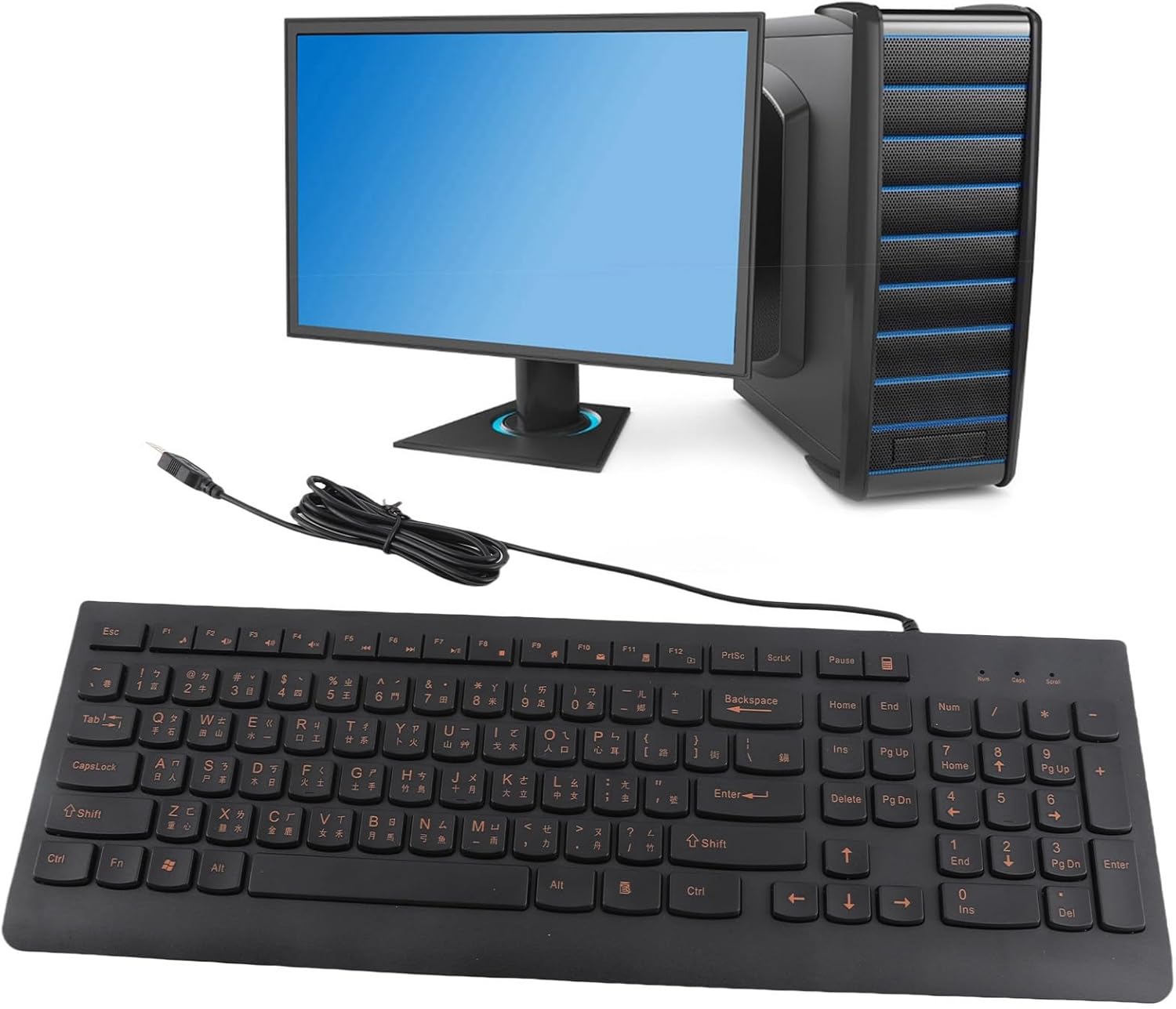
Image: The Cuifati keyboard connected to a desktop computer setup.
3. Иштөө нускамалары
3.1 General Typing
The keyboard features a standard 108-key layout with both English and Chinese characters printed on the keycaps. The keys are designed for silent typing and a comfortable hand feel.
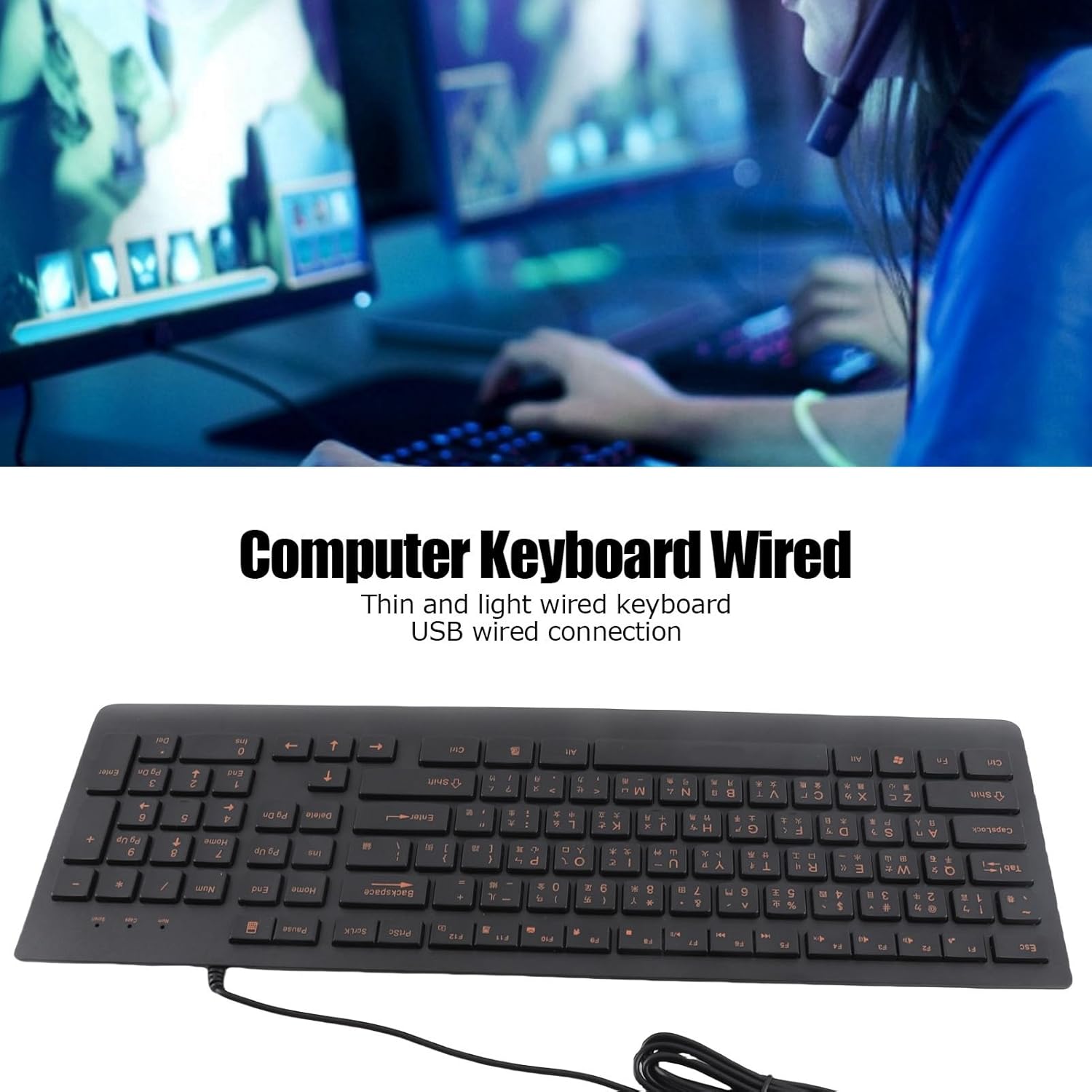
Сүрөт: Жогорку view of the Cuifati Bilingual Chinese English Wired Computer Keyboard, showing the full 108-key layout with both character sets.
3.2 Multimedia Keys (Function Keys)
The keyboard includes multimedia shortcut keys (F1-F10) that can be activated by pressing the Fn key in combination with the desired function key. Some operating systems may require specific settings for these keys to function correctly.

Image: Detail of the keyboard highlighting the function keys (F1-F10) and the Fn key for multimedia shortcuts.
4. Техникалык тейлөө
To ensure the longevity and optimal performance of your Cuifati keyboard, follow these maintenance guidelines:
- Тазалоо: Disconnect the keyboard from your computer before cleaning. Use a soft, dry cloth to wipe the surface of the keyboard. For stubborn dirt, a slightly damp жумшак самын кошулган чүпүрөктү колдонсо болот, бул ачкычтын которгучтарына суюктуктун кирбешин камсыз кылат.
- Чаңды тазалоо: Баскыч капкактарынын ортосундагы чаңды жана калдыктарды тазалоо үчүн кысылган абаны колдонуңуз.
- Суюктуктардан алыс болуңуз: Клавиатурага суюктук төкпөңүз. Кокусунан төгүлүп кетсе, клавиатураны дароо сууруп, кайра туташтыруудан мурун толугу менен кургатыңыз.
- Сактагыч: Клавиатураны узак убакыт бою колдонбогондо, күндүн тике тийген нурунан жана экстремалдык температурадан алыс, салкын, кургак жерде сактаңыз.
The engraved keycaps are designed for durability and wear resistance, maintaining their legibility over time.
5. Кыйынчылыктарды
If you encounter issues with your keyboard, please refer to the following common troubleshooting steps:
| Көйгөй | Мүмкүн себеп | Чечим |
|---|---|---|
| Баскычтоп жооп бербей жатат | USB туташуусу бошоп калды, USB порту иштебей калды, система драйверинде көйгөй бар. |
|
| Ачкычтар жабышчаак же жооп бербейт | Dirt or debris under keycaps, liquid damage. |
|
| Мультимедиа баскычтары иштебейт | Operating system settings, incorrect key combination. |
|
6. Техникалык шарттар
| Бренд | Cuifati |
| Модель номери | CUIFATI6m0w7ogh918078 |
| Байланыш технологиясы | USB, USB-A (Зымдуу) |
| Ачкычтардын саны | 108 |
| Баскычтоптун жайгашуусу | Bilingual Chinese/English, Full-Sized |
| Клавиатура түрү | Оюлган |
| Которуу түрү | Тактиль |
| Шайкеш түзмөктөр | Ноутбук, Үстөл үстүндөгү компьютер |
| Элемент Салмагы | 1.4 фунт (болжол менен 0.64 кг) |
| Пакеттин өлчөмдөрү | 18.4 x 6.5 x 1.55 дюйм (болжол менен 46.7 x 16.5 x 3.9 см) |
| Камтылган компоненттер | Wired computer keyboard |
7. Колдоо
For any questions regarding your Cuifati Bilingual Chinese English Wired Computer Keyboard, or if you are not satisfied with the product, please contact Cuifati customer service. We are committed to providing the best possible solution and ensuring your satisfaction.
Сураныч, сатып алуу документтериңизге же сатуучуга кайрылыңыз webконкреттүү байланыш маалыматы үчүн сайт.