
1. Киришүү
Thank you for choosing the Awei TC-7 Wired Earphones. These in-ear earphones are designed for clear audio and convenient communication, featuring a Type-C connector for modern devices and an inline microphone with control buttons. Please read this manual carefully to ensure proper use and maintenance of your earphones.
2. Пакеттин мазмуну
- Awei TC-7 Wired Earphones
- Multiple sizes of Ear Cushions (Small, Medium, Large)

2.1-сүрөт: The Awei TC-7 earphones include ear caps in various sizes to ensure a comfortable and secure fit for different users.
3. Продукт бүтүп калдыview
The Awei TC-7 earphones feature a durable design with a Type-C plug for direct connection to compatible devices. The inline remote control allows for easy management of audio playback and calls.

3.1-сүрөт: A close view of the Awei TC-7 earphones, showcasing their in-ear design for optimal sound delivery.

3.2-сүрөт: The inline remote control features multi-function buttons for managing audio and calls.

3.3-сүрөт: The integrated HD microphone is designed to pick up clear audio, even in noisy environments.
4. Орнотуу
- Кулак жаздыктарын тандоо: Choose the ear cushion size (Small, Medium, or Large) that provides the most comfortable and secure fit for your ears. A proper fit enhances sound quality and noise isolation.
- Түзмөккө туташуу: Insert the USB-C plug of the earphones into the Type-C port of your smartphone, tablet, laptop, or other compatible device.
- Аудио чыгаруу: Ensure your device's audio output is set to the connected earphones. This is usually automatic upon connection.
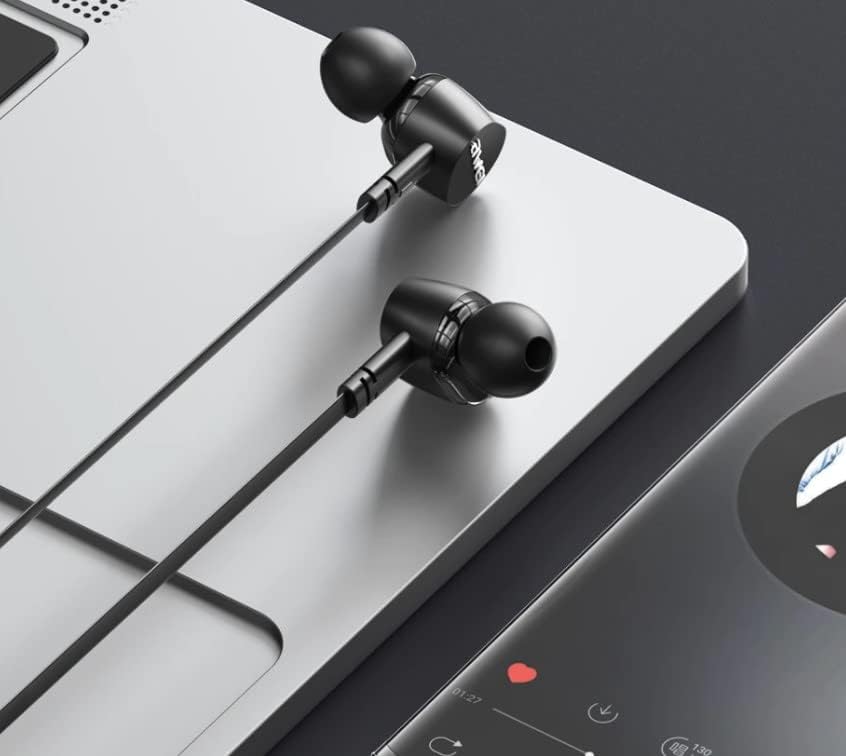
4.1-сүрөт: The earphones are compatible with various devices featuring a USB-C port, such as laptops and smartphones.
5. Иштөө нускамалары
The Awei TC-7 earphones feature an inline remote with buttons for convenient control of your audio and calls.
5.1. Музыка ойнотууну башкаруу
- Ойнотуу/тындыруу: Борбордук баскычты бир жолу басыңыз.
- Кийинки трек: Ортодогу баскычты эки жолу тез басыңыз.
- Мурунку трек: Ортодогу баскычты үч жолу тез басыңыз.
- Көлөмү: '+' баскычын басыңыз.
- Үнүн азайтуу: '-' баскычын басыңыз.
5.2. Чалууларды башкаруу
- Чалууга жооп берүү/аяктоо: Press the center button once during an incoming call or an active call.
- Чакырууну четке кагуу: Кирүүчү чалуу учурунда борбордук баскычты болжол менен 2 секунд басып туруңуз.
6. Техникалык тейлөө
Proper care will extend the lifespan of your Awei TC-7 earphones.
- Кулак жаздыктарын тазалоо: Regularly remove the ear cushions and clean them with a soft, damp кездеме. Кайра жабыштыруудан мурун алар толугу менен кургатылганын текшериңиз.
- Кабельге кам көрүү: The cable is designed to be tangle-free. Avoid excessive pulling or sharp bending to prevent internal damage.
- Сактагыч: When not in use, store the earphones in a clean, dry place, away from extreme temperatures.
- Суу каршылык: The earphones are rated as waterproof. However, avoid prolonged submersion and ensure the USB-C port is dry before connecting to a device after exposure to water.
7. Кыйынчылыктарды
If you encounter issues with your Awei TC-7 earphones, please refer to the following common solutions:
| Көйгөй | Мүмкүн себеп | Чечим |
|---|---|---|
| Наушниктен үн чыкпайт | Earphones not properly connected; device volume too low; incorrect audio output setting on device. | Ensure the USB-C plug is fully inserted. Increase device volume. Check device audio settings to confirm output is set to earphones. |
| Микрофон иштебей жатат | Microphone port blocked; incorrect input setting on device; application permissions. | Ensure the microphone area is clear. Check device sound settings for microphone input. Verify application permissions for microphone access. |
| Баскычтар жооп бербейт | Loose connection; device incompatibility; software glitch. | Reconnect the earphones. Test with another compatible device if possible. Restart your device. |
8. Техникалык шарттар
| Өзгөчөлүк | Деталь |
|---|---|
| Модель аты | TC-7 |
| Байланыш технологиясы | Зымдуу |
| Наушник уясы | USB-C |
| Кулак жайгаштыруу | Кулакта |
| Жыштык диапазону | 20Гц - 20кГц |
| Кошумча функциялар | Microphone Included, Inline Control |
| Материал | Пластик |
| Сууга туруктуулук деңгээли | Суу өткөрбөйт |
| Кабелдик өзгөчөлүктөрү | Tangle Free |
| Шайкеш түзмөктөр | Smartphones, Laptops, Tablets, Desktops with USB-C |
9. Кепилдик жана колдоо
Кепилдик жөнүндө маалымат жана кардарларды колдоо кызматы үчүн, сатып алуу учурунда берилген документтерди караңыз же сатуучуңузга кайрылыңыз. Кепилдик боюнча дооматтар үчүн сатып алууну тастыктаган документти сактап коюңуз.