
Cuifati Cuifatip0izksa79g3281
Cuifati Wireless Smart Remote Control User Manual
Model: Cuifatip0izksa79g3281
Introduction
This manual provides comprehensive instructions for the Cuifati Wireless Smart Remote Control. It covers setup, operation, maintenance, and troubleshooting to ensure optimal performance and longevity of your device. This remote control features 2.4G and Bluetooth 5.0 connectivity, voice control, and IR learning capabilities, making it compatible with a wide range of devices such as Nvidia Shield, PCs, Projectors, Smart TVs, and Android TV Boxes.
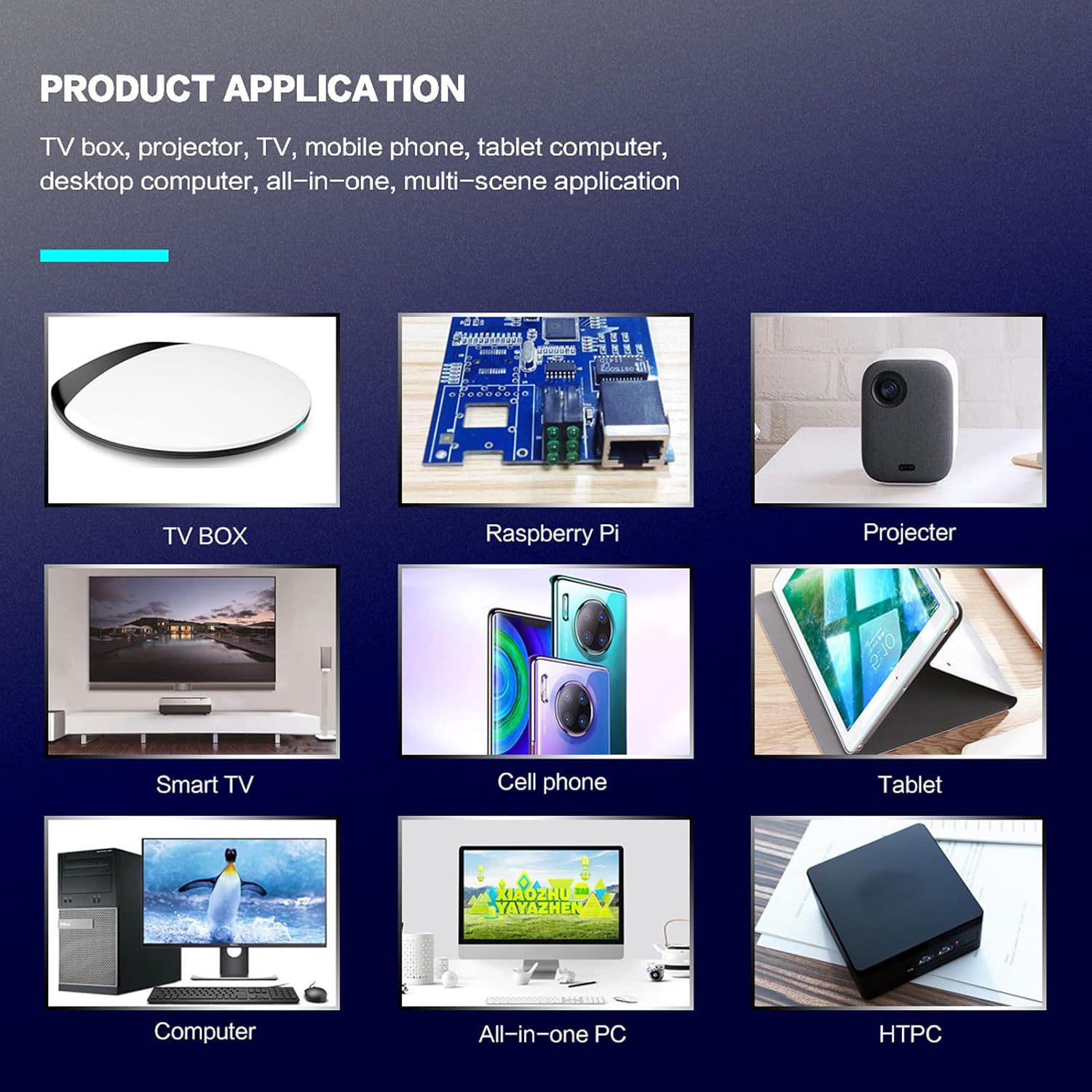
1-сүрөт: Product application examples.
Пакеттин мазмуну
Пакетиңизде бардык буюмдар бар экенин текшериңиз:
- 1 x Cuifati Wireless Smart Remote Control
- 1 x 2.4G USB кабыл алгыч
- 1 x User Manual
Техникалык шарттар
| Өзгөчөлүк | Деталь |
|---|---|
| Бренд | Cuifati |
| Модель номери | Cuifatip0izksa79g3281 |
| Материал | ABS |
| Тtage | 3.0 V |
| Байланыш режимдери | 2.4G, Bluetooth 5.0 |
| Иштөө агымы | <15 мА |
| Күтүү агымы | <20 uA |
| Операциялык аралык | >10 meters (32.8 feet) |
| Батарея түрү | 2 x AAA батарейкалар (киргизилген эмес) |
| баскычтардын саны | 5 (Control buttons, total buttons are more) |
| Шайкеш түзмөктөр | Streaming devices, Televisions, PCs, Projectors, Smart TVs, Android TV Boxes |
| Өзгөчө өзгөчөлүк | Universal, Voice Control, IR Learning, Backlit |
Орнотуу колдонмосу
1. Батареяны орнотуу
Алыстан башкарууга эки AAA батарейкасы керек (киргизилген эмес).
- Алыстан башкаруу пультунун артындагы батарея бөлүмүнүн капкагын ачыңыз.
- Туура полярдуулукту (+ жана -) камсыз кылуу менен эки AAA батарейкасын салыңыз.
- Батарея уясынын капкагын бекем жабыңыз.

2-сүрөт: Battery compartment with AAA batteries.
2. Алыстан башкаруу пультун туташтыруу
The remote control supports both 2.4G wireless and Bluetooth 5.0 connectivity.
2.1. 2.4G зымсыз байланыш (USB кабыл алгыч аркылуу)
- Insert the 2.4G USB receiver into an available USB port on your device (e.g., Smart TV, Android TV Box, PC).
- The device should automatically detect and install the necessary drivers.
- Алыстан башкаруу азыр колдонууга даяр.
2.2. Bluetooth 5.0 туташуу
For Bluetooth connection, ensure your device supports Bluetooth 5.0 or higher.
- Пульттагы баскычты басып, кармап туруңуз OK баскычы жана Кайтуу button simultaneously for 3 seconds. The indicator light on the remote will flash rapidly, indicating it is in pairing mode.
- Түзмөгүңүздө Bluetooth жөндөөлөрүнө өтүп, жеткиликтүү түзмөктөрдү издеңиз.
- Select "G20s Pro" (or similar device name) from the list of found devices to pair.
- Жупташтырылгандан кийин, пульттагы индикатор жарыгы күйүп-өчүп токтойт.

3-сүрөт: Bluetooth жупташуу нускамалары.
Иштөө нускамалары
1. Баскычтын функциялары бүттүview
Familiarize yourself with the layout and functions of the remote control buttons.

4-сүрөт: Remote control button layout and functions.
- Power (IR Learning Key): Turns the device on/off. Can be programmed via IR learning.
- Микрофон: Activates voice input.
- Индикатор жарыгы: Shows status (pairing, IR learning).
- Mute (IR Learning Key): Mutes/unmutes audio. Can be programmed via IR learning.
- Pg+ / Pg-: Page Up / Page Down.
- Navigation Keys (Up/Down/Left/Right): For menu navigation.
- OK / Enter / Mouse Left: Confirms selection or acts as left mouse click.
- Return / Mouse Right: Goes back or acts as right mouse click.
- Үй: Башкы экранга кайтарат.
- Open Google Voice Assistant: Dedicated button for voice assistant.
- Volume - / Volume +: Adjusts volume.
- Ойнотуу/Тыныгуу: Медиа ойнотууну башкарат.
- Мурунку кийинки: Skips to previous or next media track.
- BackSpace: Deletes characters.
- Меню: Press and hold to turn on/off the backlight.
2. Үн менен башкаруу
The remote control supports voice commands for compatible devices. Press the Микрофон button and speak clearly into the remote to issue commands or search content.
3. IR Learning Function
The Power and Mute buttons can learn infrared signals from your existing TV remote control, allowing you to control basic TV functions with this remote.

5-сүрөт: IR Learning process for the Power button.
- басып, кармап туруңуз Күч баскычы (же Үнсүз button) on the Cuifati remote for 3 seconds. The red indicator light will flash slowly, entering IR learning mode.
- Point the infrared emitter of your original TV remote control directly at the infrared receiver of the Cuifati remote (approximately 2-3 cm apart).
- Press the desired button on your original TV remote (e.g., Power button). The Cuifati remote's red indicator light will flash rapidly and then turn off, indicating successful learning.
- Repeat the process for other buttons if desired.
4. Motion Sensing (Air Mouse)
The remote control features a gyroscope core compensation algorithm for motion sensing, allowing it to function as an air mouse. Move the remote in the air to control the cursor on your screen.

6-сүрөт: Motion sensing in action.
Техникалык тейлөө
- Пультту кургак кармаңыз. Нымдуулукка же суюктуктарга тийгизбеңиз.
- Пультту жумшак, кургак чүпүрөк менен тазалаңыз. Абразивдүү тазалоочу каражаттарды же эриткичтерди колдонбоңуз.
- Эгерде алыстан башкаруу пульту көпкө чейин колдонулбаса, агып кетүүнүн алдын алуу үчүн батарейкаларды алып салыңыз.
- Алыстан башкаруу пультун түшүрүп алуудан же катуу соккуга кабылтуудан алыс болуңуз.
Проблемаларды чечүү
- Алыстан башкаруу жооп бербей жатат:
- Батареялардын туура орнотулганын жана түгөнүп калбагандыгын текшериңиз. Керек болсо алмаштырыңыз.
- Check if the 2.4G USB receiver is properly inserted into the device's USB port.
- For Bluetooth connection, ensure the remote is paired correctly. Re-pair if connection is lost.
- Ensure there are no obstructions between the remote and the device (for 2.4G) or within Bluetooth range.
- Voice control is not working:
- Ensure the remote is properly connected via 2.4G or Bluetooth.
- Verify that your device supports voice input and that the microphone is enabled.
- Пульттун микрофонуна жакын жана так сүйлөңүз.
- IR learning failed:
- Ensure the original remote's IR emitter is pointed directly at the Cuifati remote's IR receiver, within 2-3 cm.
- Make sure the original remote has sufficient battery power.
- Repeat the learning steps carefully.
Кепилдик жана колдоо
Specific warranty information is not provided in this manual. For warranty details, technical support, or service inquiries, please refer to the product packaging or contact the manufacturer directly through their official webсайт же кардарларды тейлөө каналдары.
Ask a question about this manual
Ask about setup, troubleshooting, compatibility, parts, safety, or missing instructions. Manuals+ will review the question and use this page’s manual context to help answer it.