
1. Киришүү
Thank you for choosing the BONTEC MFG01 Monitor Stand. This stand is designed to provide a stable and adjustable mounting solution for your computer monitor, enhancing your viewing comfort and optimizing your workspace. It features a robust tempered glass base and an adjustable arm, compatible with a wide range of monitors.
Негизги өзгөчөлүктөр төмөнкүлөрдү камтыйт:
- Robust and Elegant Design: Constructed with a polished tempered glass base and a steel central column for stability and style.
- Жалпы шайкештик: Supports LCD LED monitors and TVs from 13 to 32 inches, with a maximum load capacity of 10 kg (22 lbs). Compatible with VESA sizes 75x75 mm and 100x100 mm.
- Full Adjustment: Offers 360° rotation, ±25° tilt, and ±80° swivel for optimal viewбурчтар.
- Жөнөкөй орнотуу: Features a detachable VESA plate for easy setup and height adjustment.
- Тайгалоого каршы буттар: Rubber anti-slip feet ensure the monitor remains stable and protect your desk surface.
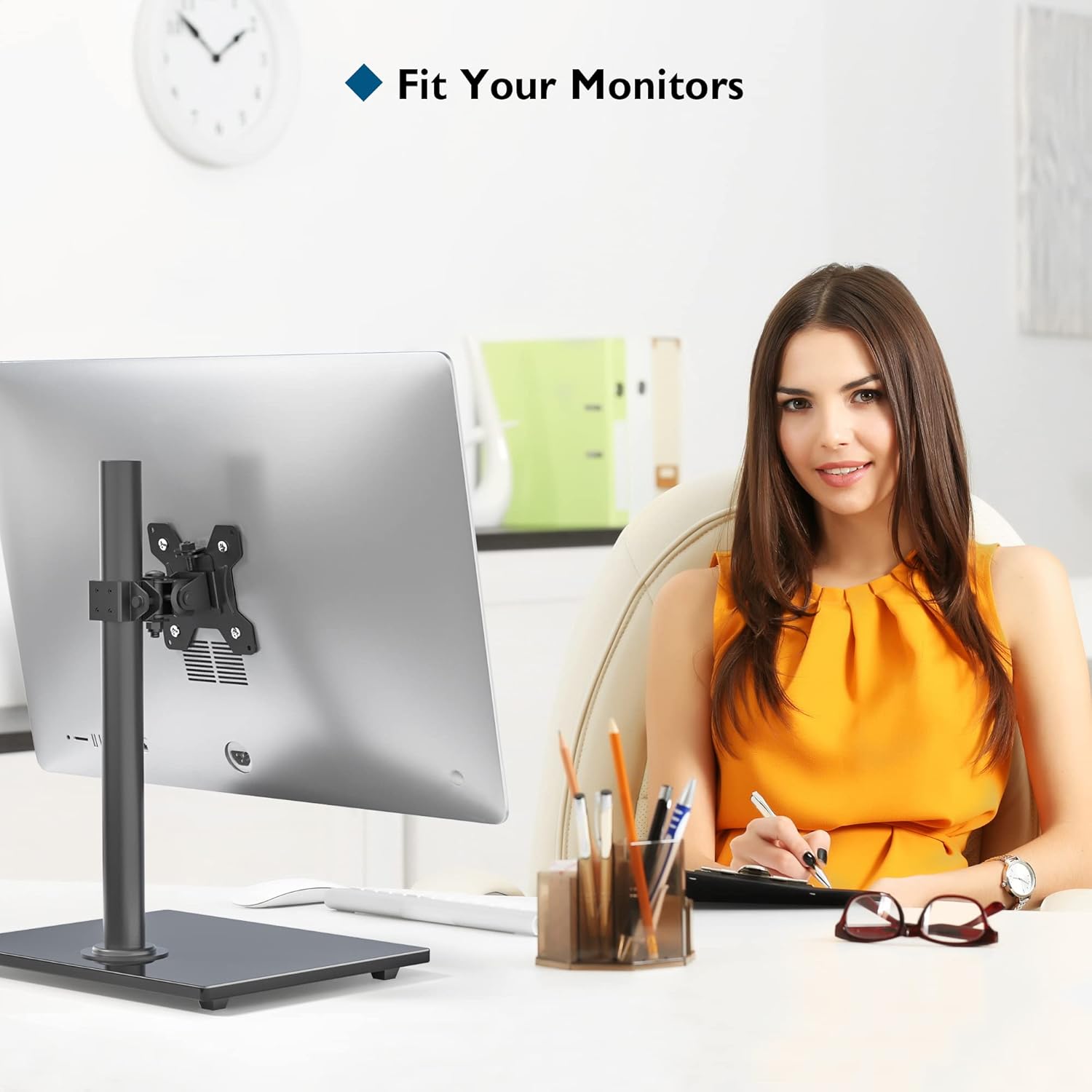
Figure 1: BONTEC MFG01 Monitor Stand in use, providing an ergonomic setup.
2. Коопсуздук маалыматы
Сураныч, чогултуу жана колдонуу алдында бардык нускамаларды кунт коюп окуп чыгыңыз. Бул колдонмону келечекте маалымат алуу үчүн сактаңыз.
- Салмак сыйымдуулугу: Do not exceed the maximum load capacity of 10 kg (22 lbs). Overloading can result in serious injury or product damage.
- Монитордун өлчөмү: Ensure your monitor is between 13 and 32 inches.
- VESA шайкештиги: Verify your monitor's VESA mounting pattern is 75x75 mm or 100x100 mm.
- Туруктуу бети: Always install the monitor stand on a stable, level desk surface.
- Ассамблея: Assemble the product exactly as instructed. Incorrect assembly may lead to instability and potential hazards.
- Балдар: кичинекей бөлүктөрүн балдардан алыс кармаңыз.

Figure 2: The robust tempered glass base supports significant weight, ensuring stability.
3. Пакеттин мазмуну
Please check that all components are present and undamaged before proceeding with assembly. If any parts are missing or damaged, contact customer support.
- Температуралуу айнек базасы
- Колдоо полюс
- VESA монтаждоо плитасы
- Монитор курал ассамблеясы
- Орнотуу жабдуулары (бурамалар, шайбалар, аралыктар)
- Assembly Tools (Allen keys)
- User Manual
4. Орнотуу жана орнотуу
Follow these steps to assemble and install your BONTEC MFG01 Monitor Stand.
- Колдоочу мамычаларды негизге бекитиңиз: Secure the support pole to the tempered glass base using the provided screws and tools. Ensure it is firmly tightened.
- Attach the Monitor Arm to the Pole: Slide the monitor arm assembly onto the support pole. Adjust it to your desired initial height and secure it with the locking mechanism.
- Attach the VESA Plate to your Monitor: The VESA plate is detachable for easier installation. Remove the VESA plate from the monitor arm. Align the VESA plate with the mounting holes on the back of your monitor (75x75mm or 100x100mm). Use the appropriate screws and washers from the hardware kit to secure the plate to your monitor. Do not overtighten.
- Mount the Monitor to the Arm: Carefully slide the monitor (with the attached VESA plate) onto the monitor arm assembly. Ensure it clicks securely into place. Tighten any safety screws if provided.
- Кабелдик башкаруу: Use any integrated cable clips or channels on the stand to route your monitor cables neatly, reducing clutter.

Figure 3: The stand features a removable VESA plate for simplified monitor attachment and height adjustment.

Figure 4: Detachable VESA plate for convenient monitor mounting.
5. Колдонуу боюнча нускамалар (Оңдоолор)
The BONTEC MFG01 Monitor Stand offers multiple adjustment options to achieve your ideal viewпозиция.
- Бийиктигин тууралоо: Loosen the locking mechanism on the monitor arm, slide the arm up or down the support pole to the desired height, and then re-tighten the locking mechanism firmly.
- Эңкейүүнү тууралоо: The monitor can be tilted ±25° (up or down). Loosen the tilt knob or screw on the VESA plate, adjust the monitor to your preferred angle, and then re-tighten.
- Айланууну жөндөө: The monitor arm can swivel ±80° horizontally. Gently push the monitor to the left or right to achieve the desired swivel angle.
- Айланууну тууралоо: The VESA plate allows for 360° rotation, enabling you to switch between landscape and portrait orientations. Simply rotate the monitor to the desired orientation.

Figure 5: The stand offers comprehensive adjustments for optimal viewing.

Figure 6: Monitor rotation for landscape or portrait orientation.
6. Техникалык тейлөө
Regular maintenance ensures the longevity and safe operation of your monitor stand.
- Тазалоо: Стендди жумшак менен сүртүңүз, гamp кездеме. Финишке зыян келтирүүчү абразивдүү тазалагычтардан же эриткичтерден качыңыз.
- Байланыштарды текшерүү: Мезгил-мезгили менен бардык бурамалар менен болтторду текшерип туруңуз, алар бекем бойдон калууда. Керек болсо кайра тартыңыз.
- Зыянды текшерүү: Regularly inspect the stand for any signs of wear, damage, or loose components. Discontinue use if damage is found and contact customer support.
7. Кыйынчылыктарды
If you encounter issues with your monitor stand, refer to the following common problems and solutions.
- Монитор туруктуу эмес:
- Ensure all screws, especially those connecting the pole to the base and the arm to the pole, are securely tightened.
- Verify the monitor's weight does not exceed the 10 kg (22 lbs) capacity.
- Check that the desk surface is level and stable.
- Monitor cannot be tilted or rotated:
- Ensure any adjustment knobs or screws for tilt/rotation are loosened before attempting to adjust, and re-tightened afterward.
- Confirm your monitor's VESA mounting holes are correctly aligned with the plate.
- Monitor is too high/low and cannot be adjusted:
- Бийиктик жөндөөсүн бошотуңуз clamp on the support pole sufficiently before attempting to move the arm.
- Ensure no cables are obstructing the movement of the arm along the pole.
8. Техникалык шарттар
| Өзгөчөлүк | Спецификация |
|---|---|
| Модель номери | MFG01 |
| Бренд | BONTEC |
| Шайкеш экран өлчөмү | 13 - 32 дюйм |
| Максималдуу жүктөө жөндөмдүүлүгү | 10 кг (22 фунт) |
| VESA шайкештиги | 75x75 мм, 100x100 мм |
| Тит бурч | ±25° |
| Swivel Angle | ±80° |
| Айлануу | 360° |
| Монтаж түрү | Стол орнотуу |
| Материал | Эритме болот, чыңдалган айнек |
| Түс | Кара |
| Элемент Салмагы | 2.4 килограмм |

Figure 7: Detailed dimensions and VESA compatibility for the monitor stand.

Figure 8: VESA mounting pattern details.
9. Кепилдик жана колдоо
The BONTEC MFG01 Monitor Stand comes with a 1 жылдык кепилдик сатып алынган күндөн тартып. Бул кепилдик өндүрүштүк кемчиликтерди жана кадимки колдонуудагы материалдык кемчиликтерди камтыйт.
Кепилдик төмөнкүлөрдү камтыбайт:
- Damage caused by improper installation or assembly.
- Damage caused by exceeding the stated weight capacity.
- туура эмес пайдалануу, кыянаттык менен пайдалануу же кароосуздан улам келтирилген зыян.
- Кадимки эскирүү.
For warranty claims, technical support, or any questions regarding your product, please contact BONTEC customer service through the retailer where you purchased the product or visit the official BONTEC webбайланыш маалыматы үчүн сайт.