
Dzees D3K
Dzees Solar Security Camera D3K User Manual
Модели: D3K
Brand: Dzees
Thank you for choosing the Dzees Solar Security Camera. This manual provides essential information for setting up, operating, and maintaining your device. Please read it thoroughly before use to ensure optimal performance and safety.
1. Киришүү
The Dzees D3K Solar Security Camera is an advanced wireless outdoor surveillance solution designed for comprehensive home security. It features 2K resolution for clear imaging, 360° pan and 90° tilt capabilities for wide coverage, and is powered by an efficient solar panel for continuous operation. Equipped with intelligent AI detection, color night vision, and an IP66 weather-resistant design, the D3K provides reliable monitoring in various environmental conditions.
Негизги өзгөчөлүктөрү:
- 2K PTZ Camera: Supports 355° horizontal and 90° vertical rotation with 4X digital zoom for comprehensive coverage.
- Күн энергиясы: High-efficiency solar panel ensures continuous power supply, reducing the need for manual charging.
- Smart AI аныктоо: Accurately distinguishes between individuals, packages, vehicles, and animals, minimizing false alarms.
- Ойготкуч функциялары: Features a loud siren, spotlight, and sound alerts to deter intruders.
- Түнкү көрүнүш: Жарык аз болгон шартта да так, толук түстүү видео көрсөтөт.
- IP66 аба ырайы: Designed to withstand various weather conditions, ensuring year-round protection.
- Ийкемдүү сактагыч: Supports up to 128GB memory card (not included) and offers 2 years of free 3-day loop cloud storage.
2. Пакеттин мазмуну
Бардык компоненттердин бар экенин текшерүү үчүн кутудан чыгарганда таңгактын мазмунун текшериңиз:
- Dzees Solar Security Camera
- Күн панели
- Кронштейн орнотуу
- Монтаждоо бурамалар жана анкерлер
- USB заряддоо кабели
- Колдонуучунун Колдонмосу (бул документ)
3. Продукт бүтүп калдыview
Familiarize yourself with the main components of your Dzees Solar Security Camera:

Figure 3.1: Dzees Solar Security Camera D3K and accompanying solar panel.
- Камера линзасы: 2K резолюциядагы видеону тартат.
- Жарыктар: Provide illumination for color night vision and deterrence.
- PIR сенсор: Detects motion based on infrared heat signatures.
- Микрофон: Эки тараптуу байланыш үчүн аудио жаздырат.
- Баяндамачы: Outputs audio for two-way communication and siren.
- Күн панелинин порту: Connects the solar panel for continuous charging.
- Калыбына келтирүү баскычы: Камераны заводдук жөндөөлөргө кайтаруу үчүн колдонулат.
- Микро SD карта слоту: Жергиликтүү видео сактоо үчүн (128 ГБ чейин колдойт, карта кошулган эмес).
- Антенналар: Wi-Fi аркылуу туруктуу байланыш үчүн.
4. Орнотуу колдонмосу
4.1 Алгачкы заряддоо
Before initial use, fully charge the camera using the provided USB cable. Connect the USB cable to the camera's charging port and a standard 5V/2A USB power adapter (not included). A full charge typically takes several hours.
4.2 Колдонмону орнотуу
Download and install the "Dzees Home" app on your smartphone or tablet. The app is available on both the Apple App Store and Google Play Store.

Figure 4.1: The Dzees Home app interface, displaying multiple camera feeds and control options.
- Издөө "Dzees Home" in your device's app store.
- Колдонмону жүктөп алып, орнотуңуз.
- Жаңы каттоо эсебин каттаңыз же сизде мурунтан эле бар болсо кириңиз.
4.3 Камераны жупташтыруу
Follow these steps to connect your camera to your Wi-Fi network and the Dzees Home app:
- Open the Dzees Home app and tap the "+" icon to add a new device.
- Тизмеден камераңыздын моделин тандаңыз.
- Power on the camera. The camera will emit a voice prompt indicating it's ready for pairing.
- Follow the in-app instructions to connect the camera to your 2.4GHz Wi-Fi network. Note: This camera only supports 2.4GHz Wi-Fi.
- Телефонуңуздун экранында көрсөтүлгөн QR кодун камеранын линзасы менен сканерлеңиз.
- Туташкандан кийин, камера ийгиликтүү жупташтырууну ырастайт.

Figure 4.2: Illustration of the solar-powered, wire-free setup, emphasizing 2.4GHz WiFi connectivity and solar charging efficiency.
4.4 Камераны орнотуу
Choose a suitable location for mounting your camera, ensuring it has a clear view of the area you wish to monitor and that the solar panel receives adequate direct sunlight throughout the day.
- Бургулоочу жерлерди шаблон катары орнотуучу кронштейнди колдонуп белгилеңиз.
- Эгер кышка же гипсокартонго орнотуп жатсаңыз, тешиктерди бургулап, дубалга анкерлерди киргизиңиз.
- Берилген бурамалар аркылуу монтаждык кронштейнди дубалга бекитиңиз.
- Камераны монтаждоо кронштейнине бекитиңиз.
- Connect the solar panel cable to the camera's solar panel port. Position the solar panel to maximize sun exposure.
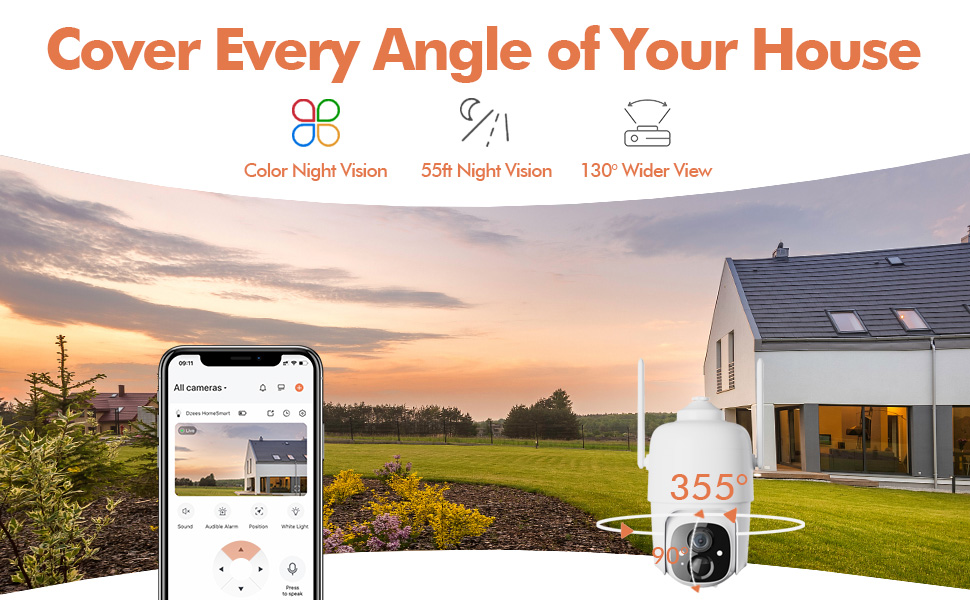
Figure 4.3: The Dzees camera mounted outdoors, showcasing its IP66 weather-resistant design, capable of operating in various weather conditions.

Figure 4.4: The camera's advanced PIR motion detection in action, highlighting its ability to detect movement within a specified zone.
5. Камераны иштетүү
5.1 Live View жана Ойнотуу
Түз эфирдеги видео түрмөгүнө кирип, кайраview recorded events through the Dzees Home app.
- From the app's home screen, tap on the camera's thumbnail to enter the live view интерфейс.
- Use the timeline or event list to navigate and play back recorded footage.

Figure 5.1: The Dzees Home app displaying live camera feed with controls for pan, tilt, digital zoom, and night vision settings.
5.2 Панорама, жантайтуу жана чоңойтуу (PTZ)
Камераны башкарыңыз viewing angle directly from the app:
- Түз эфирде view, use the directional controls to pan (355° horizontal) and tilt (90° vertical) the camera.
- Pinch to zoom in or out for 4X digital zoom. Note: This is digital zoom, not optical zoom.
- Set up to 5 preset points for quick navigation to frequently monitored areas.

Figure 5.2: Illustration of setting up and utilizing up to 5 preset positions for rapid camera view тууралоо.
5.3 Кыймылды аныктоо жана эскертүүлөр
Customize your detection settings to receive relevant alerts:
- Колдонмодогу камера жөндөөлөрүнө өтүңүз.
- Enable AI detection to differentiate between people, packages, vehicles, and animals.
- Define custom activity zones to focus detection on specific areas and ignore others.
- Adjust detection sensitivity to reduce unwanted notifications.
- Кыймыл аныкталганда телефонуңузга заматта push эскертмелерин алыңыз.
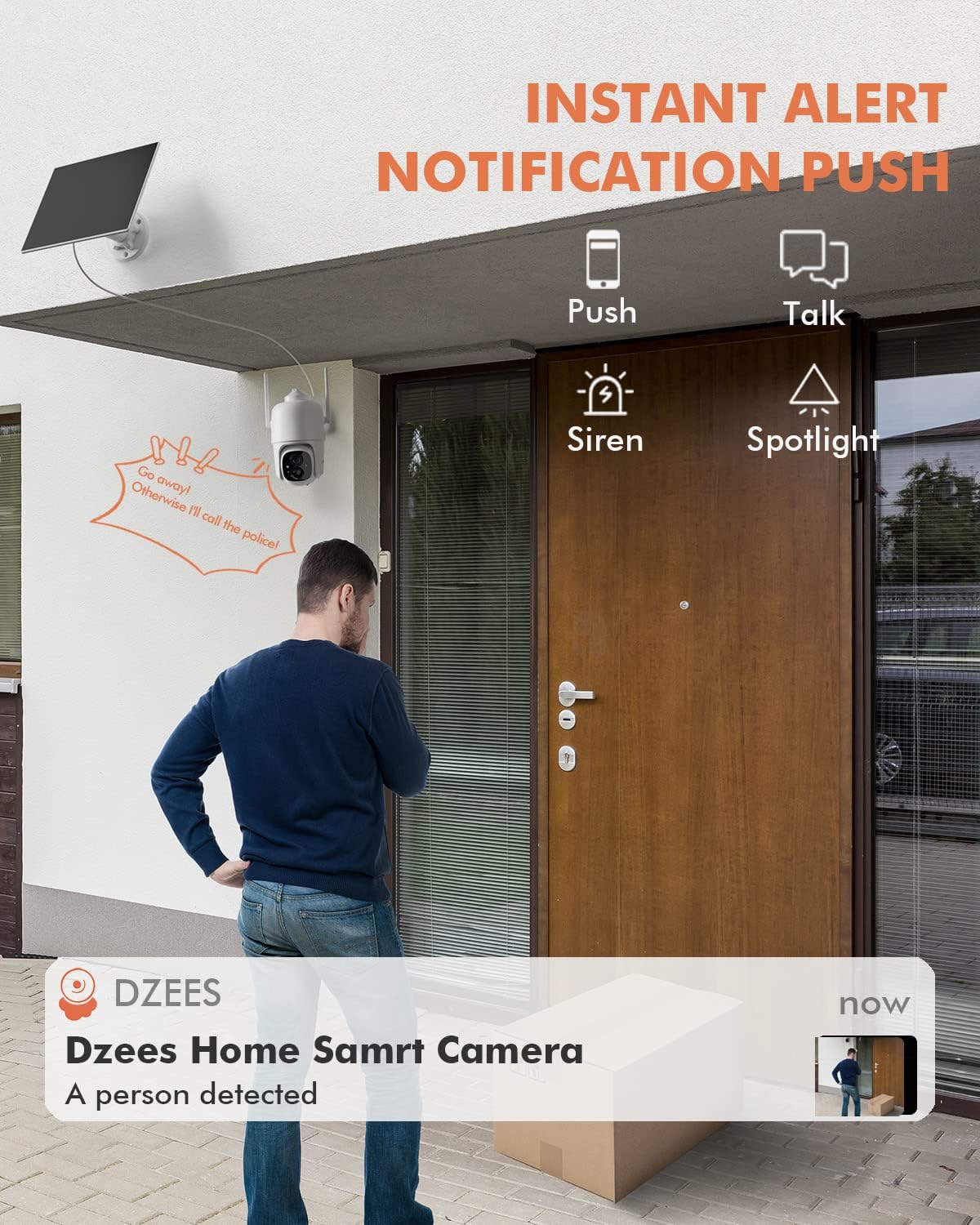
5.3-сүрөт: Мисample of an instant push notification received on a smartphone when the camera detects a person.
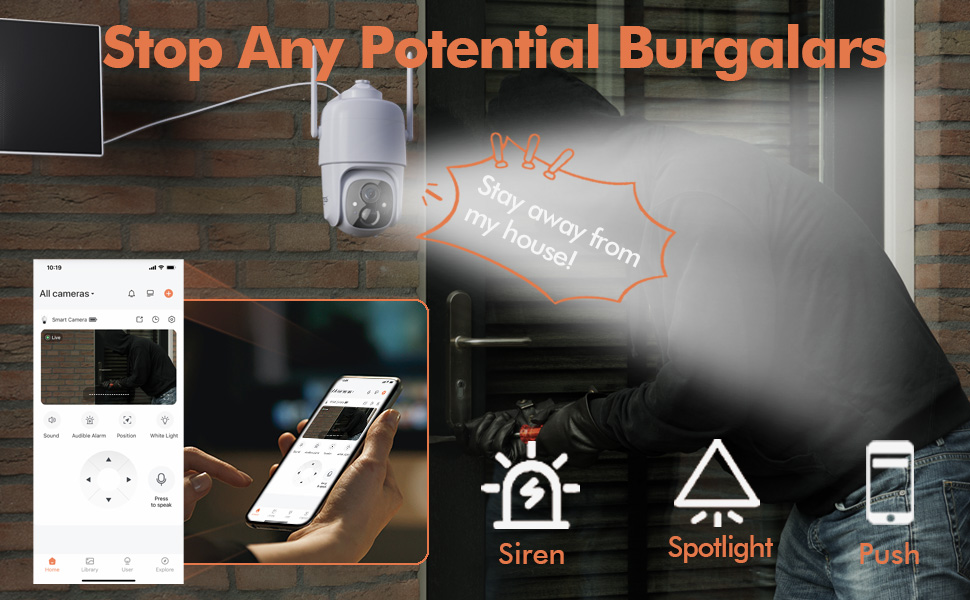
Figure 5.4: Detailed motion detection settings within the Dzees app, allowing for customization of detection zones and sensitivity.
5.4 Эки тараптуу аудио
Communicate with visitors or deter intruders using the camera's built-in microphone and speaker:
- Түз эфирде view, камера аркылуу сүйлөшүү үчүн микрофон сүрөтчөсүн таптаңыз.
- Камеранын жайгашкан жеринен аудио угуу үчүн динамик сүрөтчөсүн таптаңыз.
5.5 Прожектор жана сирена
Enhance security with active deterrence features:
- Manually activate the spotlight or siren from the live view interface in the app.
- Configure automatic activation of the spotlight or siren upon motion detection in the camera settings.
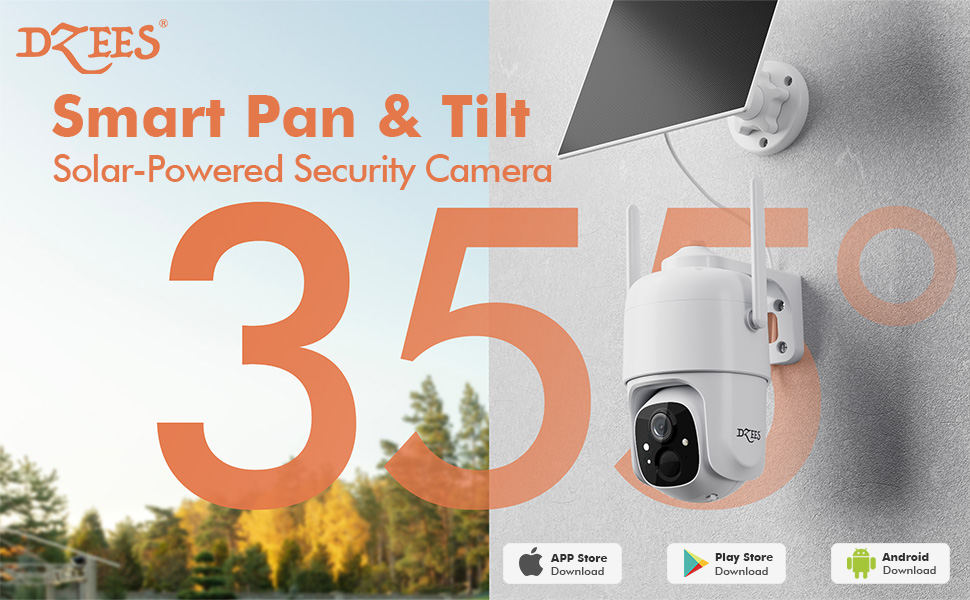
Figure 5.5: The camera's active deterrence features, including siren, spotlight, and instant push notifications, designed to deter potential intruders.
5.6 Сактоо параметрлери
Your Dzees camera offers flexible storage solutions for your recordings:
- Жергиликтүү сактагыч: Insert a Micro SD card (up to 128GB, not included) into the camera's SD card slot for continuous or event-based recording.
- Булуттагы сактагыч: Enjoy 2 years of free 3-day loop cloud storage. A 30-day trial of the Plus Plan is available for new users, offering upgraded cloud storage and advanced AI features.

Figure 5.6: The camera's support for both local Micro SD card storage (up to 128GB) and free 3-day cloud storage.
6. Техникалык тейлөө
Regular maintenance ensures the longevity and optimal performance of your Dzees Solar Security Camera:
- Cleaning the Lens and Solar Panel: Камеранын линзасын жана күн панелин мезгил-мезгили менен жумшак, d менен сүртүп туруңузamp cloth to remove dust, dirt, or debris. This ensures clear video quality and efficient solar charging.
- Батареянын абалын текшерүү: Monitor the battery level in the Dzees Home app. Ensure the solar panel is receiving sufficient direct sunlight to maintain charge.
- Программалык камсыздоонун жаңыртуулары: The Dzees Home app will notify you of available firmware updates. It is recommended to update the camera's firmware to ensure you have the latest features and security enhancements. Follow the in-app instructions for updating.
7. Кыйынчылыктарды
If you encounter issues with your Dzees Solar Security Camera, refer to the following common problems and solutions:
7.1 Камера Wi-Fiга туташпай жатат
- Wi-Fi тармагыңыз 2.4 ГГц экенин текшериңиз. Камера 5 ГГц Wi-Fi'ды колдоого албайт.
- Check the Wi-Fi signal strength at the camera's location. Move the camera closer to the router if the signal is weak.
- Туура Wi-Fi сырсөзүн киргизгениңизди текшериңиз.
- Try resetting the camera by pressing and holding the reset button for 5 seconds until you hear a prompt. Then, attempt pairing again.
7.2 Battery Not Charging or Draining Quickly
- Ensure the solar panel is connected securely to the camera.
- Verify that the solar panel is positioned to receive direct sunlight for several hours daily, without any obstructions (e.g., trees, eaves).
- Clean the surface of the solar panel regularly to remove dirt or dust that may hinder charging efficiency.
- In prolonged cloudy or rainy weather, the battery may drain. Consider temporarily charging the camera via USB if needed.
7.3 Ашыкча жалган сигналдар
- Adjust the motion detection sensitivity in the Dzees Home app to a lower setting.
- Utilize the activity zone feature to exclude areas with frequent irrelevant motion (e.g., busy streets, swaying trees).
- Enable AI detection to filter out non-human movements.
7.4 Сүрөттүн сапаты начар
- Камера линзасын жумшак, түксүз чүпүрөк менен тазалаңыз.
- Ensure a strong Wi-Fi connection for optimal streaming quality.
- Check for any physical obstructions in front of the lens.
7.5 No Night Vision
- Verify that night vision mode is enabled in the Dzees Home app settings.
- Ensure the camera's spotlights are not obstructed.
If the issue persists after trying these solutions, please contact Dzees customer support for further assistance.
8. Техникалык шарттар
| Өзгөчөлүк | Спецификация |
|---|---|
| Модель номери | D3K |
| Video Resolution | 2K / 3MP |
| Пан бурчу | 355° |
| Тит бурч | 90° |
| Digital Zoom | 4X |
| Түнкү көрүү диапазону | Up to 55 feet (Color Night Vision supported) |
| Аба ырайына каршылык | IP66 |
| Power Source | Solar Powered (with built-in rechargeable battery) |
| Байланыш | 2.4 ГГц Wi-Fi, Bluetooth |
| Жергиликтүү сактагыч | Микро SD карта (128 ГБ чейин, камтылган эмес) |
| Cloud Storage | Free 3-day loop storage (2 years included) |
| Өлчөмдөрү (L x W x Y) | 5.8 x 7 x 8 дюйм |
| Салмагы | 1.06 фунт (480 грамм) |
| Материал | Акрилонитрил бутадиен стирол (ABS) |
9. Кепилдик жана колдоо
Dzees is committed to providing high-quality products and excellent customer service.
- Кепилдик: Your Dzees Solar Security Camera comes with 2 years of after-sales support, ensuring peace of mind.
- Техникалык колдоо: An experienced technical team is available for 24/7 lifetime support. For any inquiries or assistance, please contact Dzees customer service.
- Онлайн ресурстар: Visit the official Dzees Store for more product information, FAQs, and support resources: Dzees Store on Amazon.
Ask a question about this manual
Ask about setup, troubleshooting, compatibility, parts, safety, or missing instructions. Manuals+ will review the question and use this page’s manual context to help answer it.